

Table of contents
.jpg)
.avif)
5 AI agent integration platforms to consider in 2026



Jon Gitlin
As you look to integrate your agents with 3rd-party applications, you’ll come across a variety of vendors with similar features and functionality.
To help you sift through the noise and evaluate the best solutions for your agents, we’ve provided a condensed list of the best AI agent integration platforms currently available, along with their pros and cons.
But let’s start by aligning on how AI agent integration platforms work.
Note: This article was updated on 2/6/2026. Anything mentioned below is subject to change.
What is an AI agent integration platform?
It’s a platform that lets you connect your agents to 3rd-party software via API endpoints and/or Model Context Protocol (MCP) servers' tools. The provider also manages these integrations on your behalf, such as replacing deprecated endpoints or adding tools to an MCP server.
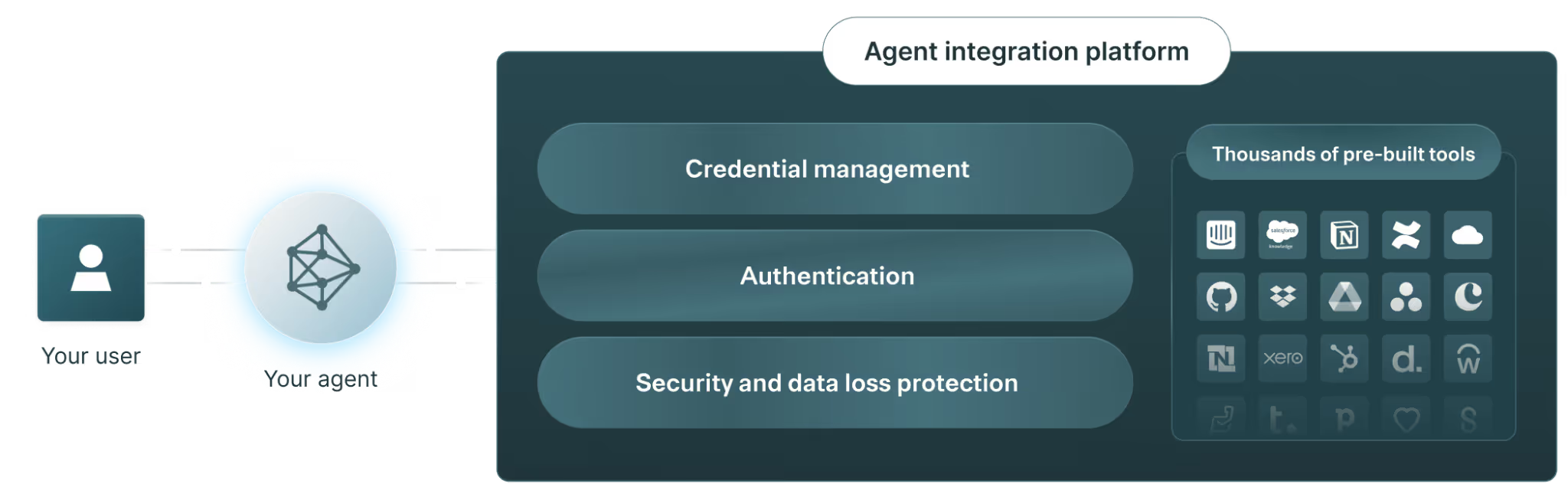
As you’ll see in the examples below, an AI agent integration platform typically includes:
- Pre-built connectors to integrate your agents with a wide range of software quickly. These connectors can include API integrations and MCP servers with pre-configured tools
- Managed authentication (typically OAuth) to prevent agents from sharing sensitive data to unauthorized users
- An observability layer to review your agents’ tool calls and API requests and take corrective actions when needed
Best AI agent integration platforms
Here’s a shortlist of the top agent integration platforms in 2026.
Merge
Merge enables you to integrate your agents to 3rd-party apps via API endpoints and MCP servers' tools through two products: Merge Agent Handler and Merge Unified.
Top features
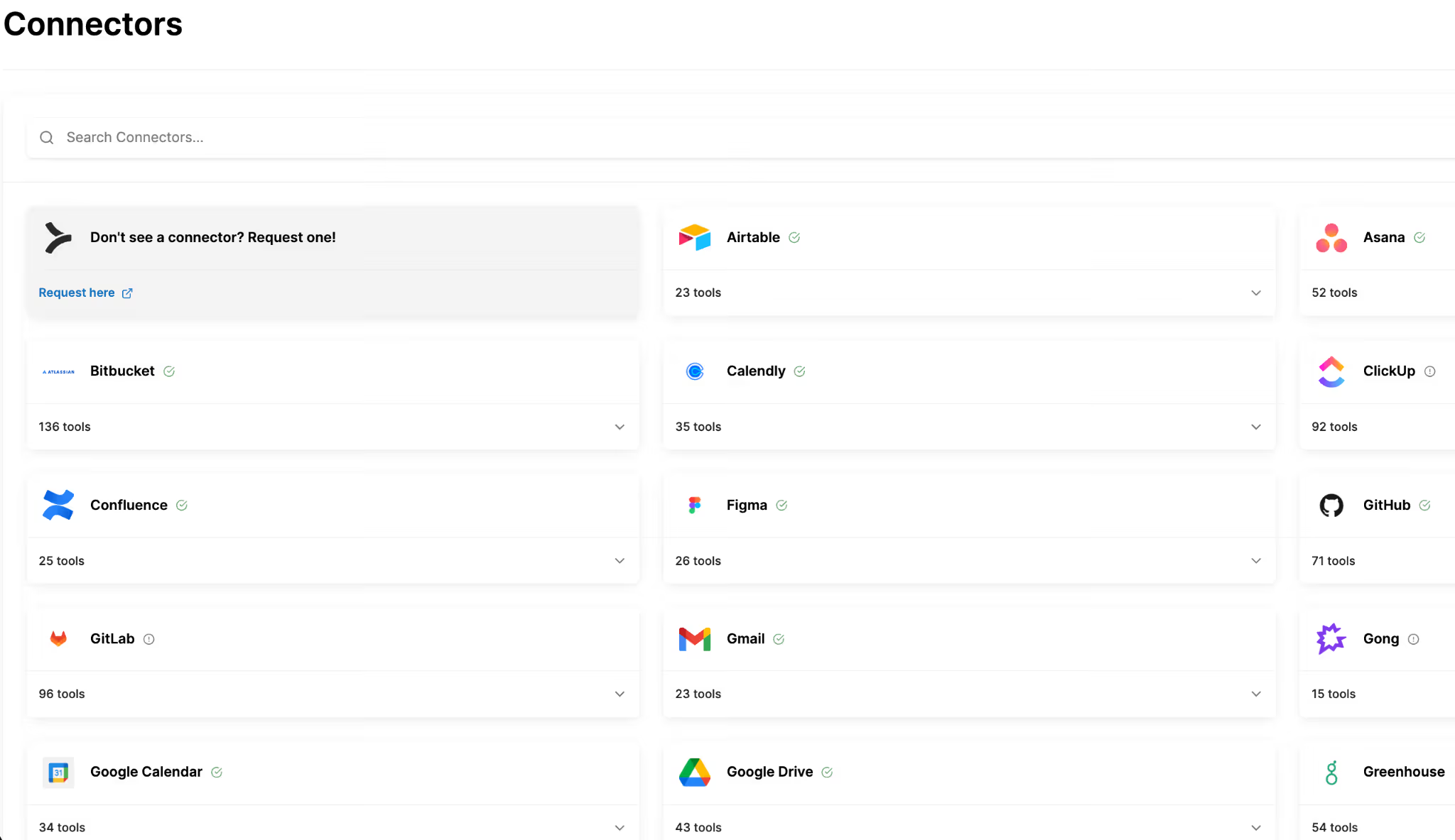
- Extensive integration coverage: You can connect your agents to hundreds of API providers through a single, unified API; and you can access dozens of pre-built MCP connectors and add your own within seconds
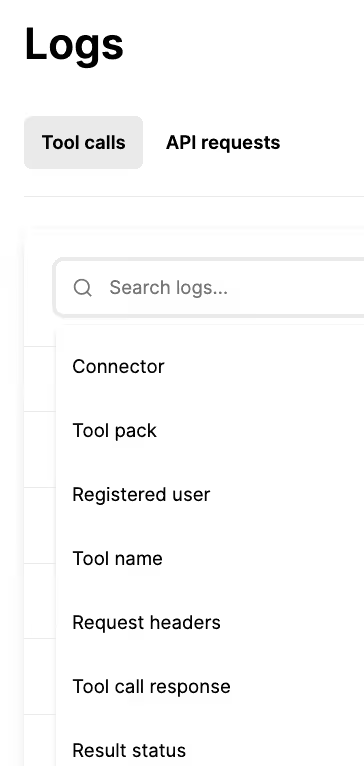
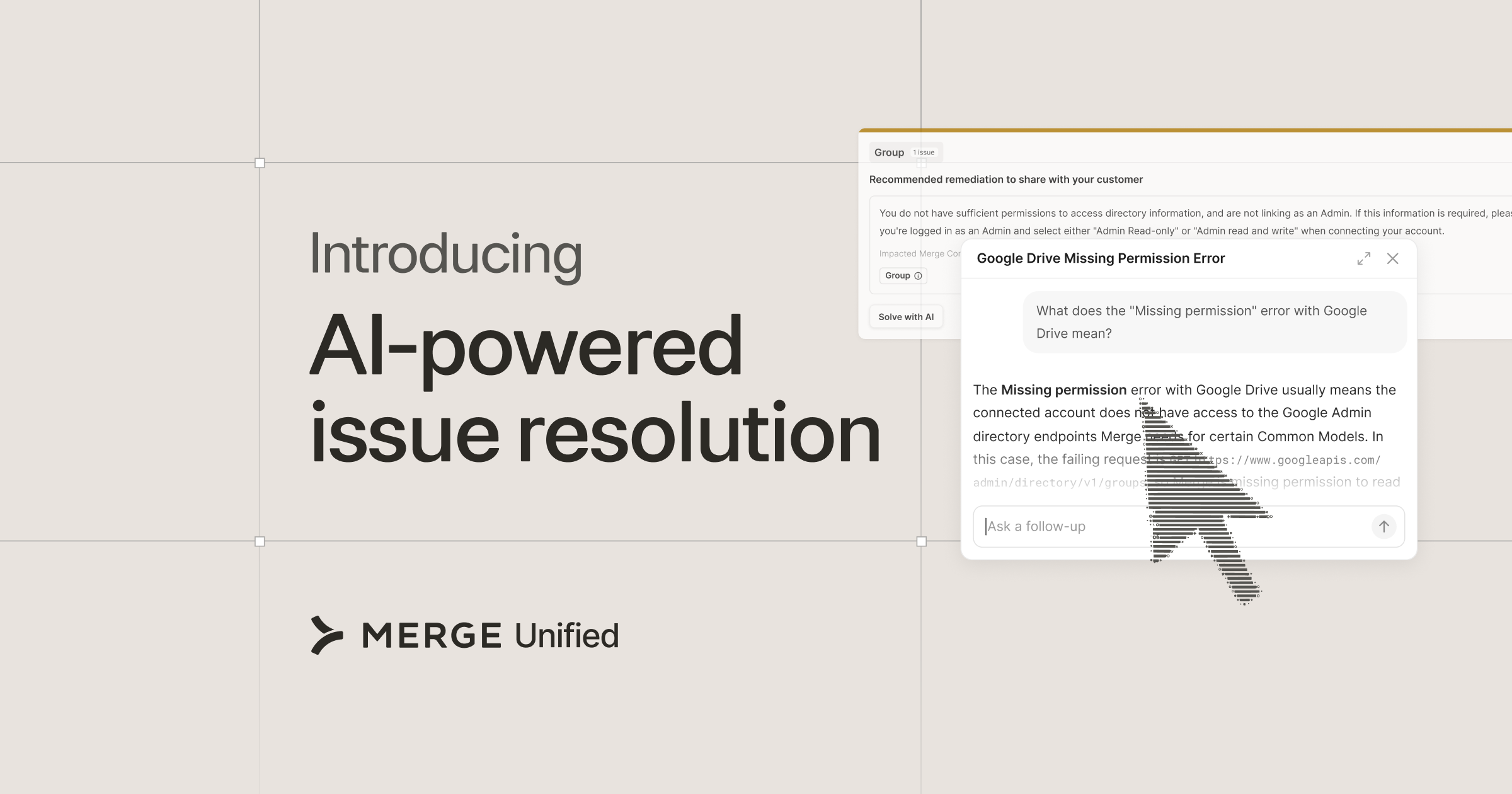
- Integration observability: Access fully-searchable logs, automated alerts, audit trails, and more to easily troubleshoot and resolve integration issues
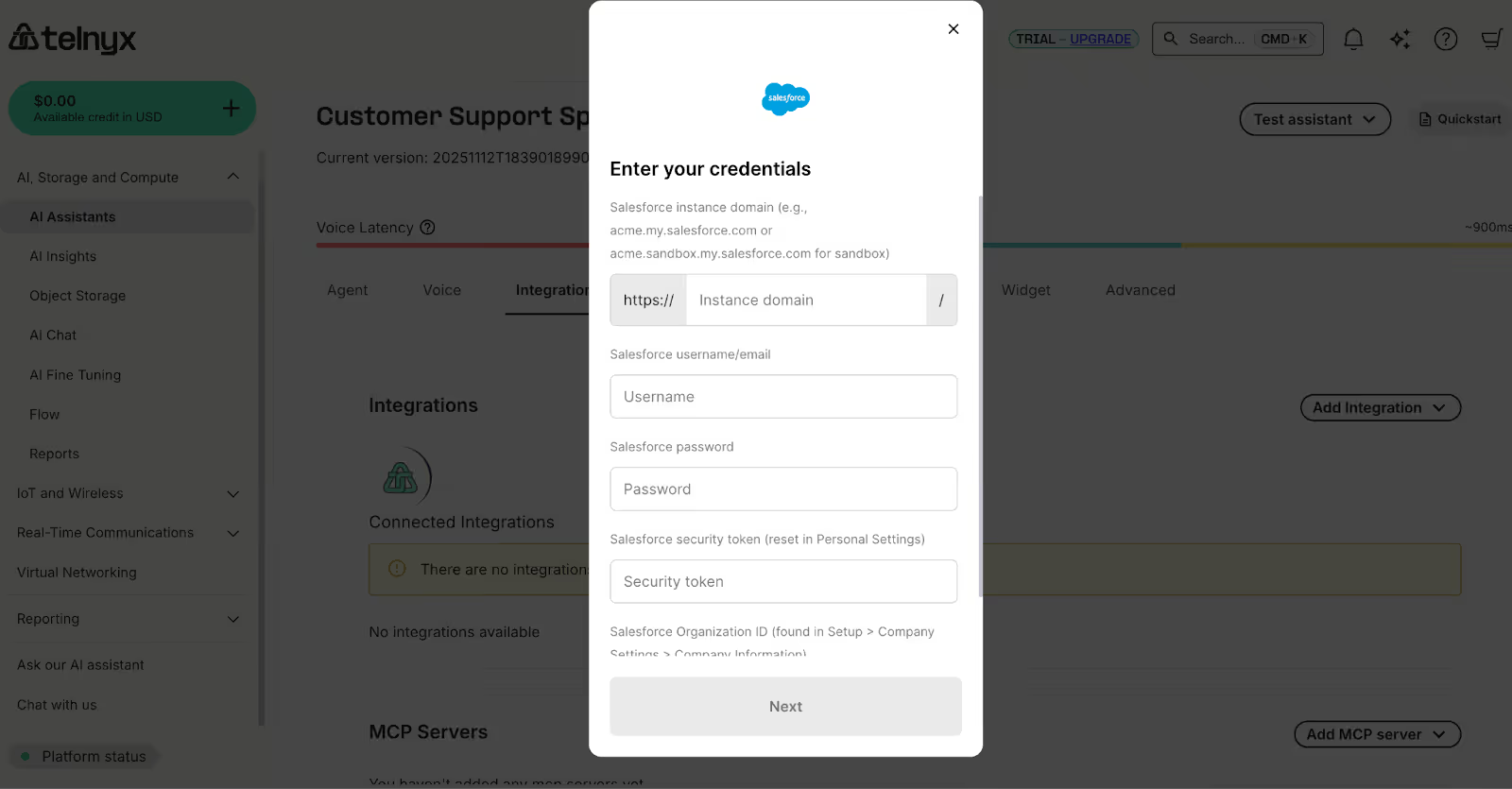
- Onboarding via Merge Link: Merge’s UI component lets end-users quickly set up a connection through personalized, guided steps
Pros
- Offers both MCP and API connectivity: APIs and MCP servers have their respective advantages and disadvantages for supporting agentic use cases. With Merge, you don't have to choose; combine both to leverage each of their strengths
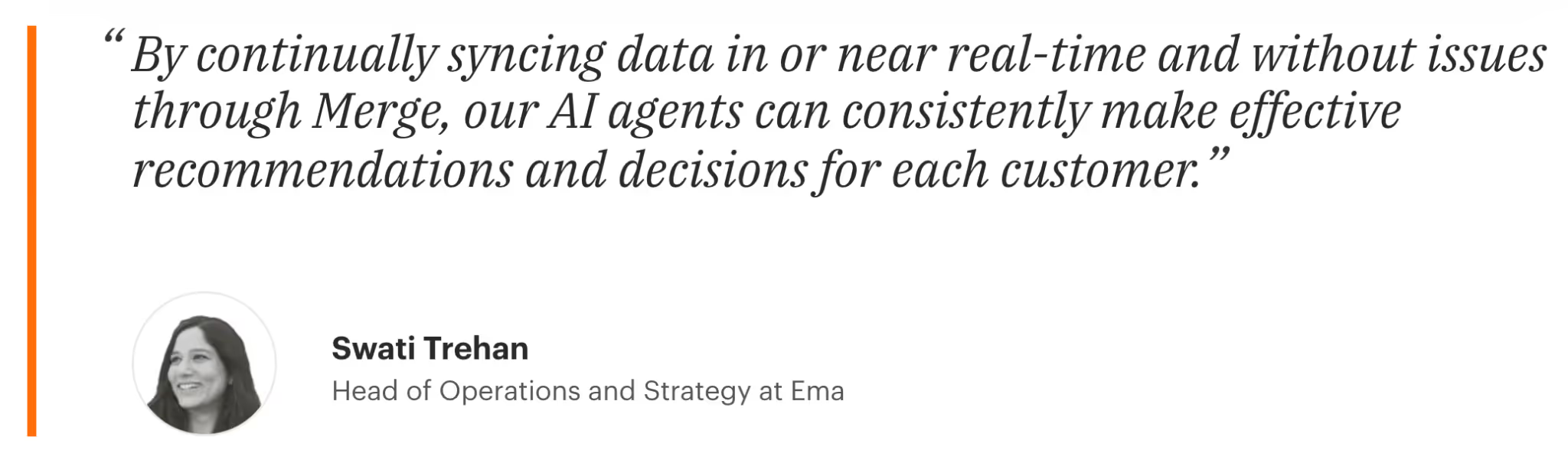
- Proven success: Leading AI companies trust Merge to support their agents. And there are several case studies (from Telnyx to Ema to Basis) that highlight Merge’s success in powering integrations for AI agents
- Enterprise-grade support: Merge not only offers robust security and observability features and functionality but also employs a post-sales team to help you take your integrations to market successfully and manage them with ease
{{this-blog-only-cta}}
Composio
Composio offers an integration platform for AI agents that lets you connect to a wide range of MCP tools across apps.
Top Features of Composio
- Python and TypeScript SDKs: These SDKs make it easier for your engineering teams to programmatically connect your agents to Composio's platform without having to build everything from scratch or work directly with APIs
- Framework adapters: They support popular agent frameworks like LangChain, CrewAI, and Groq, to help you adopt integrations, faster
- Security features: Access audit logs and role-based access control to enforce fine-grained permissions across your agents and address potential security risks quickly
Pros
- Flexible pricing tiers: Composio’s pricing plans can help you get started at the right level (e.g., on their “Totally Free” plan) and move up as you scale your agents’ integrations and/or your integration requirements evolve
- Modern platform: Since they were founded in July, 2023, they’re built with current AI agent architecture and tooling standards in mind
- Well funded: They recently raised a $29M series A, which should assuage any concerns about their short to medium-term viability
Cons
- Limited security on lower tiers: Their audit logs and role-based access control are only available on more expensive plans, which can be a barrier for security-conscious teams on tighter budgets
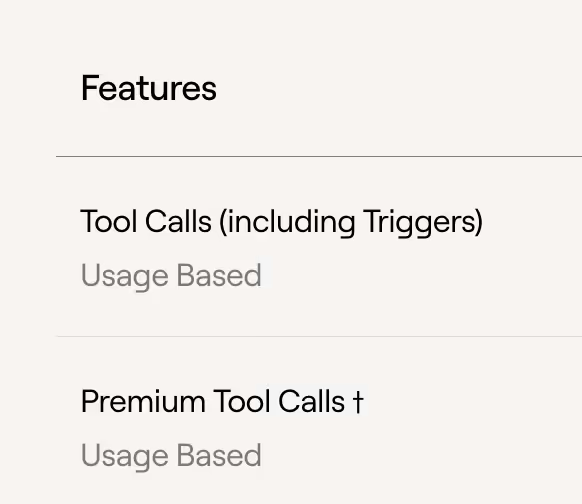
- Complex pricing structure: They charge based on three different metrics (Tool Calls, Premium Tool Calls, and Connected Accounts), making costs harder to predict
- Minimal observability: With only vague mentions of observability features on their site, we can assume that they offer limited observability capabilities for tool calls
- No tooling for testing: They lack built-in tools to test and optimize tool calls before deploying agents to production
Related: The top alternatives to Composio
Arcade
Arcade, or Arcade.dev, is an AI tool-calling platform that positions itself as an open-source marketplace with community-managed connectors.
Top features of Arcade
- Connector library: They offer connectors across software categories to support a wide range of agentic use cases
- Agentic tools marketplace: Open-source and for-profit community of connectors to help you find and use connectors that extend beyond what Arcade offers out of the box
- Flexible hosting options: They offer cloud, on-premises, and managed VPC deployment options
Pros
- Large connector selection: 100+ pre-built agent connectors available, from Slack to Gmail to Dropbox
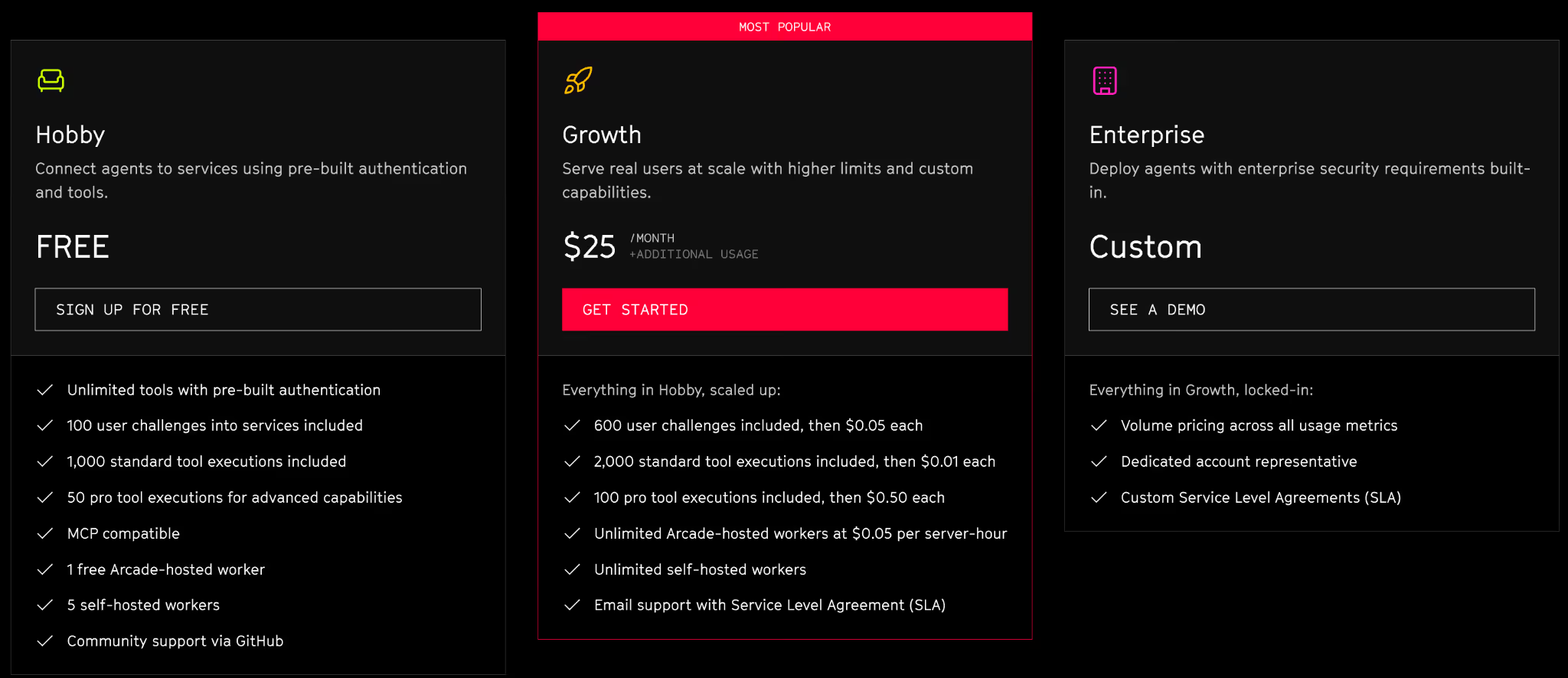
- Accessible pricing: You can get started for free and only move to higher tiered plans once you’ve validated the integrations and see strong adoption rates
- Developer-centric approach: Arcade offers a code-heavy experience for technical teams who prefer programmatic control
Related: The top alternatives to Arcade.dev
Cons
- Unproven in the market: They don’t have any public case studies, which raises questions about their production readiness and reliability
- Limited security capabilities: They offer minimal documentation on security features like rules, logging, and auditing. This hints that they don't offer critical security capabilities for supporting agentic integrations
- Confusing pricing model: They charge based on multiple vague variables, including "user challenges," "standard tool executions," and "pro tool executions." This makes it harder to predict costs
Zapier
Zapier is a workflow automation platform that can help you implement trigger-based automations for your agents via API endpoints and MCP tools.
Top features of Zapier
- Core workflow builder: You can build endless internal and customer-facing automations across 3rd-party software with “Zaps”
- Built-in database: You can store, organize, and automate your workflows with the data via “Tables”
- Online form builder: You can use "Forms" to design and publish custom forms and pages to collect information, and then build automations (zaps) based on the data that's collected
- Pre-built MCP servers: You can integrate your agents to thousands of tools across Zapier’s 8,000+ MCP servers
Pros
- End-to-end internal agent development: You can use “Zapier Agents” to configure an agent from scratch and connect it to external systems. This lets you avoid relying on multiple tools for separate parts of agent development
- Pre-existing fluency in Zapier: There’s a good chance your team already has experience building and refining zaps. This can help them quickly learn how to use its agent connectors
- Single solution for any integration scenario: Zapier supports nearly every integration use case, so you can likely use it for all your integration needs (i.e., any that include and extend beyond your agents)
Cons
- Limited data loss protection (DLP) functionality: Zapier doesn’t let you set customizable rules and alerts on the activities your agents take, which can compromise your ability to implement DLP across them
- Limited testing features: Zapier doesn’t offer purpose-built tests for your agents, such as a way to define possible output labels for an agent response and specify which count as passing—so you can measure how often your agent produces acceptable outputs. This can lead you to launch integrations that end up not working as you expect and want
- Competing priorities: Zapier has several products, so the engineering resources they can allocate toward integrations and automations for agents is limited. In other words, if you’re solely looking for an agent integration solution and need the vendor to ship and improve their agent connectors quickly, you may want to consider another platform
Workato
Workato is an integration platform as a service (iPaaS) vendor that lets you build internal and customer-facing integrations and workflow automations across thousands of applications.
Top features
- Low-code workflow builder (“recipes”): These let you create trigger-based automations across your applications
- Embedded iPaaS: This is largely the same as their core iPaaS offering, only it lets customers embed Workato (the product is called Workato Embedded) into their own product and offer recipes to their clients
- Agent builder: You can implement use case-specific agents built on recipes and connectors through their Workato Genies offering
- MCP tools and services: You can connect your agents to existing MCP servers and tools, and you can publish new MCP-compatible tools (through recipes and connectors) using Workato Enterprise MCP
Pros
- Internal and customer-facing agent integration support: Workato lets you build MCP-based integrations across your internal teams with Workato Enterprise MCP and customer-facing agent integrations with Workato Enterprise MCP for SaaS
- Internal knowledge of Workato’s recipe–builder: If your team already has experience with building recipes for other integration use cases, their ability to learn and start using Workato Enterprise MCP can be quick and easy
- Strong financial health: Workato has thousands of customers, hundreds of millions of dollars in funding, and a strong reputation on 3rd-party review sites, like G2. As a result, you likely don’t have to worry about them going out of business
Cons
- Few pre-built MCP servers: They’ve just started building MCP servers, and currently offer less than 12 out-of-the-box. This means their ability to support your agentic use cases is limited
- Lack of customer proof: While Workato has a wide range of case studies for their core iPaaS and embedded iPaaS offerings, they don’t have any for Workato Enterprise MCP. This can signal that the product isn’t fully built or working as marketed
- Limited resource support for agent integrations: Like Zapier, Workato offers several solutions that extend beyond integrations, like an agent builder and an API management platform. This compromises their ability to focus on expanding and enhancing their agent connectors
{{this-blog-only-cta}}
Jon Gitlin
.png)
.png)

Connect your agents to thousands of tools and endpoints via Merge
Leverage Merge to securely connect your agents to any system, as well as manage and monitor all tool and API interactions.


But Merge isn’t just a Unified
API product. Merge is an integration platform to also manage customer integrations. gradient text
But Merge isn’t just a Unified
API product. Merge is an integration platform to also manage customer integrations. gradient text
But Merge isn’t just a Unified
API product. Merge is an integration platform to also manage customer integrations. gradient text
But Merge isn’t just a Unified
API product. Merge is an integration platform to also manage customer integrations. gradient text