

Table of contents
.avif)
.avif)
Agent connectors: what you need to know
.avif)


Jon Gitlin
As you build AI agents, you’ll need to connect them to 3rd-party applications.
Integrations allow your agents to execute tasks and orchestrate complex workflows, whether that’s updating support tickets, sharing product updates in a Slack channel, or even onboarding employees end-to-end.
To help you build integrations for your agents quickly and at scale, you can use agent connectors.
We’ll break down how these connectors work, real companies that use them, and your implementation options.
What are agent connectors?
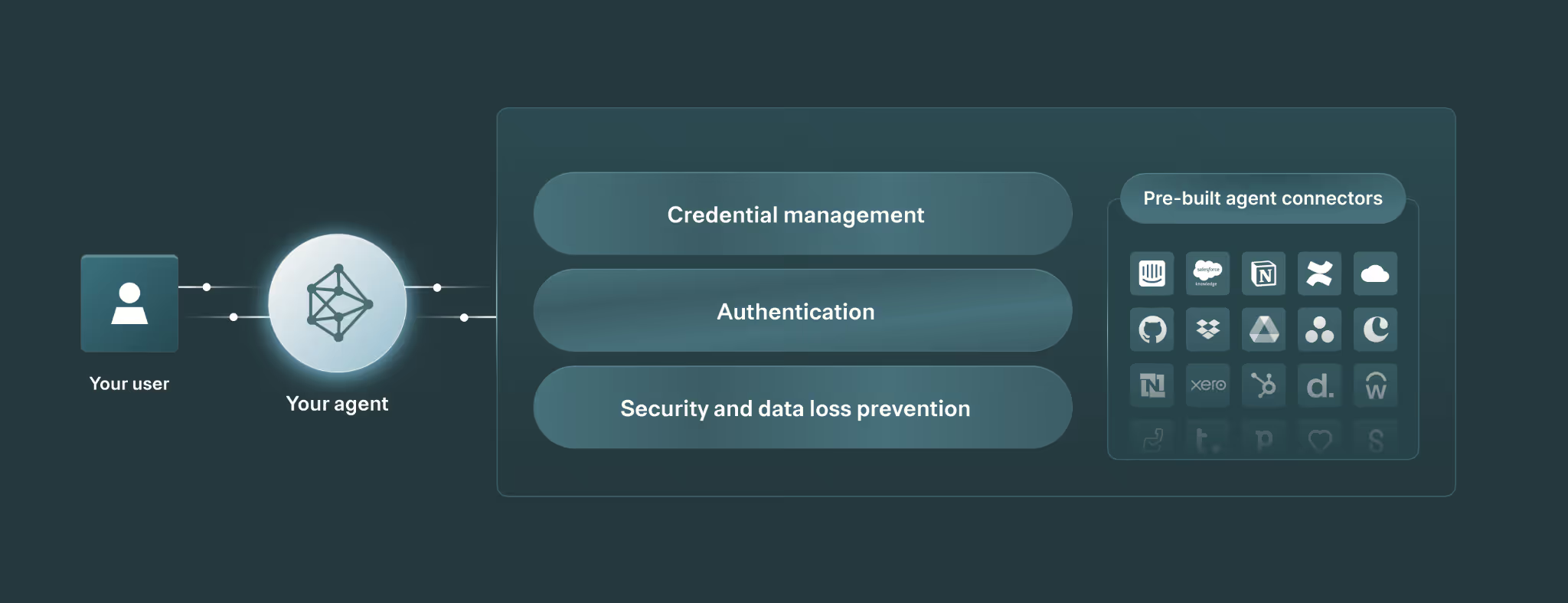
They’re pre-built Model Context Protocol (MCP) servers provided by a 3rd-party integration platform. These MCP servers include tools that let your agents perform a wide range of actions in the underlying systems securely.
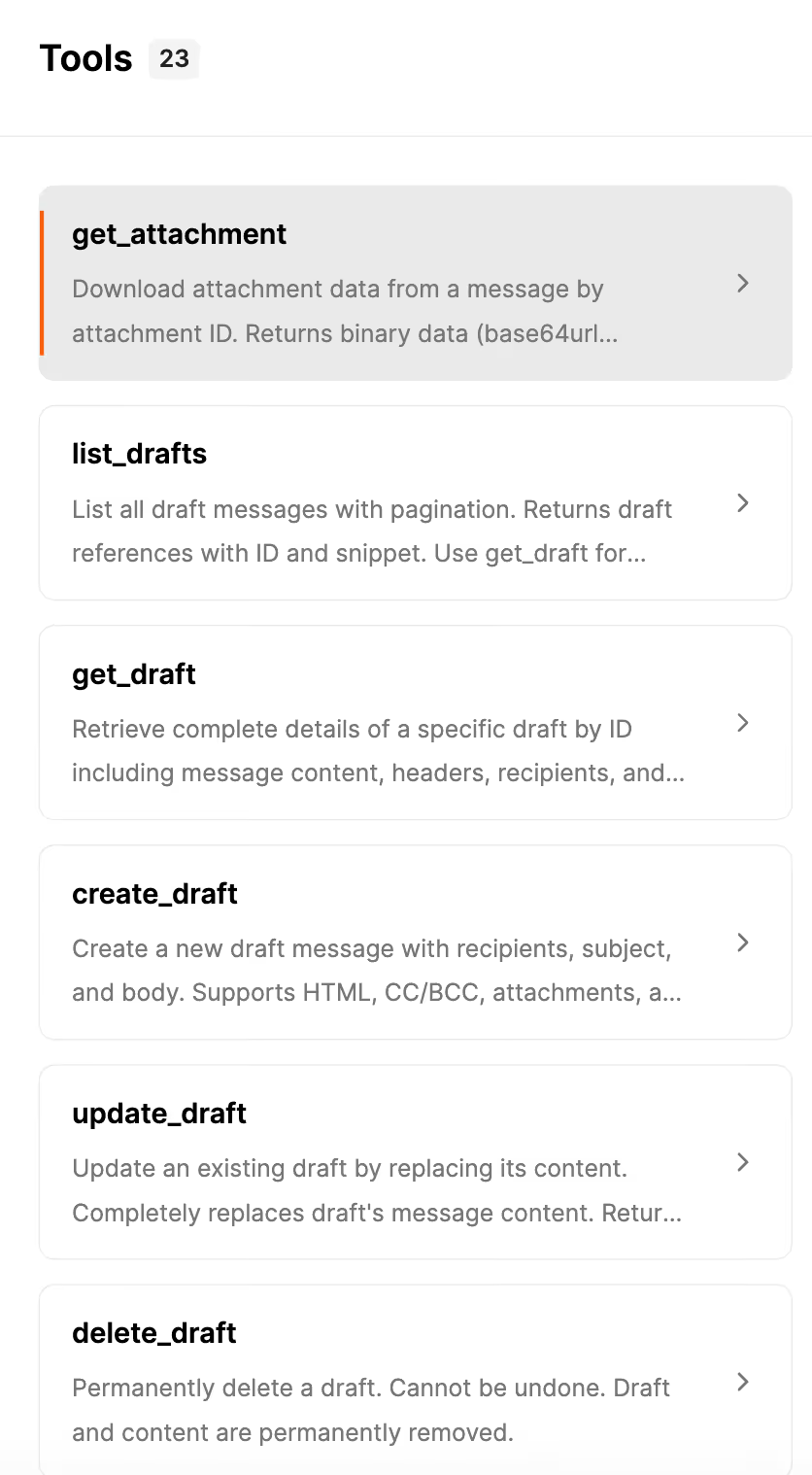
For example, Merge Agent Handler offers a Gmail MCP server that comes with 20+ tools. These tools let your agents draft emails to specific contacts, read and summarize a set of emails, add labels to certain emails, and much more.
Many, if not most, tools also involve making API requests. For example, Merge Agent Handler’s <code class="blog_inline-code">get_message</code> tool includes using the following API endpoint:
Related: What’s an AI connector?
Benefits of agent connectors
While agent connectors vary across providers, they generally offer the following benefits.
High performance
Third-party integration platforms typically battle test their MCP servers extensively, ensuring agents call the right tool consistently. These platforms also continually add new tools to help your agents get more value from each connector.

By contrast, official MCP servers (those provided by the software platforms themselves) are typically launched for marketing purposes and aren’t maintained over time. In other words, these servers’ tools are often incomplete, use shallow (if any) descriptions, and fail to provide robust tool schemas.
Enterprise-grade security
The integration platforms that offer agent connectors often also provide tooling to help you monitor, manage, and secure your agents.
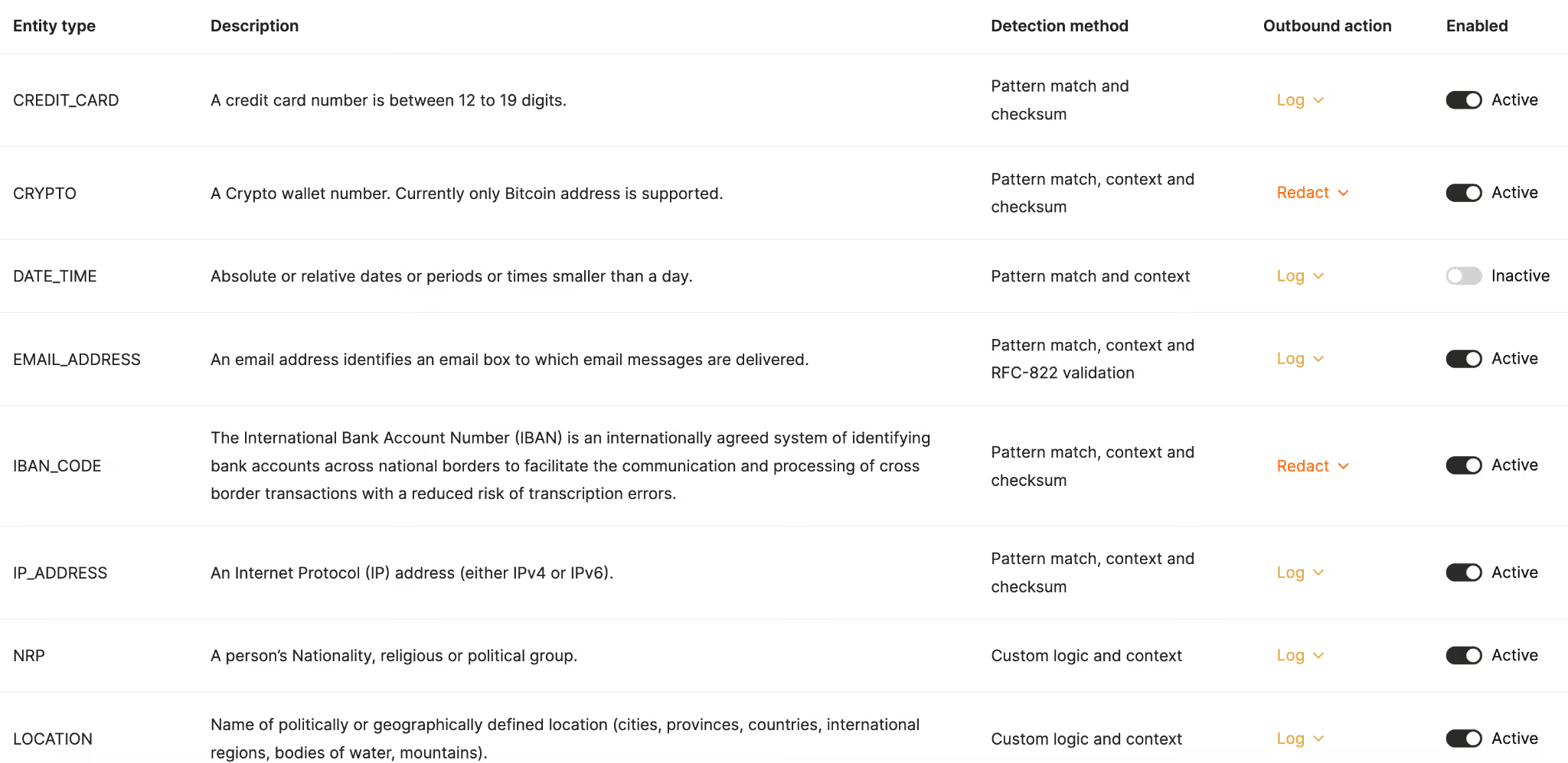
For example, Merge Agent Handler provides fully-searchable logs to help you track your agents’ tool calls (and underlying API requests), customizable rules to alert your team when your agents perform potentially harmful actions, audit trails to track the changes your teams make to specific connectors, and more.
Time savings
Outsourcing your agent connectors to a 3rd-party saves your engineers hundreds, if not thousands, of hours over time. They can reallocate their time savings toward improving your agents, along with other parts of your products.
For example, Telnyx outsourced a variety of connectors (including Salesforce, Zendesk, and Greenhouse) for their voice AI agent to Merge Agent Handler. That allowed them to save their engineers hundreds of hours every year.
Here’s more from their COO, Ian Reither:
“Our engineers have been able to save hundreds of hours this year by outsourcing MCP connector development and maintenance to Merge. This has enabled them to fully focus on building the leading full-stack platform for real-time conversational AI.”
Competitive differentiation
Agent connectors can not only save your engineers time—they can also help you add connectors significantly faster. This can give your business and your product a competitive edge for months, and potentially years.
You can also offer substantially more connectors than competitors, which can make your agents relevant to a larger market and able to support more complex workflows.
Like our previous benefit, this is exactly what Telnyx experienced. According to Ian:
"With the help of Merge Agent Handler, we’re able to deliver the most connected voice AI agents in the market. As a result, demand from enterprise organizations across industries has surged."
Real-world examples
To help bring agent connectors to life, let’s break down how some companies use them today.
Perplexity
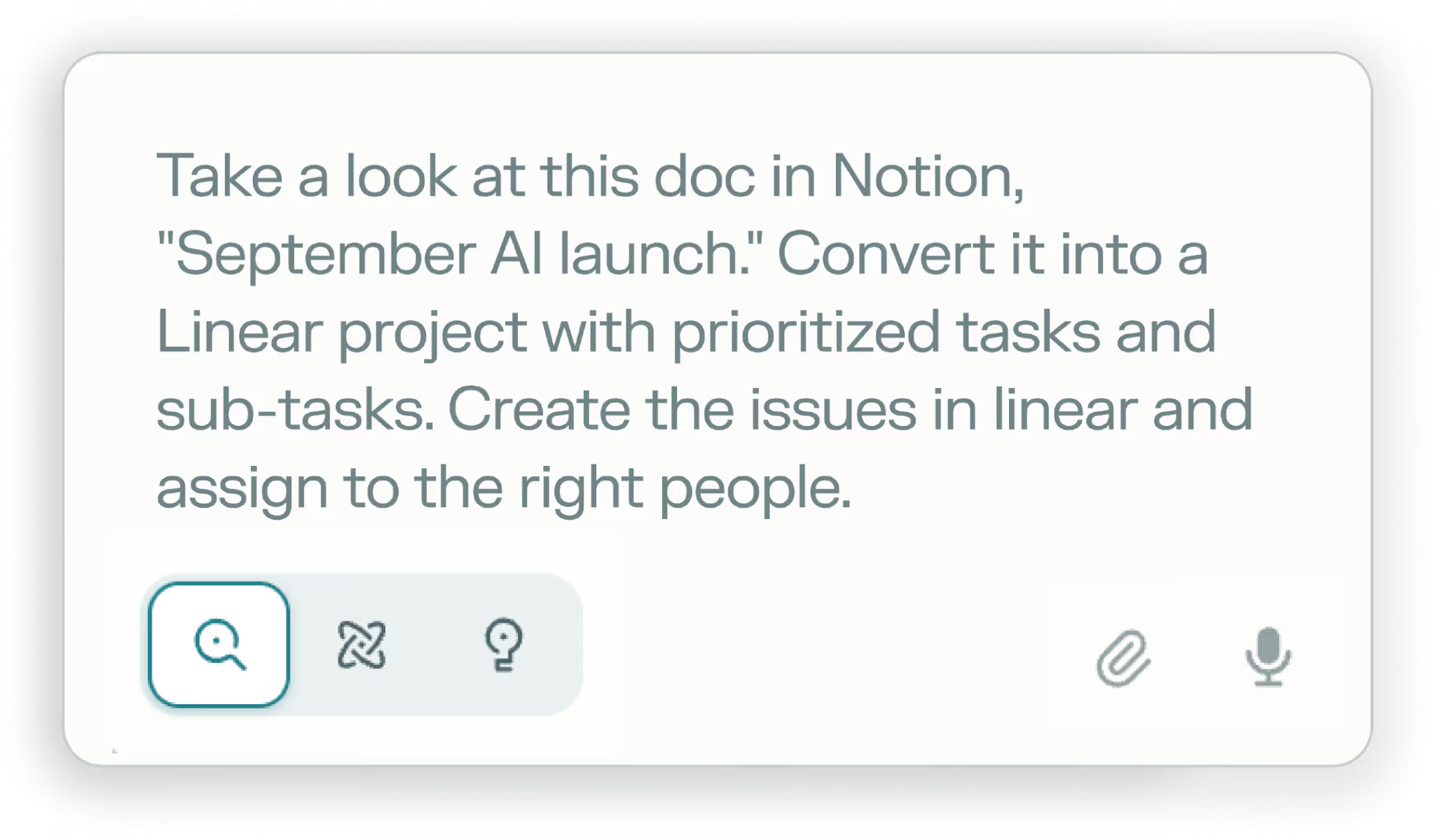
The AI-powered search engine offers connectors with a wide range of applications, including Slack, Linear, GitHub, and Gmail.
This lets users on their Enterprise Pro plan use their agent to get context on issues or projects, create or update issues, reschedule meetings, and more—all without leaving Perplexity.
Related: Examples of MCP integrations
Ema
The Universal AI employee lets you build endless agents across teams. And integrations are core to powering any of their agents.
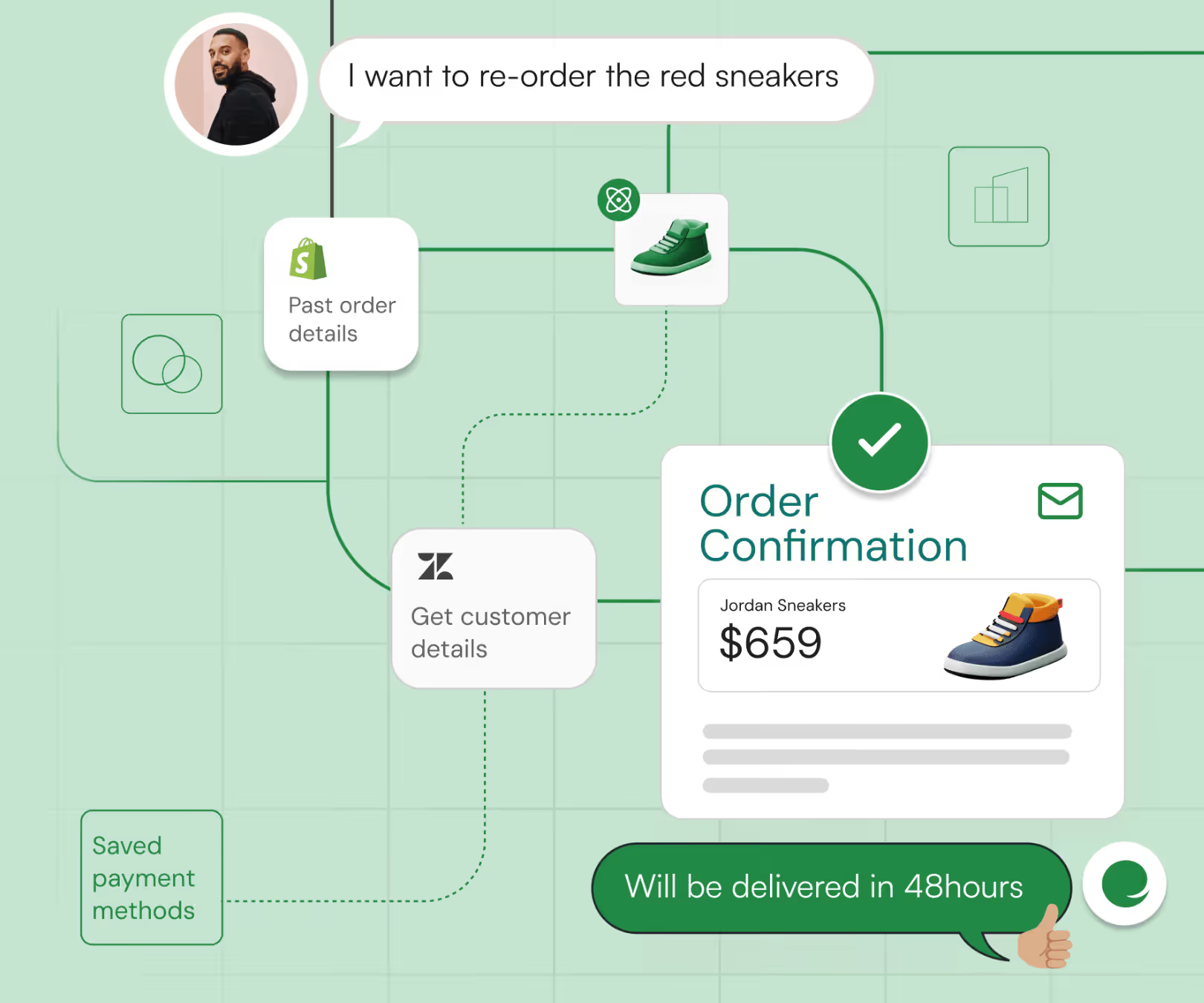
For example, you can build a customer support agent for your online store in Ema that uses Shopify and Zendesk connectors.
Your agent can then offer a chat interface that handles requests like “I want to re-order the red sneakers.” This could trigger your agent to make a tool call to Shopify to find that order and another to Zendesk to get specific details on the customer (e.g., their shipping address).
Assuming your agent finds all of these details successfully, it can go on to make the purchase on the customer’s behalf.
Aleph
The FP&A platform uses hundreds of connectors to power Aleph AI, its FP&A-focused AI agents.
For example, in a financial report, a user can ask Aleph AI to generate an account mapping that rolls individual accounts up into specific categories. The agent then uses the connector for the customer’s accounting system to analyze how the customer currently classifies accounts; based on this insight, the agent can generate the requested mapping successfully.

Agent connector solutions
Here’s a look at some of the best agent integration solutions.
Composio
Composio is an open-source, developer-first platform that provides hundreds of pre-built agent connectors and thousands of tools across them.
Pros
- Wide tool coverage across 500+ agent connectors
- Framework adapters for LangChain and CrewAI
- Handles authentication complexities
- Offers a free tier with 20K tool calls per month
Cons
- Requires significant engineering work and isn't accessible to non-technical users
- Complex pricing structure with separate charges for tool calls, premium tool calls (3x cost), and connected accounts
- Lacks robust security features (e.g., RBAC and audit logs are only on the enterprise tier)
- Minimal observability and no built-in evaluation suite for testing tools
Related: The top alternatives to Composio
Arcade.dev
Arcade.dev lets you connect your agents to thousands of tools across 100+ MCP servers. It also provides OAuth 2.0 support, API keys, and user tokens for authenticating your agents.
Pros
- Flexible hosting options (cloud, on-premises, and self-hosted deployment available even on free tier)
- Accessible pricing with a free tier (up to 10 monthly active users and 1,000 calls per month)
- All core features available across pricing tiers
- Unlimited OAuth integrations on paid plans
Cons
- Limited enterprise features with minimal security documentation on rules, logging, and auditing
- Confusing pricing model with multiple variables, including "user challenges" and different tool execution types
- Limited track record and no disclosed customer base or case studies
- Free tier limits OAuth integrations to only 2 connectors
- Community-maintained connectors may have variable quality and reliability
Related: Arcade.dev's top competitors
Merge Agent Handler
Unlike Composio, Arcade.dev, and other agent integration platforms, Agent Handler offers all of the out-of-the-box tools and functionality needed to support your agents' integrations successfully.
This includes enterprise-grade security (rules/DLP, logs, alerts, audit trails), an Evaluation Suite to pressure-test the tools, a Connector Studio that lets you use pre-built connectors as is, modify any, and add new ones via AI, and more.
Merge is also trusted to power leading AI companies and their agents, from Perplexity and Mistral AI to Contextual AI and Ema.
Start adding connectors to your agents for free by signing up for a free account!
Jon Gitlin



But Merge isn’t just a Unified
API product. Merge is an integration platform to also manage customer integrations. gradient text
But Merge isn’t just a Unified
API product. Merge is an integration platform to also manage customer integrations. gradient text
But Merge isn’t just a Unified
API product. Merge is an integration platform to also manage customer integrations. gradient text
But Merge isn’t just a Unified
API product. Merge is an integration platform to also manage customer integrations. gradient text