

Table of contents

3 Runlayer alternatives to prioritize in 2026



Jon Gitlin
As you look to give employees secure AI access, you’ll likely evaluate Runlayer.
While the platform is getting traction, it has several drawbacks relative to its top competitors.
We’ll surface these drawbacks so you can make an informed decision on the best internal MCP gateway solution.
Agent Handler for Employees
Agent Handler for Employees, or AHFE, is a governance layer for letting employees use AI tools with company systems without IT losing control.
It uses Tool Packs, configurable bundles of connectors and tools, to give different teams fine-grained access. Teams are then assigned specific Tool Packs via SCIM.
Top features
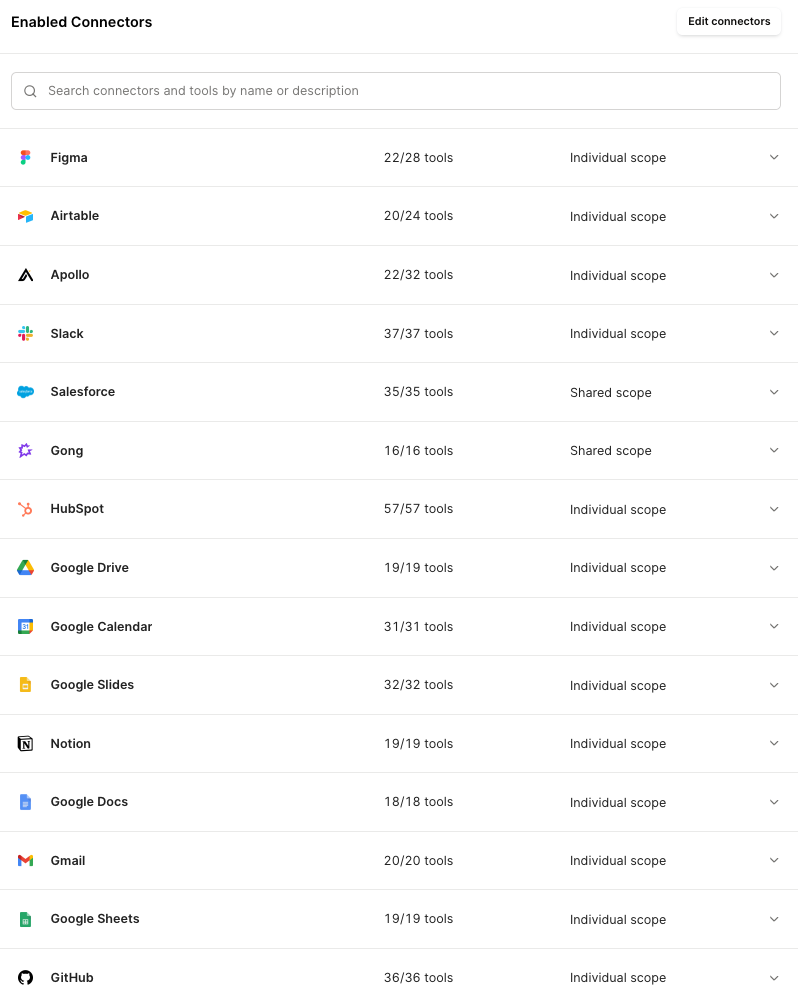
- One governed layer for all employee AI: Employee AI tools (Claude, ChatGPT, Copilot, and any other MCP-compatible tool) reach every connected app through Agent Handler, so IT governs all access from one place instead of tool by tool
- Centralized policy enforcement and DLP: IT can define which AI tools, connectors, and actions each employee or group can use via Tool Packs. AHFE can also scan, block, or redact sensitive data before it moves through an AI workflow
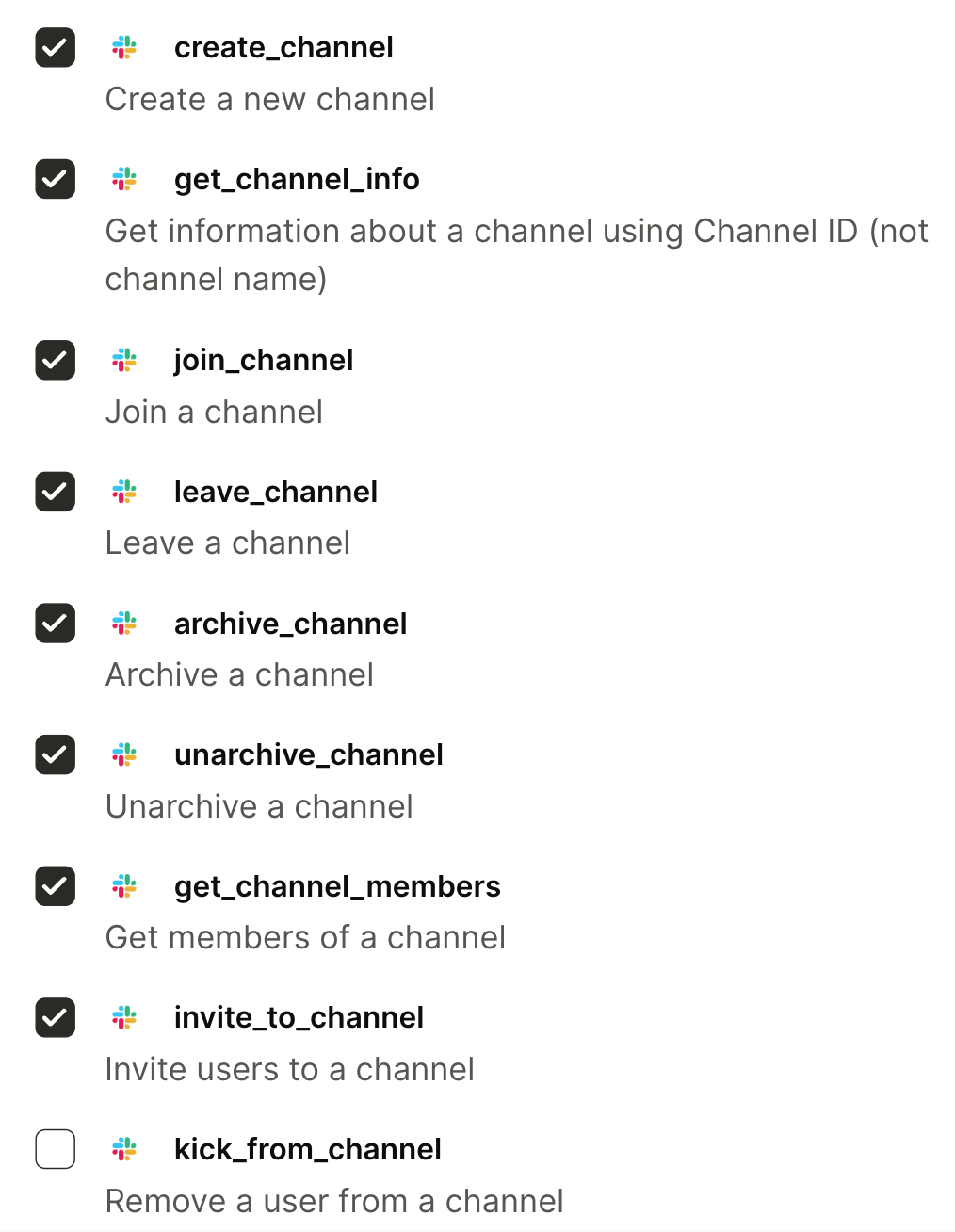
- Audit logs and visibility: Admins can see the connectors and tools employees use, when they use them, whether the tool calls are successful, etc. This gives you a searchable record for monitoring usage, investigating incidents, and proving compliance
When to choose it over Runlayer
- You need MCP connector support. Runlayer doesn’t build or maintain MCP connectors, while AHFE offers 160+ connectors and thousands of tools out of the box
- You want transparent pricing. Runlayer doesn’t cover their pricing model on their site. Instead, they force you to book a demo with their team to learn about it. AHFE, on the other hand, offers pricing details up front on its pricing page
- Your AI integration needs extend beyond employees. If you need to connect customer-facing agents with 3rd-party software, power your product’s enterprise search via integrations, and/or route internal or product requests to different LLMs, you can just use Merge
{{this-blog-only-cta}}
Glean
Glean is an enterprise "Work AI" platform for internal employee agents. It's built on an enterprise search and indexing foundation (275+ connectors across workplace apps), with agent building, orchestration, and permission-aware governance layered on top.
It's less a standalone agent infrastructure or security layer and more a full employee-facing AI workspace: search, company context, agents, and permissions in one product.
Top features
- Enterprise context and search foundation: Glean's agents sit on top of its permission-aware search/index, so they're strong at retrieving and synthesizing company knowledge from docs, tickets, messages, and connected systems
- No-/low-code agent building and orchestration: Glean offers a unified Agent Builder (graph-based and conversational), agent orchestration with event triggers and agent-to-agent routing, and a library of prebuilt agents for deploying internal automations across teams
- Governance tied to enterprise permissions: Glean checks data permissions on every request so agents return only what a user is allowed to see, and its Protect layer adds agent-sharing controls, granular access, and human-in-the-loop checkpoints
When to choose Glean over Runlayer
- You want an employee-facing AI app, not just a control layer. Glean gives employees a polished internal assistant and agent workspace with search, knowledge discovery, and workflow automation in one product. Runlayer secures and governs agent access but isn't the app employees actually work in
- You see enterprise search and company knowledge retrieval as the primary use cases. Glean is a better fit when the main value is helping employees find, synthesize, and act on internal knowledge across connected workplace apps
- You also want business teams building agents. Glean's Agent Builder, prebuilt Agent Library, and deployment controls let non-technical users create and roll out agents across teams, with a dashboard tracking adoption and ROI
MintMCP
MintMCP is an enterprise MCP gateway and agent-governance platform that sits between AI clients and MCP servers. IT and security teams use it to give agents governed, monitored access to company tools, with a managed-SaaS-first model built for regulated enterprises.
Top features
- Secure tool access: MintMCP's MCP Gateway makes MCP servers enterprise-ready through a central registry and virtual per-team servers, with OAuth/SAML SSO, role-based permissions, tool-level policy, audit logs, and PII/secret scanning
- Per-agent identity: Mint MCP’s Agent Gateway gives each agent its own credentials (client ID/secret and OAuth 2.0 client-credentials) with independent rotation, scoped tool access, and per-agent audit attribution to limit blast radius
- Runtime monitoring: MintMCP’s Agent Monitor logs every tool call and MCP interaction in real time, restricts access to sensitive files and commands, and keeps a full command history for compliance and incident review
Related: The best alternatives to MintMCP
When to choose MintMCP over Runlayer
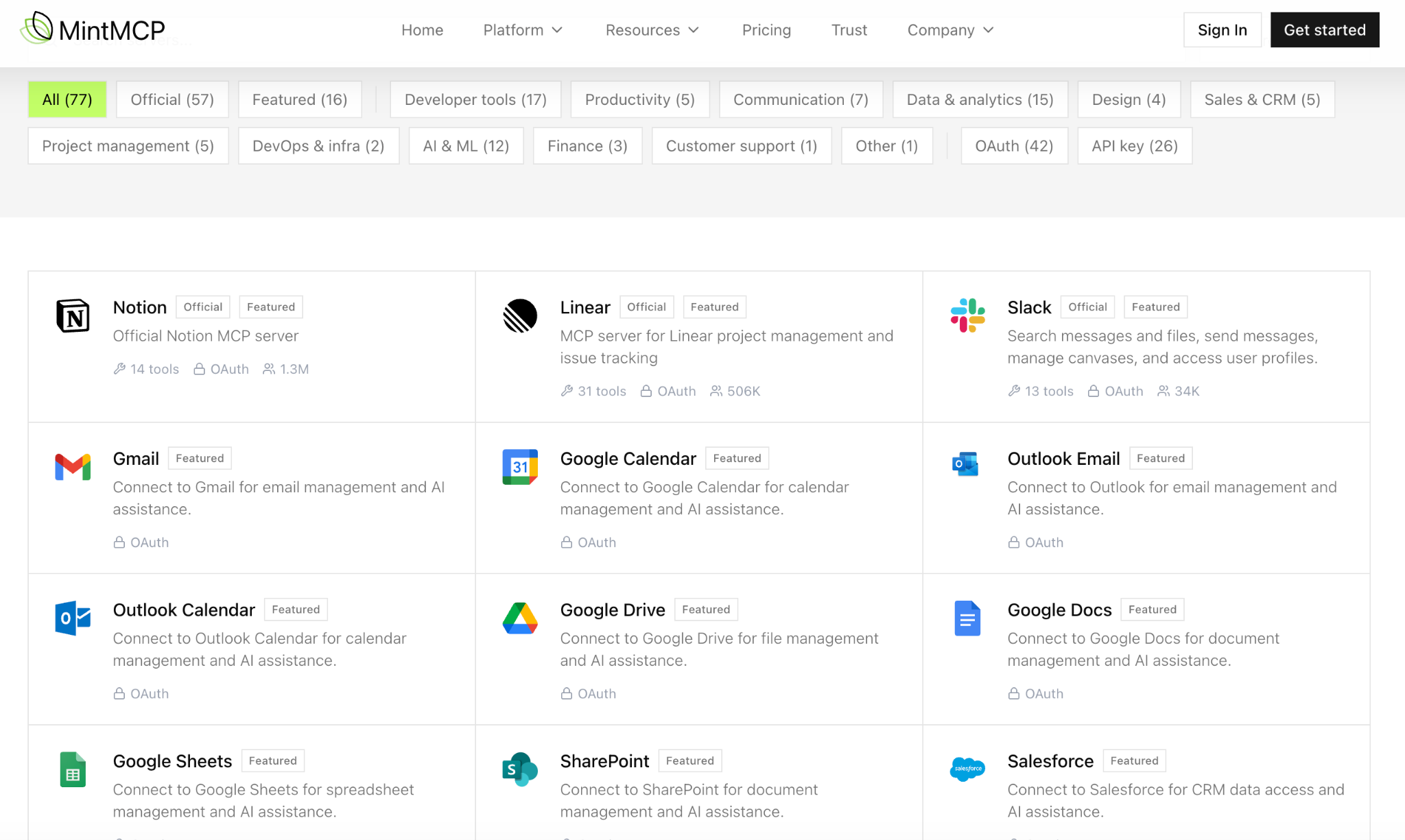
- You want pre-built, managed MCP connectors. MintMCP hosts 75+ MCP servers and thousands of tools to help you accelerate AI connectivity
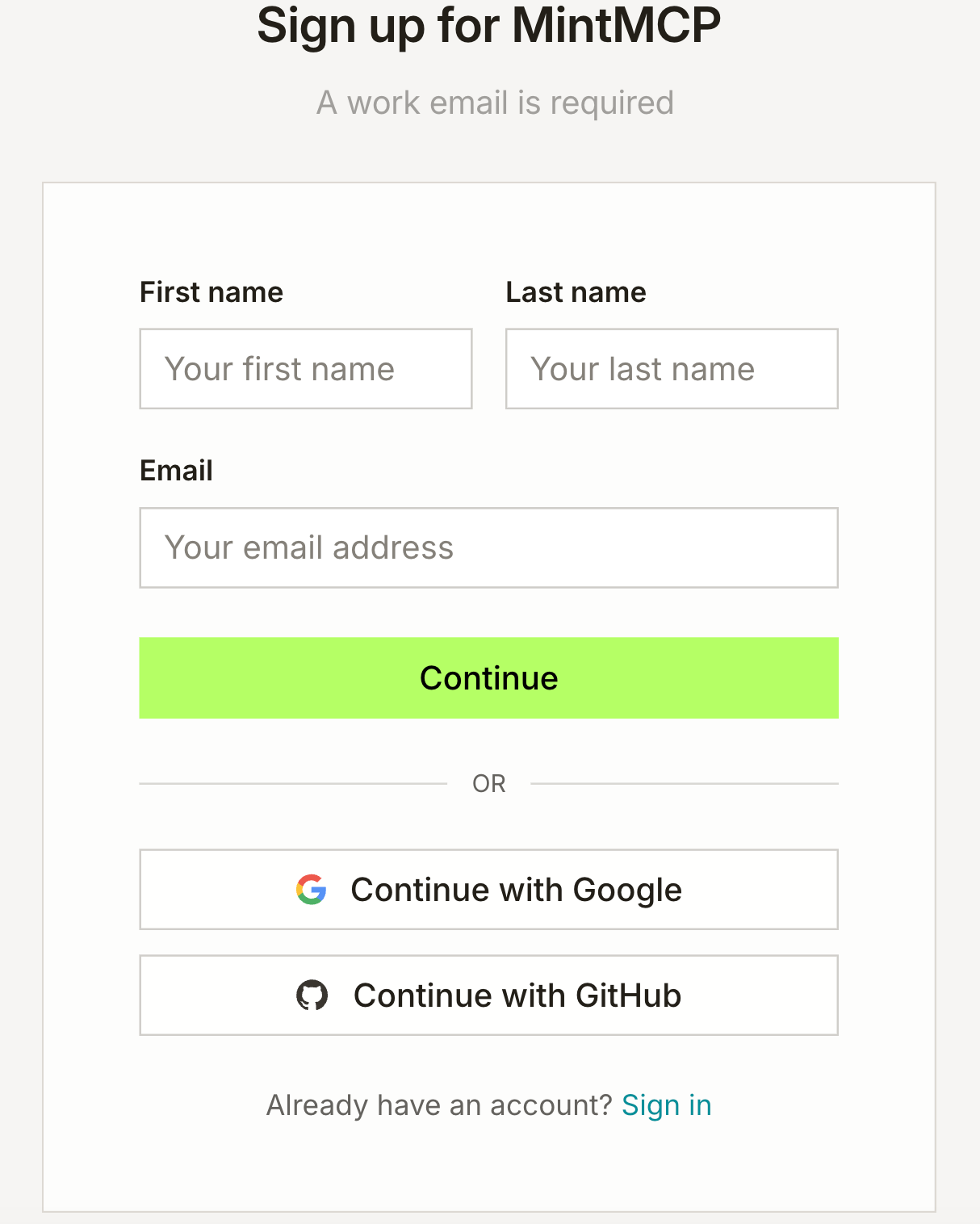
- You want a self-serve solution. MintMCP lets you create an account and get started in seconds, while Runlayer forces you to schedule a demo with their team first
- You're in a regulated industry and need to clear several security reviews. Unlike Runlayer, MintMCP complies with ISO 27001, PCI-DSS, among other critical compliance standards and frameworks
{{this-blog-only-cta}}
Jon Gitlin
.png)
.png)


Don't settle for Runlayer
Learn why enterprise companies, like the leading streaming service, use Agent Handler for Employees to govern internal AI.


But Merge isn’t just a Unified
API product. Merge is an integration platform to also manage customer integrations. gradient text
But Merge isn’t just a Unified
API product. Merge is an integration platform to also manage customer integrations. gradient text
But Merge isn’t just a Unified
API product. Merge is an integration platform to also manage customer integrations. gradient text
But Merge isn’t just a Unified
API product. Merge is an integration platform to also manage customer integrations. gradient text