We use cookies to improve your experience on our site. By clicking “Accept”, you are agreeing to the collection and use of data as described in our Privacy Policy.
We use cookies to improve your experience on our site. By using our site, you are agreeing to the collection and use of data as described in our Privacy Policy.
MCP gateway: how it works, benefits, and solutions
Jon Gitlin
Senior Content Marketing Manager
at Merge
As you build agents, you’ll inevitably need to connect them to Model Context Protocol (MCP) servers so they can read data from 3rd-party applications and take actions across them.
Building directly to MCP servers, however, comes with significant resource investments and security risks.
Case in point: our research for the state of agentic integrations shows that most teams building directly to MCP servers struggle with security issues like credential leaks. And the process of testing and validating “official” MCP servers is also complex and time intensive for most developers (70%).
Taken together, we’ve seen a quick and rapid rise of MCP gateways.
We’ll break down everything you need to know about this new platform category, including how they work, why they’re important, and the vendors worth evaluating first.
MCP gateway overview
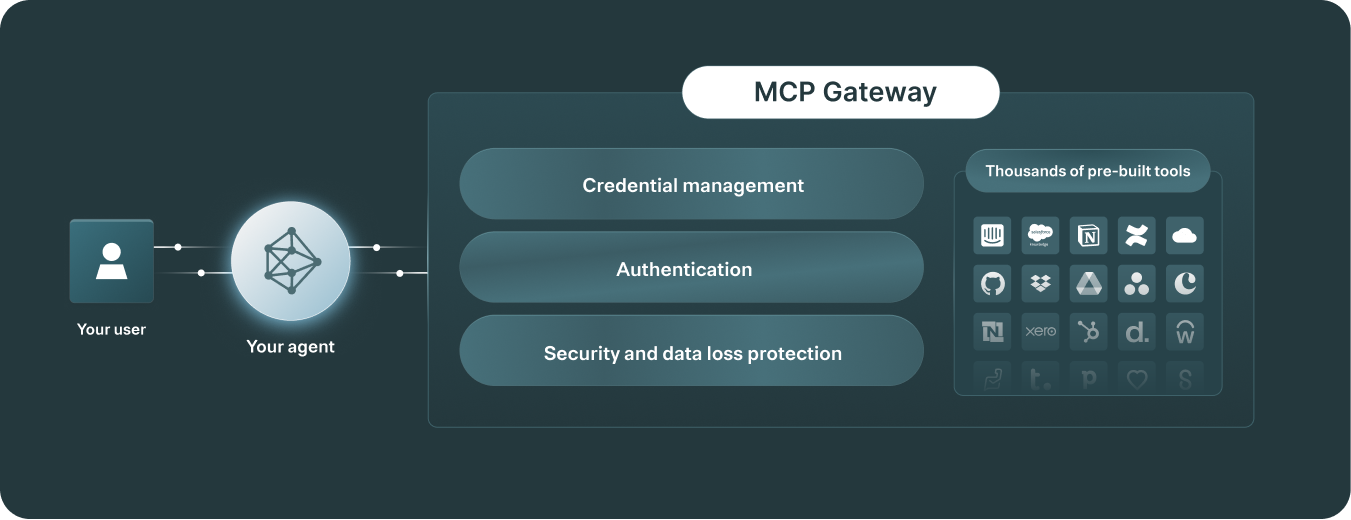
An MCP gateway is a 3rd-party platform that makes a wide range of MCP servers available through a single endpoint. The platform also provides features and capabilities to help you secure data access, observe tool calls, and troubleshoot security incidents.
While it depends on the vendor, an MCP gateway typically includes:
Fully-managed MCP servers,with support for a certain auth methods (e.g., OAuth 2.1) and pre-configured tools. You may also be able to modify the tools (e.g., their descriptions), add more tools, and expand on the auth methods supported
Comprehensive observability, such as fully-searchable tool call logs, audit trails of users’ activities, and customizable rule-based alerts to spot potential issues on time
An evaluation suite, which lets you test specific types of prompts and see the resulting tool calls and outputs for any LLM and users
A standalone MCP server only lets you access a preset number of tools, with no central place to manage credentials, control which tools each agent can access, or see what actions were taken across sessions.
MCP gateways address this by letting you connect multiple integrations through a single endpoint, define tool-level access controls for each agent, and log every tool call with the inputs and outputs so you can audit what your agents did and when.
Here’s more on the benefits of using an MCP gateway:
Centralizes authentication and credential lifecycle across MCP servers. This lets you avoid rebuilding OAuth/token exchange, refresh/revocation, and secure storage per tool, and it ensures your agents don’t directly handle sensitive credential
Enforces least-privilege access to tools at runtime. You can scope what an agent can do for a given user/session (e.g., restricting callable tools), which reduces the blast radius of misconfigurations or prompt-driven mistakes
Adds an enterprise security layer on every tool call (e.g., PII masking). This makes MCP-based integrations via gateways safer and more governed
Reduces engineering overhead and speeds up shipping new agent capabilities. Your engineers can avoid static, hand-coded API workflows and instead let agents call standardized tools “on the fly.” This can shrink implementation effort from hundreds/thousands of lines of API-integration code to a simple MCP configuration
Increases focus on developing and improving other agentic features. We’ve seen this benefit play out repeatedly with Merge Agent Handler, our leading MCP gateway solution. For example, the COO of Telnyx, a full-stack conversational AI platform, said the following in our case study:
“Our engineers have been able to save hundreds of hours this year by outsourcing MCP connector development and maintenance to Merge. This has enabled them to fully focus on building the leading full-stack platform for real-time conversational AI.”
Best MCP gateway solutions
Here’s a look at the top MCP gateway providers.
Merge Agent Handler
Merge Agent Handler lets you securely connect AI agents to thousands of third-party tools, while letting you manage authentication, permissions, and monitor tool interactions end to end.
Pros
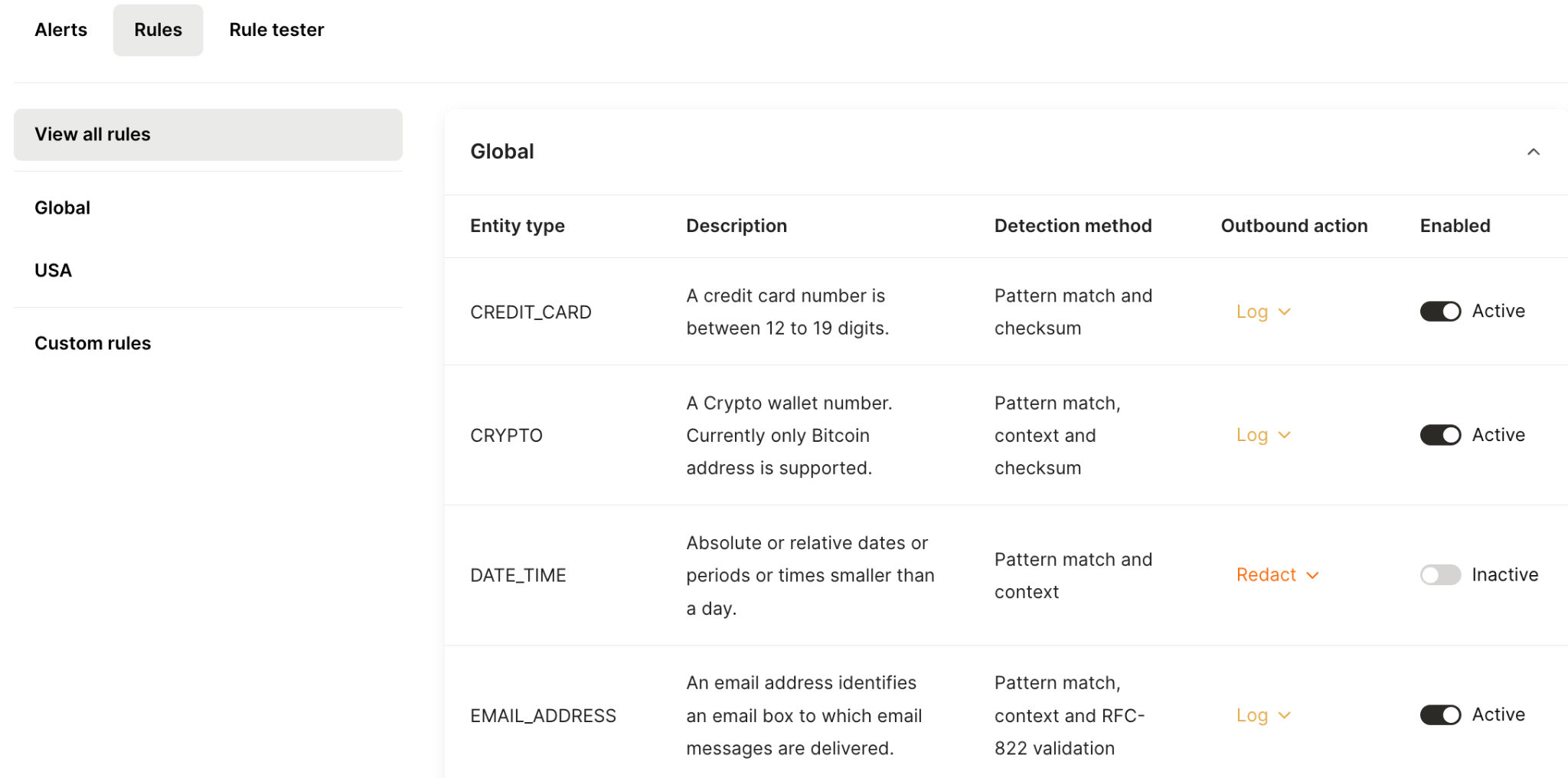
Centralized governance and security controls: Agent Handler comes with policy enforcement, least-privilege access, and audit-ready logging to make agentic actions safer in production
Merge Agent Handler offers preset rules by default and lets you configure your own with ease
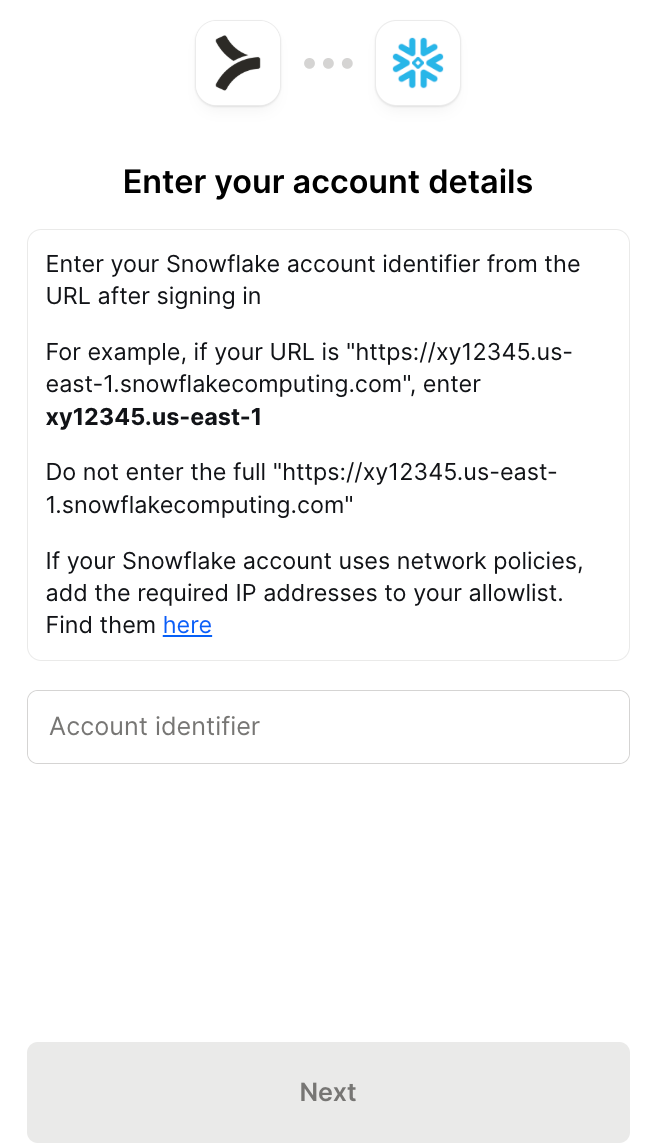
Built-in authentication and credential management: This lets you avoid building and maintaining auth flows for every connector.
Agent Handler lets users authenticate via Merge Link, which provides detailed instructions on authenticating to a given connector
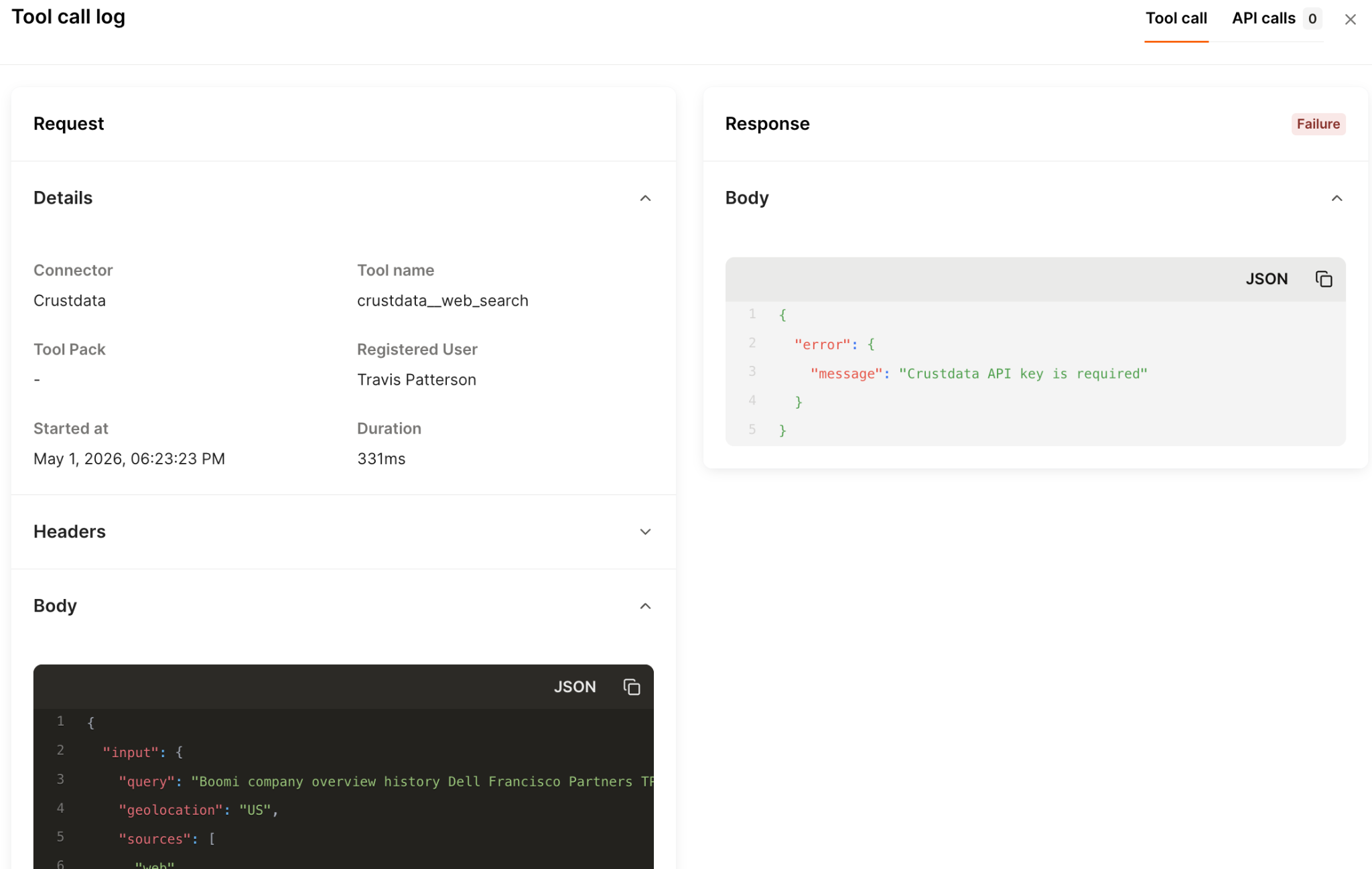
Production-grade observability: Your team can troubleshoot and govern agentic actions across tools via fully searchable tool-call logs, audit trails, and real-time monitoring/alerts
Each log includes insights like the tool invoked, who invoked it, the status of the request and more
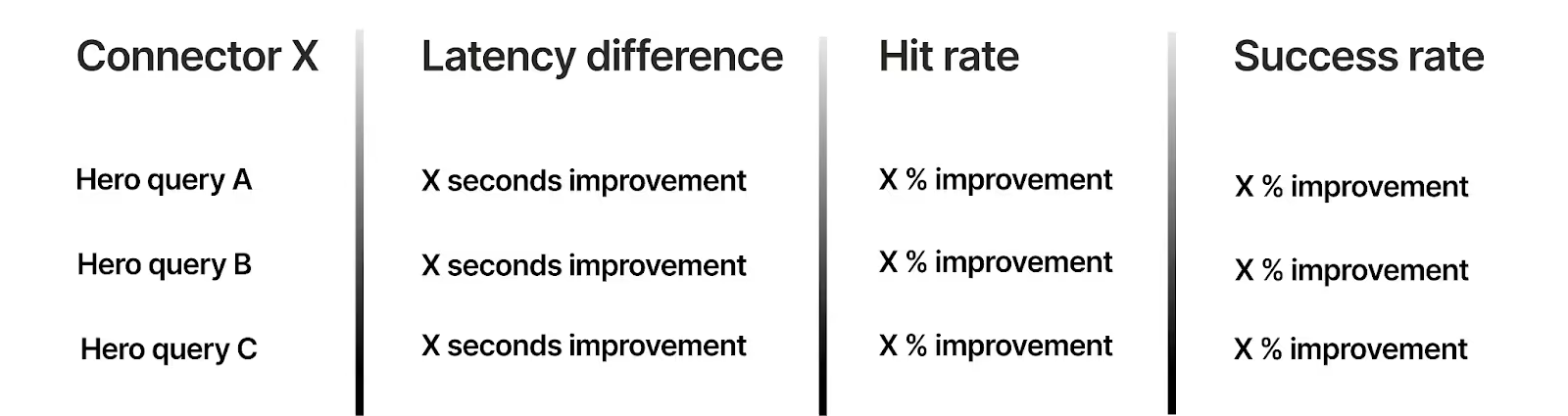
Merge tests each connector against its associated official MCP server across prompts and metrics
{{this-blog-only-cta}}
Arcade.dev
Arcade.dev, otherwise known as Arcade, is a developer-centric tool-calling platform that provides a catalog of integrations and tools and a session-style auth model for agents, with strong emphasis on SDK-driven implementation.
Pros
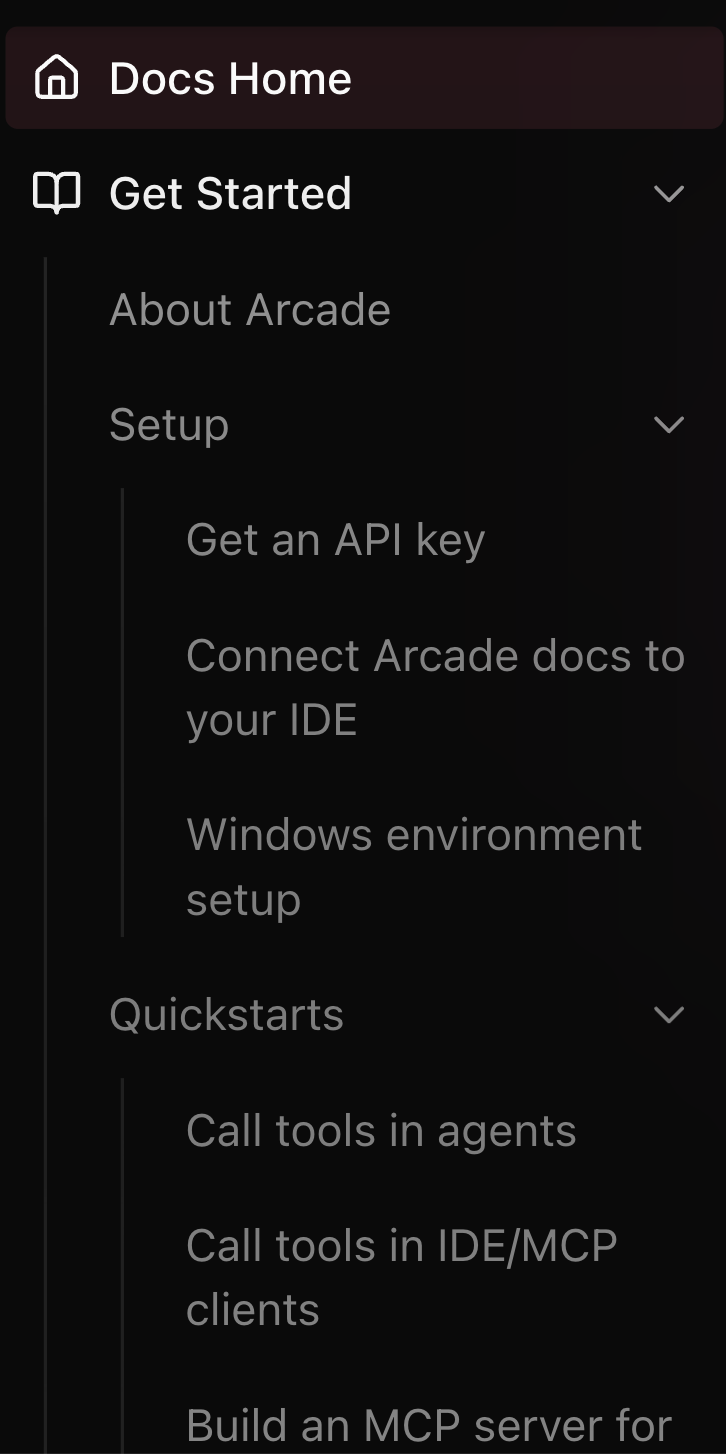
Strong developer experience: They provide API-like docs that enumerate tools and parameters clearly, which is helpful for technical teams integrating quickly
A snapshot of the items Arcade covers in its docs
Session-based auth approach with scopes: Arcade can request temporary, session-style tokens at tool-call time with scopes applied. This reduces reliance on always-on credentials and better enforces least-privilege access per interaction
Deployment flexibility: Arcade supports self-hosting, which matters for teams that need tighter control over data handling, network boundaries, and compliance/security requirements (e.g., keeping tool execution inside their own infra), while still using Arcade’s tool-calling model
Cons
Very SDK/code-heavy: the platform is best suited to highly technical teams, which means most of your team members can’t use it
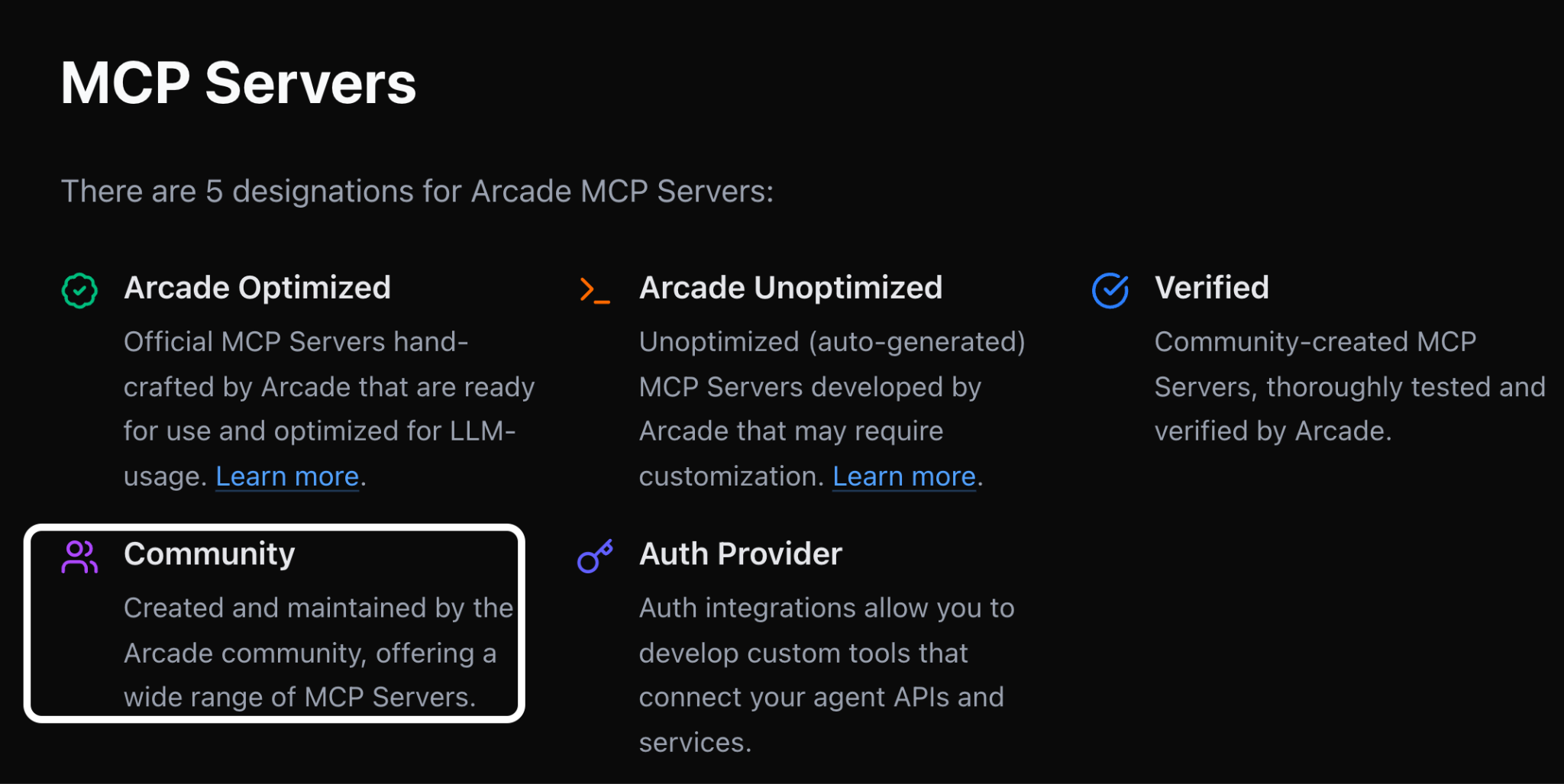
Limited number of managed integrations: Arcade offers fewer first-party integrations than you might expect, instead pushing community/third-party connectors that vary more in quality, maintenance, and supportability
Arcade’s MCP servers can fall in the category of “Community”
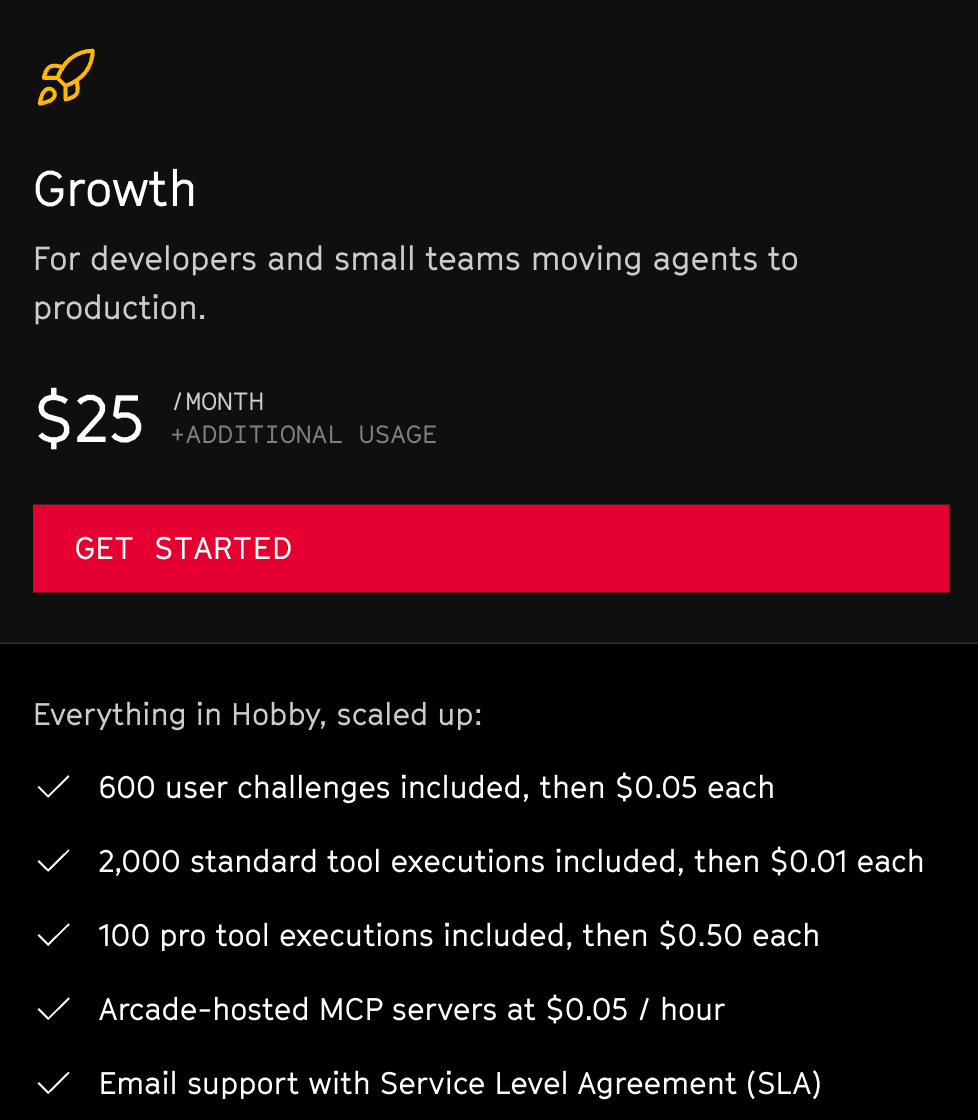
Pricing complexity: Arcade’s plans use non-standard, product-specific packaging terms and multiple usage dimensions, which can make it harder to translate “how our agents will use tools in production” into a clean monthly cost model
Terms like “user challenges” and “standard tool executions” vs “ pro tool executions” can make it hard to estimate pricing on the platform
Composio is a developer-first agent tool-calling platform with a large connector/tool catalog and multiple execution primitives.
Pros
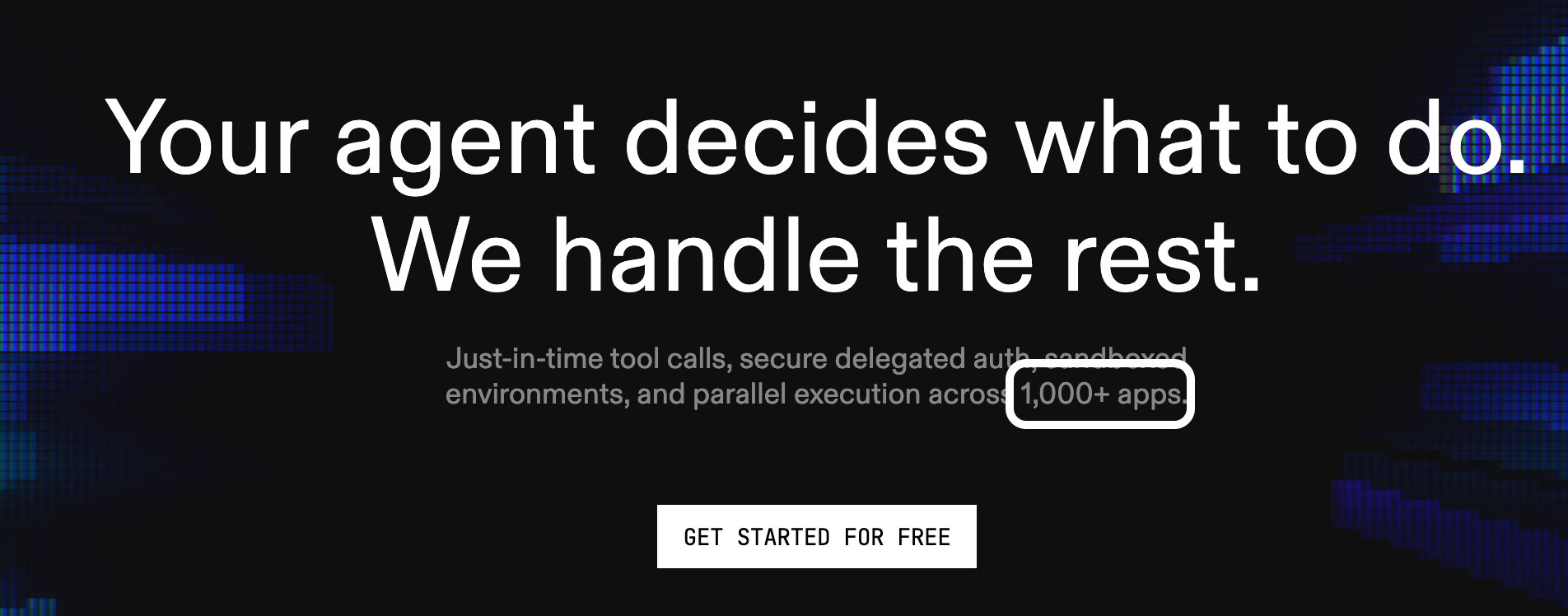
Large tool/catalog breadth: Composio claims to support more than 1,000+ connectors, which can accelerate your agentic integration builds across categories
Composio leans into their large connector catalog on their homepage
Supports multiple SDKs/frameworks: This can reduce integration rework if you switch (or run multiple) agent frameworks as your product evolves
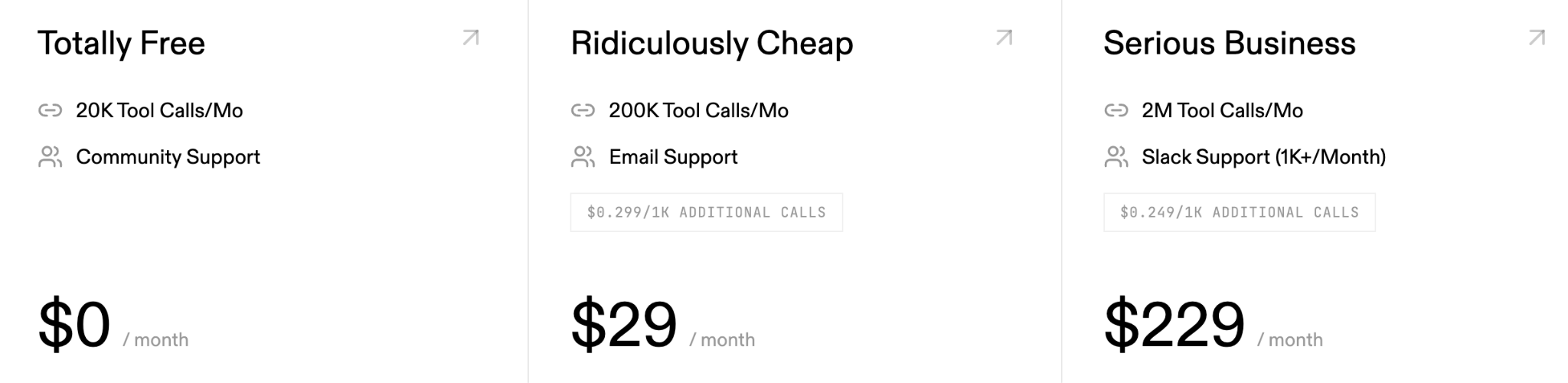
Scalable pricing model: They offer a usage-based pricing model and a free tier. Taken together, you can easily validate the connectors, the platform more broadly, and achieve a meaningful ROI over time
Pricing ambiguity: While Composio offers a freemium, usage-based pricing model, their pricing plans don’t provide all the details you need to make an informed decision. For example, on their pricing page, you’ll only see the number of tool calls that can be made per month and the level of support you’ll receive
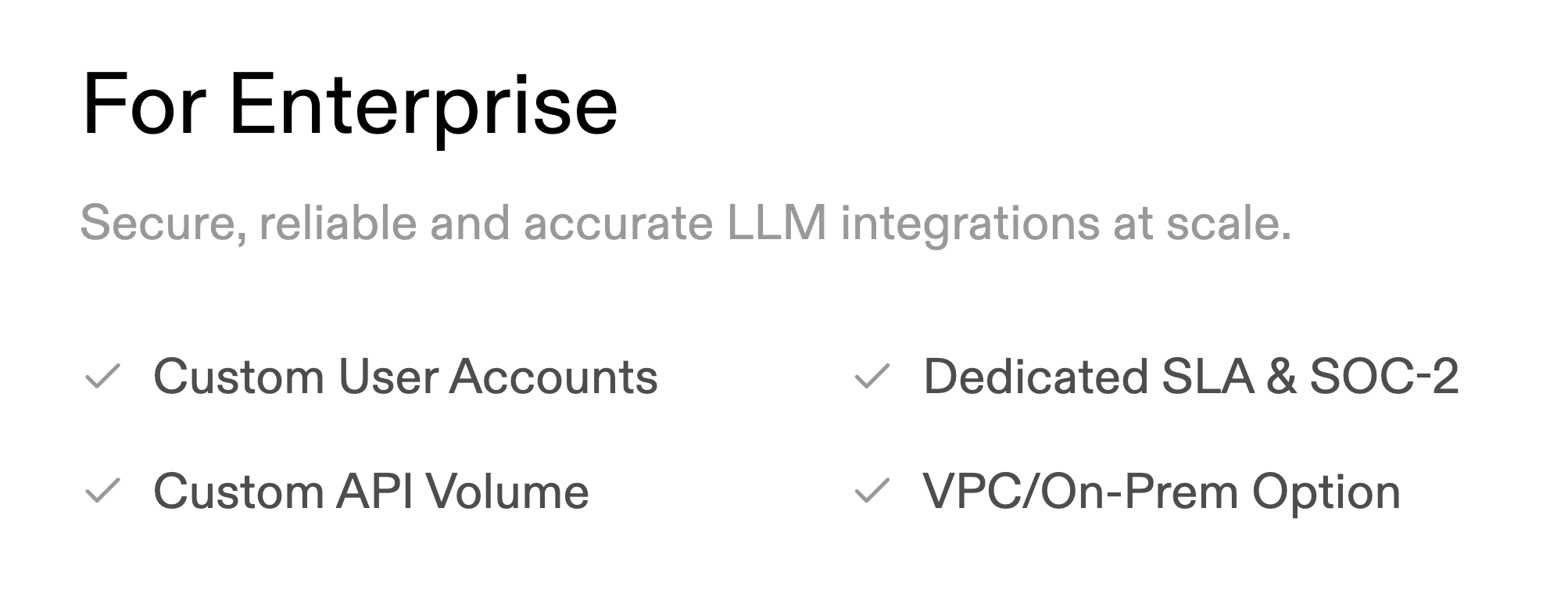
Compliance-driven upgrade pressure: Composio only offers compliance features like SOC-2 on their enterprise plan. This can force you to upgrade to that plan when, all else equal, you wouldn’t need and want to
Composio’s enterprise plan offers security and compliance features that may be table stakes for your agents, forcing you to upgrade sooner than you want
Less emphasis on governance and observability: Composio’s messaging tends to emphasize their connectors; there’s fewer details on the production governance they offer or the observability features they provide out of the box. This hints that you need to invest in an agent monitoring platform that complements Composio
Airbyte Agents
Airbyte’s newly-launched offering positions AI agents as the “data context layer.”
The agents are focused on optimizing discovery/retrieval of pre-indexed context to reduce tool calls and token usage, rather than a full execution and governance layer.
Pros
Efficiency headline benchmarks: They market ~40% fewer tool calls and up to ~80–90% fewer tokens
Data infra credibility: Airbyte’s brand is trusted with data platform/data engineering teams, which can help spur adoption for their new agentic offering
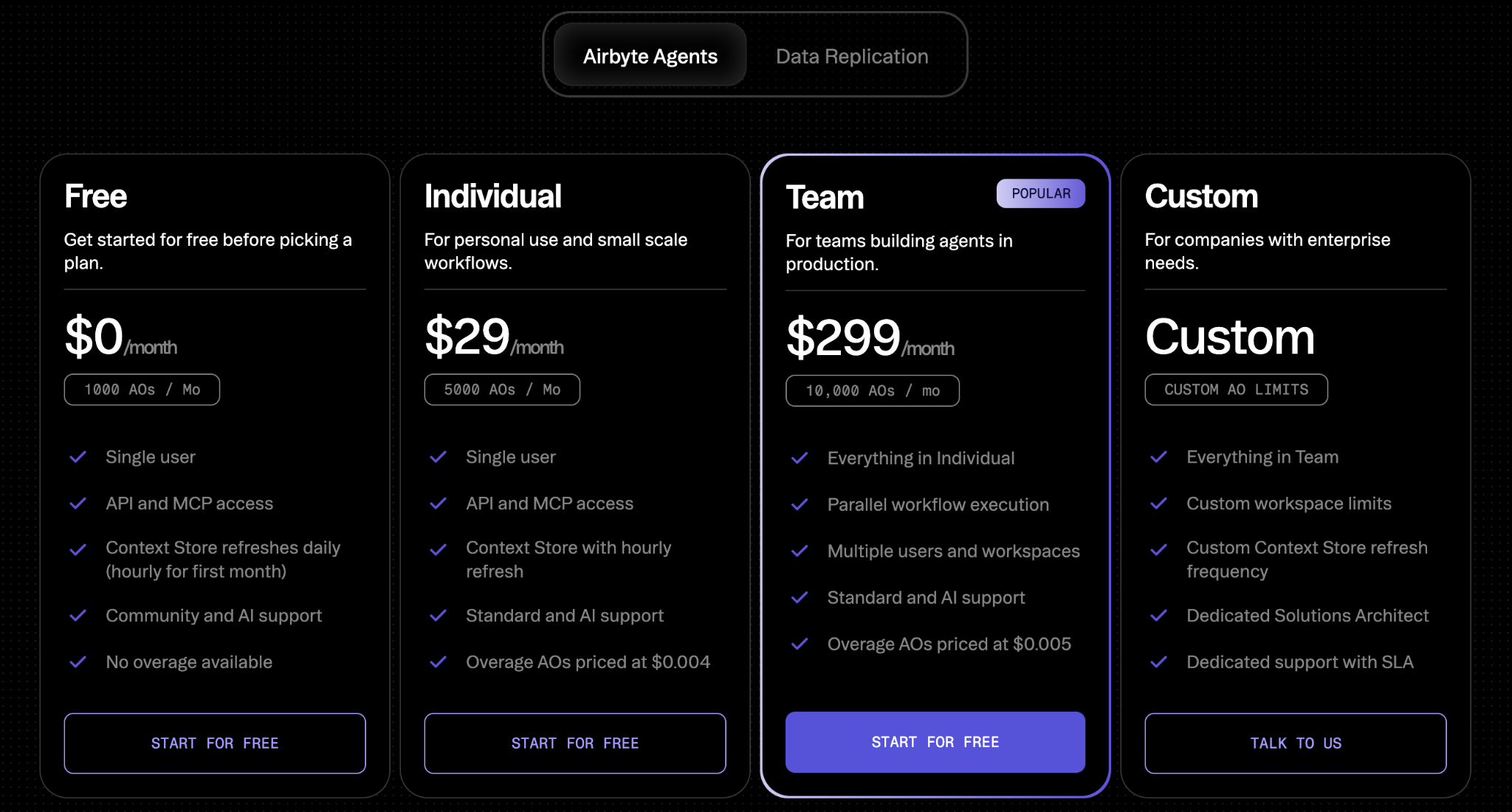
Flexible pricing: They offer a free plan to help you get started, and plans that are optimized for individual users, small teams, and larger companies with strict data requirements
Cons
Governance depth is unclear: Policy/DLP enforcement, admin controls, and audit-ready per-user attribution aren’t clearly documented yet and need to be validated
Not an execution layer: It’s framed as adjacent to (not replacing) an execution and governance layer for tool execution. This means that if you used Airbyte Agents you’d likely still need a separate agent governance solution
Connector breadth and write coverage constraints: They only offer ~50 connectors, which may not be enough to support all of your agentic integration needs
Claims need at-scale validation: Their docs and blogs explicitly flag benchmarks as early and suggests validating in real deployments
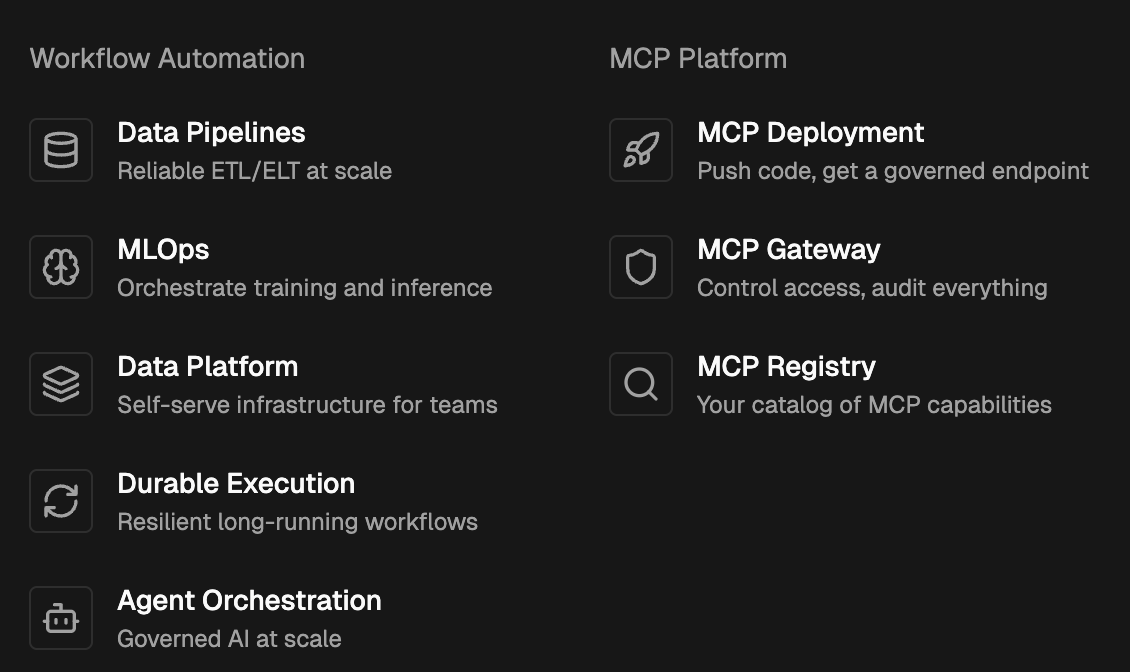
Perfect Horizon is a deployment and management platform for MCP servers you build yourself (e.g., write Python, push to GitHub, and quickly get a production MCP server URL), focused on operating MCP infrastructure rather than providing a catalog of pre-built enterprise connectors.
Pros
Fast MCP server deployment: Get code (Python) to a production MCP server URL extremely quickly (they market it as fast as 60 seconds)
Good fit for internal MCP standardization: Resonates with platform/infra teams that want a consistent way to deploy and manage internally-built MCP servers
MCP registry and gateway approach: Emphasizes a registry/gateway model for controlling and organizing MCP capabilities at the server/capability layer
Cons
No pre-built connectors: They don’t support managed, enterprise-ready third-party connectors or tools out of the box
You still own maintenance burden: Since the MCP servers are ones you build (or source elsewhere), you/partners still need to build and maintain them over time
Different governance surface area: Emphasizes access control at the server/capability layer, but is less oriented around per-tool-call governance
Potential MCP server sprawl: A platform to host/manage MCP servers can still leave teams with many MCP servers to trust/manage versus a single governed endpoint to many tools
{{this-blog-only-cta}}
Jon Gitlin
Senior Content Marketing Manager
@Merge
Jon Gitlin is the Managing Editor of Merge's blog. He has several years of experience in the integration and automation space; before Merge, he worked at Workato, an integration platform as a service (iPaaS) solution, where he also managed the company's blog. In his free time he loves to watch soccer matches, go on long runs in parks, and explore local restaurants.
Read more
Introducing the Universal Context Layer: a company brain that works with every AI tool and agent
Product
Instantly cut token spend in half: introducing Merge for Workforce


.avif)
.avif)




.png)

.png)


