

Table of contents
.avif)
.avif)
AI agent vs RAG: how the two differ and where they overlap



Jon Gitlin
Retrieval-augmented generation (RAG) and AI agents represent two powerful applications of AI.
Using each effectively requires you to not only understand how they work but also grasp their respective strengths and weaknesses.
You can read on to get this essential context.
RAG overview
RAG refers to an end-to-end process that a large language model (LLM) uses to generate reliable and personalized outputs.
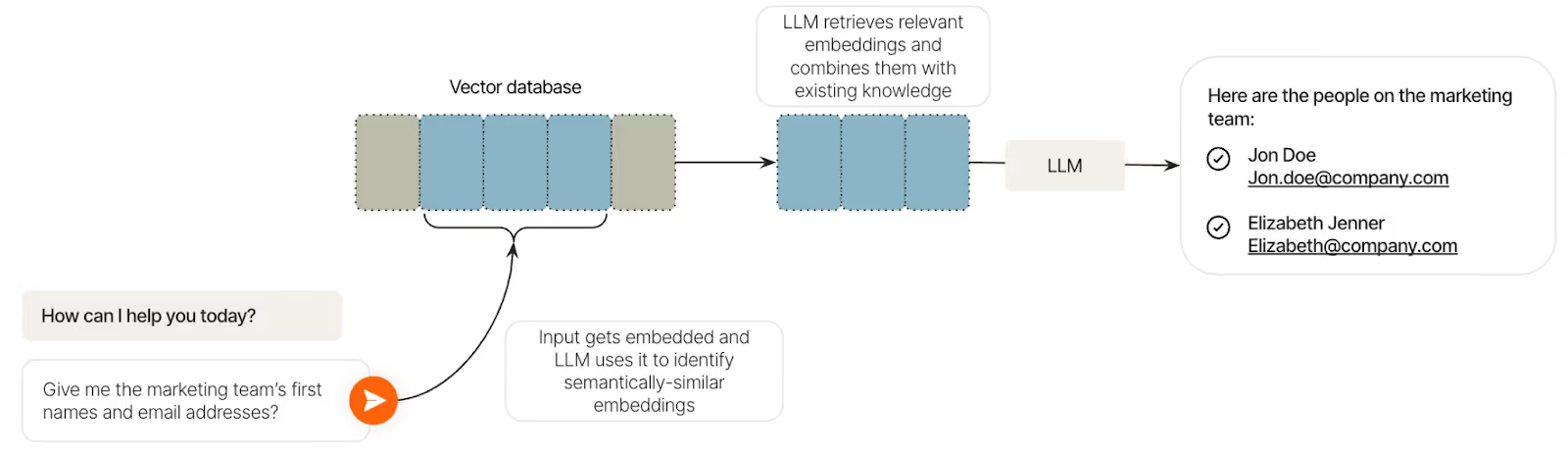
The first step involves a user submitting an input, like “Give me the marketing team’s first names and email addresses.” This is embedded via an embedding algorithm and then the RAG pipeline goes into effect:
1. Retrieve: The LLM searches for semantically-similar embeddings in the vector database and will go on to pull the most relevant ones (i.e., the the employees’ full names and addresses).
2. Augment: The fetched embeddings and the initial input are combined with other context, if necessary (in our example, this isn’t required).
3. Generate: Based on the input, retrieved context, and any other relevant information, the LLM can generate the output (e.g., “Here are the people on the marketing team…”)
As an example, Assembly, which offers a suite of HR solutions, uses RAG as part of their AI workplace solution, DoraAI.
Employees can ask DoraAI all kinds of questions (e.g., “What’s our PTO policy?”) and DoraAI can embed the input, use it to find a semantically similar embedding (e.g., the PTO policy in a given internal document), and then use the embedding it found to generate the right answer (e.g., “Your PTO policy is…”).
Here’s more on how DoraAI uses RAG with the help of Merge’s file storage integrations.
https://www.merge.dev/blog/ai-agent-integrations?blog-related=image
Advantages of using RAG
- Prevents generic, unhelpful outputs. Since the LLM is leveraging your unique data, it’s able to provide outputs that are accurate and uniquely valuable to you and your team
- Relatively simple implementation. In many cases, the main hurdle to implementing a RAG pipeline is enabling your LLM to access data via GET requests from data sources (e.g., file storage applications, accounting software, etc.). Third-party integration solutions, like unified API platforms, now make this step relatively easy
- Supports endless use cases. You can use RAG to power enterprise AI search, have it serve as the foundation of any AI agent (as we’ll cover in the next section), and more both in your product and within your business
Drawbacks of using RAG
- Doesn’t support complex workflows. RAG can help answer questions effectively, but it can’t go beyond that if it isn’t paired with agentic capabilities
- Can still hallucinate. Even if it pulls from relevant data sources, it can make mistakes when deciding on the specific context to use in a vector database. This is especially true when the data isn’t normalized, or raw. Non-normalized data can have unnecessary details, which lead to embeddings that are more spread out in the vector database. In turn, your LLM is less likely to fetch the most relevant information
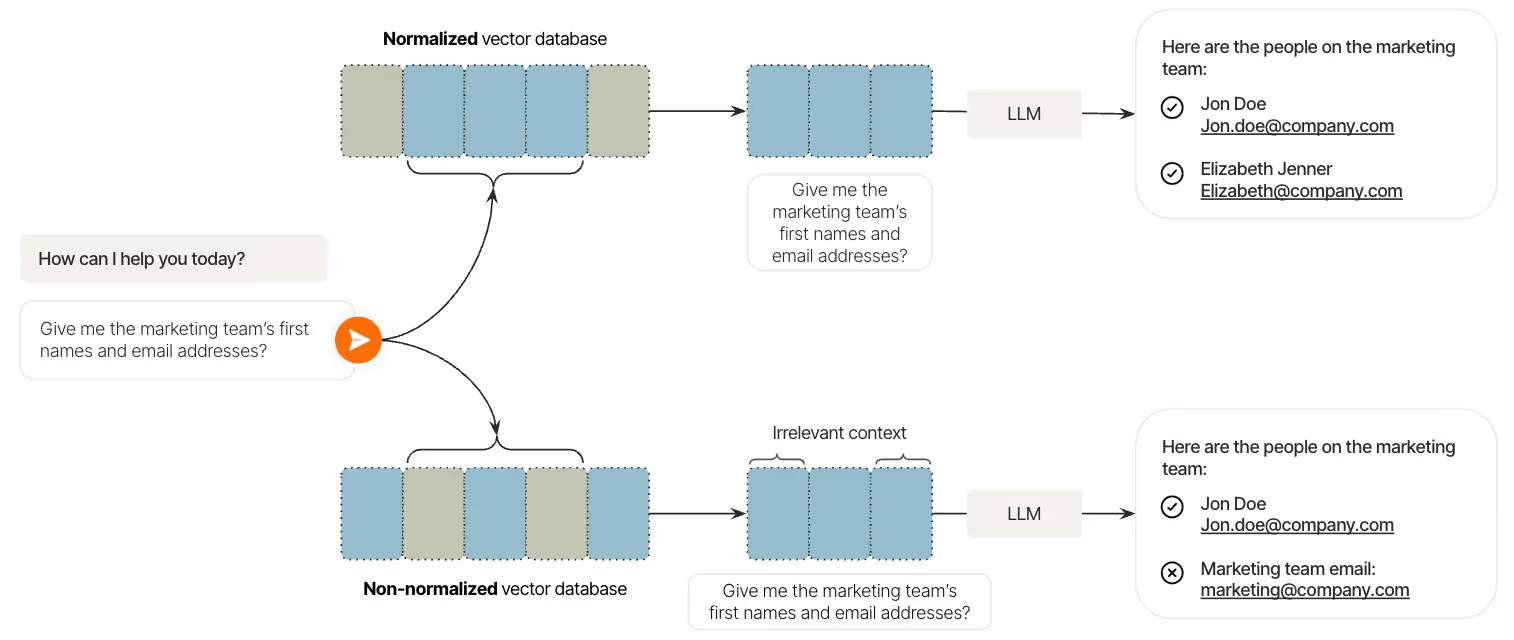
- Data quality directly impacts output quality. Even when the LLM retrieves all of the correct context, the outputs can be wrong simply because the data itself is inaccurate
{{this-blog-only-cta}}
AI agent overview
An AI agent is any software system that uses AI to perform specific tasks on a user’s behalf. These tasks can vary widely in scope and complexity.
For example, Ema, a universal AI employee solution, lets you develop all kinds of AI agents across your teams and products.
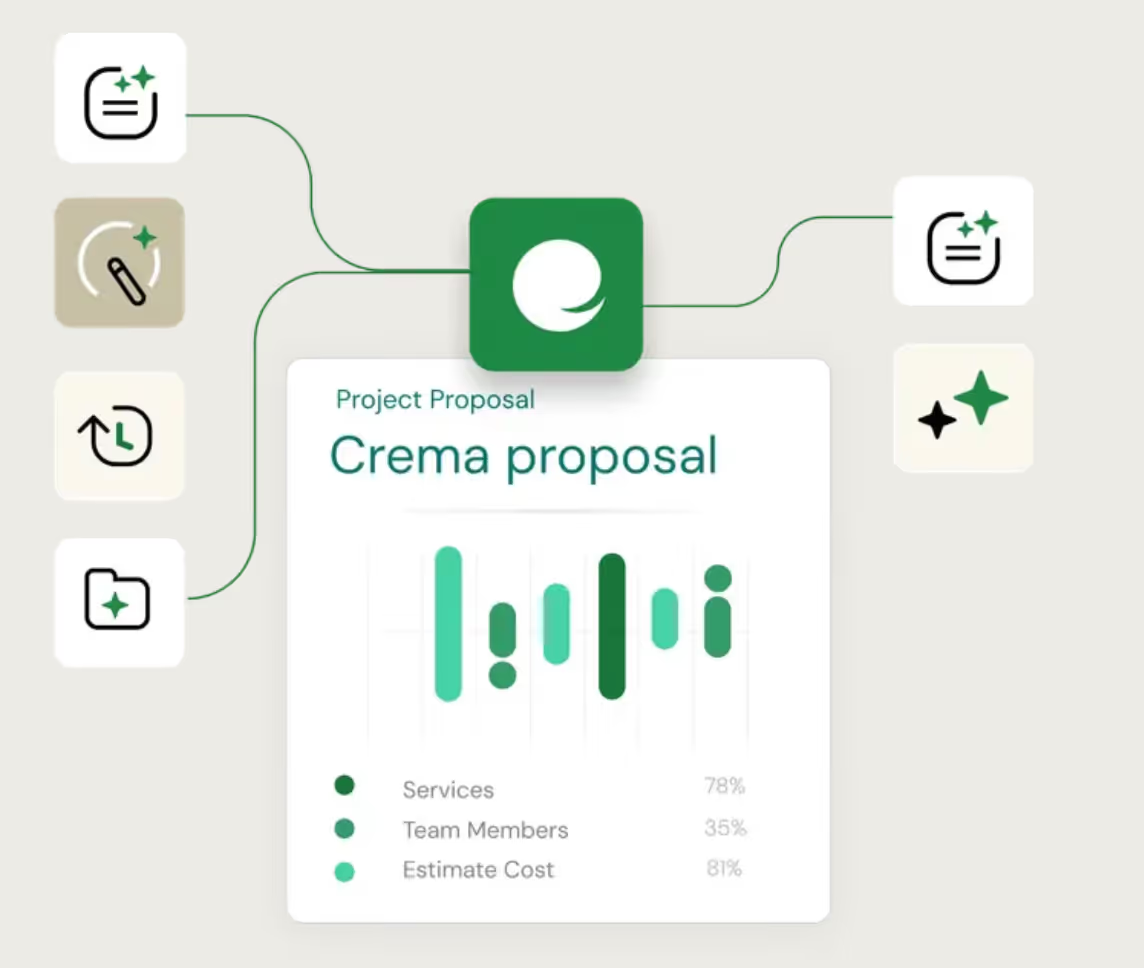
Your sales team, for instance, can build an AI agent via Ema (or any other AI chatbot solution) that uses several inputs to generate proposals for prospects.
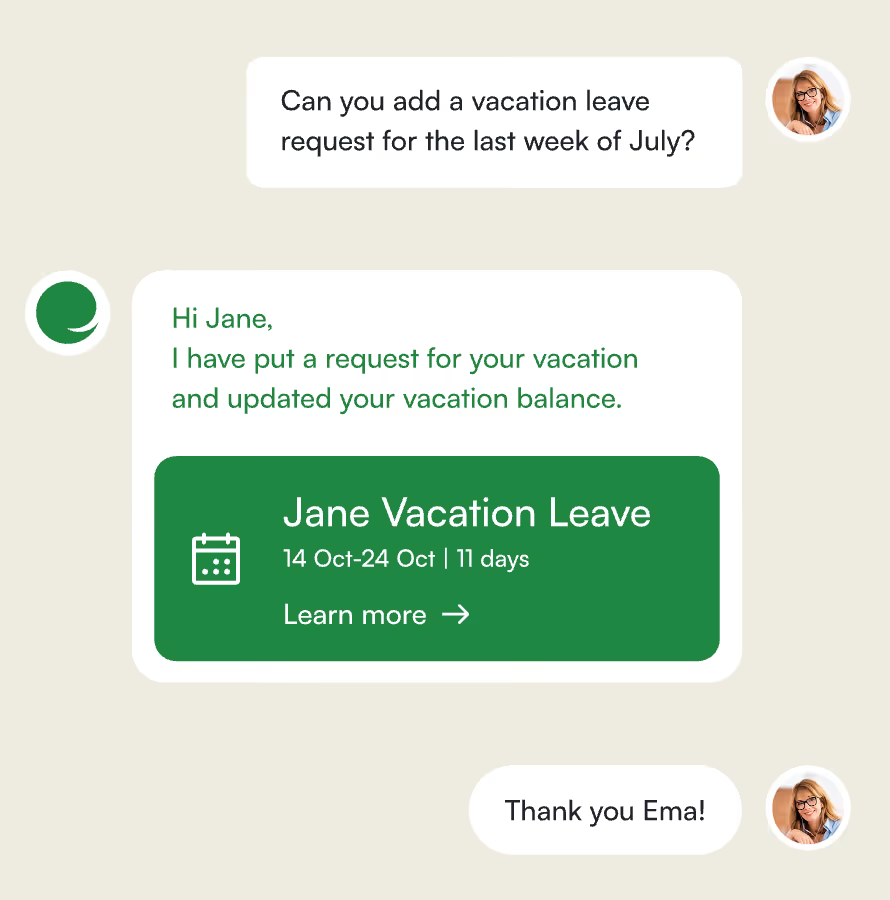
And, similar to our example for RAG, your HR team can build an AI agent that lets employees submit PTO requests with a simple prompt.
Related: How MCP and AI agents differ
Advantages of using AI agents
- Provides productivity gains for your team. Since AI agents can take specific actions on an employee’s behalf, they’re able to save employees additional time, prevent human errors, and free your team up to perform more strategic and impactful work
- Supports countless use cases. Nearly any process a human performs can be replicated with an AI agent. AI agents can even learn from direct feedback (e.g., provided by a user) and indirect feedback (e.g., by observing a user’s follow up actions), leading them to improve quickly and eventually outperform humans for many tasks
- Increasingly easy to build. Solutions like Ema are making the process of implementing AI agents fairly easy. It no longer requires a background in coding but rather a deep understanding of specific business processes and/or customer wants and needs, and AI agents’ strengths and weaknesses
Drawbacks of using AI agents
- Difficult to manage over time. The ease of implementing AI agents coupled with the enthusiasm from leaders to use them aggressively is leading to a quick rise in building them (there’s already a term being used for this phenomena—”Agent sprawl”). Understanding how these agents overlap, when they inadvertently access and share sensitive data, when they break, and more, will, as a result, become increasingly difficult
- Exposes you to security risks. Malicious actors can do all sorts of things to get sensitive information from an AI agent, such as using a prompt injection attack to get an access token
Security risks can also exist because of an implementation flaw. For example, if you offer a Model Context Protocol server, you might decide to embed tokens within <code class="blog_inline-code">call_tool functions</code> to verify whether a user has permission to access a specific tool in the server. But the AI agent can accidentally call the wrong tool for a user, and in doing so, show someone else’s access token.
https://www.merge.dev/blog/mcp-token-management?blog-related=image
- Costly to scale. As your employees and customers increasingly expect AI agents to support different tasks, you can end up building dozens, if not hundreds, of unique agents. Aside from the governance challenge this presents, it can also be costly, whether that’s because you’re relying on more and more employees to build and manage them or you’re having to spend increasing amounts on a 3rd-party solution to support them
Given all this context, what’s the key takeaway when comparing RAG and AI agents? We’ll tackle this below.
RAG vs AI agents
RAG allows users to ask questions and receive helpful, accurate answers by combining relevant context with generative AI. AI agents go a step further by also taking actions on behalf of users. In addition, AI agents can incorporate RAG, but RAG itself doesn’t use an AI agent.
Related: How AI and APIs differ
Power any AI agent or RAG use case with Merge
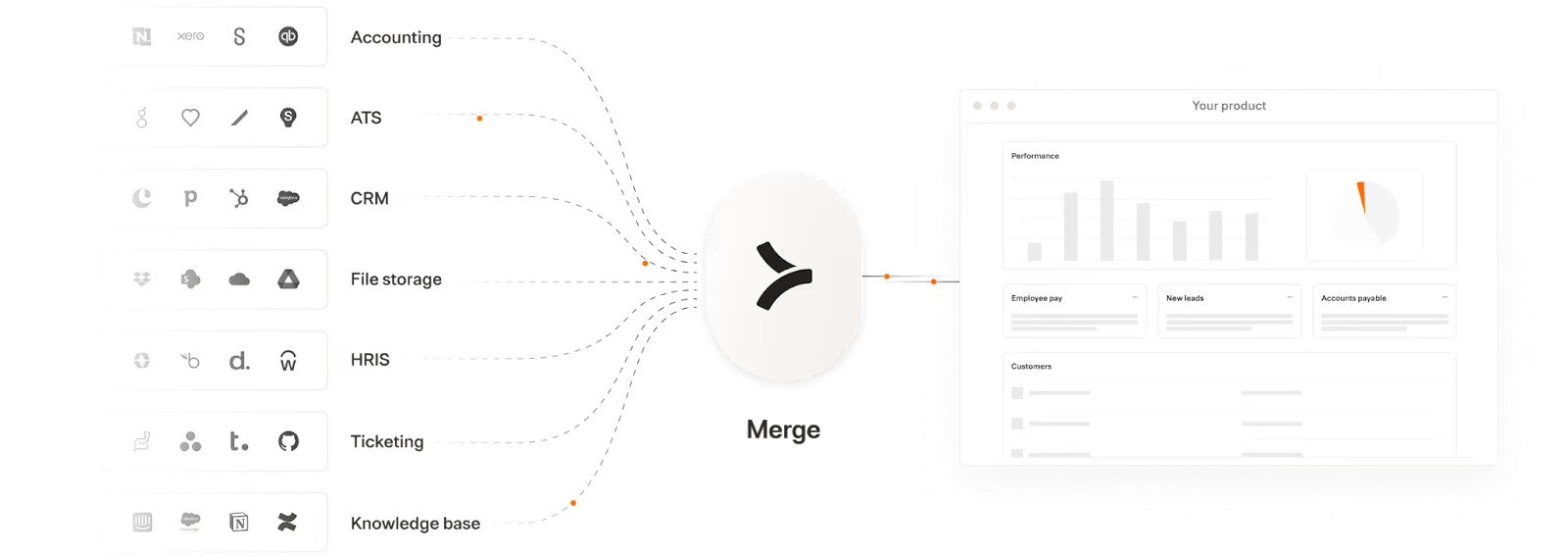
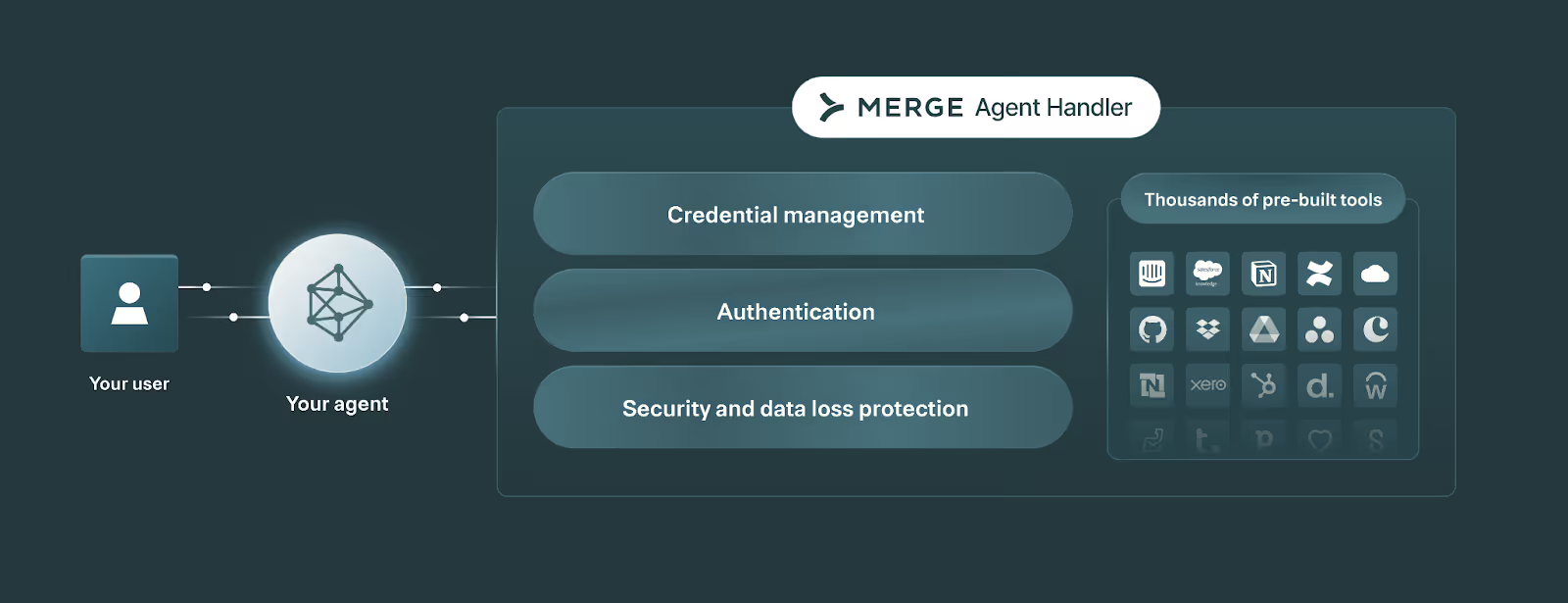
Merge lets you add hundreds of integrations to your products and AI agents through two products—Merge Unified and Merge Agent Handler.
Merge Unified enables you to integrate your product with hundreds of 3rd-party applications through a Unified API. The integrated data is also normalized automatically—enabling your product to support reliable RAG pipelines.
Merge Agent Handler lets you integrate any of your AI agents to thousands of tools, as well as monitor and manage any AI agent.
Learn how Merge can support your integration needs by scheduling a demo with an integration expert.
Jon Gitlin
.png)
.png)
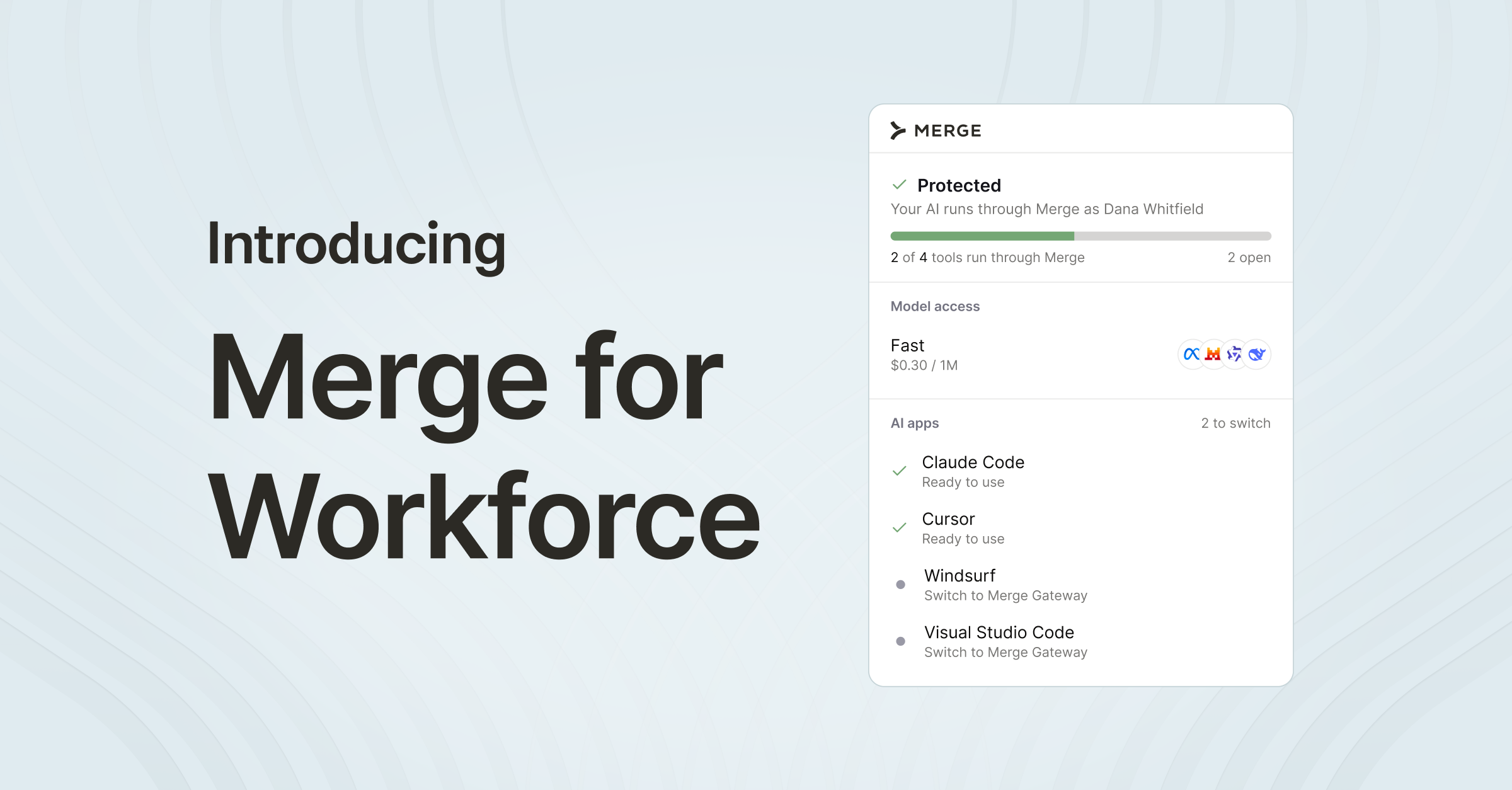

Power your agents with enterprise-grade tools via Merge Agent Handler
Merge Agent Handler lets you securely connect your AI agents to thousands of tools. You can also monitor and manage your AI agents with fully-searchable logs, customizable alerts, and more.


But Merge isn’t just a Unified
API product. Merge is an integration platform to also manage customer integrations. gradient text
But Merge isn’t just a Unified
API product. Merge is an integration platform to also manage customer integrations. gradient text
But Merge isn’t just a Unified
API product. Merge is an integration platform to also manage customer integrations. gradient text
But Merge isn’t just a Unified
API product. Merge is an integration platform to also manage customer integrations. gradient text