

Table of contents

.avif)
AI integration platform: functionality, benefits, and examples



Jon Gitlin
As you look to connect your AI agents, you’ll likely need to outsource most integrations to manage your engineering capacity effectively.
But what type of integration platform should you use?
We’ll help you decide by breaking down the best AI integration solutions.
But first, let’s align on the definition of an AI integration platform and explain why you’d want to use one to begin with.
What is an AI integration platform?
It’s a 3rd-party software that lets you connect AI agents to external data sources, either through API endpoints or MCP tools (which can include API requests). These integrations can be built in your product or between your organization’s business applications.
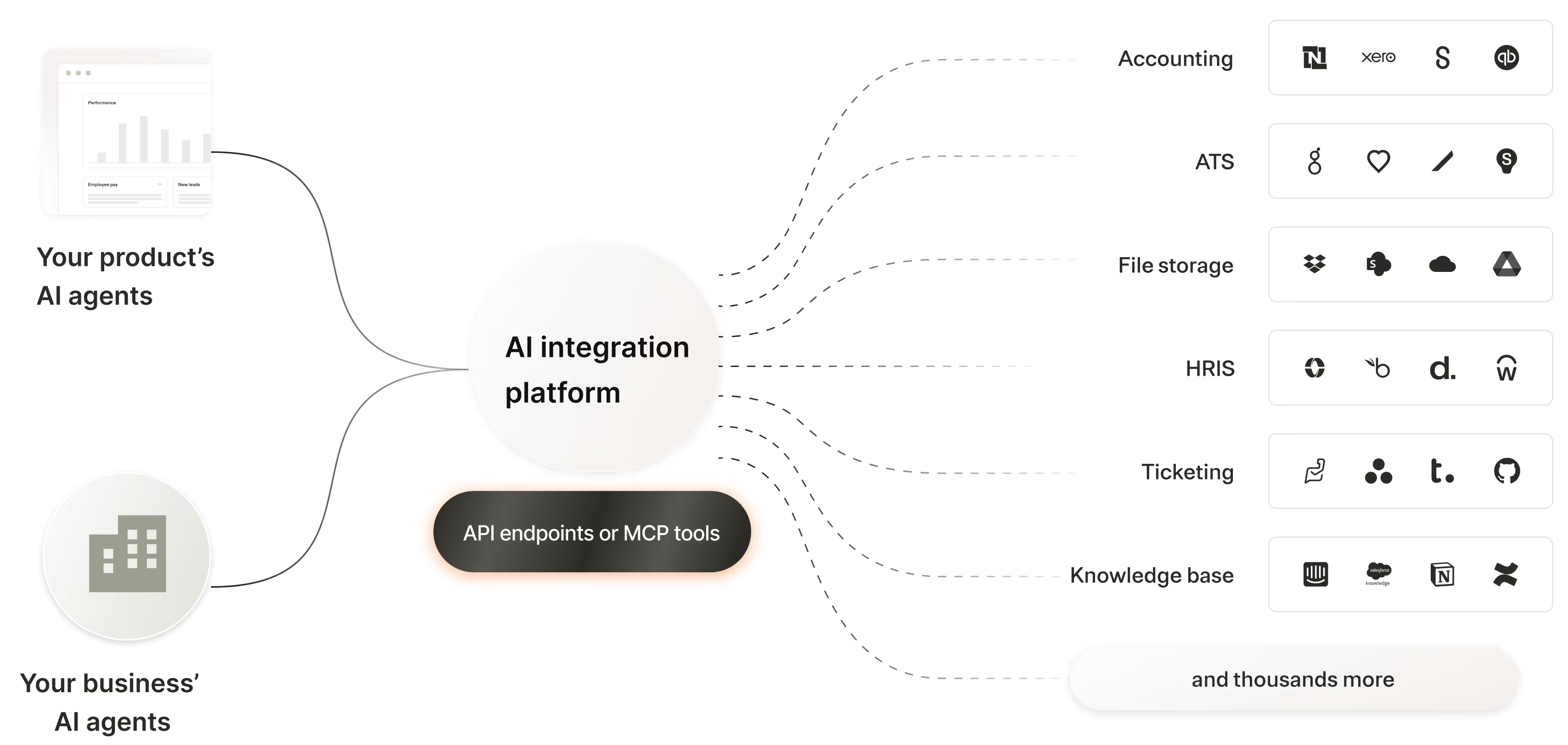
Here’s a closer at an AI integration platform’s core components:
- Pre-built connectivity: The AI integration platform can offer and maintain MCP servers, API connectors, and/or unified APIs out of the box
- Testing: You may be able to test the AI integrations before pushing them to production. For example, for MCP integrations, you can validate that certain prompts lead your AI agent to call the correct tools and pass along the appropriate arguments
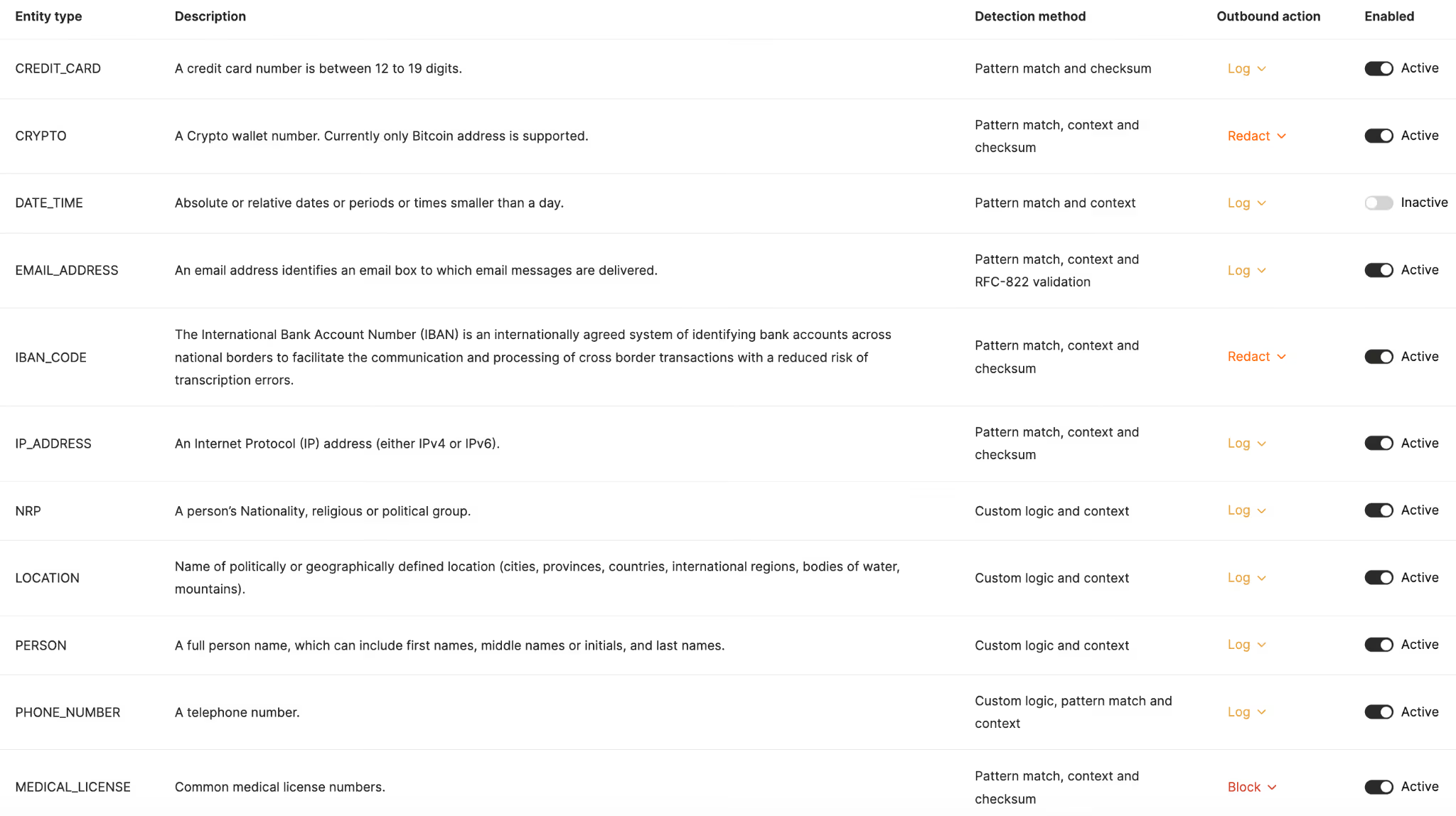
- Data loss prevention (DLP): The platform should offer fully-searchable logs, automated issue detection, audit logs, customizable rules on the data agents can access, and more to keep your sensitive information secure
- Support: Many platforms provide teams, like solution architects, to help you test and implement the integrations, and post-sales teams, like customer success managers and technical support engineers, to help you manage any potential issues with the platform and its integrations
Related: What are AI connectors?
Benefits of using AI integration platforms
Here are just a few reasons why AI integration platforms are often critical:
Saves your engineers time
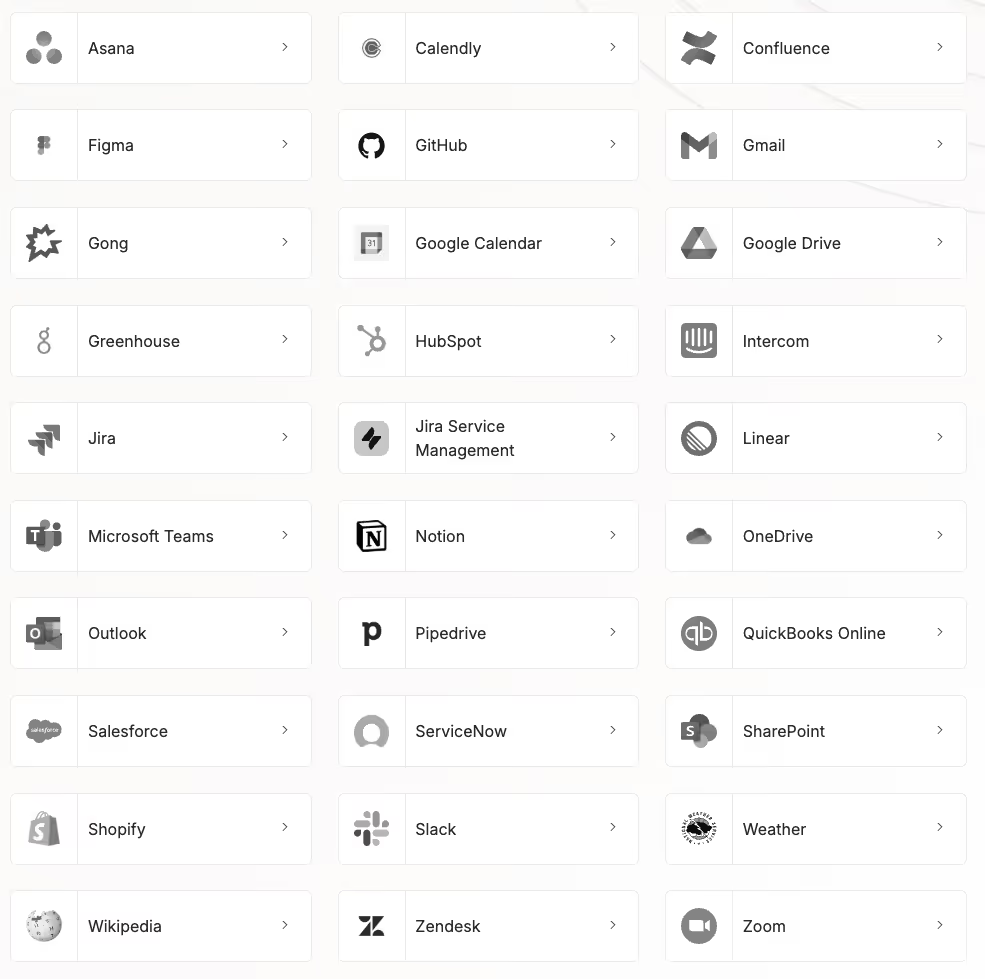
Building and maintaining integrations, whether through MCP servers or API endpoints, can take your engineers hundreds of hours. And the process of maintaining these integrations can be an even bigger burden on your team, as this work lasts as long as the lifespans of your integrations.
AI integration platforms often take this work off your engineers' plates by providing pre-built and managed MCP servers and API connectors.
Improves the employee experience
Your engineers can use the time they save on building and maintaining AI integrations on other tasks they’re more likely to enjoy, such as building or improving your core product.
They can also avoid all the stress that comes with handling integration issues, whether that’s dealing with frustrated employees, angry customers, and/or disappointed prospects.
Prevents security issues
Many AI integration platforms offer more secure integrations than open-source options.
For example, if you search for MCP servers for a given tool, you might come across community servers that seem safe but were created by malicious actors to steal sensitive data.
AI integration tools can provide trust-worthy MCP servers and API connectors, and let you add rules on top of them to prevent (or redact/log) your agents from accessing and sharing sensitive data, whether that’s social security numbers, passport numbers, email addresses, and so on.
Gives you access to integration experts
If you and your team are like most, you're implementing integrations for your agents for the first time.
To help guide you on the best ways to build these integrations, observe your agents’ API requests and/or tool calls, and handle any other aspect of your agents’ integrations, these platforms may give you direct access to experts who can answer your questions—and potentially even implement the integrations on your behalf.
Enables you to test the integrations
To help pressure-test your integrations, identify specific issues, and remedy them—all before your end users are impacted—AI integration platforms may offer structured tests against realistic prompts and test cases. This can help validate that your agents use tools and API endpoints correctly and produce expected outcomes.
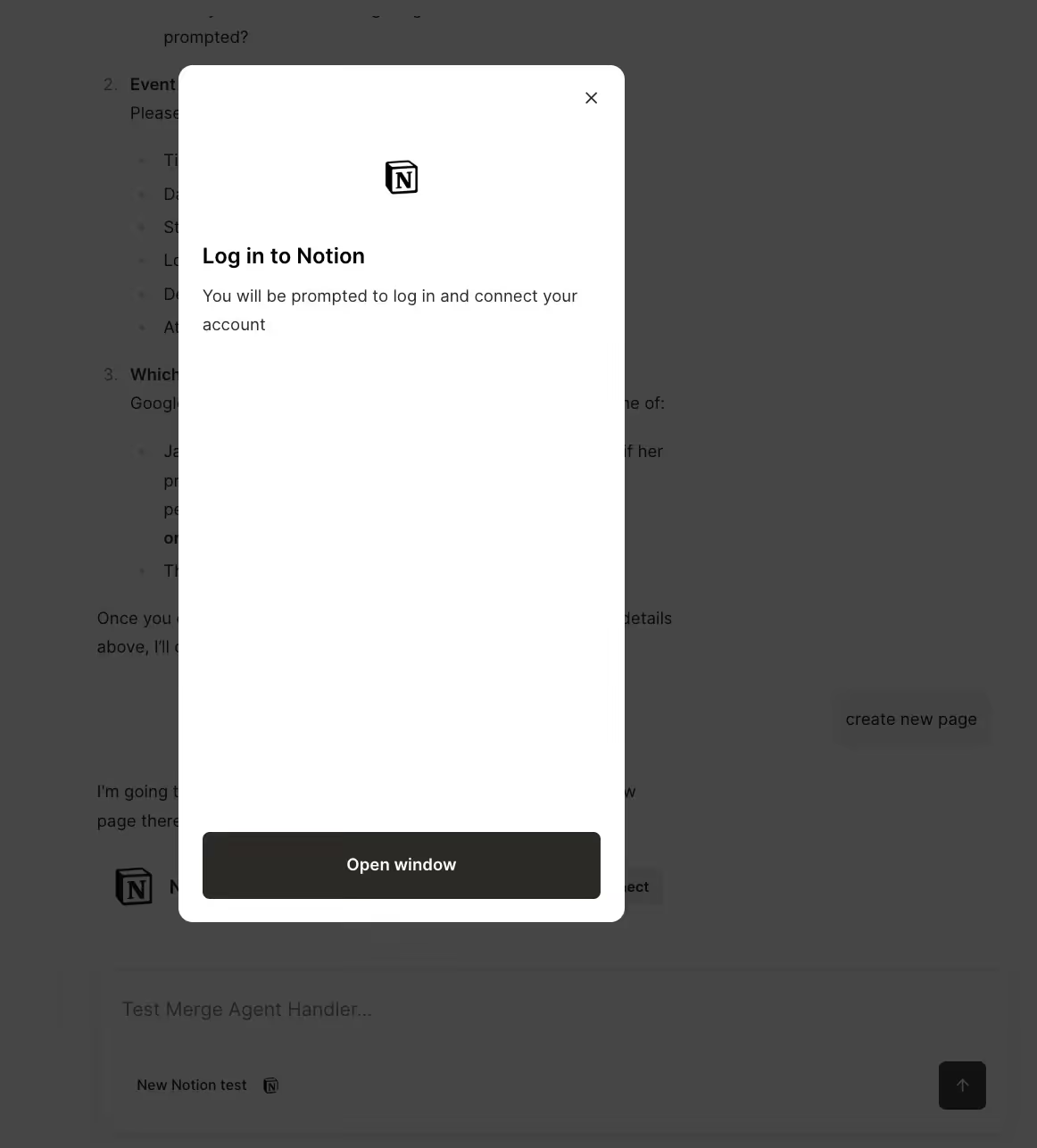
You may even be able to test your agents’ authentication implementations and verify that your agents surface authentication flows at the appropriate points in time.
Examples of AI integration platforms
Here are some AI agent integration platforms to consider:
Composio
Composio provides tools and infrastructure for connecting AI agents to external services and APIs.
Top features:
- Composio provides 500+ app/toolkit integrations out of the box
- Composio offers SDK support (Python, TypeScript) so developers can build or customize MCP-based integrations
- Composio’s core is open-source, with a publicly visible GitHub repo
- Composio’s pricing plans include a “Totally Free” option, allowing you to test the platform first
Drawbacks:
- Lacks robust security features. For example, you can’t set custom rules on the data your agents can access and how they can access it
- There’s no intuitive interface to test your tool calls across connectors, users, LLMs, and more
- They separate tools into two categories (premium and non-premium), which can make it difficult to estimate your costs
Related: Alternatives to Composio
Workato
Workato offers several integration solutions that can support your agents, including their integration platform as a service (iPaaS), embedded iPaaS, and their new “Workato Enterprise MCP” offering.
Top features:
- Offers thousands of automation templates, which let you build and customize workflow automations quickly
- Lets you build workflow-powered AI agents via their “Workato Genies” offering
- Workato Enterprise MCP helps you manage your agents’ integrations through searchable logs, verified user access, and more
- Enables you to support internal and/or customer-facing agent integrations
Drawbacks:
- Workato has several products and features, so their resources are likely spread across them. This makes any one solution, particularly their new MCP offering, relatively shallow and slow to improve
- The process of learning how to build workflow automations in their platform (which is foundational to using all of their products) is more complex than advertised. You’ll likely need to involve your engineers on any workflow projects in Workato
- Workato doesn’t provide any specifics on their pricing across products, forcing you to speak to their team if you want to learn more
Related: Alternatives to Workato
Merge
Merge offers two products, Merge Unified and Merge Agent Handler, that can support your agents’ integrations.
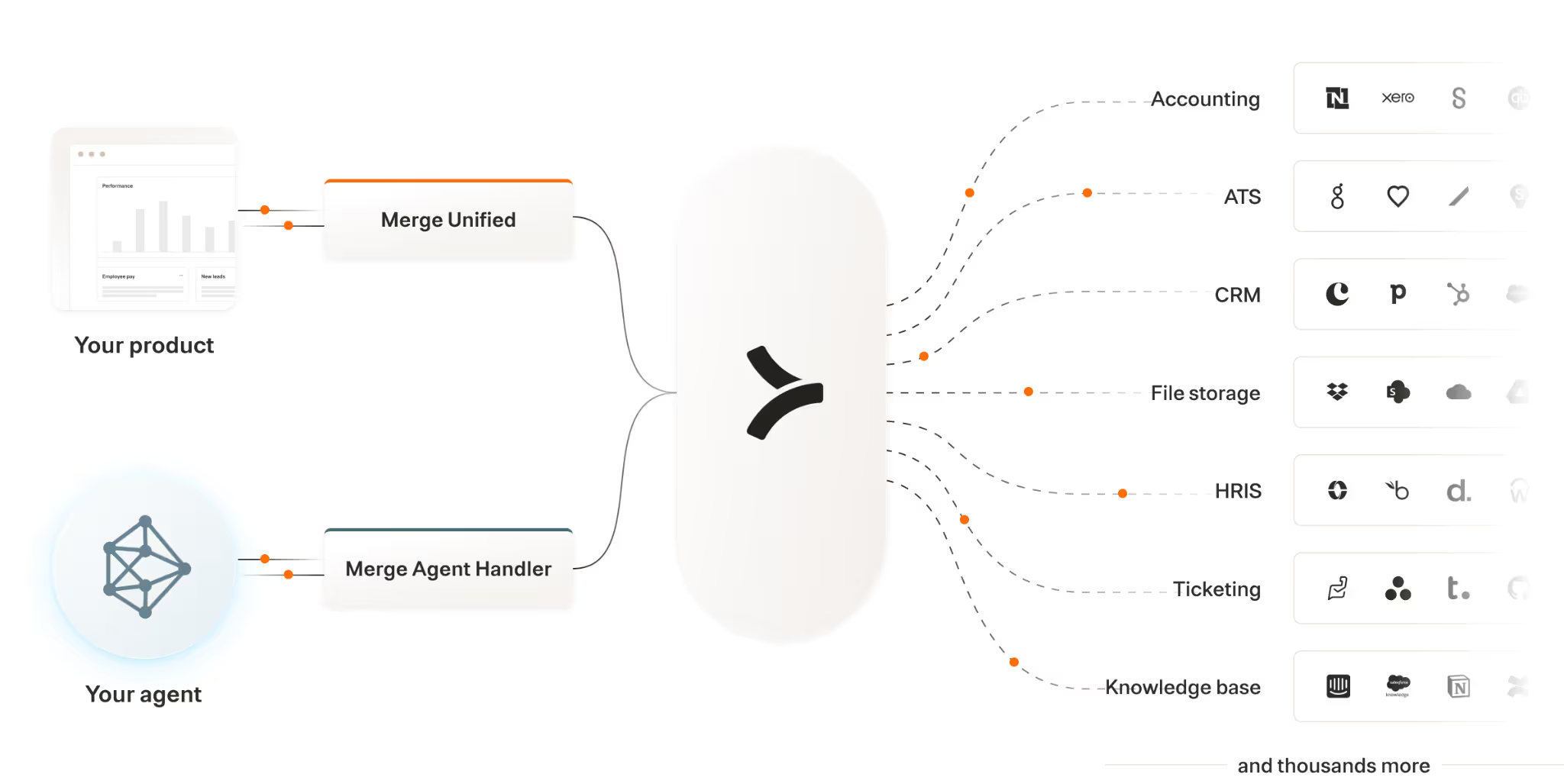
Merge Unified lets you add thousands of integrations to your product through a unified API.
This works great when you’re building agents in your product and you need them to support relatively static, predefined workflows (e.g., when a user clicks a button in your product to trigger a particular process).
Merge Agent Handler lets you add thousands of tools to your agents securely across dozens of fully-managed MCP servers. This is likely the better option when you’re building internal or customer-facing agents that need to make decisions on the fly (i.e., deciding what tools to call based on a user’s input).
For both products, Merge's enterprise-grade platform handles the entire integration lifecycle, from authentication and security to monitoring and maintenance.
Learn more about each product and decide which is right for your agents by scheduling a demo with one of our integration experts.
AI integration platform FAQ
In case you have any more questions on AI integration platforms, we’ve addressed several more below.
How is an AI integration platform different from an iPaaS?
An AI integration platform can overlap with an iPaaS, such as Workato, Boomi, Mulesoft, Celigo, or any other. For example, many iPaaSs provide connectors with LLMs (e.g., OpenAI) to help companies build intelligent workflow automations.
However, AI integration platforms can extend beyond this software category. For instance, they can include tool-calling platforms, like Merge Agent Handler, that can help you connect agents to MCP tools.
What’s the difference between an AI integration platform and an API integration platform?
An AI integration platform can include API integrations, but it can also include other connectivity methods, whether that’s MCP servers’ tools or custom scripts. An API integration platform, on the other hand, is narrowly focused on supporting API-based integrations.
What is an example of an AI integration?
You can connect an AI agent to Linear's MCP server to access tools like <code class="blog_inline-code">list_ticket</code>, <code class="blog_inline-code">create_ticket</code>, <code class="blog_inline-code">update_ticket</code>, and <code class="blog_inline-code">delete_ticket</code>.
Here's how an agentic workflow could then work:
1. An employee sends a plain text instruction in Slack (e.g., "Create a high-priority ticket for the API timeout issue in the mobile app").
2. The agent analyzes the request and determines which Linear tool to call.
3. The agent executes the action in Linear using the appropriate credentials. If authentication is needed, it prompts the employee to connect their Linear account.
4. Once complete, the agent responds in Slack with a confirmation message as well as a link to the newly-created or updated ticket.
What are some best practices for evaluating AI integration platforms?
Here are some best practices worth following:
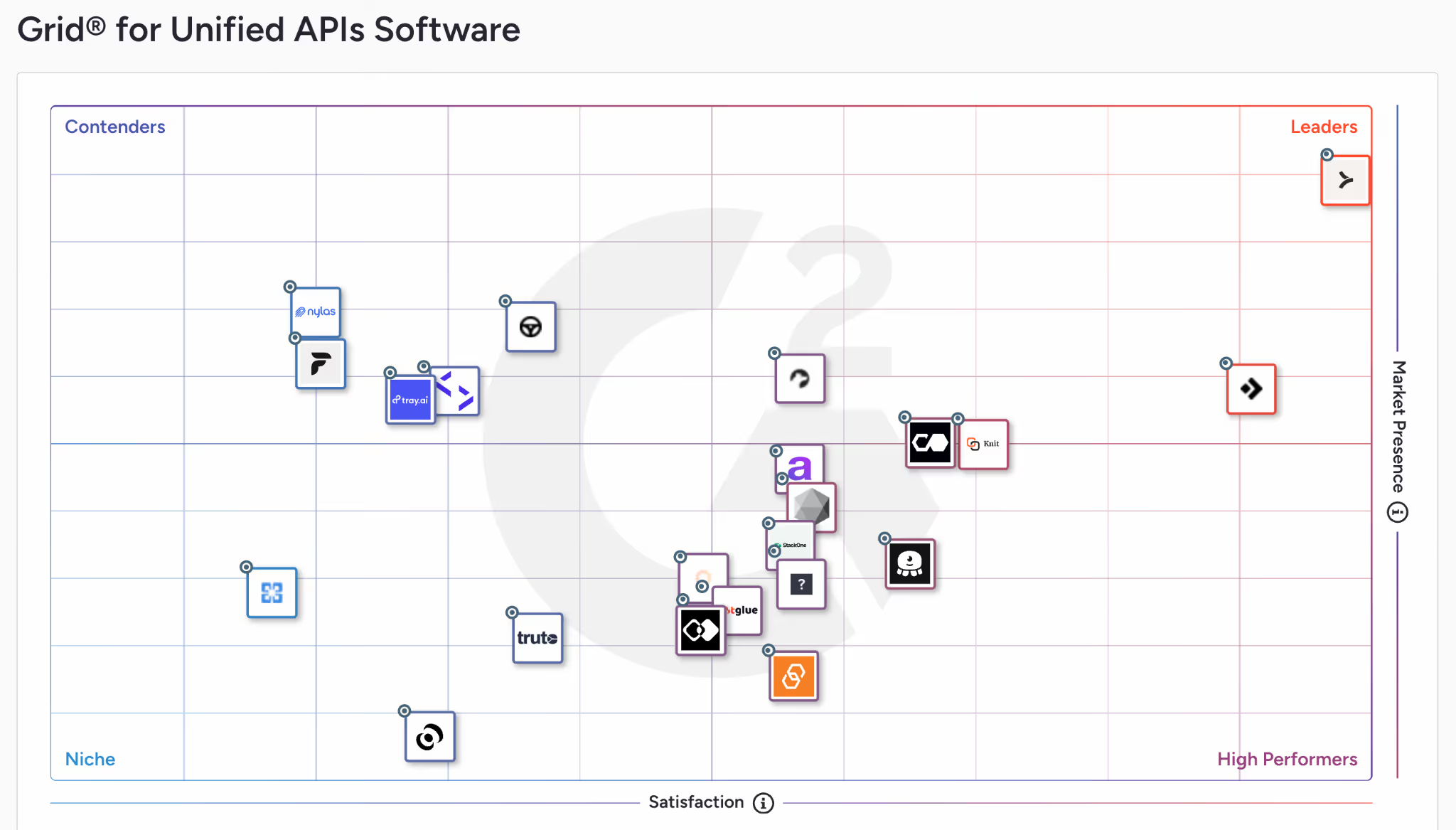
1. Review the platforms’ reviews on 3rd-party sites. G2 is a particularly great source because it not only provides individual reviews and an overall rating for a given vendor but also offers up grids in software categories that let you directly compare solutions.
For example, if you’re considering a unified API solution to power your product’s enterprise search, the grid below can be an easy way to pinpoint the best vendor.
2. Look at case studies for similar use cases. Many vendors will have case studies that directly apply to your use case. At the very least, they should be able to point to specific customers that use their solution similarly to how you're planning on using it.
3. Participate in a proof of concept. Given how new and cutting-edge your AI integration use cases are, you shouldn’t take vendors at their word. Ask for a proof of concept (PoC) that’s a few weeks long and will give you a chance to actually implement and test at least one of your AI integration use cases.
Jon Gitlin



But Merge isn’t just a Unified
API product. Merge is an integration platform to also manage customer integrations. gradient text
But Merge isn’t just a Unified
API product. Merge is an integration platform to also manage customer integrations. gradient text
But Merge isn’t just a Unified
API product. Merge is an integration platform to also manage customer integrations. gradient text
But Merge isn’t just a Unified
API product. Merge is an integration platform to also manage customer integrations. gradient text