


.avif)
How Merge Agent Handler lets you scale your AI agents without scaling risk



Gil Feig
Over the past year, companies have aggressively deployed AI agents that take real actions in their systems and products.
These agents can issue refunds. They can access customer data. They can close support tickets.
That changes the risk profile entirely.
If you don’t control the layer between reasoning and execution, one bad tool call can cause real damage to your business and your customers.
Merge Agent Handler is built to support that middle layer.
It embeds governance, testing, and observability into every connector, ensuring every agent interaction is secure, auditable, and policy-driven by design.
Learn how Merge Agent Handler enables you to deploy agents across your organization safely.
Enforce least privilege access by using Tool Packs
If an agent can access everything, then every prompt becomes a potential security incident.
Say you’re building a sales ops agent that helps reps prep for calls.
Without guardrails, giving it broad access to Salesforce and Slack means a prompt like “pull everything you can about Acme” could accidentally grab:
- Notes from private deal rooms
- Sensitive renewal details
- Internal compensation and approval chatter
With Tool Packs, you can create a dedicated “Sales Call Prep” pack that just includes the connectors you need and only enables a small set of read-only tools (e.g., “read messages from this channel”)
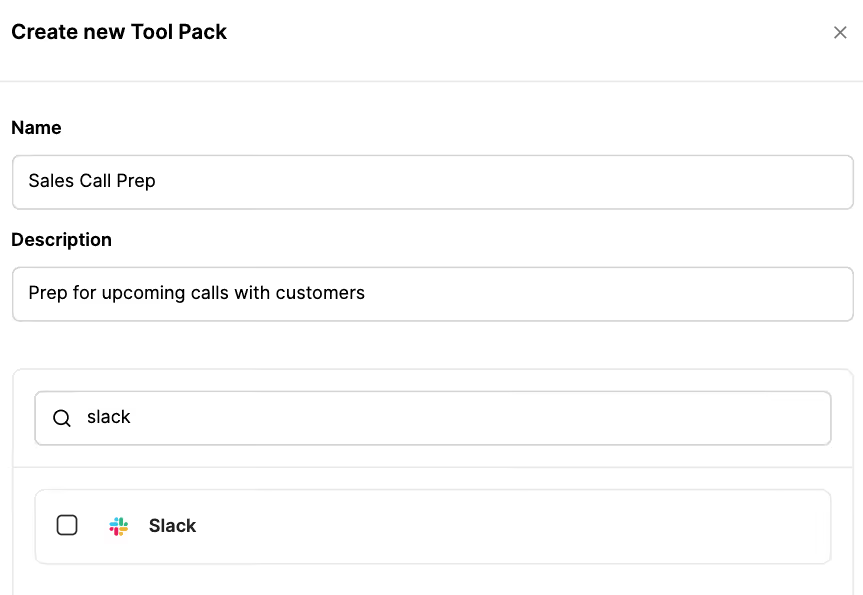
In addition, Merge Agent Handler can enforce rules that block or redact sensitive account fields before anything is returned.
Related: A guide to using SCIM for AI
Catch unintended agent behavior before shipping with our Eval Suite
Security isn’t only about malicious behavior. It’s also about unintended behavior caused by unreliable tools, ambiguous schemas, or edge cases that cause the agent to do the wrong thing.
For example, your agent may try to refund failed payments. But if a tool’s invoice_status field is ambiguous, your agent could misinterpret the status and issue an unnecessary or incorrect refund.
Merge Agent Handler’s Evaluations Suite lets you identify these vulnerabilities before pushing your agentic integrations to production by giving you a structured, repeatable way to test the full tool call loop end to end.
You can define realistic test scenarios that mirror how users will actually prompt the agent and run those scenarios against users, connectors, Tool Packs, and models.
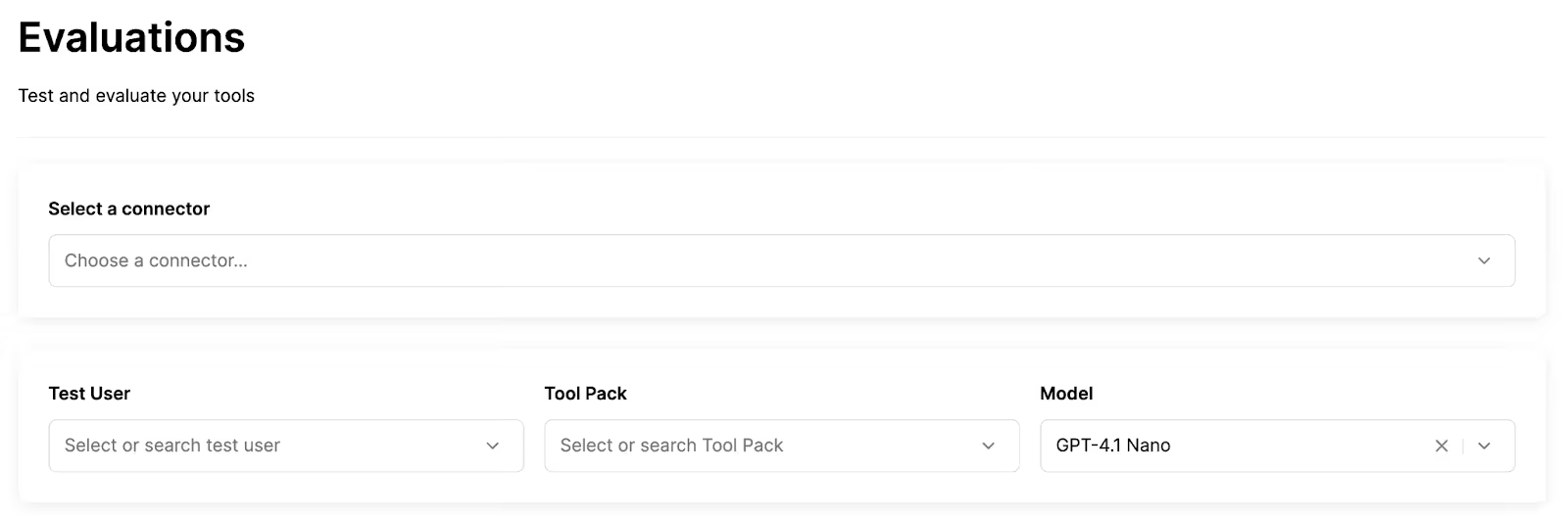
You can then verify outcomes, not just responses, by checking whether tool calls were:
- The right tool for the job
- Sent with safe and correct arguments
- Returning expected results
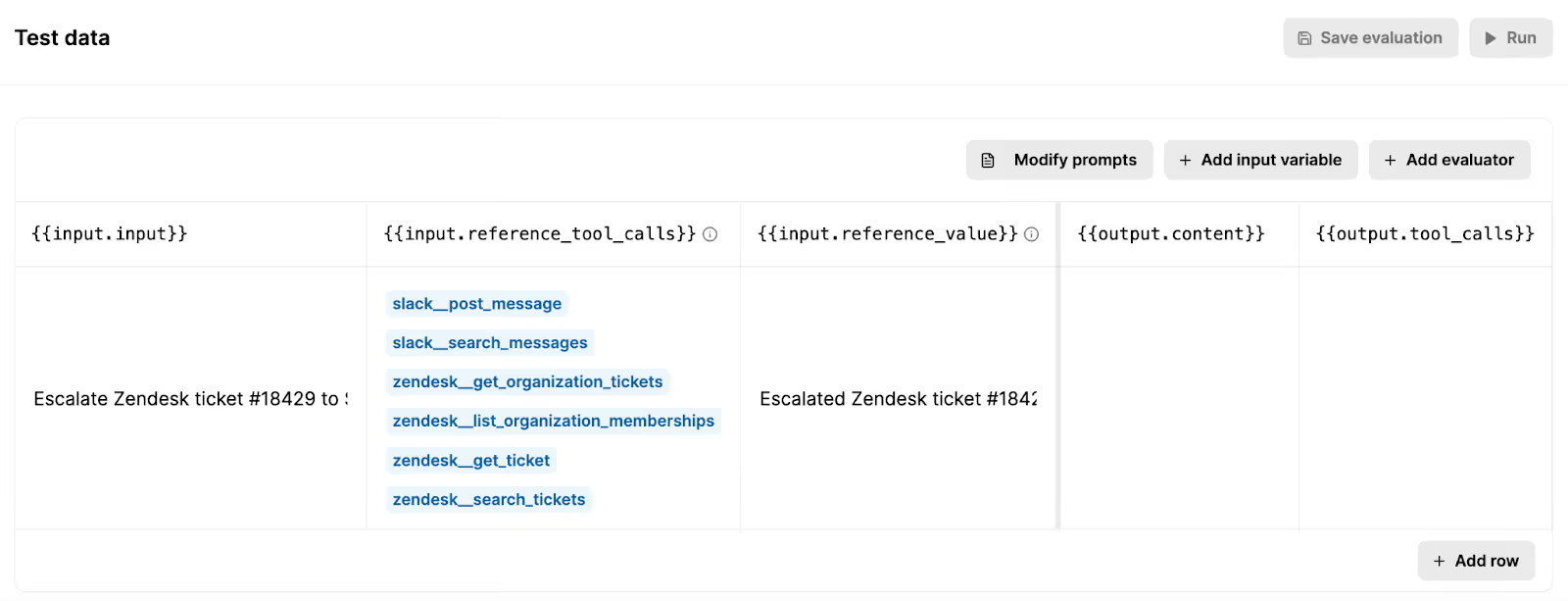
For example, say you want to test the support agent we covered earlier and make sure that it escalates tickets to the right channel and redacts sensitive data.
You can set the test prompt to, “Escalate Zendesk ticket #18429 to Slack,” where the ticket contains a social security number.
You can then provide the expected tool calls and output (reference value), and see how your agent actually performs by running the evaluation.
Trace every tool call end-to-end with searchable logs
When an agent makes a tool call, you need end-to-end visibility: what tool was invoked, by which identity, with what arguments, what downstream API calls happened, how long it took, and whether it succeeded.
Only then you can diagnose and work to resolve a specific issue.
Merge Agent Handler provides all of this insight through fully-searchable logs.
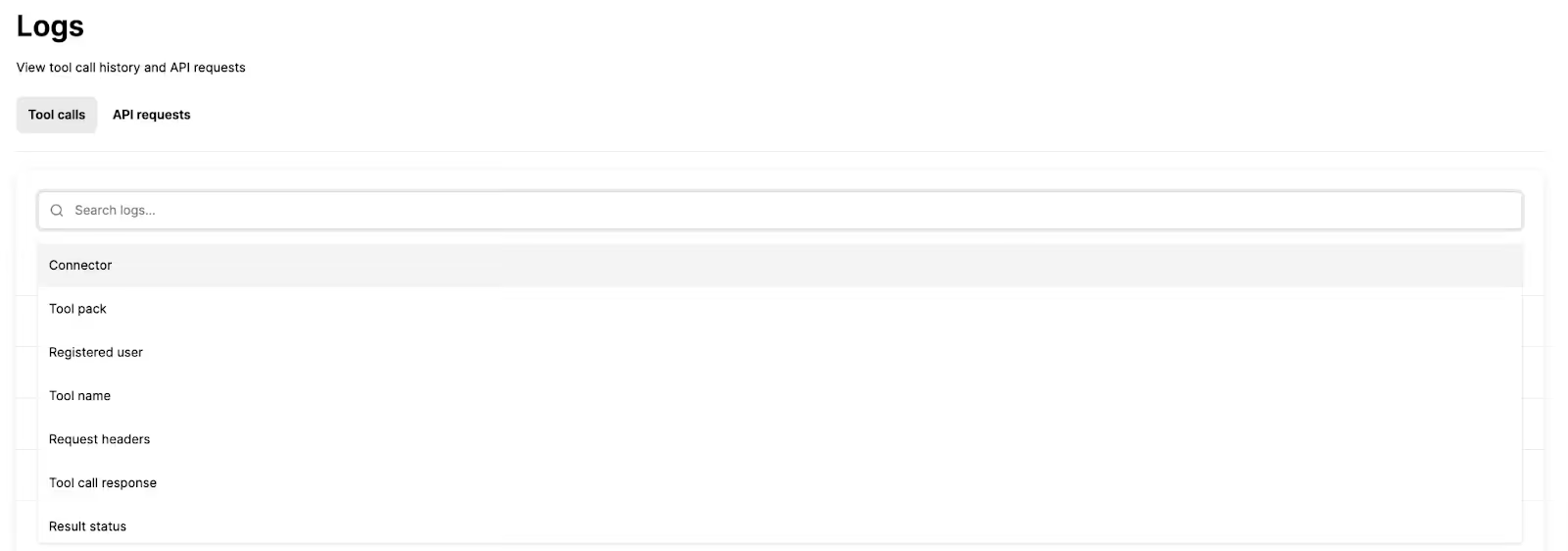
In practice, these logs help you answer questions like:
- Which connector and tool was used right before an incident?
- Did the agent attempt a risky action that was blocked by policy?
- Are failures clustered around one third-party API or credential state?
- What changed between a successful run and a failing run?
Learn immediately when an agent breaks a policy with automated alerts
Logs are necessary for debugging, but they don’t make your team aware of serious security issues on time.
Say, for example, your AI agent suddenly starts exporting large batches of customer records after a permissions change. If you’re just relying on logs, nobody would notice until days later when a customer complains.
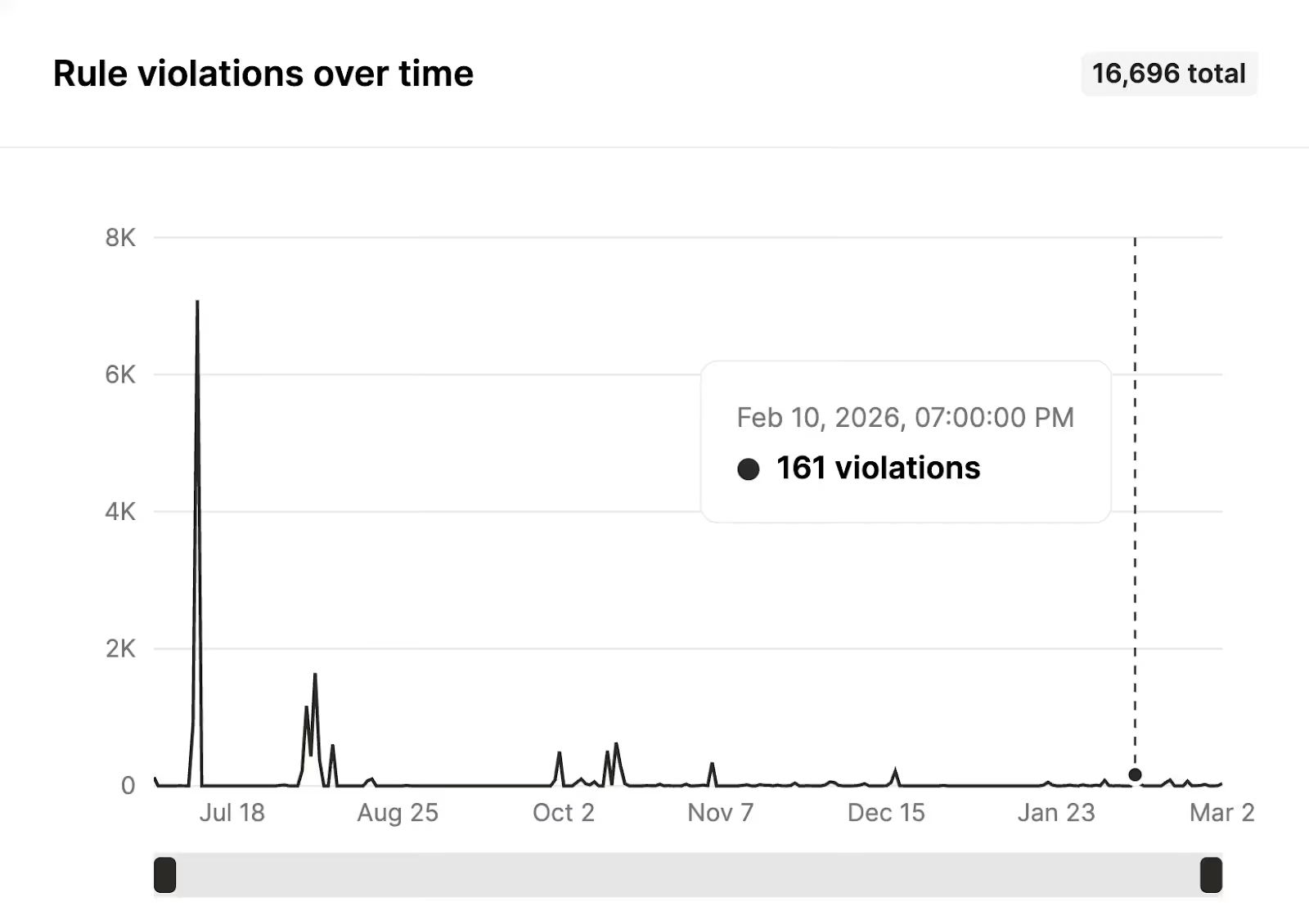
Merge Agent Handler includes rules and real-time alerts so teams can be proactively notified when something breaks or when a tool call violates configured security policies.
For example, you can make a rule that forces agents to redact bank account numbers when sharing them over Slack. If it’s violated, you can get an alert that shows the tool that was invoked, by whom, when, and more.

You can also track violations over time to spot patterns and measure your agents’ compliance.
Prove compliance with fully-searchable audit trails
Picture this:
Your AI agent approves and pays a suspicious $187k invoice, and three months later an auditor asks who authorized the access change, what data the agent relied on, and why it made that decision.
With only logs and alerts, your team can’t produce a complete, defensible record of actions and approvals over time, so they can’t prove what happened.
You need audit trails.
Merge Agent Handler’s audit trails give you an audit-ready timeline of what happened, when it happened, and which registered user or system it happened on behalf of.
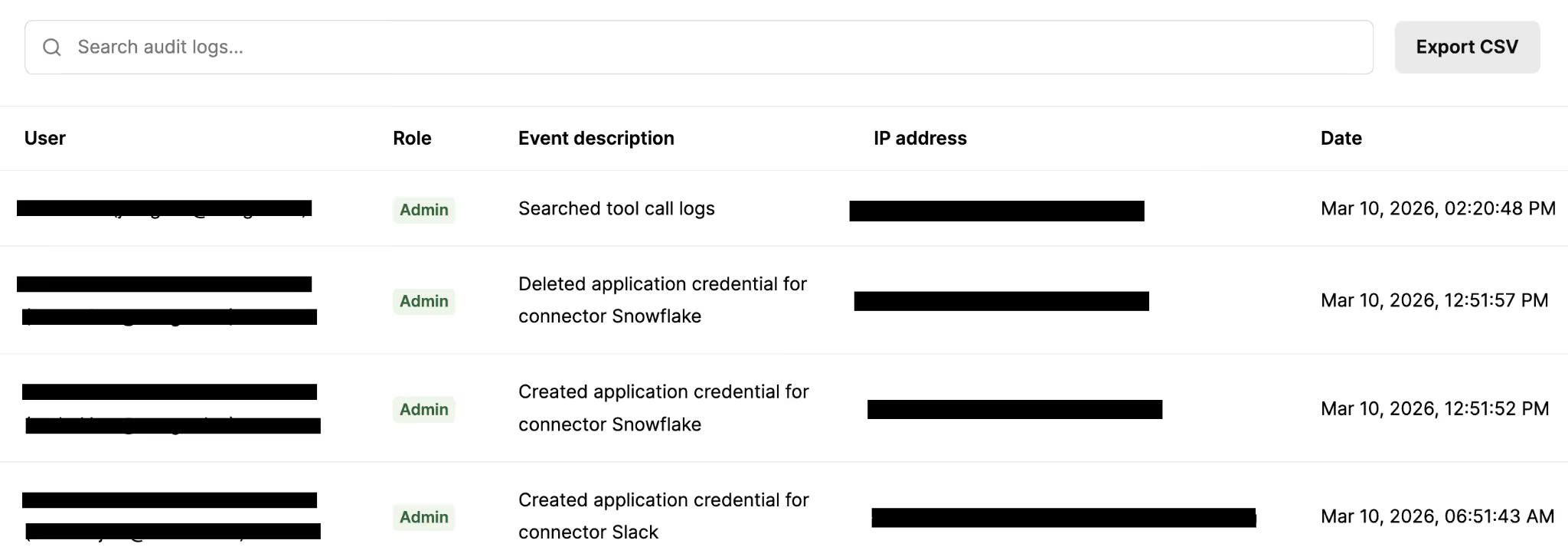
This makes it easy to reconstruct the full chain of events across tool calls, policy decisions, and outcomes, even weeks or months later.
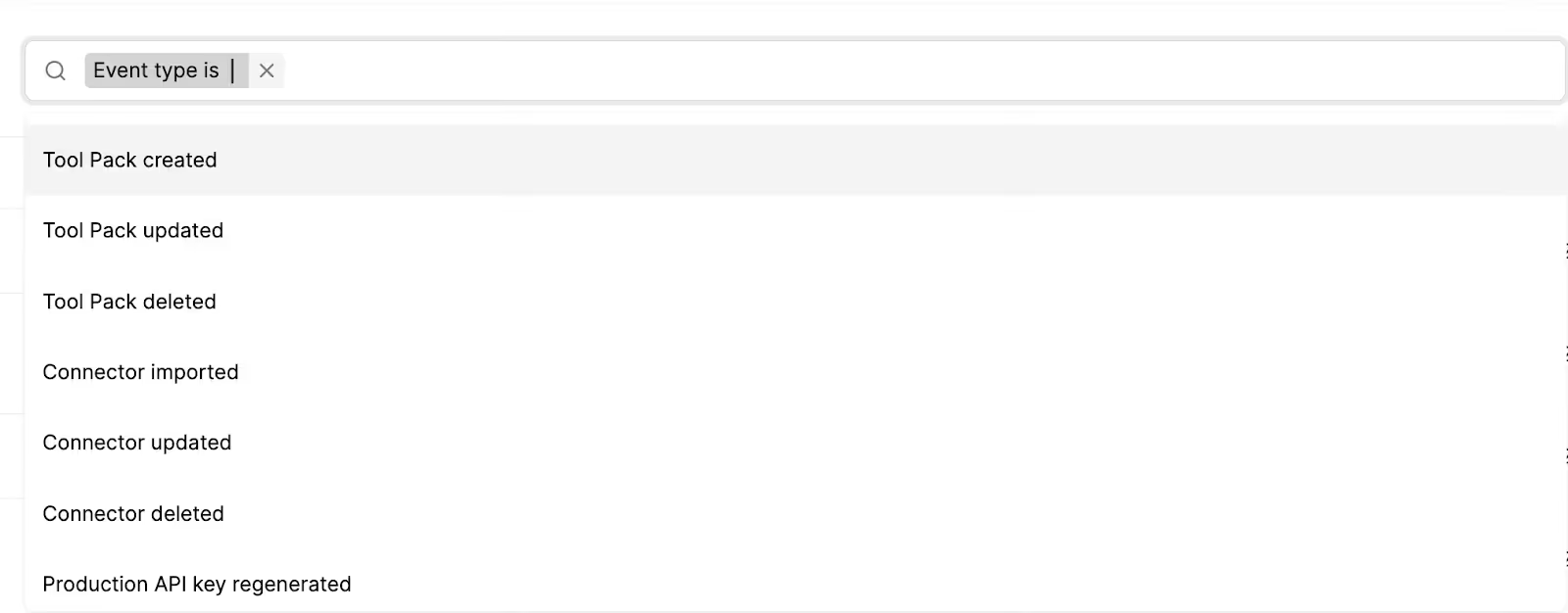
You can also filter audit trails by specific events to drill down on individual activities quickly.
You can use these insights for:
- Incident investigations and postmortems
- Access reviews and policy validation
- Compliance expectations where evidence and traceability are required
Final thoughts
AI agents only belong in enterprise workflows when your team can prove what happened, prevent what shouldn’t happen, and validate behavior before it reaches production.
Merge Agent Handler was built to bring those controls to MCP-based tool execution: least-privilege tool access via Tool Packs, observable and searchable logs, automated alerts, an eval suite for pre-prod validation, and audit-ready trails.
Now you can scale agentic workflows while keeping the controls your security team expects.
{{this-blog-only-cta}}
Gil Feig


Need access to enterprise-grade connectors?
Learn how Merge Agent Handler’s connectors can help you build reliable and secure agents by testing them for free.


But Merge isn’t just a Unified
API product. Merge is an integration platform to also manage customer integrations. gradient text
But Merge isn’t just a Unified
API product. Merge is an integration platform to also manage customer integrations. gradient text
But Merge isn’t just a Unified
API product. Merge is an integration platform to also manage customer integrations. gradient text
But Merge isn’t just a Unified
API product. Merge is an integration platform to also manage customer integrations. gradient text