

Table of contents

AI agent monitoring: overview, tips, and the best tools
.avif)


Jon Gitlin
Once you deploy agents to production, you’ll need to monitor users’ inputs, the tools agents invoke, the results from those tool calls, and more to identify, diagnose, and resolve issues quickly.
To that end, we’ll walk through how you can monitor agents and the solutions that can help.
But to start, let’s align on a shared definition of agent monitoring.
What is AI agent monitoring?
It’s the process of reviewing your agents’ activities to ensure issues get detected, diagnosed, and addressed with minimal impact on end-users and your business.
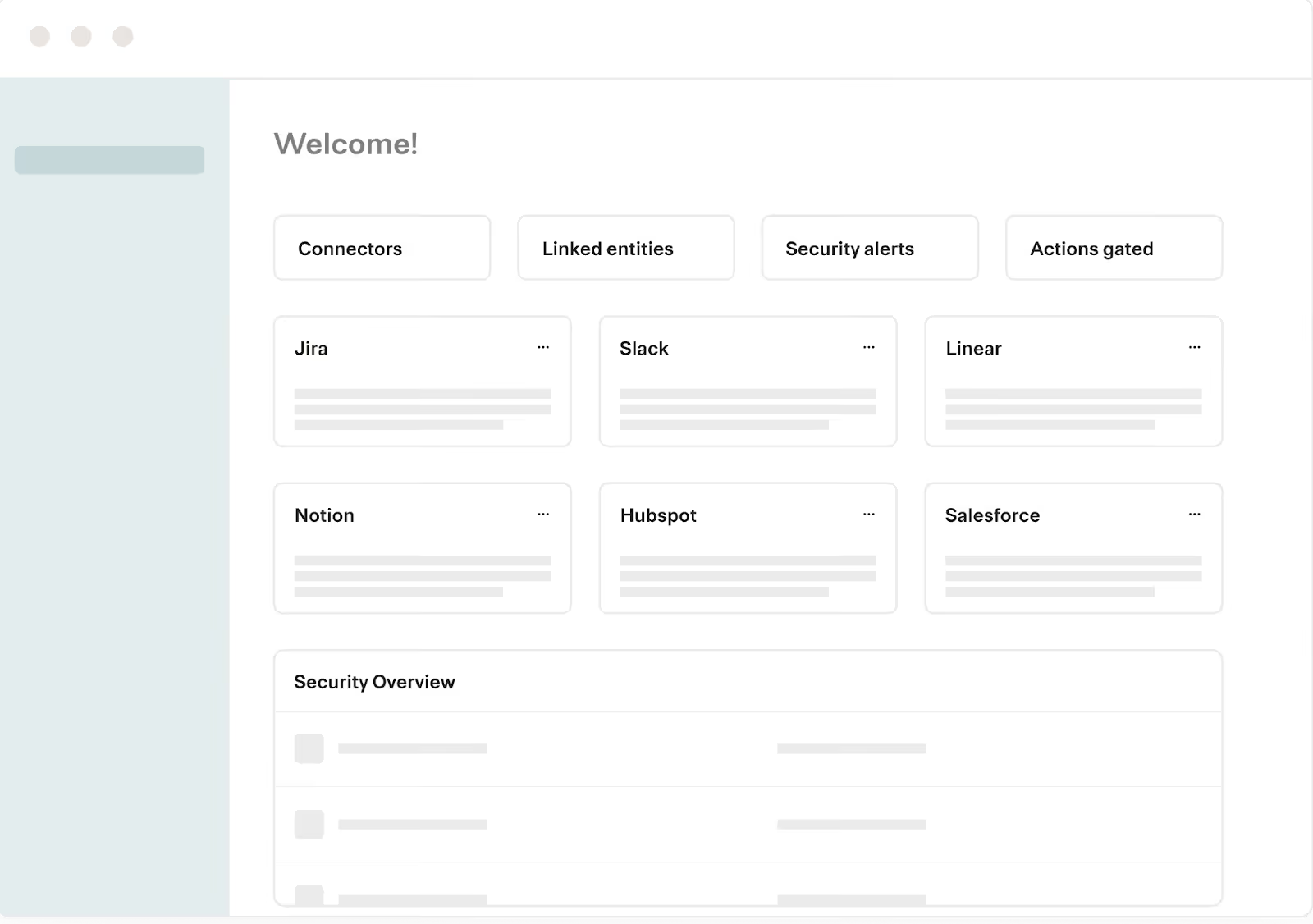
While companies can monitor agents differently, they typically use at least one 3rd-party solution to capture logs of agents’ activities, provide customizable alerts for potential issues, and build incident management workflows on top of those alerts.
Related: What is agent observability?
Key aspects of AI agent monitoring
Let’s dive deeper on what agent monitoring entails.
Fully-searchable logs
Logs let you fully understand the actions your agents take across users and MCP servers.
They should include the following components:
- The MCP server and tool an agent invoked
- Who (the user or system) triggered the agent to make the tool call
- The status of the tool call
- When the tool call was made and how long it lasted
- The arguments passed into the call and the response (both in JSON)
- The underlying API requests and responses
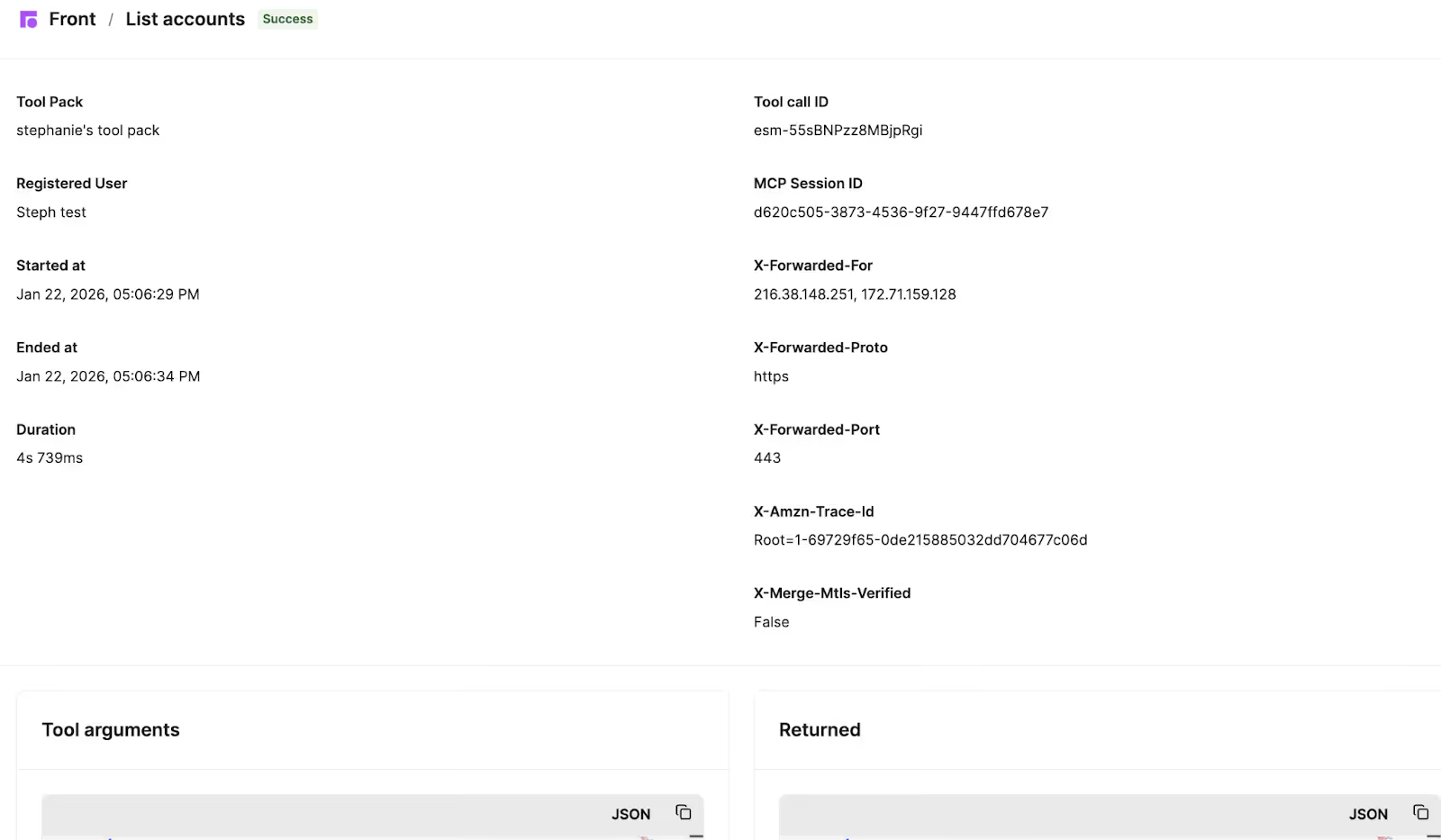
You should also be able to filter logs by the connector the agent uses, the result status, the tool invoked, and more to help you drill down on specific issues quickly.
Customizable rules and alerts
You can put guardrails on the data your agents can access and share via rules.
For a given data type, you can set rules to:
- Block your agents from accessing it and/or sharing it externally
- Redact specific fields (e.g., employees’ social security numbers)
- Log when your agents access and/or share the data
If any rule is violated, you and your team can receive alerts with context like when the violation occurred, the MCP server and tool involved, the user or system behind the tool call, and more.
For example, in Merge Agent Handler, you can set a rule that logs when an agent updates a contact’s information in HubSpot. You can then click into the alert to see what, exactly, the agent updated.

Audit trails
To better understand any changes in your agents’ behaviors, you should track how your employees interact with agents and the available MCP connectors. This includes:
- Who on your team makes changes to the connectors and tools
- The users who can access a given agent
- New rules applied to a given agent (or to agents more broadly)
- Updates to a connector’s supported authentication methods
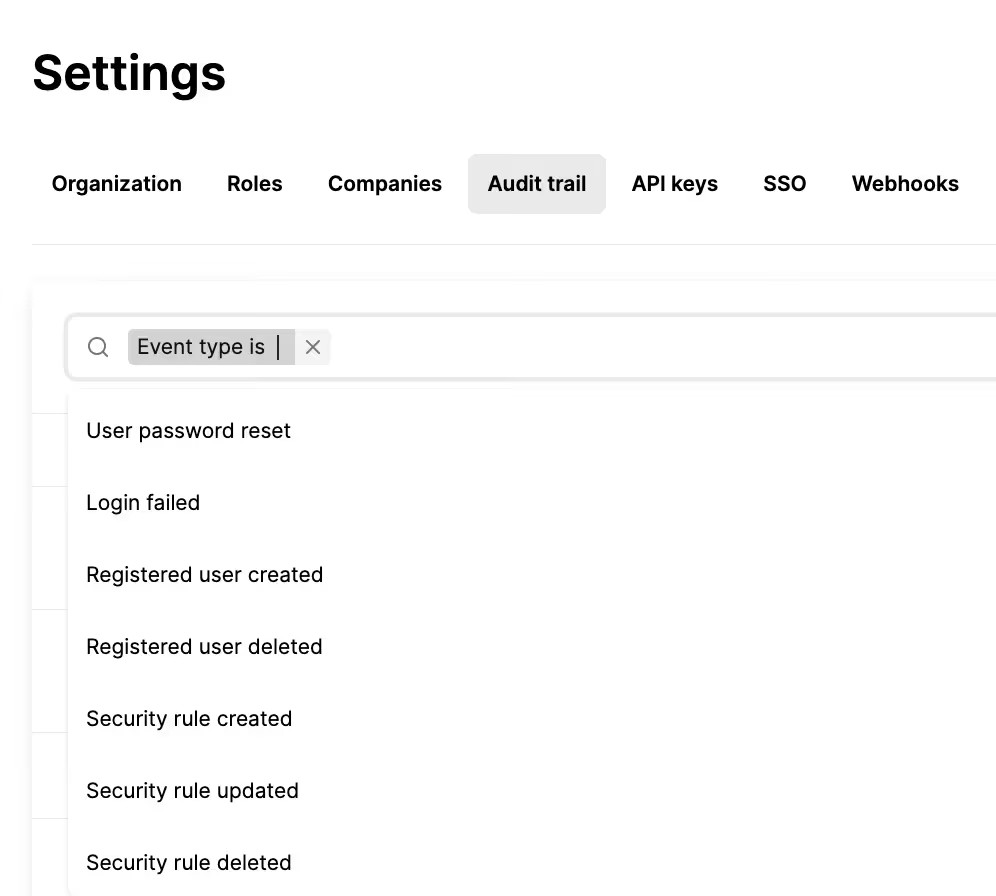
Like the previous feature, audit trails should be searchable so that you can quickly drill down on specific changes.
For instance, Merge Agent Handler lets you filter audit trails by when you or a colleague creates, modifies, or deletes the rules that restrict your agents’ behaviors.
AI agent monitoring tools
The types of agents you build can play a big role in determining the best solution for monitoring and managing your agents. That said, here are a few solutions that can be effective for most of your agents.
Datadog
Datadog is a widely-used observability and monitoring platform that provides metrics, logs, and application performance monitoring (APM) capabilities—which extends to agents.
Pros for monitoring agents
- End-to-end visibility: Datadog can capture and visualize entire agentic workflows. In other words, you not only get visibility on individual tool calls but also how a request travels through your agents
- Deep debugging capabilities: You can detect latency spikes, incorrect tool selections, specific error types, and more at every step of an agentic workflow to diagnose and troubleshoot specific issues faster
- Existing internal adoption: Your security, IT, and engineering teams likely use Datadog to monitor other assets and products. If they do, their ability to ramp up to Datadog’s agentic observability capabilities is likely short and straightforward
Cons for monitoring agents
- Unnecessary for simpler agent setups: For a small number of agents performing straightforward tasks, Datadog’s observability tooling may be unnecessary—or even counterproductive—adding noise through metrics and traces that don’t meaningfully improve visibility into agent behavior
- Relatively expensive: Datadog is built for enterprise infrastructure monitoring rather than AI agents. As a result, agent-focused use cases can become costly and lack the specialized features you need to debug and analyze your agents
- Doesn’t provide MCP connectors: Even if you invest in Datadog, you’ll still need a separate solution for building and managing agent connectors
Composio
Composio provides thousands of tools for connecting AI agents and offers observability and monitoring capabilities for AI agents out of the box.
Pros for monitoring agents
- Comprehensive observability features: Provides detailed visibility into agent actions, tool calls, and system behavior, helping teams quickly detect and troubleshoot issues
- Role-based visibility controls: Allows you to restrict what different team members can see and monitor based on their roles. This helps prevent unauthorized access to sensitive agent data
- Enterprise support for critical issues: Higher-tier plans include direct Slack access and custom SLAs, ensuring you can get help quickly when monitoring reveals production problems
Cons for monitoring agents
- Limited observability on lower tiers: Key monitoring features like audit logs and RBAC are only available on higher-tier plans
- Vague observability documentation: Composio only vaguely describes their observability features, forcing you to test the platform and validate the features
- Code-based monitoring interface: Monitoring and observability features are primarily exposed through SDKs and APIs rather than user-friendly dashboards, making it harder for non-technical stakeholders to monitor your agents
Related: The top alternatives to Composio
Merge
Merge Agent Handler offers the most comprehensive and robust agent monitoring solution in the market through its fully-searchable logs, customizable rules and alerts, audit trails, and more.
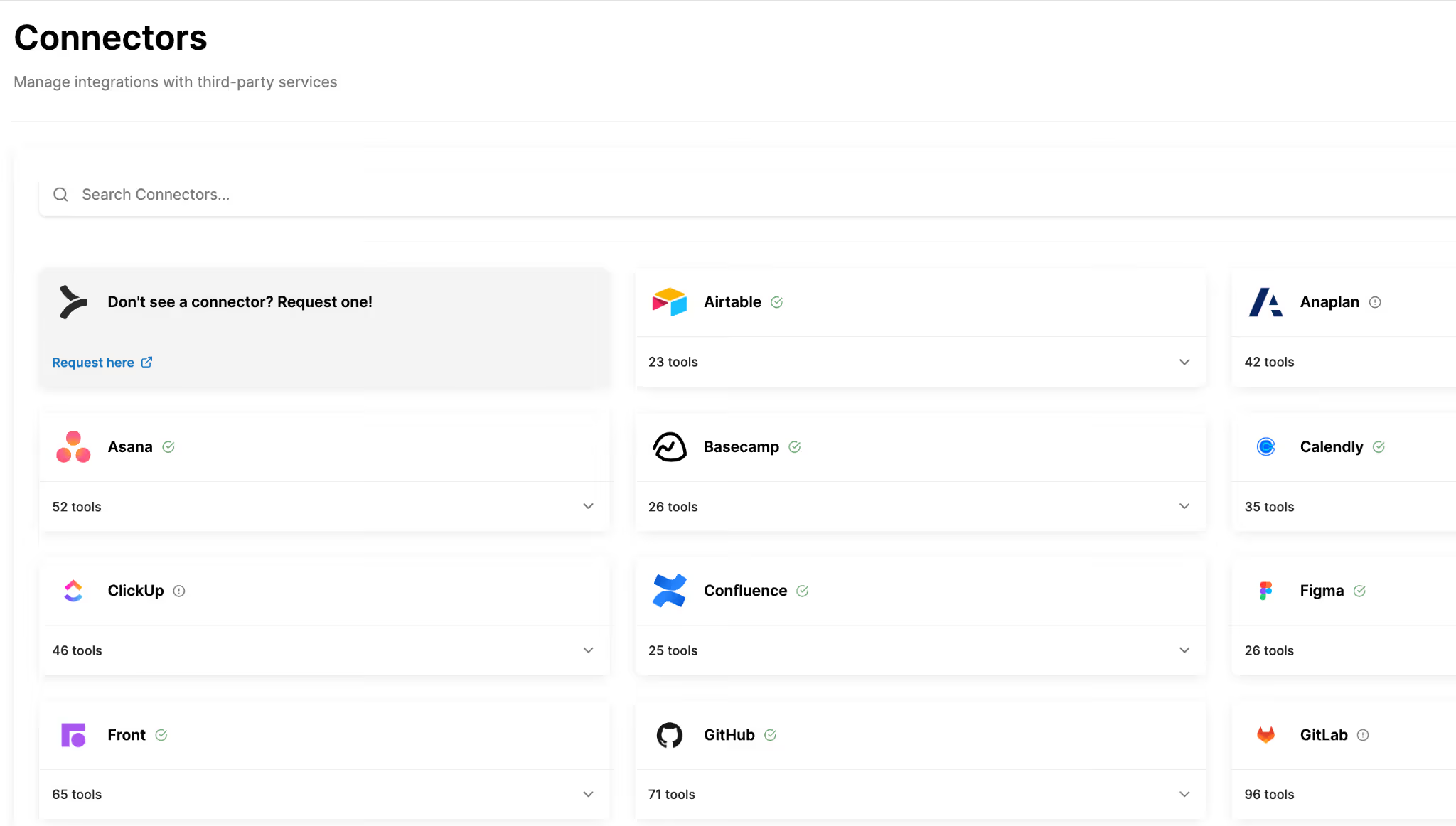
In addition, Merge Agent Handler lets you build and manage your agents’ integrations effectively by providing:
- Connector Studio: Create, edit, and maintain connectors and tools through the Connector Studio. You can also use pre-built connectors as-is, modify existing ones, and auto-generate new connectors via AI by providing API documentation, GitHub URLs, or just a description
- Evaluation Suite: You can test your agents with different prompts, LLMs, and connectors. And you can create custom pass/fail evaluations, measure tool call accuracy, and validate authentication flows to ensure consistent, high-quality performance before end-users are impacted
- Playground: Access an interactive sandbox where you can verify your agents’ behaviors, authentication implementations, and tool interactions in real-time, helping you catch issues early and accelerate time-to-first-tool-call
Start building and monitoring your agents today by creating a free account!
Jon Gitlin




But Merge isn’t just a Unified
API product. Merge is an integration platform to also manage customer integrations. gradient text
But Merge isn’t just a Unified
API product. Merge is an integration platform to also manage customer integrations. gradient text
But Merge isn’t just a Unified
API product. Merge is an integration platform to also manage customer integrations. gradient text
But Merge isn’t just a Unified
API product. Merge is an integration platform to also manage customer integrations. gradient text