

Table of contents
.png)
.png)
How to connect a ServiceNow MCP to Cursor (4 steps)



Jon Gitlin
Developers writing incident parsers, change automation, or ITSM integrations in Cursor have to know what the API actually returns before the code can be correct.
This means leaving the editor, making test calls against the instance, copying JSON responses back in, and hoping the structure matches what production delivers.
To help your developers write ServiceNow integrations without leaving Cursor, we'll show you how to connect ServiceNow with Merge Agent Handler's ServiceNow MCP server.
How it works
Merge Agent Handler connects Cursor to the ServiceNow API through the Merge CLI.
Install the CLI, authenticate once, and run a single setup command from your project root.
That command writes a ## Merge CLI section to the project's .cursorrules file, which tells Cursor's agent when to call merge search-tools and merge execute-tool to reach ServiceNow.
Once authenticated, Merge handles instance-specific OAuth credentials so you never store ServiceNow tokens locally or configure the instance URL in the project.
Here's the registration command:
Related: A guide to integrating a ServiceNow MCP with Codex
Prerequisites
Before getting started, you'll need the following:
- A Merge Agent Handler account
- Cursor installed
- pipx installed (run
pipx --versionto confirm, or install viapip install pipx) - A ServiceNow instance with API access enabled
If you want to connect Merge Agent Handler's ServiceNow MCP with internal or customer-facing agentic products, you can follow the steps in our docs.
1. Install the Merge CLI
Install with pipx and verify: pipx install merge-api
Verify your installation: merge --version
Related: How to use a ServiceNow MCP in Claude Code
2. Log in to Merge
Authenticate the CLI with your Merge Agent Handler account: merge login
This links the CLI to your account so it can make authorized requests to ServiceNow on your behalf.
3. Connect the CLI to Cursor
Run the following from the root of the project where you want to use Merge tools:
This writes a ## Merge CLI section to .cursorrules so Cursor knows to use the CLI for third-party services. The command is idempotent, safe to re-run if you need to reset.
4. Authenticate ServiceNow
Open a Cursor chat in your project and start with a query that reflects real development work: For example, "Fetch a recent incident record from ServiceNow and show me the full JSON, including all field names, their current values, and the data types, so I can write accurate TypeScript interfaces for my integration."
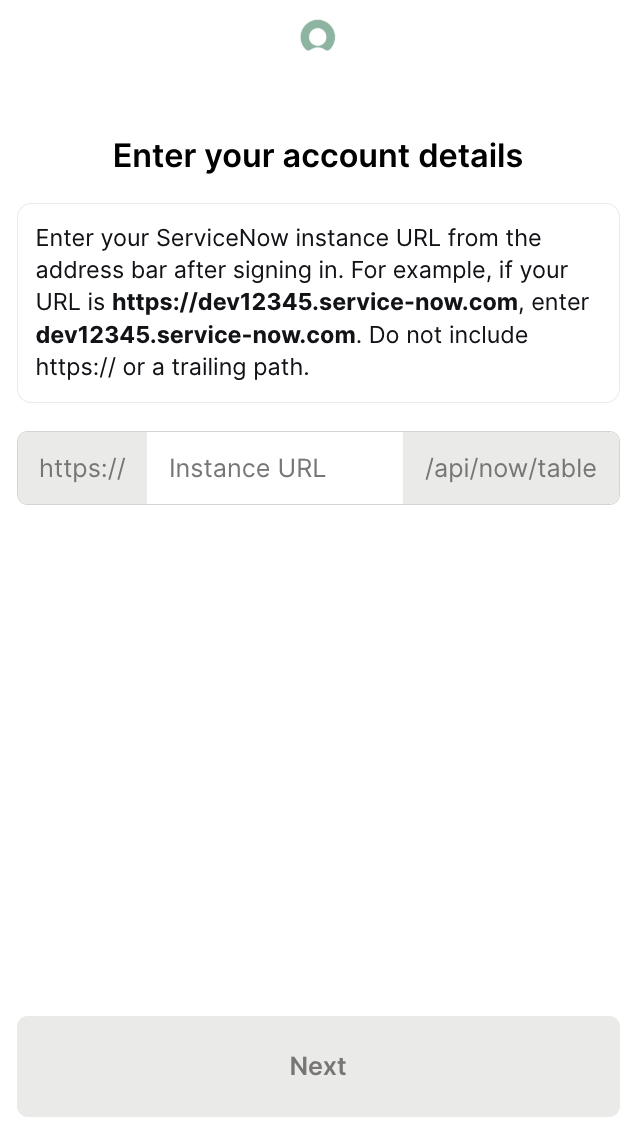
The first time you invoke a ServiceNow tool, a Magic Link will appear to complete connector authentication.
{{this-blog-only-cta}}
ServiceNow MCP FAQ
In case you have more questions on setting up and using the ServiceNow MCP in Cursor, we've addressed several more commonly-asked questions below.
What can you do once the ServiceNow MCP is connected to Cursor?
With ServiceNow connected, Cursor can:
- Fetch live incident schemas while writing type definitions: retrieve a real incident record with all its fields, including any custom fields your org has added, before writing the interfaces your integration will depend on
- Pull valid state and priority values while implementing transition logic: query actual records to see what values the state and priority fields carry in your instance before coding a state machine or validation layer around them
- Read change request structures while building approval workflow code: fetch real change request data including approval history and schedule fields to verify that your workflow automation handles the actual field shape, not a generic schema
- Inspect CMDB record relationships while writing blast-radius logic: query configuration items and their linked records to understand the relationship model before coding logic that traverses CI dependencies
- Check problem record field structure while implementing root cause analysis features: pull real problem records to see how they reference linked incidents and the fields you'll need to surface in a root cause analysis tool
- Look up knowledge base article formats while building KB retrieval integrations: fetch KB records to verify field names and content structure before writing a retrieval function that surfaces articles during incident response
Why use Merge Agent Handler vs. a self-hosted ServiceNow MCP server?
You can build a self-hosted MCP server on top of the ServiceNow table API. For a developer with a developer instance and clear scope, the initial setup is manageable: configure OAuth credentials, write tool schemas for the tables you need, and wire it to Cursor.
ServiceNow's API surface is large and instance-specific. The table API exposes hundreds of tables with field names and relationships that vary based on your organization's configuration. A self-hosted setup means you're responsible for token refresh, instance URL management, and keeping tool schemas aligned with your instance as it evolves.
At team scale, the access control problem becomes real.
A shared service account token gives all agents the same access level across your instance with no per-agent controls on which tables or operations each one can reach. There's no central audit trail of what was queried or written. For teams where ServiceNow contains production incident data, change schedules, and CMDB relationships, running agents against it without tool-level scoping is a risk most organizations can't accept.
Merge Agent Handler adds scoped control at the tool level.
You define exactly which ServiceNow operations to expose, so, for example, a read-only integration development agent would never get access to write tools.
Every call is also logged with the timestamp, tool name, and inputs.
For teams building production ServiceNow integrations, that combination of scoped access and audit logging is the difference between a controlled deployment and an ungoverned one.
Why connect ServiceNow to Cursor?
ServiceNow's table API has a wide field surface that varies by instance. Developers writing integrations against it, whether for incident response automation, change approval workflows, or CMDB-aware tooling, need to know what their specific instance actually returns before the code can be correct.
With the ServiceNow MCP connected, Cursor can fetch real records and field definitions inline while you write the code that depends on them.
Jon Gitlin

.png)
.png)

Connect Cursor to thousands of tools with Merge Agent Handler
Use Merge Agent Handler’s 150+ connectors (including ServiceNow) to power reliable, secure, and powerful agents.


But Merge isn’t just a Unified
API product. Merge is an integration platform to also manage customer integrations. gradient text
But Merge isn’t just a Unified
API product. Merge is an integration platform to also manage customer integrations. gradient text
But Merge isn’t just a Unified
API product. Merge is an integration platform to also manage customer integrations. gradient text
But Merge isn’t just a Unified
API product. Merge is an integration platform to also manage customer integrations. gradient text