

.avif)
.png)
How to connect to the Gmail MCP with Claude Code (4 steps)



Jon Gitlin
Developers spend more time in Gmail than they'd like to admit for all of the operationally-relevant context that lives there.
Deployment alerts, customer-reported bugs, API change notices, access requests, escalations from support. That context is invisible to Claude Code by default, which means your developers either context-switch to find it or work without it.
To help you developers access and send emails from Claude Code, we’ll show you how to connect the AI coding tool with Merge Agent Handler’s Gmail MCP server.
How it works
Merge Agent Handler sits between Claude Code and Gmail's API. You install the Merge CLI, authenticate once, and register the connection with a single command. From that point, every Gmail request your agent makes goes through Merge, which handles OAuth token storage and refresh so none of that lives in your local environment.
Here's the command that registers the connection:
Related: A guide to integrating a Gmail MCP with Cursor
Prerequisites
Before getting started, you'll need the following:
- A Merge Agent Handler account
- Claude Code installed (run
claude --versionto confirm) - pipx installed (run
pipx --versionto confirm, or install viapip install pipx) - A Google account with Gmail access
If you want to connect Merge Agent Handler's Gmail MCP with internal or customer-facing agentic products, you can follow the steps in our docs.
1. Install the Merge CLI
Install with pipx: pipx install merge-api

Verify your installation: merge --version
2. Configure the CLI and log in
Log in to connect the CLI to your Merge Agent Handler account: merge login
The CLI is now authenticated and ready to make authorized requests on your behalf.
3. Add Agent Handler to Claude Code
The simplest way to register Agent Handler with Claude Code:
Alternatively, register manually:
Verify the connection registered. Open Claude Code and run: /mcp
agent-handler should appear under Local MCPs with a connected status.

Related: How to integrate a Gmail MCP with Codex
4. Authenticate Gmail
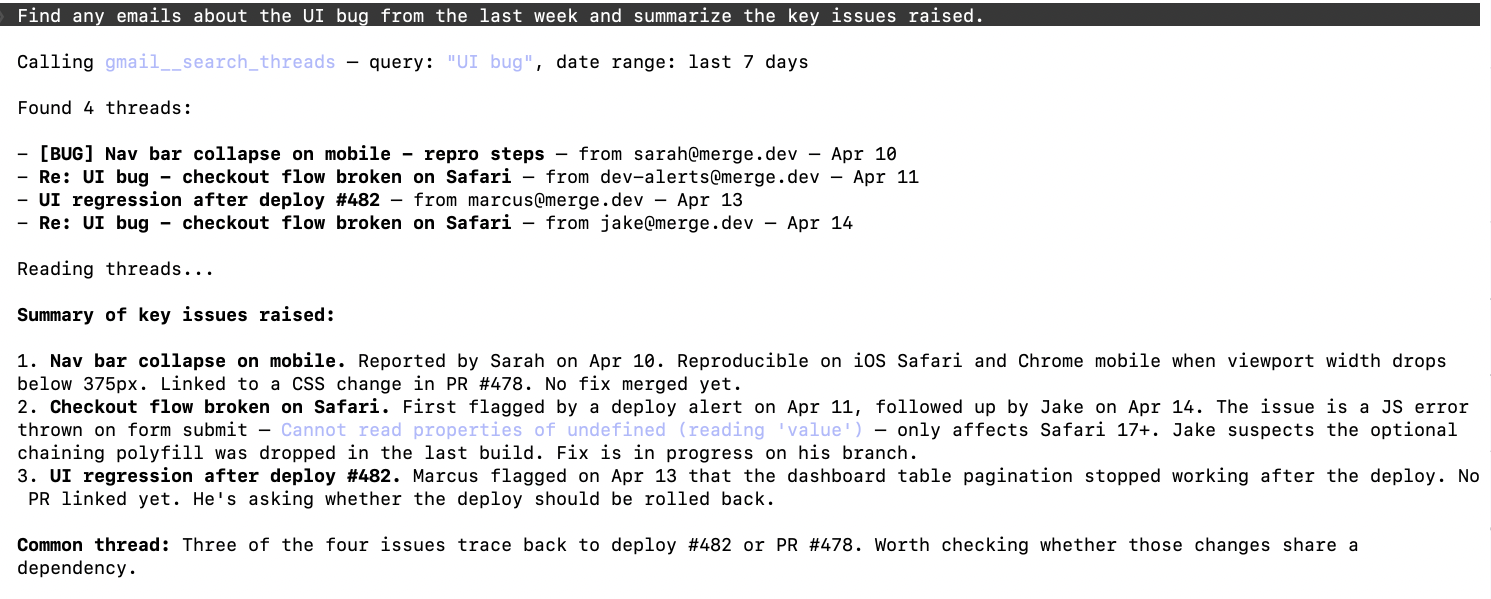
To confirm the connection is working, open a Claude Code session and try: "Find any emails about the payments API from the last week and summarize the key issues raised."
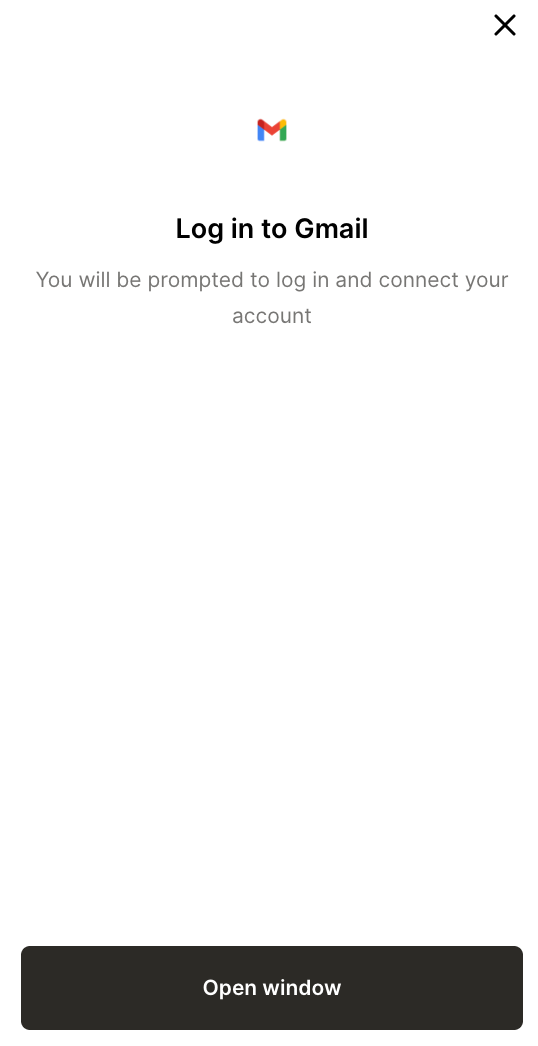
On first use, a Magic Link will appear to finish connector authentication.
You should then see an output like the following:
{{this-blog-only-cta}}
Gmail MCP FAQ
In case you have more questions on setting up and using the Gmail MCP in Claude Code, we've addressed several more commonly-asked questions below.
What can you do once the Gmail MCP is connected to Claude Code?
With Gmail connected, Claude Code can:
- Search threads by keyword or date: find emails about a specific bug report, API issue, or customer escalation without leaving the terminal
- Read message contents: have Claude summarize a thread, extract action items, or pull out specific details like error codes or request IDs
- List labels and folders: browse how incoming mail is organized to scope searches to the right context
- Draft and send emails: compose replies or new messages directly from a Claude Code session (if write tools are enabled in your Tool Pack)
- Cross-reference email context while coding: pull in customer-reported symptoms, alert details, or API change notices without breaking your terminal flow
Why use Merge Agent Handler vs. a self-hosted Gmail MCP server?
You can self-host a Gmail MCP server using community packages that wrap the Gmail API directly. For a solo developer on a personal project, that works.
The friction starts when you're on a team. Each developer needs their own credentials, each environment needs its own token management, and when a token expires or gets revoked, the failure is silent until someone notices the agent stopped working. There's also no visibility into what the agent is actually reading or sending sensitive data.
Merge Agent Handler addressess all of this by handling credential storage, token refresh, and per-user scoping centrally.
You can see what each Registered User's agent is accessing, revoke access from one place, and scope which labels or threads each agent can reach. For teams running multiple agents against shared Gmail accounts (support inboxes, alert inboxes, team aliases, etc.) that control matters.
Why connect Gmail to Claude Code?
Gmail is an underrated source of ground truth for developers. Customer bug reports arrive there before they make it into Jira. Vendor API deprecation notices land there weeks before anyone acts on them. On-call escalations, deployment confirmations, and access requests all flow through email, and none of that context is available to Claude Code by default.
As a result, connecting Gmail via MCP means Claude can treat your inbox as a key data source. You can ask it to find all emails mentioning a specific endpoint, summarize a support thread before jumping into a debugging session, check whether an alert fired during a deployment window, etc., through a single prompt.
Jon Gitlin
.png)
.png)

Connect your agents to thousands of tools in minutes
Use Merge Agent Handler’s 150+ connectors (including Gmail) to power reliable, secure, and powerful agents.


But Merge isn’t just a Unified
API product. Merge is an integration platform to also manage customer integrations. gradient text
But Merge isn’t just a Unified
API product. Merge is an integration platform to also manage customer integrations. gradient text
But Merge isn’t just a Unified
API product. Merge is an integration platform to also manage customer integrations. gradient text
But Merge isn’t just a Unified
API product. Merge is an integration platform to also manage customer integrations. gradient text