

Table of contents
.png)
.avif)
AI audit logs: overview, benefits, and best practices



Jon Gitlin
As you roll out AI across your organization, you’ll need clear visibility on the MCP connectors employees use and how they use them.
These insights can help your team detect security breaches, compliance violations, or just unnecessary data access that can create issues later down the line.
AI audit logs provide that layer of visibility.
To help you implement and use AI audit logs, we’ll break down how they work and tips for adopting them.
What are AI audit logs?
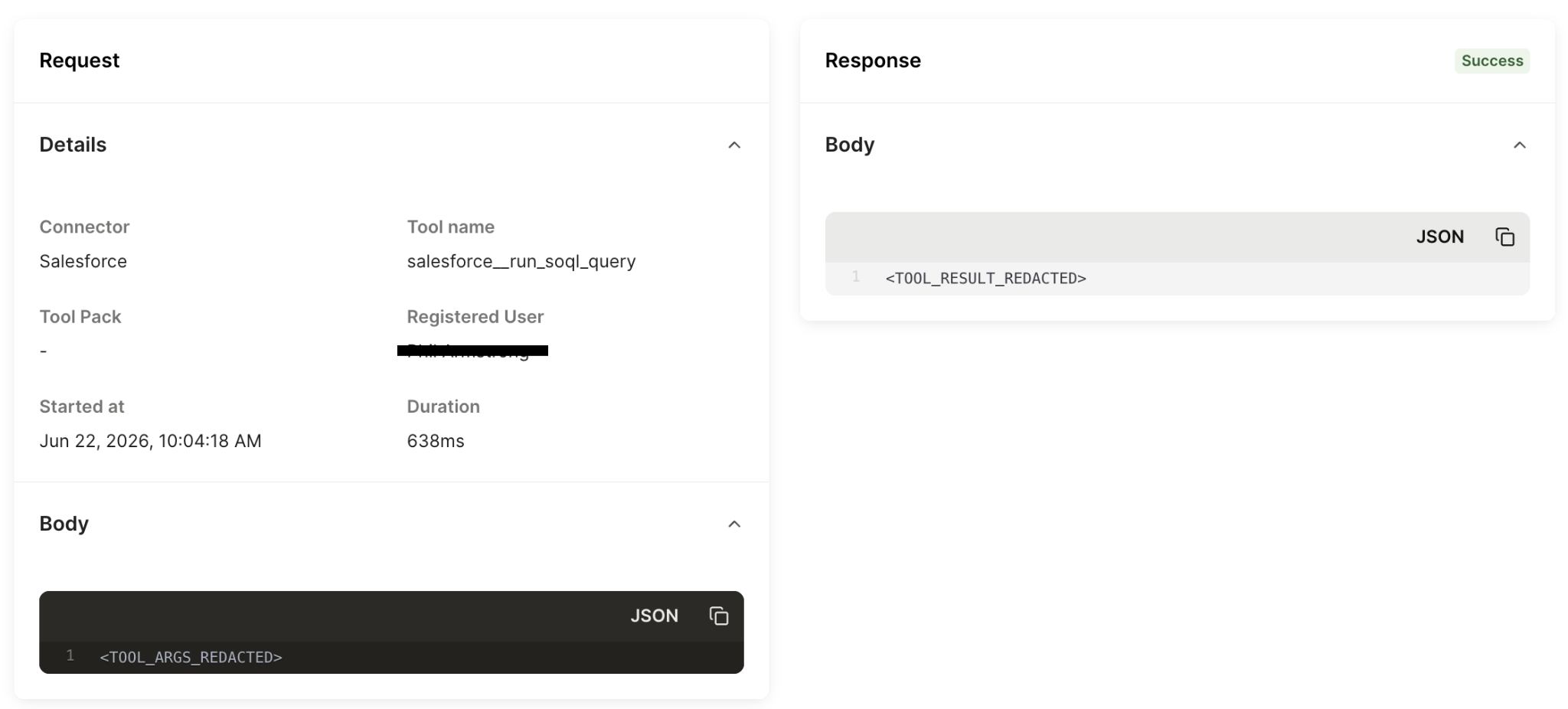
AI audit logs are time-stamped records of the tool calls your employees make across the MCP connectors you’ve provisioned.
Aside from basic information like when a tool call occurred, who invoked it, and the specific connectors and tools involved, AI audit logs include details like the:
- Call’s response status
- Call’s end-to-end duration
- Arguments passed and response bodies returned
- Underlying API requests
Related: How to implement SCIM for AI
The benefits of using AI audit logs
There’s a variety of reasons to implement AI audit logs. Here are just a few:
- Auditability for compliance: Logs help you quickly pull together audit evidence to comply with security frameworks like SOC 2 Type 2, ISO 27001 and GDPR
- Faster incident response: When something suspicious or harmful happens, logs provide a consistent record of the exact tool/API call, context, execution status, and identity/credential context. This lets your team answer “what happened?” and scope impact fast
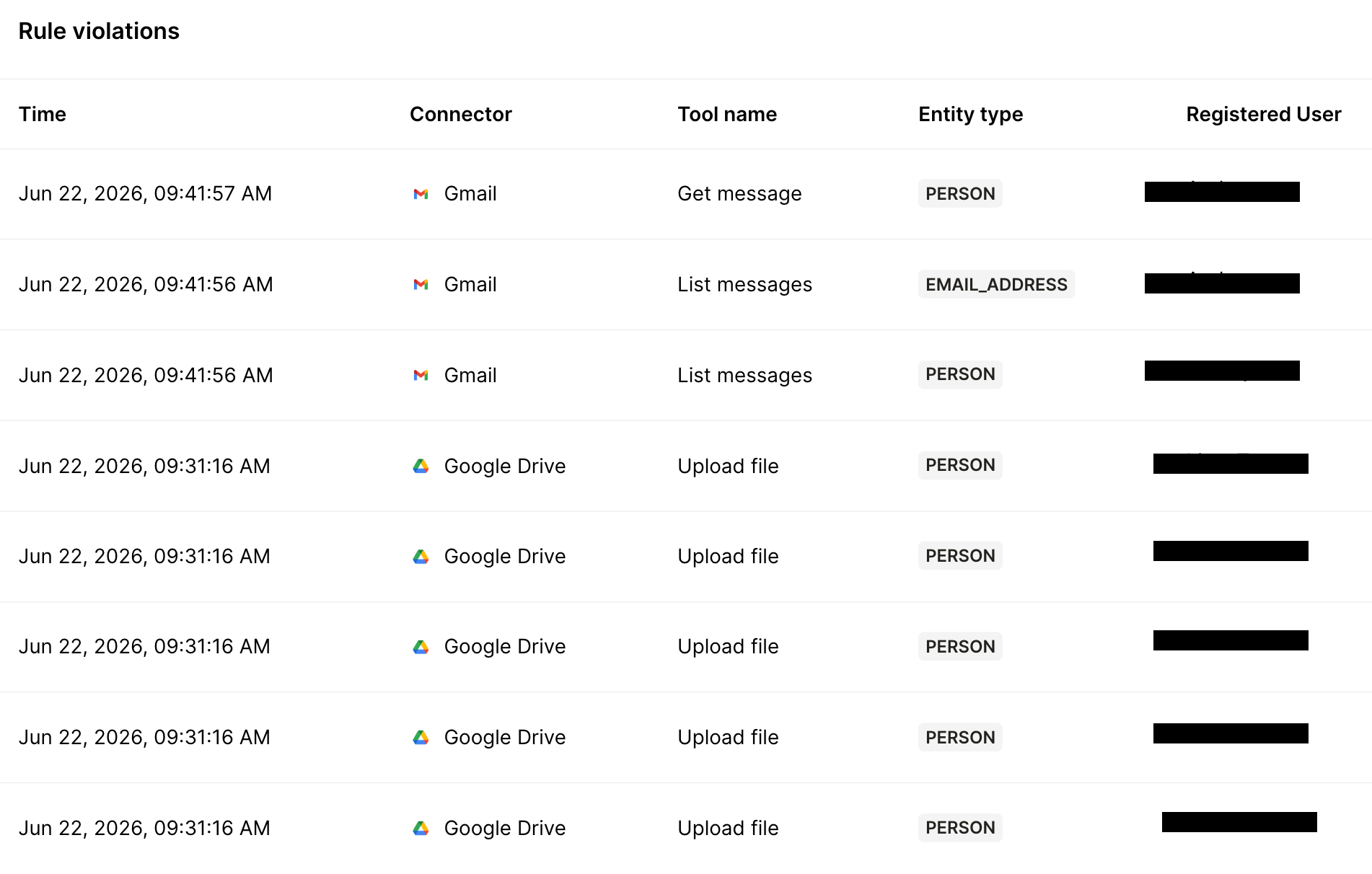
- Detecting DLP violations over time: If you pair logging with policies that determine the data your AI can’t access or share, you can get a record of which rules were violated, by whom, and when. From there, you can analyze trend violations to spot patterns and harden policies
- Operational alerting and monitoring: Logs can be routed into your team’s monitoring stack (e.g., SIEM) so suspicious agent behavior can be detected and escalated using existing workflows (versus relying on manual spot checks or after-the-fact discovery)
- Continuously validate your security posture: By reviewing actions across connectors and tools, you can verify least-privilege assumptions over time and identify anomalous patterns (e.g., unexpected bulk exports) before they become bigger issues
Related: Why you need an AI governance platform
Best practices for implementing AI audit logs
While every implementation can vary based on an organization’s security policies and the types of internal AI use cases an organization adopts, here are a few tips worth adopting:
Make every audit log searchable
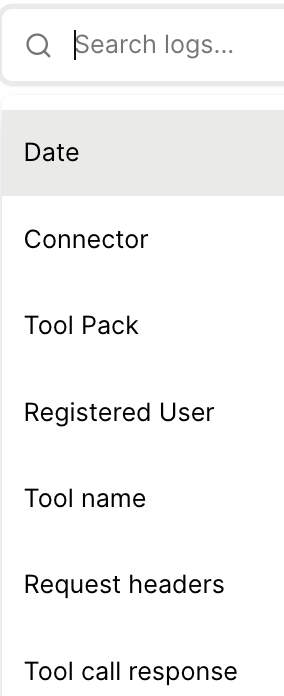
As you scale AI across your organization, you’ll generate thousands, and eventually millions of logs. Sifting through them manually isn’t sustainable. And relying on just a few filters to comb through them may be ineffective, as your team will need different filters depending on the scenario.
To that end, implement an expansive set of filters that encompass different elements of a log, from connectors to users to response statuses to tool names.
Related: Tips for implementing agents for employees
Define retention, access, and escalation paths upfront
AI audit logs only become operationally useful only when they’re treated like a security system.
Start by setting retention windows that match real audit and investigation needs (e.g., 30–90 days for routine investigations) and explicitly document what gets retained at each tier (e.g., full event payloads vs. metadata-only summaries).
Next, define who can see which parts of a log. Your security team, for example, may need the full “who/what/when/result and policy decision,” while IT might only need high-level failure reasons and timestamps. In other words, build out role-based access for the logs.
Finally, write down an escalation workflow so logs reliably drive action. For instance, specify what constitutes a routine failure to triage, suspicious behavior to investigate, and an incident that requires paging/security response.
You can tie each of these categories to owners, SLAs, and where alerts should go (SIEM, a ticketing system, a Slack channel, etc.) so you don’t end up with either alert fatigue or silent misses when something risky happens.
Outsource AI audit logs
Building the logs in-house gets complicated fast because every connector has different auth patterns, error modes, and payload shapes, and you still need to normalize everything into one audit-friendly schema.
On top of that, you need to log governance outcomes. That means capturing whether a tool call was allowed, blocked, or redacted (and why), so you can investigate incidents with evidence and answer compliance questions without stitching together data from several systems.
And if you want these logs to flow into other internal applications, like your SIEM software, implementing and maintaining the integration(s) can be incredibly tedious and complex. You’ll have to normalize messy data across tools, ensure reliable delivery, and keep schemas and alerts maintained over time.
You can avoid all of this complexity and access fully-searchable, best-in-class AI audit logs via Merge for Workforce.
AHFE also provides:
- Automated provisioning and deprovisioning via your IdP: Access to AI can be granted/removed based on role and employment status, so offboarding and role changes don’t rely on manual cleanup
- Central policy enforcement: Apply guardrails that prevent sensitive data from leaving approved boundaries (and access logs with policy violations)
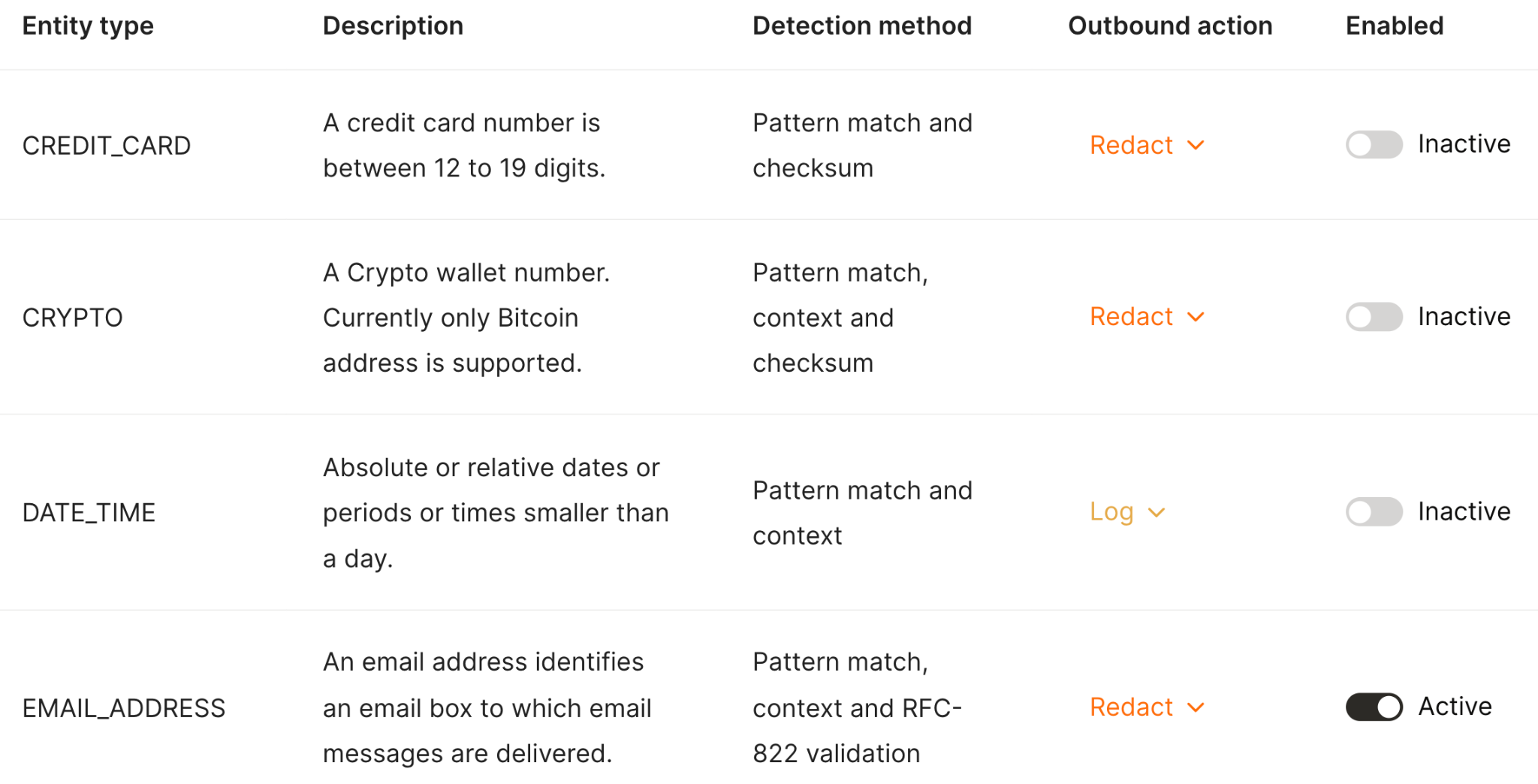
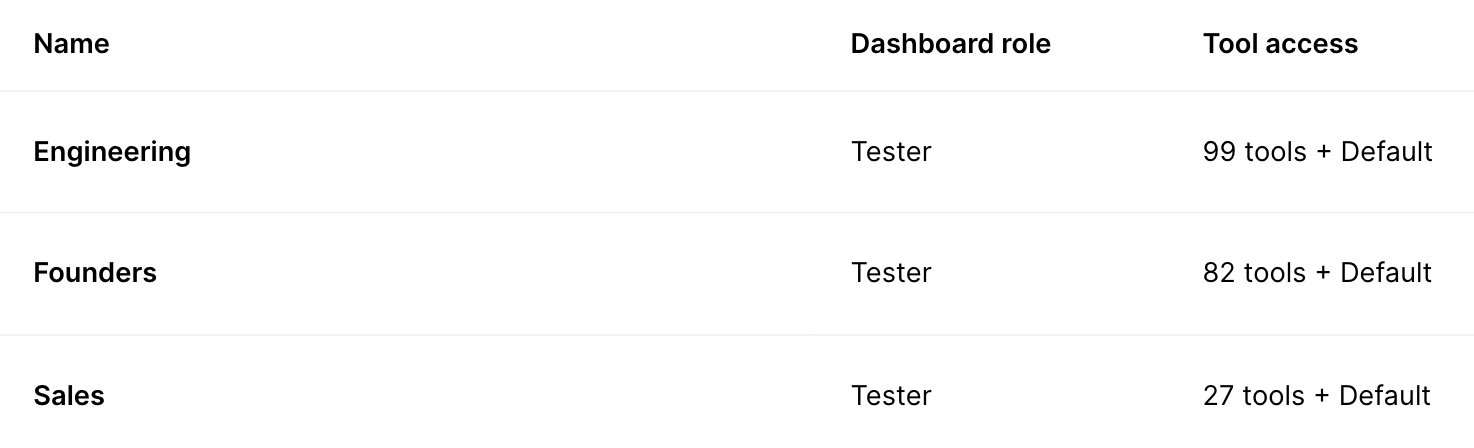
- Least-privilege scoping of tools and permissions: Precisely control which connectors and tools employees can use, so your AI can’t go beyond what’s approved
Ready to secure internal AI usage? You can get started with AHFE by creating a free account.
Jon Gitlin
.png)

.png)


But Merge isn’t just a Unified
API product. Merge is an integration platform to also manage customer integrations. gradient text
But Merge isn’t just a Unified
API product. Merge is an integration platform to also manage customer integrations. gradient text
But Merge isn’t just a Unified
API product. Merge is an integration platform to also manage customer integrations. gradient text
But Merge isn’t just a Unified
API product. Merge is an integration platform to also manage customer integrations. gradient text