

.jpg)
.avif)
.avif)
7 best practices for authentication in AI agents
.png)

Tim Bourcier
An agent that takes actions on someone's behalf is only as safe as the credential it acts with.
Most authentication guidance for agents stops at "use OAuth 2.0," which is roughly where the interesting part begins. Everything that decides whether your implementation survives contact with production happens after the consent screen: where the token gets stored, whose permissions it carries, whether the model can see it, and what your agent does the first time a user revokes access halfway through a job.
Below are seven practices, in the order you'll hit them.
1. Authenticate the user, not the agent
Give the agent a delegated credential that belongs to a specific person, obtained through the OAuth 2.0 authorization code flow with PKCE, so that it inherits that person's existing permissions in the connected application and nothing beyond them.
The alternative is one service account shared across everyone. It's faster to set up, and it costs you two things you'll want back later. Every user effectively gets the union of everyone's access, which is how a support rep ends up able to pull records they could never open in the CRM directly. You also lose attribution: the audit trail says the agent did it, and stops there.
Shared authentication still has a place. If an admin is configuring a connector once for a whole team and the data behind it isn't permission-sensitive, making fifty people each complete an OAuth flow buys you friction and no security. Decide it per connector rather than once for the whole product.
Related: A guide to authenticating AI agents
2. Keep credentials out of the model's context
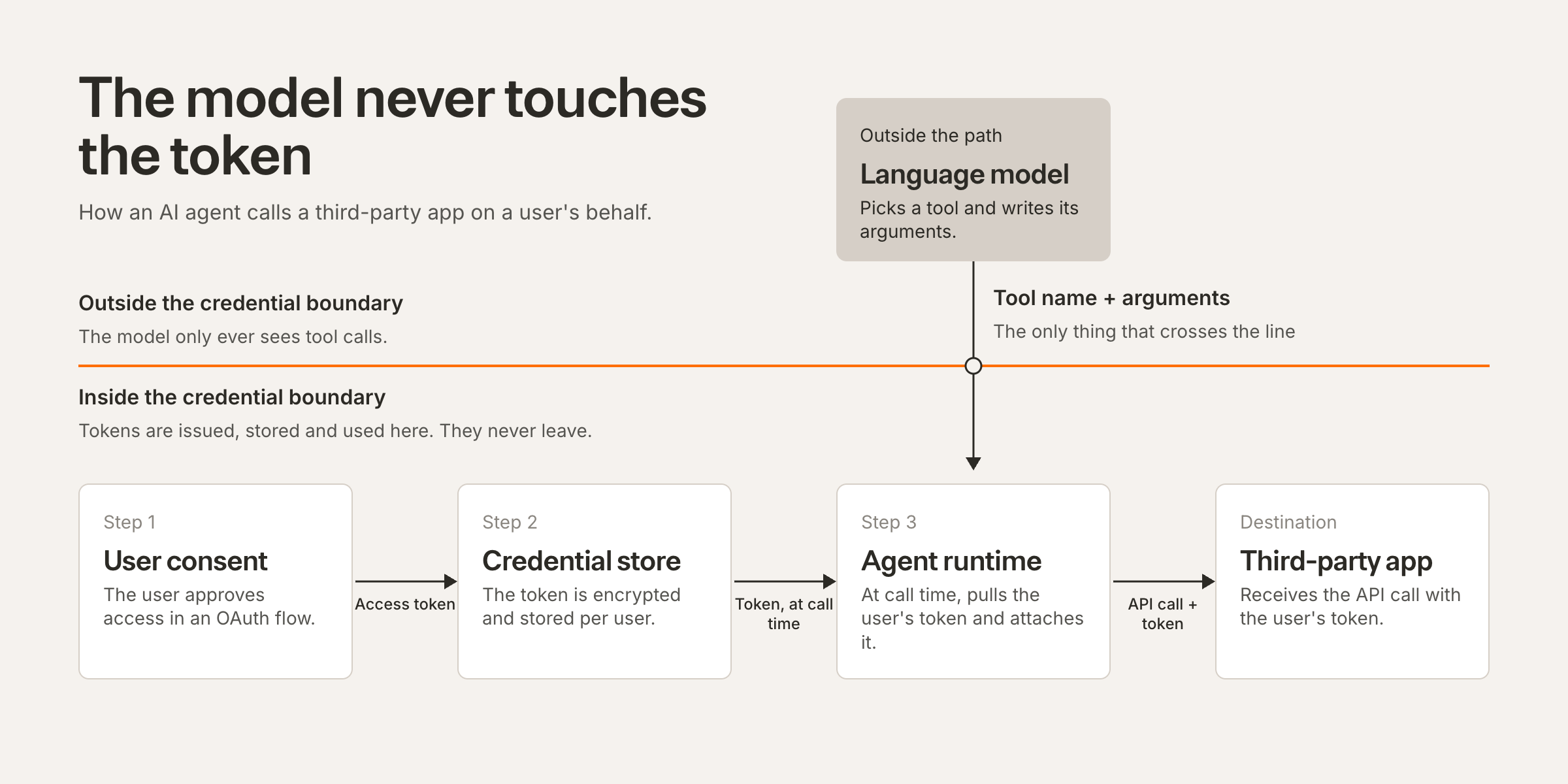
The access token should never appear in a prompt, a tool argument, or a tool response. Your runtime attaches it when the call goes out, after the model has already decided what to call.
This matters more for agents than for conventional software, because anything sitting in the context window is reachable by prompt injection, and a token that made it into the context window has by definition also been sent to your model provider and written into whatever you log. Someone who pastes a poisoned support ticket into your agent should not be able to walk away with a Salesforce token.
If a design has the model choosing or holding the credential, that's a bug to fix before launch.
3. Scope at grant time, not at prompt time
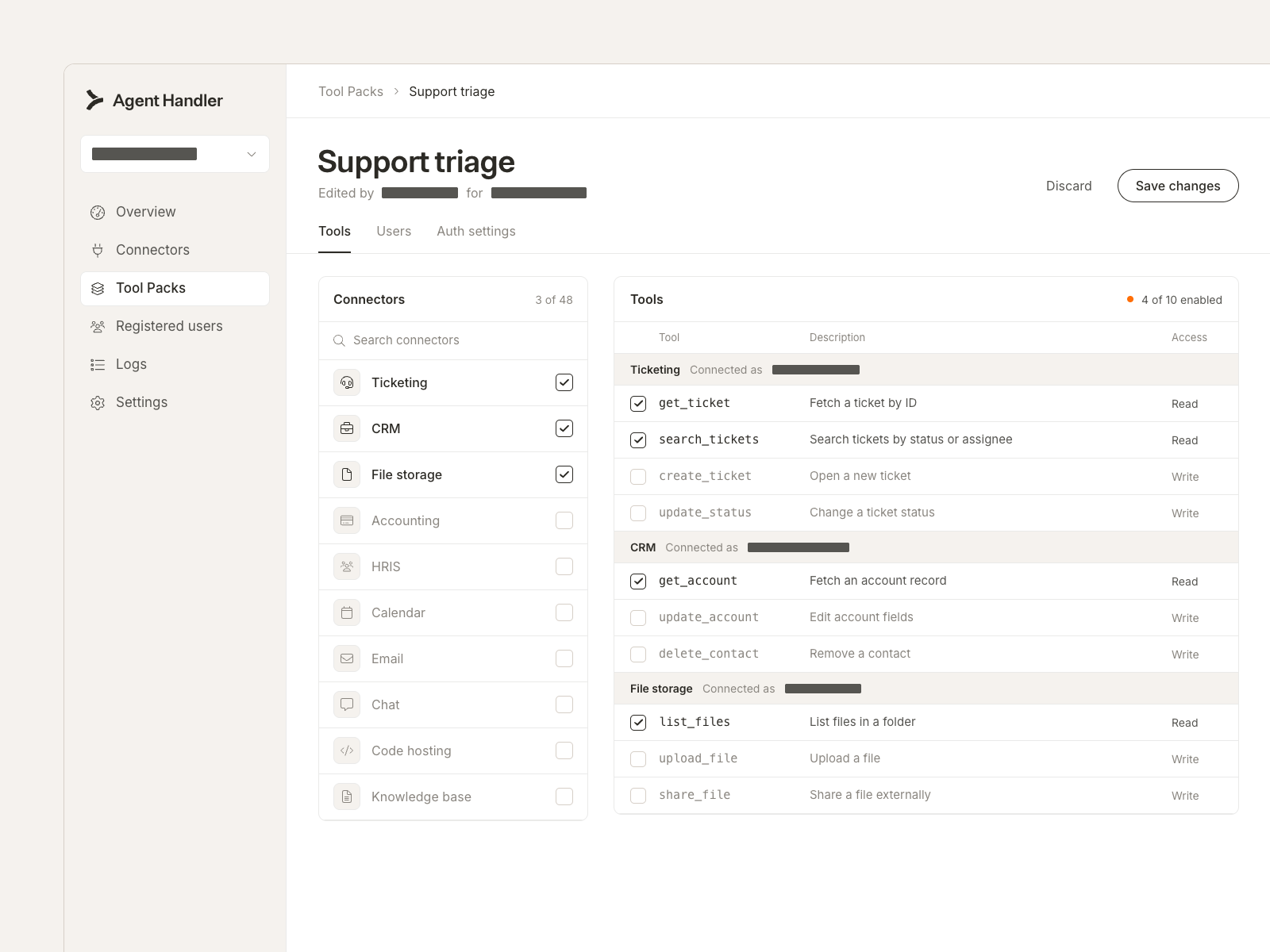
Request the narrowest scopes the job actually needs. An agent that summarizes tickets needs read access to tickets, not write access, and certainly not the mailbox.
What teams tend to do instead is grant broad scopes and lean on the system prompt to hold the agent back, which isn't a control at all, since anything expressed as an instruction can be argued with by a sufficiently determined prompt. A permission you never granted is the one thing the model can't talk its way around. Put the boundary in the grant.
Grouping helps. Define the connectors and tools a given job needs, authenticate once for that group, and leave everything else unreachable. Merge Agent Handler calls these Tool Packs, so a user completes a single flow to unlock the set instead of authenticating tool by tool.
Related: AI agent access control: overview, best practices, and tools
4. Isolate credentials per user and per tenant
Store one credential record per end user, per connector, encrypted at rest and decrypted only at call time. The lookup key has to include the user identity, because a store keyed on the connector alone will start handing the wrong person's token to the wrong request the moment you have two sessions running at once.
Environment variables don't work here. They're process-wide, so every request served by that process gets the same credential, which is fine for your own infrastructure keys and wrong for anything a user delegated to you.
Multi-tenant products should put the tenant in the key too, then prove the isolation holds with a test rather than by reading the code and deciding it looks right.
5. Use short-lived access tokens and refresh outside the agent loop
Keep access tokens short-lived and hold the refresh token server-side. When a call comes back with an expiry error, refresh and retry inside your own infrastructure, without the agent ever knowing anything happened.
Two details catch people out. The first is rotation: many providers issue a new refresh token on use and invalidate the old one, so you have to persist the new value before the next call or you'll lock yourself out of your own integration. The second is concurrency. Agents fire tool calls in parallel, which means two of them can hit the same expired token at the same moment and both try to refresh it, and whichever one finishes second invalidates the first. A lock per credential fixes it.
Never put refresh logic inside agent reasoning. It's a deterministic step with one correct answer, and that isn't the kind of decision a model should be making.
6. Separate an expired token from a revoked one
These need different responses and they're easy to conflate.
- Expired (401): refresh and retry silently. The user doesn't need to know.
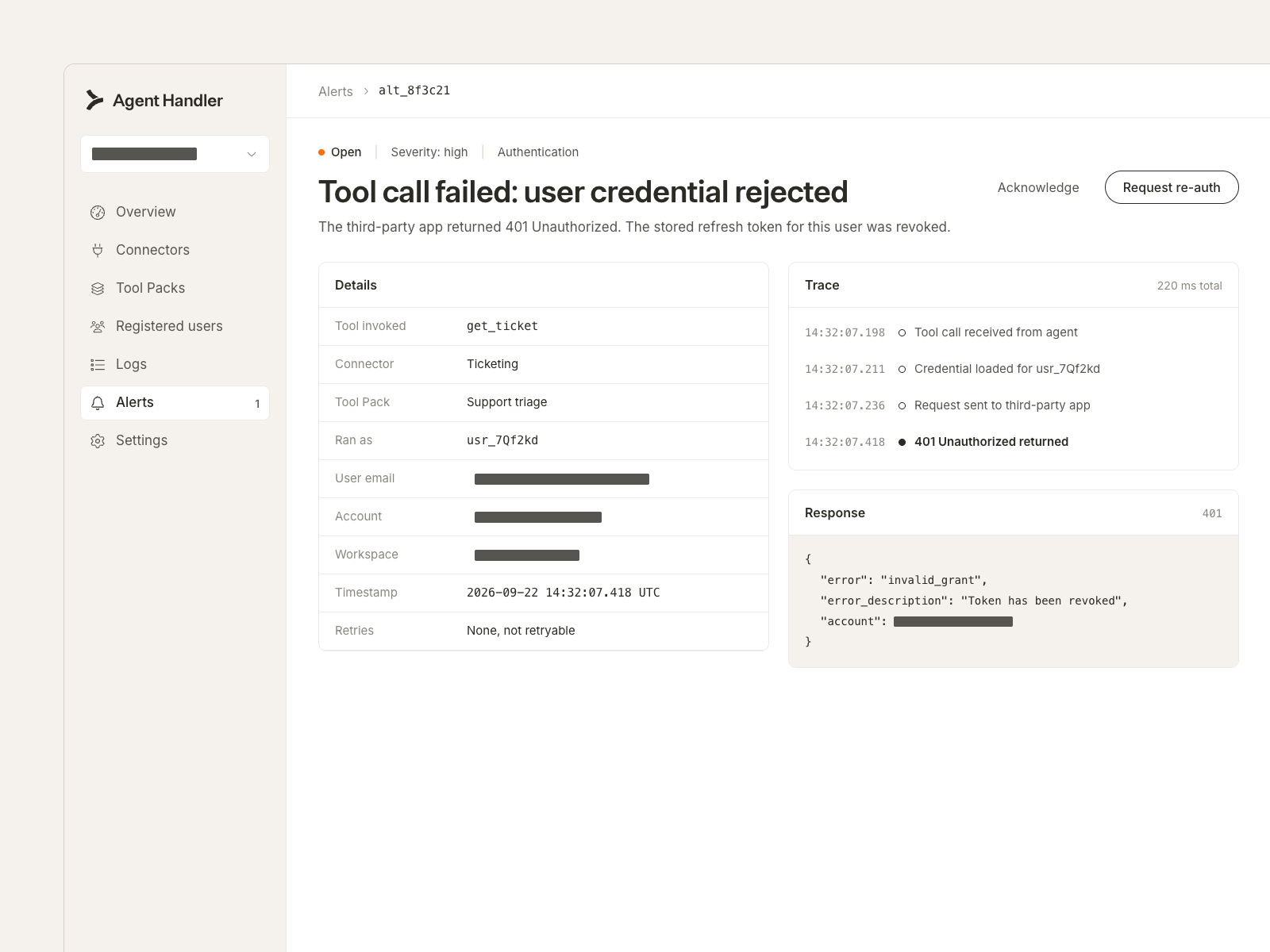
- Revoked, or scope removed (403, or 401 that survives a refresh): stop. Pause the affected jobs, tell the user which application needs reconnecting, and don't retry into a provider lockout.
Alert on the second case. Auth failures cluster, so one revoked grant usually means an admin changed something upstream that's about to affect a lot of users, and watching for that shape gets you to the cause considerably faster than reading logs after the first customer complains.
Related: AI agent governance: key aspects, benefits, and platforms
7. Test the failure paths before you ship
Working authentication is the easy case. Run the broken ones deliberately:
- An expired access token, to confirm the refresh and retry work
- A revoked grant, to confirm the agent stops rather than looping
- A missing scope, to confirm the agent reports the gap instead of improvising another route to the data
- A request carrying user A's session against user B's stored credential, to confirm the isolation holds
In every case you want the agent to fail closed and say so out loud. An agent that quietly returns an empty list when it lacked permission is worse than one that throws an error, because nobody ever investigates an empty list.
Run these against each model you use. Behavior on an error response varies more between models than you'd expect.
Related: How to test AI agents effectively (5 tips)
{{this-blog-only-cta}}
AI agent authentication FAQ
Here are a few more questions that come up when teams implement authentication for their agents.
What authentication methods can AI agents use?
OAuth 2.0, API keys, JSON Web Tokens (JWTs), and mutual TLS (mTLS) are all in use. Whenever the application supports it, use OAuth 2.0 with the authorization code flow and PKCE, since it's the only one of the four that gives you short-lived tokens, per-user consent and granular scopes at the same time, plus revocation that the user controls and you can detect.
API keys are appropriate for machine-to-machine access to your own systems. As a way of acting on behalf of a customer they're a poor fit, carrying no user identity and usually resisting any attempt to scope them down far enough to be safe.
Should an AI agent use per-user authentication or a shared service account?
Per-user is the default. It keeps the agent inside each person's existing permissions and makes the audit log name a human.
Choose shared authentication when an admin is configuring access for a team, the data isn't permission-sensitive, and per-user consent would add friction without reducing exposure. Because a shared credential concentrates risk into a single grant, pair it with tighter scopes than you'd otherwise accept.
How do you stop an AI agent from leaking its own credentials?
Keep the credential out of the context window. If the model never sees a token, no prompt can convince it to hand one over.
In practice the runtime injects credentials at call time, and anything coming back from a tool gets scanned for credential-shaped strings before it reaches the model. Redact tokens in your logs while you're at it. Then check your work by prompting the agent to print its configuration or repeat its connection details, and reading what actually comes back.
Can my employees use agents this way, or is this only for customer-facing products?
Both, and the internal case is often the larger exposure, because employees connect AI tools to company systems on their own and those connections rarely pass in front of anyone for review.
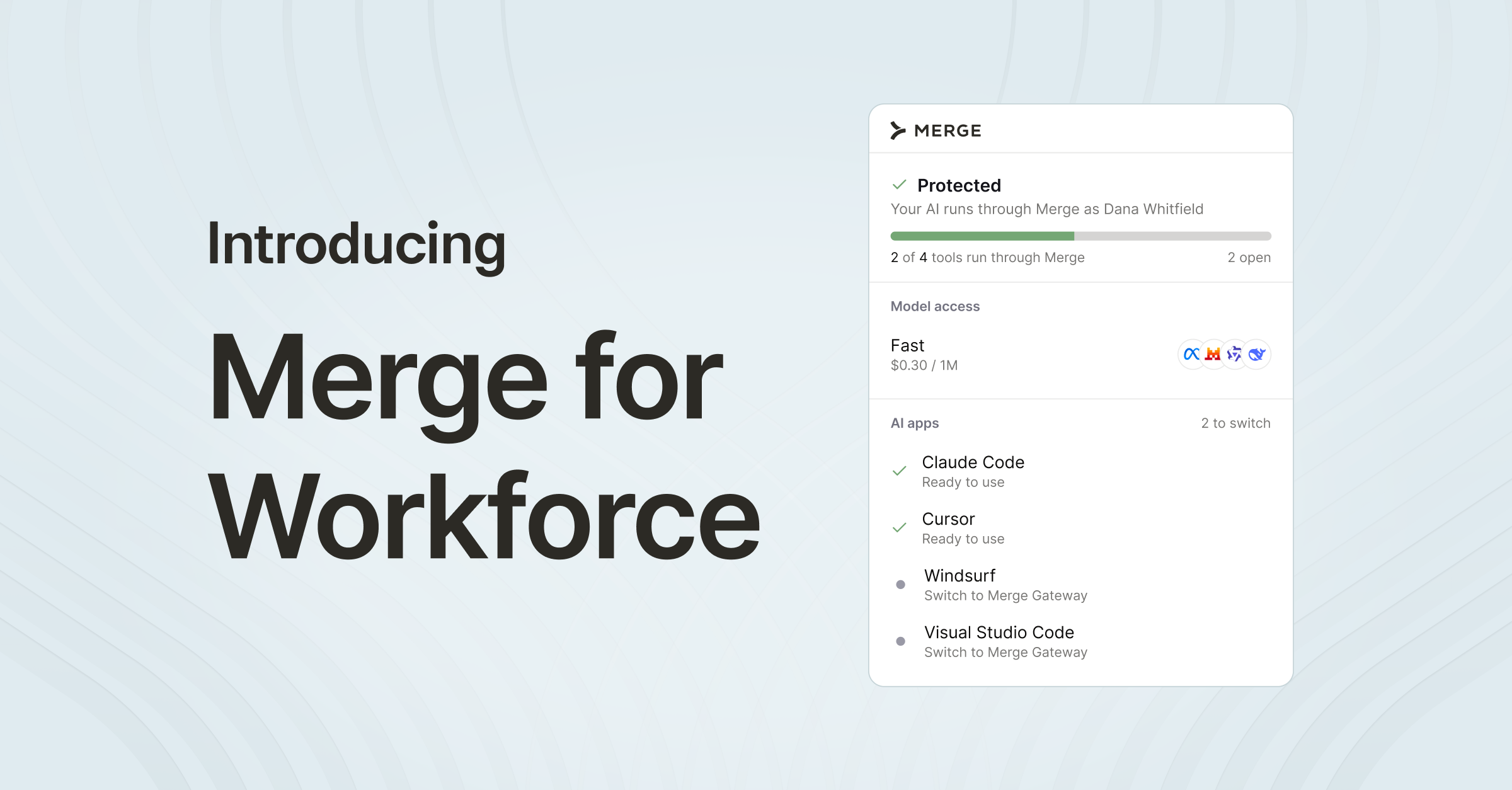
Merge for Workforce gives admins an inventory of the AI tools and connectors running on employee machines, along with control over which ones are approved, which turns authentication from something each person configures privately into something the organization can actually see.
Related: How Merge Agent Handler lets you scale your AI agents without scaling risk
Tim Bourcier
.png)


But Merge isn’t just a Unified
API product. Merge is an integration platform to also manage customer integrations. gradient text
But Merge isn’t just a Unified
API product. Merge is an integration platform to also manage customer integrations. gradient text
But Merge isn’t just a Unified
API product. Merge is an integration platform to also manage customer integrations. gradient text
But Merge isn’t just a Unified
API product. Merge is an integration platform to also manage customer integrations. gradient text