

Table of contents
.png)
.png)
How to connect a Snowflake MCP to Cursor (4 steps)



Jon Gitlin
Developers writing code that integrates with Snowflake usually have the editor open in one tab and Snowflake's web UI in another.
Figuring out the exact column names for a table, confirming whether a VARIANT field returns nested JSON or a flat structure, or checking the parameter signature of a stored procedure before calling it in code all require leaving the editor.
The round trip is short, but it breaks the context that makes writing integration code fast.
To help your developers query Snowflake schemas and inspect real table data without leaving Cursor, we'll show you how to connect Snowflake with Merge Agent Handler's Snowflake MCP server.
How it works
Merge Agent Handler connects Cursor to the Snowflake API through the Merge CLI.
Install the CLI, authenticate once, and run a single setup command from your project root.
That command writes a ## Merge CLI section to the project's .cursorrules file, which tells Cursor's agent when to call merge search-tools and merge execute-tool to reach Snowflake.
Once authenticated, Merge handles your Snowflake credentials and token state so you never configure database access directly in the project.
Here's the registration command:
Related: How to use the Snowflake MCP in Claude Code
Prerequisites
Before getting started, you'll need the following:
- A Merge Agent Handler account
- Cursor installed
- pipx installed (run
pipx --versionto confirm, or install viapip install pipx) - A Snowflake account with access to the databases and schemas you want to query
If you want to connect Merge Agent Handler's Snowflake MCP with internal or customer-facing agentic products, you can follow the steps in our docs.
1. Install the Merge CLI
Install the Merge CLI with pipx and confirm it's available: pipx install merge-api
Verify your installation: merge --version
2. Log in to Merge
Authenticate the CLI with your Merge Agent Handler account: merge login
This links the CLI to your account so it can make authorized requests to Snowflake on your behalf.
3. Connect the CLI to Cursor
Run the following from the root of the project where you want to use Merge tools:
This writes a ## Merge CLI section to .cursorrules so Cursor knows to use the CLI for third-party services. The command is idempotent, safe to re-run if you need to reset.
Related: A guide to integrating a Snowflake MCP with Codex
4. Authenticate Snowflake
Open a Cursor chat in your project and use a command like "Fetch the full column list, data types, and nullability for the ORDERS table in the PRODUCTION schema, including any VARIANT columns, so I can write accurate TypeScript interfaces for my ETL pipeline."
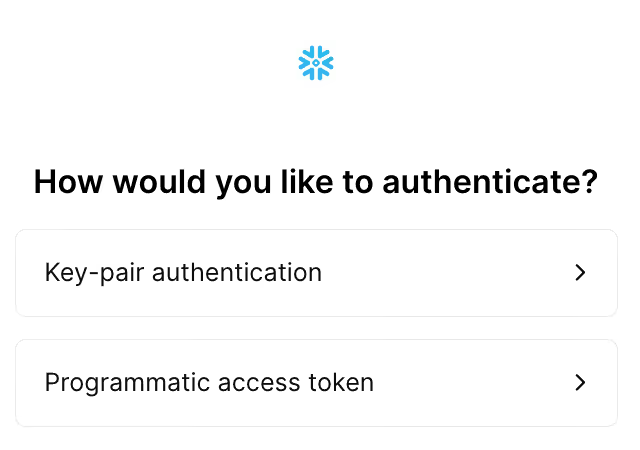
The first time you invoke a Snowflake tool, a Magic Link will appear to complete connector authentication.
{{this-blog-only-cta}}
Snowflake MCP FAQ
In case you have more questions on setting up and using the Snowflake MCP in Cursor, we've addressed several more commonly-asked questions below.
What can you do once the Snowflake MCP is connected to Cursor?
With Snowflake connected, Cursor can:
- Fetch column definitions while writing data model code: retrieve the exact field names, types, and nullability for a table before writing TypeScript interfaces, Pydantic models, or ORM definitions, so your types match the actual schema from the start
- Inspect VARIANT column structure while writing JSON accessor logic: query a sample row from a VARIANT column to see what the nested object actually contains before writing dot-notation access code or JSON parsers
- Look up stored procedure signatures while writing call-site code: fetch the parameter names, types, and return shape of a stored procedure before writing the function that calls it, so argument order and type coercion are correct before you run it
- Check view definitions while writing code that depends on them: retrieve the SQL that defines a view before writing queries that join against it, so column aliases and filter conditions in the view don't produce unexpected results in your output
- Validate enumeration values while writing conditional logic: query distinct values in a status or category column before writing switch statements or mapping functions, so your code covers the full set of values that actually exist in production
- Confirm foreign key relationships while writing JOIN logic: inspect referential constraints between tables before writing multi-table queries or building an ORM relationship layer, so the join conditions you write match how the data is actually connected
Why use Merge Agent Handler vs. a self-hosted Snowflake MCP server?
You can self-host an MCP server that connects directly to Snowflake using key pair authentication. For a single developer with read access to one or two schemas, the setup is manageable.
The credential problem grows quickly.
Snowflake key pair authentication means storing a private key somewhere the server can reach it. For a team of developers, each running their own connection or sharing a service account, that means distributing long-lived credentials across machines or centralizing them in a server that now holds database access for everyone. When you need to rotate the key, every agent or developer that depends on it is affected.
Merge Agent Handler removes the credential distribution problem.
Authentication is handled centrally, and you can define exactly which Snowflake databases and operations each agent can access. In addition, every call is logged with the tool, inputs, and timestamp, so when a data incident traces back to an agent, you know what it queried.
Why connect Snowflake to Cursor?
Snowflake holds the production data that integration code is written to query, transform, and load into other systems.
The accuracy of that code depends on knowing exactly what the data looks like: which fields exist, what types they carry, how VARIANT columns are structured, and which values actually appear in enumeration columns.
Connecting Snowflake to Cursor puts that reference data in the same session where the integration is being written.
Jon Gitlin

.png)

Connect Cursor to thousands of tools with Merge Agent Handler
Use Merge Agent Handler’s 150+ connectors (including Snowflake) to power reliable, secure, and powerful agents.


But Merge isn’t just a Unified
API product. Merge is an integration platform to also manage customer integrations. gradient text
But Merge isn’t just a Unified
API product. Merge is an integration platform to also manage customer integrations. gradient text
But Merge isn’t just a Unified
API product. Merge is an integration platform to also manage customer integrations. gradient text
But Merge isn’t just a Unified
API product. Merge is an integration platform to also manage customer integrations. gradient text