

Table of contents
.avif)
.avif)
Email MCP servers: overview, examples, and use cases



Jon Gitlin
As you look to build integrations with your agents, you might prioritize using email Model Context Protocol (MCP) servers.
After all, email MCP servers let your agents perform a host of actions, from sending personalized emails to leads who’ve gone cold to creating tickets based on the contents of emails.
To help you leverage email MCP servers effectively, we’ll break down how they work, common use cases, and real-world MCP server examples.
What is an email MCP server?
It’s a server that exposes functionality from an email service provider (ESP). This functionality comes in the form of tools, such as <code class="blog_inline-code">send_mesage</code>, <code class="blog_inline-code">list_drafts</code>, and <code class="blog_inline-code">get_label</code>. Your agents can use these tools to support workflows within your organization or product.
.avif)
There are three types of email MCP servers:
- “Official” email MCP servers: These are any provided by the email service provider. For example, Microsoft Outlook provides one on their marketplace. However, i’s currently labeled “Frontier”, meaning it’s still in an early preview stage
- Community email MCP servers: These are any that are contributed by individual developers or independent open-source groups. For example, this GitHub repo is a Gmail MCP server provided by an individual (his user name is “KaliGong”)
- Third-party email MCP servers: These are any that a 3rd-party integration solution provides. For example, Merge Agent Handler offers a pre-built and maintained MCP server for Gmail
Related: A guide to using project management MCP servers
Email MCP server use cases
Email MCP servers can support seemingly endless use cases (you’re only limited by the workflows you want your agents to support).
Here are some common ones:
Email sequence optimization
Your agent can analyze past email engagement patterns (open rates, reply times, responses) from similar prospects and automatically adjust the timing, content, and cadence of sequences to the list of leads.
Churn risk detection
Your agent can analyze email sentiment, engagement frequency, and specific language patterns to identify at-risk customers and trigger proactive outreach workflows.
Invoicing issue alerts
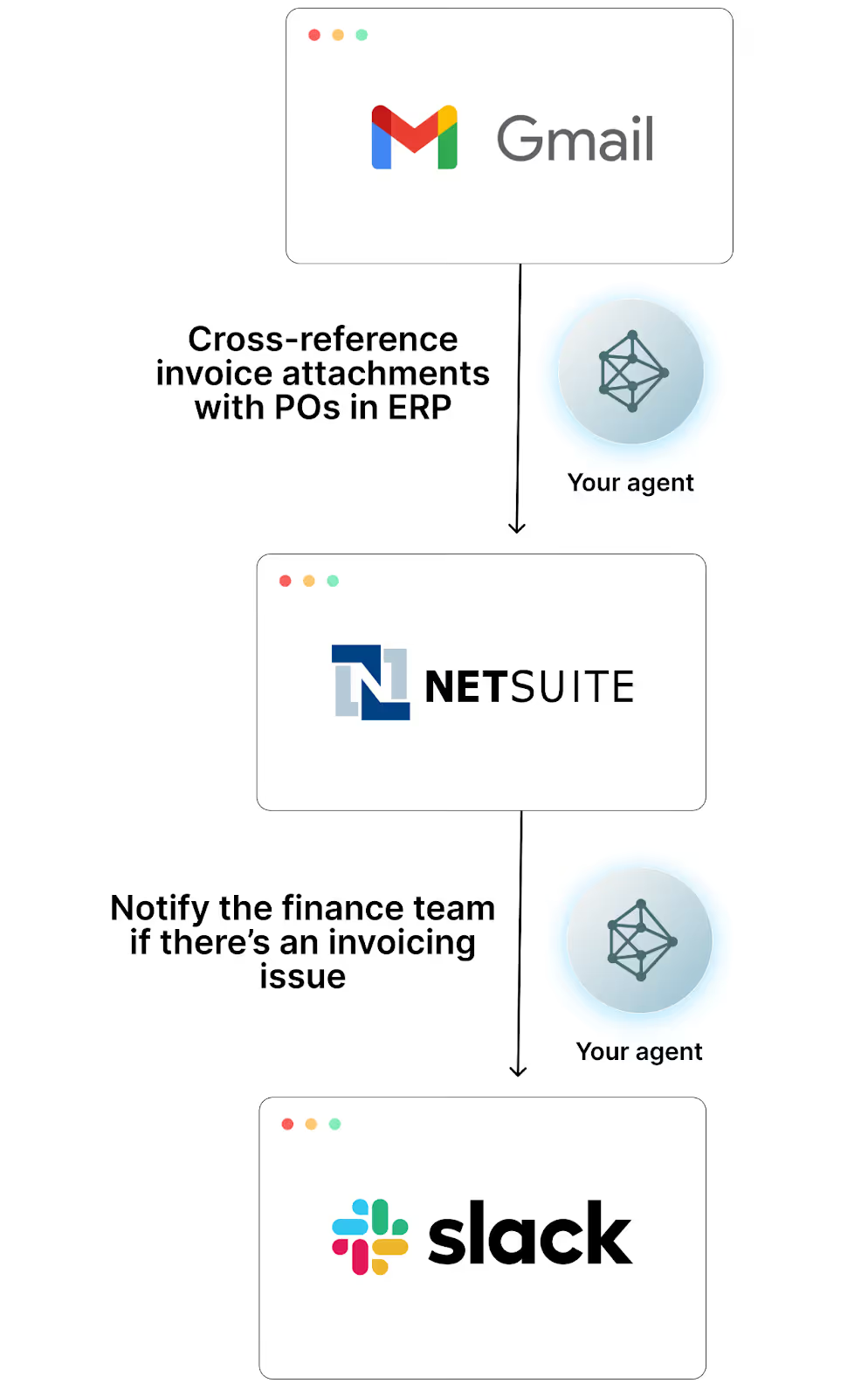
Your agent can extract invoice data from email attachments and cross-reference it with purchase orders in your ERP system (e.g., NetSuite). If discrepancies exist, your agent can share them in a channel within your business communications platform that includes the right members of your finance team
Candidate nurturing
Your agent can maintain personalized communication with passive candidates over time, sending them relevant job openings, company updates, and check-ins based on their profile changes on Linkedin and previous email interactions.
Examples of email MCP servers
You can find MCP servers for just about any ESP. Here are just a few popular ones across the community, ESPs, and 3rd-party providers.
Merge Agent Handler’s Microsoft Outlook MCP server
Merge Agent Handler offers several email MCP servers, including Gmail, Outlook, and HubSpot (the server includes tools for managing emails).
Here are the benefits of just using Merge Agent Handler’s Outlook MCP server (these benefits generally apply to Merge Agent Handler’s other email MCP servers).
- Dozens of optimized tools are provided out of the box. Merge Agent Handler’s Microsoft Outlook MCP server includes 38 tools with optimized names, descriptions, and schema
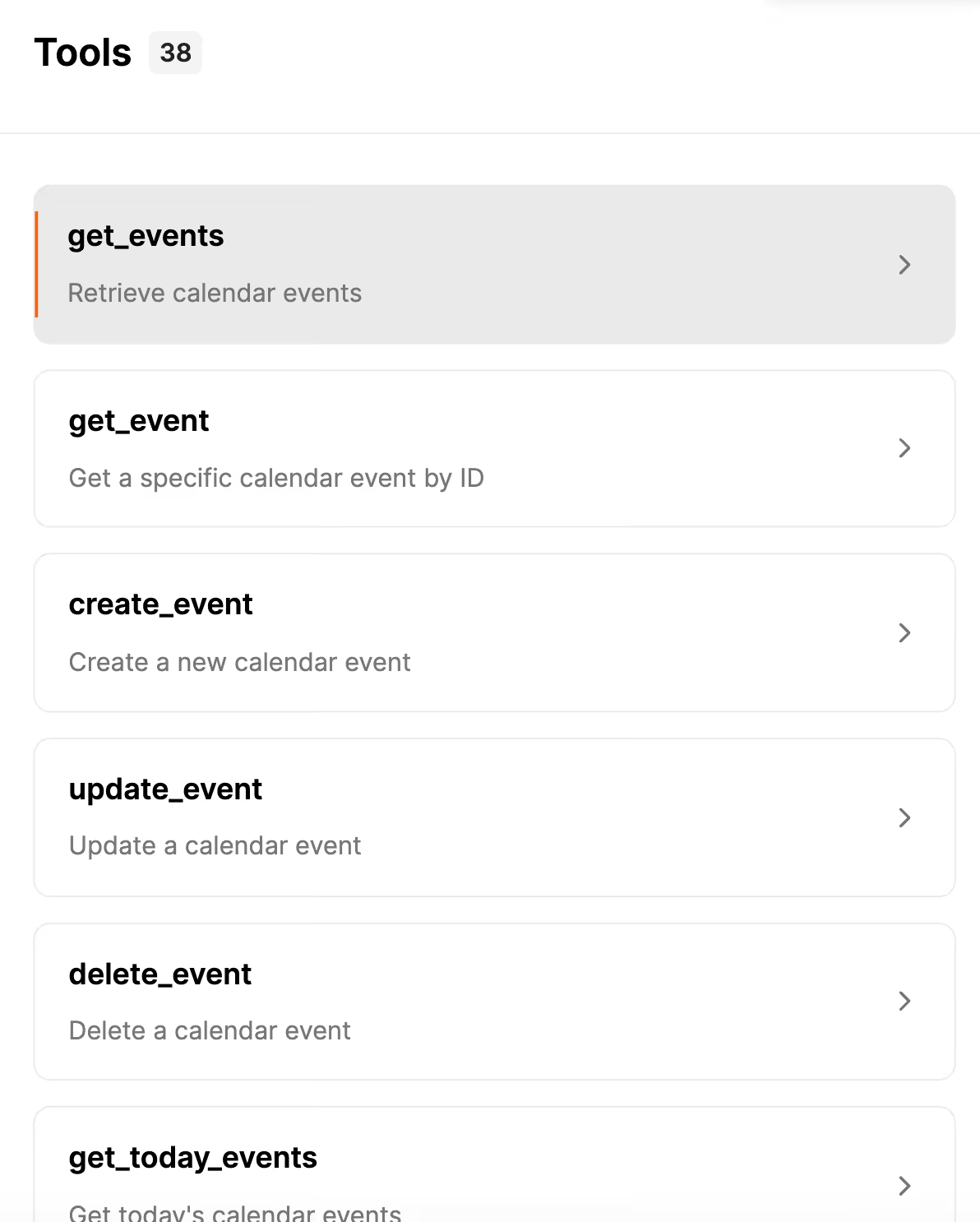
- Easily modify/add tools and create email MCP servers in seconds. For the latter, you can simply provide the connector name, remote MCP server address, and authorization token. Merge Agent Handler will then automatically discover and populate the tools
- Access data loss prevention (DLP) features. Merge Agent Handler lets you set a wide range of rules to block, redact, or log certain actions, and receive alerts when these results are violated. For example, you can set rules that redact phone numbers from email bodies, and block your agents from sharing passwords
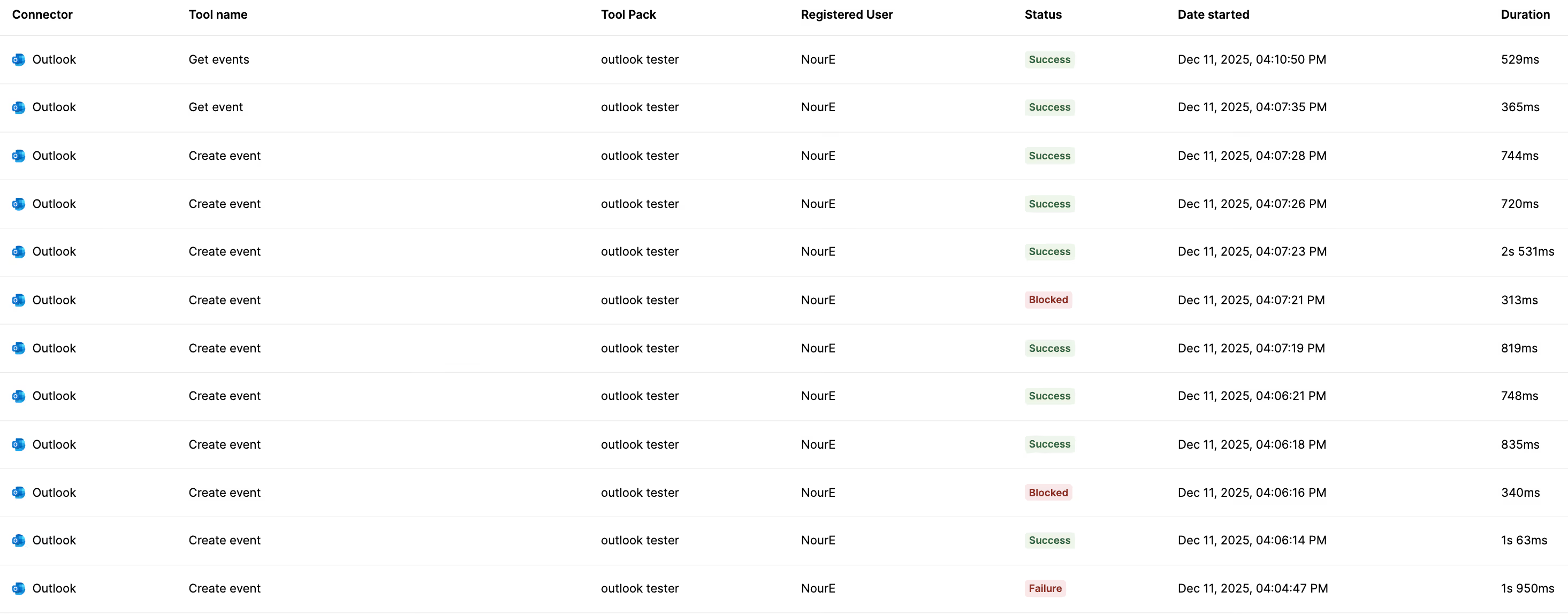
- Leverage enterprise-grade observability functionality. Merge Agent Handler offers fully-searchable logs of your tool calls, audit trails to see the actions your colleagues take on agents, and more
{{this-blog-only-cta}}
Public Gmail MCP server
You can find a wide range of MCP servers in GitHub. The one we highlighted previously is relatively popular (e.g., it’s been forked hundreds of times already).
Here are some of its highlights:
- Access 17 tools. These tools cover labels, emails, filters, and more
- Create filters programmatically. This can help your agents skip, forward, and prioritize certain emails automatically
- Supports full OAuth2 authentication with Google. This includes desktop and web app credentials, automatic token refreshing, and secure local token storage for long-term operations
- Use advanced attachment handling. Your agents can retrieve, inspect, and download attachments, which is useful for workflows like invoice extraction, document summarization, or auto-filing
MailerLite’s official MCP server
MailerLite, an email marketing software, offers their own MCP server.
The benefits of leveraging it are largely tied to the functionality it exposes beyond email operations.
- Subscriber management tools are included. Your agents can use tools like <code class="blog_inline-code">add_subscribers</code>, <code class="blog_inline-code">update_subscriber</code>, and <code class="blog_inline-code">delete_subscribers</code> to manage your marketing team’s email database
- Create and update campaigns over time. Your agents can use tools like <code class="blog_inline-code">create_campaign</code>, <code class="blog_inline-code">update_campaign</code>, and <code class="blog_inline-code">schedule_campaign</code> to manage campaigns on your marketing team’s behalf
- Review campaign performance and get actionable insights. Your agents can leverage tools like <code class="blog_inline-code">get_campaign</code> and <code class="blog_inline-code">get_campaign_subscribers</code> to understand how specific email campaigns performed relative to other ones (e.g., open and click-through rates). Your agent can then share its insights with the relevant marketing team in an application like Slack
Jon Gitlin



Start connecting your agents to hundreds of email MCP tools
Merge Agent Handler lets you integrate your agents with any ESP, and it provides the observability and security features you need to keep agents secure.


But Merge isn’t just a Unified
API product. Merge is an integration platform to also manage customer integrations. gradient text
But Merge isn’t just a Unified
API product. Merge is an integration platform to also manage customer integrations. gradient text
But Merge isn’t just a Unified
API product. Merge is an integration platform to also manage customer integrations. gradient text
But Merge isn’t just a Unified
API product. Merge is an integration platform to also manage customer integrations. gradient text