

Table of contents
.png)
.png)
How to connect a DocuSign MCP with Claude Code (4 steps)



Jon Gitlin
Developers building contract automations, onboarding flows, or deal-close triggers need live access to DocuSign data, but the API has real friction before the first envelope is sent: account-specific base URIs that require post-auth discovery, a choice between authorization code and JWT Grant, and a recipient routing model that isn't obvious
To help your developers send envelopes, track signing status, and retrieve completed documents from the terminal with ease, we'll show you how to connect DocuSign with Merge Agent Handler's DocuSign MCP server.
How it works
Merge Agent Handler connects Claude Code to the DocuSign API through a single CLI setup.
You install the Merge CLI, authenticate once with your Merge Agent Handler account, and register the connection with one command.
Merge handles DocuSign's per-account OAuth tokens and base URI discovery on your behalf, so you never resolve account-specific endpoints manually or manage credential storage across environments.
Here's the command that registers the connection:
Prerequisites
Before getting started, you'll need the following:
- A Merge Agent Handler account
- Claude Code installed (run
claude --versionto confirm) - pipx installed (run
pipx --versionto confirm, or install viapip install pipx) - A DocuSign account with API access (Developer accounts are free at
developers.docusign.com; production access requires an active DocuSign plan)
If you want to connect Merge Agent Handler's DocuSign MCP with internal or customer-facing agentic products, you can follow the steps in our docs.
1. Install the Merge CLI
Run the following to install the Merge CLI: pipx install merge-api

Verify the installation: merge --version
2. Log in to Merge
Authenticate the CLI with your Merge Agent Handler account: merge login
This links your session to Merge so the CLI can make authorized requests against DocuSign on your behalf.
Related: How to use the OneNote MCP in Claude Code
3. Add Agent Handler to Claude Code
Register Agent Handler with Claude Code using the Merge CLI:
Or manually:
Open Claude Code and run: /mcp
agent-handler should appear under Local MCPs with a connected status.

4. Authenticate DocuSign
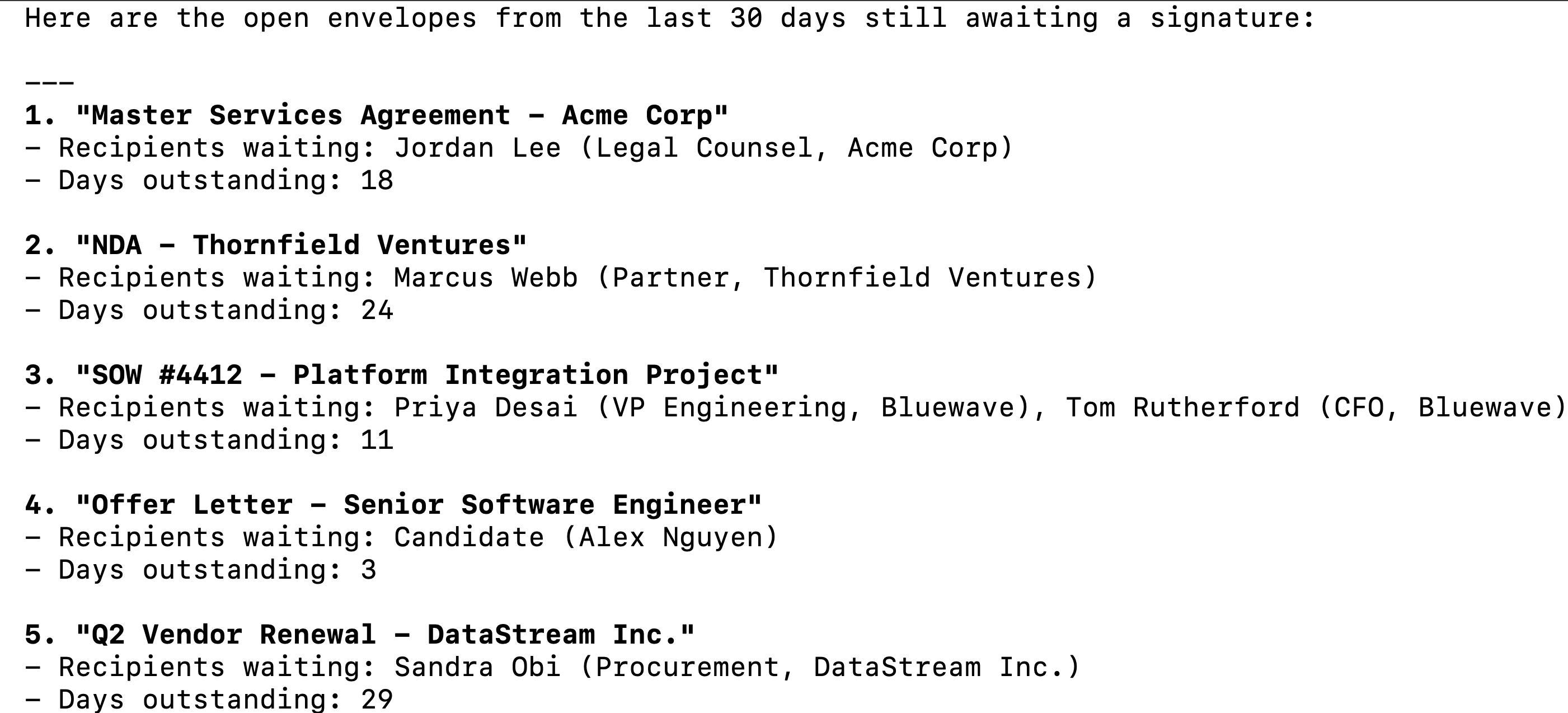
Open a Claude Code session and try: "List all envelopes sent in the last 30 days that are still waiting for a signature, including the recipient names, envelope subject, and how many days each has been outstanding."
The first time you invoke a DocuSign tool, a Magic Link will appear to complete connector authentication.
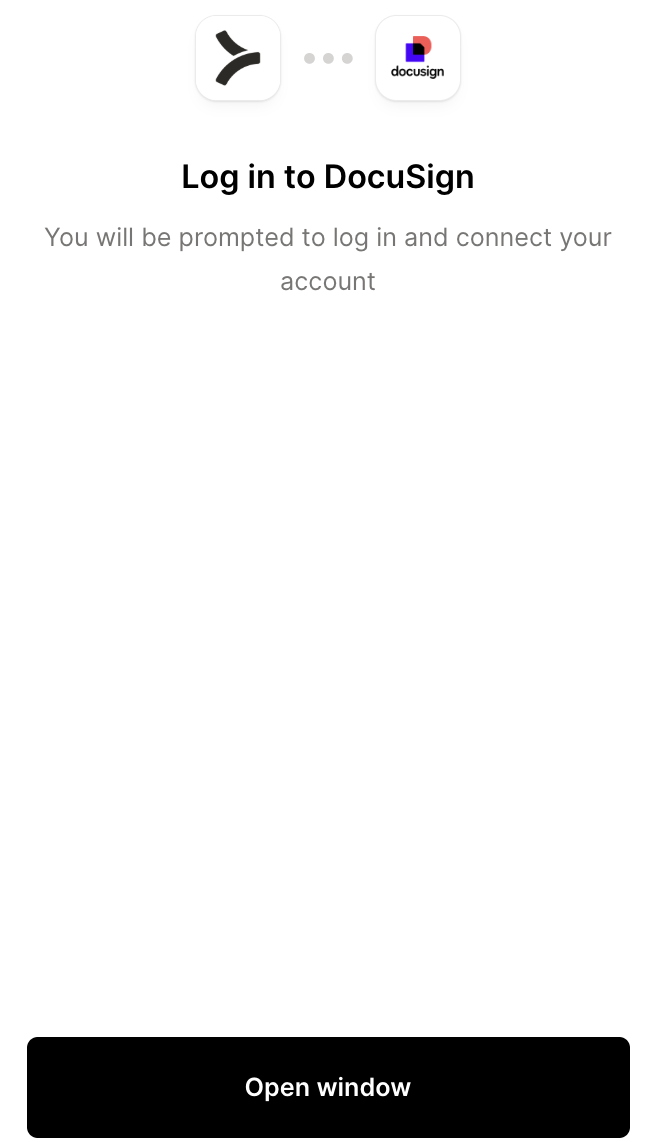
You should then see an output like the following:
{{this-blog-only-cta}}
DocuSign MCP FAQ
In case you have more questions on setting up and using the DocuSign MCP in Claude Code, we've addressed several more commonly-asked questions below.
What can you do once the DocuSign MCP is connected to Claude Code?
With DocuSign connected, Claude Code can:
- List and filter envelopes: retrieve envelopes by status, date range, sender, or recipient, giving agents a real-time view of what is pending, completed, voided, or declined without opening the DocuSign UI
- Get envelope details and status: pull the full envelope record including subject, message, recipient list, routing order, and current signing status for each recipient
- Retrieve completed documents: download signed PDFs from completed envelopes, enabling agents to store, summarize, or route finalized contracts to downstream systems
- Access recipient status: get per-recipient signing status, timestamps, and IP addresses for a given envelope, useful for agents that need to audit who signed what and when
- List and retrieve templates: pull available envelope templates including their roles, fields, and document structure, giving agents the context needed to send a correctly configured envelope without manual template lookup
- Send envelopes from templates: create and dispatch envelopes using existing templates with specified recipients and field values, enabling agents to automate signature requests as part of a larger workflow
Why use Merge Agent Handler vs. building directly on the DocuSign API?
You can build directly on DocuSign's eSignature REST API. DocuSign's developer documentation is thorough, the sandbox environment is free, and for a single-account prototype the setup is manageable: create an app in the DocuSign developer console, complete the OAuth flow, discover the account base URI, and start making requests.
The gaps appear quickly in multi-user or multi-environment setups.
DocuSign doesn't use a single global API endpoint. After authentication, every API call needs be routed to the user's account-specific base URI, which is returned during the OAuth token exchange. A self-hosted integration that skips this discovery step will hit auth errors silently, and debugging which account is hitting which endpoint across multiple users adds overhead that has nothing to do with the actual workflow being built.
For service integrations that need to act on behalf of users without an interactive auth flow, DocuSign requires JWT Grant authentication with an RSA key pair, admin consent from a DocuSign account administrator, and explicit impersonation configuration. That's a different setup from the standard authorization code flow, and maintaining both across environments is non-trivial.
Merge Agent Handler, on the other hand, handles base URI discovery, token storage, and credential refresh for every connected account.
You can also scope which DocuSign tools a given agent can reach: a contract status agent, for example, can access envelope listing and recipient status tools but not tools that let it void or resend envelopes. And every tool call is logged with details like timestamps, tool names, and inputs.
Why connect DocuSign to Claude Code?
DocuSign holds the signed record of every agreement a company has executed: customer contracts, vendor NDAs, offer letters, SOWs, and renewal agreements.
That data is downstream of sales, HR, legal, and procurement workflows, but it's rarely accessible to the agents and tools that need it because getting to it programmatically has always required a dedicated integration.
With the DocuSign MCP connected, Claude Code can query envelope status, retrieve completed documents, and send template-based signature requests without leaving the terminal.
This matters most when contract data needs to feed a real decision: checking whether a customer's MSA is countersigned before triggering provisioning, identifying deals stalled at the signature stage before a quarter closes, or pulling every expiring contract in the next 90 days ahead of a renewal review.
Jon Gitlin
.png)
.png)


Connect Claude Code to thousands of tools with Merge Agent Handler
Use Merge Agent Handler’s 150+ connectors (including DocuSign) to power reliable, secure, and powerful agents.


But Merge isn’t just a Unified
API product. Merge is an integration platform to also manage customer integrations. gradient text
But Merge isn’t just a Unified
API product. Merge is an integration platform to also manage customer integrations. gradient text
But Merge isn’t just a Unified
API product. Merge is an integration platform to also manage customer integrations. gradient text
But Merge isn’t just a Unified
API product. Merge is an integration platform to also manage customer integrations. gradient text