


Factorial
Integrate Factorial with your product, along with any otherHRIS
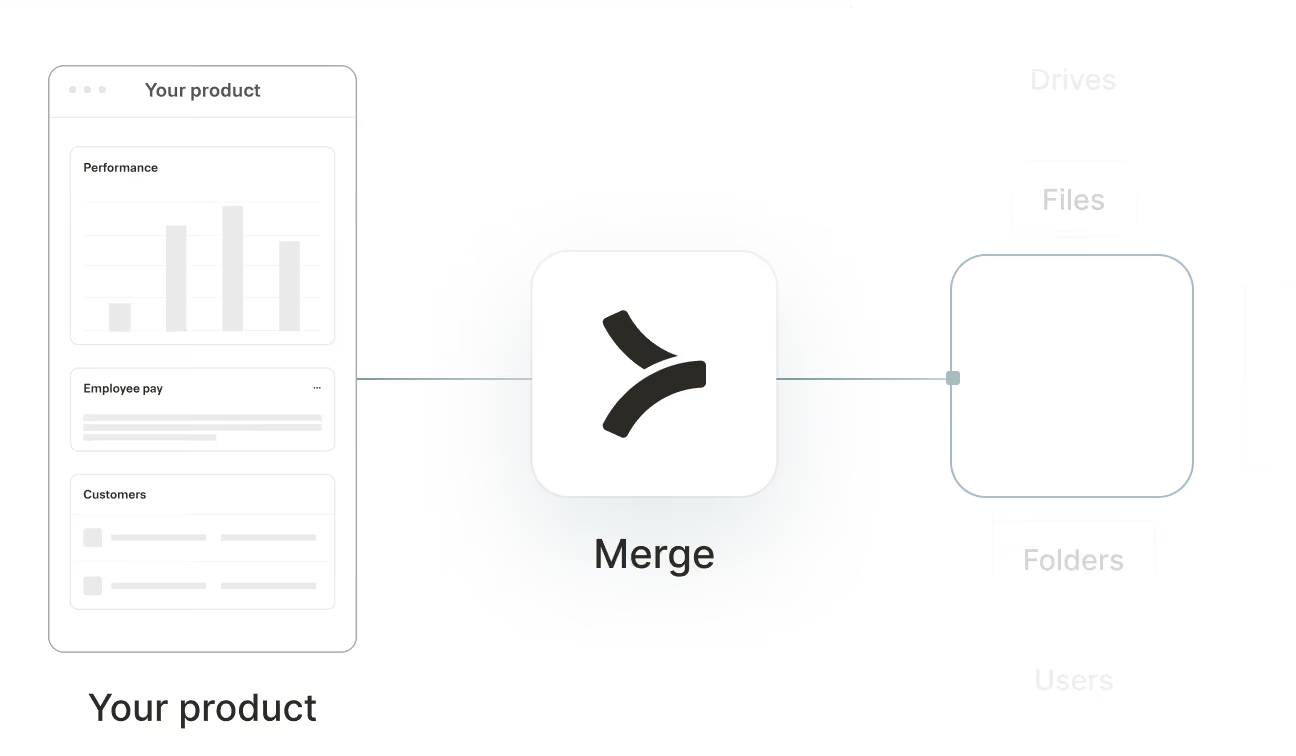

Sync Factorial data
Employment
The Employment object is used to represent a job position at a company. If an integration supports historical tracking of employments, it will be reflected in the data. If not, a new Employment object will be created whenever there is a change in job title or pay. The effective_date field should be used to order Employment objects, with the most recent date corresponding to the latest employment record for an employee.
FAQ on integrating with Google Drive’s API
Heading
Besides Factorial, what HRIS integrations does Merge support?
In addition to Factorial, Merge supports integrations with over 70 other HRIS platforms, including:
- BambooHR
- Gusto
- Rippling
- Justworks
- ADP Workforce Now
- Workday
- Paylocity
Moreover, with Merge's HRIS Unified API, you can build once and easily extend your integrations to any of these platforms.
For more details on the HRIS integrations Merge covers, visit this page.
How frequently does Merge sync data with Factorial?
Merge synchronizes data from Factorial at intervals determined by your selected sync plan.
- Daily: sync data every day
- Standard: sync data every 6 hours
- High: sync data every 3 hours
- Highest: sync data every hour
For syncing outside of our normal sync intervals, you can use the Force Resync endpoint or Automatic Webhooks feature.
Learn more about Merge’s sync frequencies for Factorial.
Which Factorial API endpoints does Merge interact with?
Merge interacts with several Factorial API endpoints to access and manage various data types. Key endpoints include:
- GET /v1/payroll/contract_versions: Accesses employment information, including fields like employee, pay_rate, pay_period, effective_date, job_title, and remote_data
- GET /v1/time/leaves: Retrieves time-off information, accessing fields such as end_time, start_time, remote_id, status, employee_note, remote_data, and employee
- GET /v1/employees: Fetches employee details, including last_name, display_full_name, start_date, work_location, mobile_phone_number, avatar, date_of_birth, home_location, termination_date, first_name, and ssn
- GET /v1/teams: Accesses team information, retrieving fields like remote_data, remote_id, and name
- GET /v1/locations: Obtains location details, including zip_code, country, phone_number, street_2, street_1, state, city, name, remote_data, and remote_id
See all of the endpoints Merge can interact with.
What organizations use Merge’s integration with Factorial?
A wide range of companies use it, including deskbird, Causal, Bonusly, and Ledgy.
Learn more about how these organizations use Merge’s Factorial integration—along with other HRIS integrations—here.
What advanced features does Merge offer for Factorial integration?
Merge supports features like:
- Field Mapping: Map Factorial’s custom fields to standardized Merge Common Models
- Remote Data: Access raw Factorial data in its original format
- Authenticated Passthrough Requests: Send direct API requests to Factorial for endpoints beyond Merge's Common Models
How is your customer's Factorial data encrypted and where is it stored?
Merge uses AES-256 encryption to secure all data both in transit and at rest. Data is stored in AWS data centers located in:
- US: Northern Virginia
- EU: Stockholm
- APAC: Singapore
For enhanced security, single-tenant environments are available upon request, hosted in the AWS region of your choice.
Learn more about Merge’s approach to security.
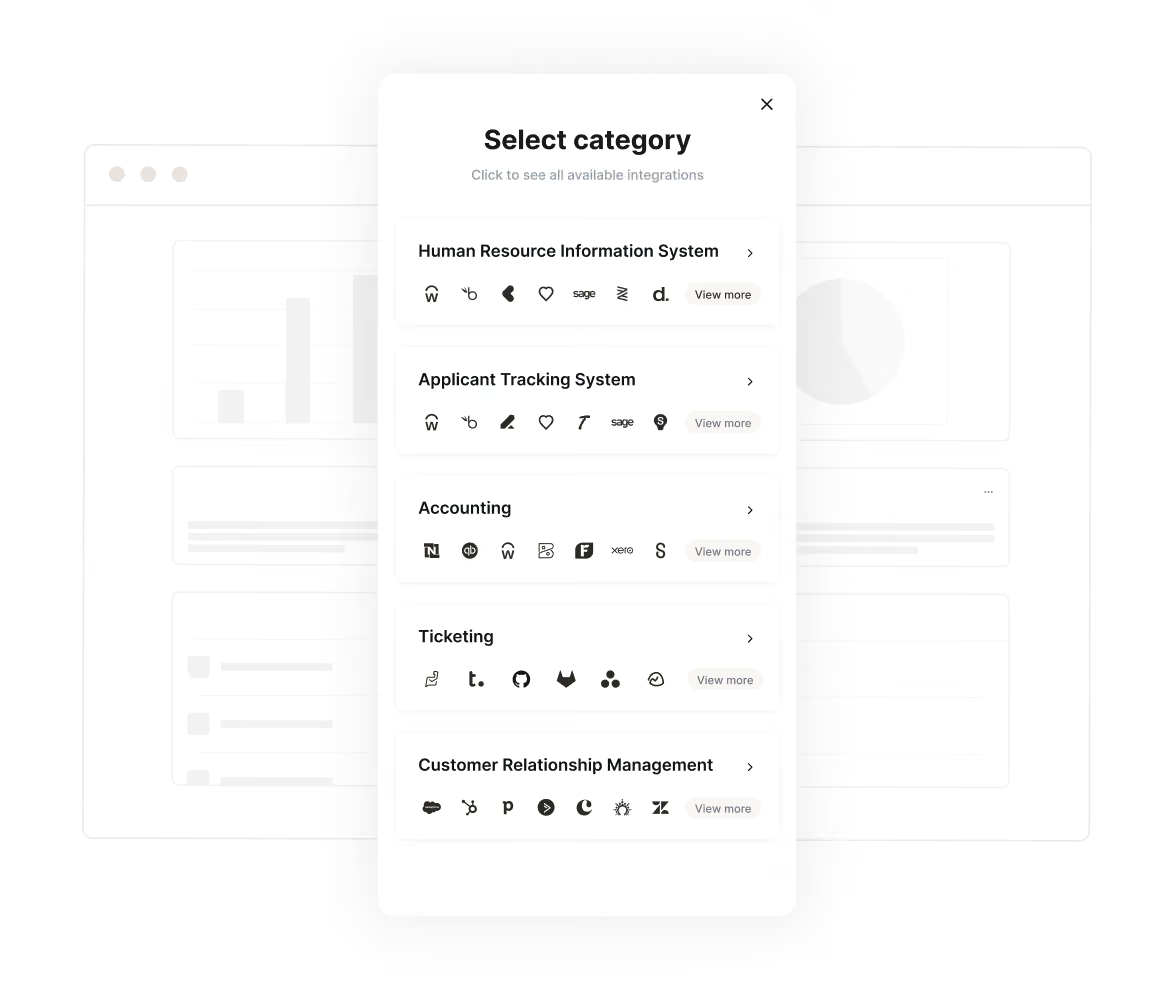
Seamless account linking
Integration authentication that feels like magic
Merge seamlessly manages authentication and authorization on behalf of your customers. Offer account linking and permission controls to your users with Link for a customizable frontend or with Magic Link for URL-based authorization
View Docs
APIs made simple
The toolkit for all your integration needs
We make integrations painless with accessible API design, dead-simple SDKs, and beautiful documentation that we agonize over.
View Docs
Get Employee Data



1from merge import Merge
2
3client = Merge(
4    account_token="YOUR_ACCOUNT_TOKEN",
5    api_key="YOUR_API_KEY",
6)
7client.hris.employees.list()
import { MergeClient, Merge } from '@mergeapi/merge-node-client';
const merge = new MergeClient({
apiKey: 'YOUR_API_KEY',
accountToken: 'YOUR_ACCOUNT_TOKEN',
});
employee = await merge.hris.employees.list()
ApiClient.instance.authentications.tokenAuth = {
  type: 'bearer',
  accessToken: 'API_KEY',
};
new EmployeesApi().employeesList('ACCOUNT_TOKEN', {}, (data) => {
  console.log(data);
});
import (
"context"
"fmt"
merge "github.com/fern-api/merge-go"
mergeclient "github.com/fern-api/merge-go/client"
"github.com/fern-api/merge-go/hris"
)
client := mergeclient.NewClient(
mergeclient.ClientWithAuthApiKey("<YOUR_API_KEY>"),1ApiClient client = Configuration.getDefaultApiClient();
2client.setBasePath('https://api.merge.dev/api/ats/v1');
3ApiKeyAuth tokenAuth = client.getAuthentication('tokenAuth');
4tokenAuth.setApiKey('API_KEY');
5CandidatesApi apiInstance = new CandidatesApi(client);
6apiInstance.candidatesList('ACCOUNT_TOKEN');import com.merge.api.MergeApiClient;
import com.merge.api.resources.hris.employees.requests.EmployeesRetrieveRequest;
import com.merge.api.resources.hris.types.Employee;
MergeApiClient mergeClient = MergeApiClient.builder()
.accountToken("ACCOUNT_TOKEN")
.apiKey("API_KEY")
.build();
Employee employee = mergeClient.hris().employees().list(
EmployeesRetrieveRequest.builder()
.includeRemoteData(true)> {
"id": "0958cbc6-6040-430a-848e-aafacbadf4ae","remote_id": "19202938","employee_number": "2","company": "8d9fd929-436c-4fd4-a48b-0c61f68d6178","first_name": "Dirna","last_name": "Emanuel","display_full_name": "Dirna Emanuel",
"username": "dirnaemanuel",
"groups": [
Meta endpoint
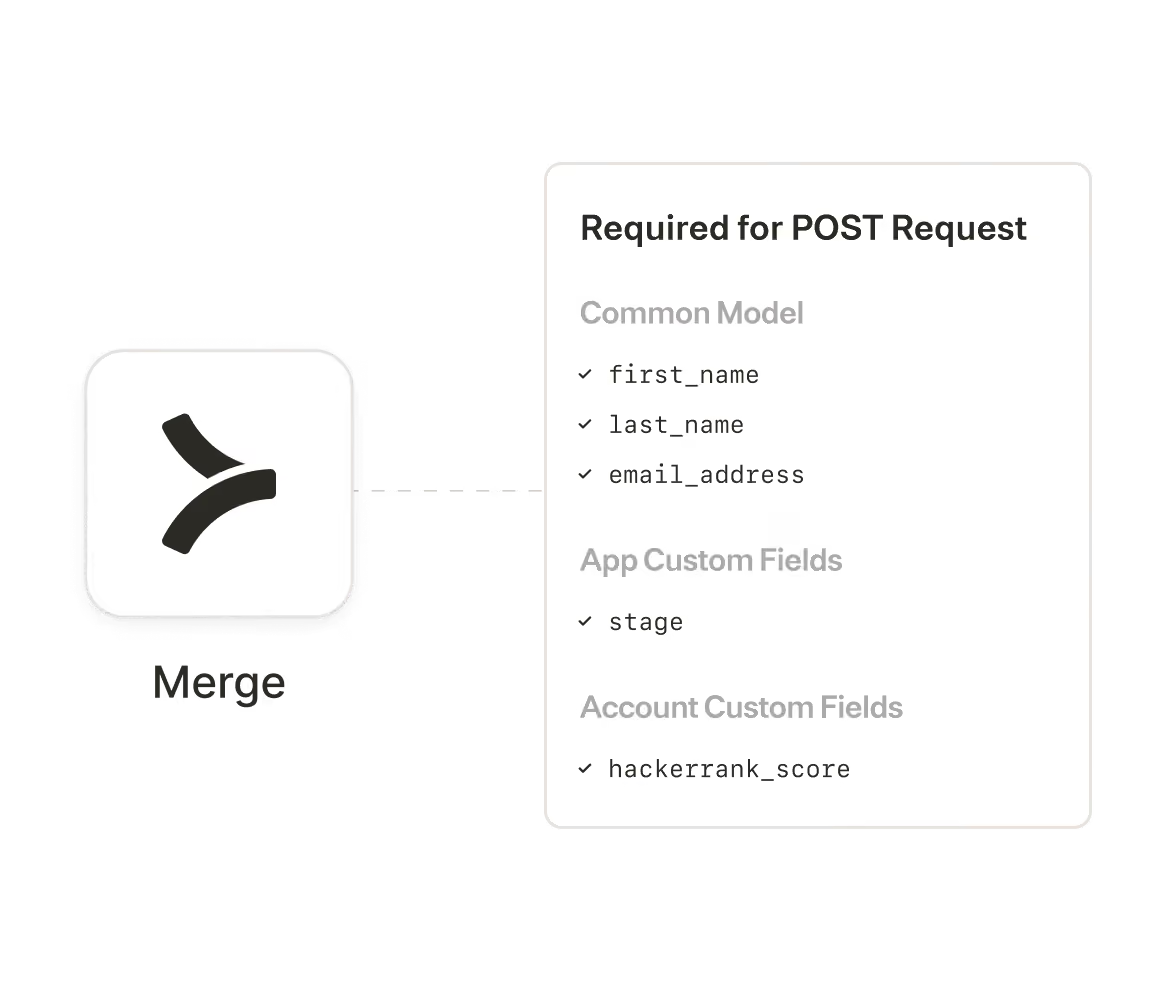
Programmatically access required schemas
Third-party providers require specific (and often different) fields to write data to their APIs, making your code a mess.
Dynamically fetch required data schemas from Merge’s /meta endpoint to make POST or PATCH requests that just work.
View Docs
Beyond building
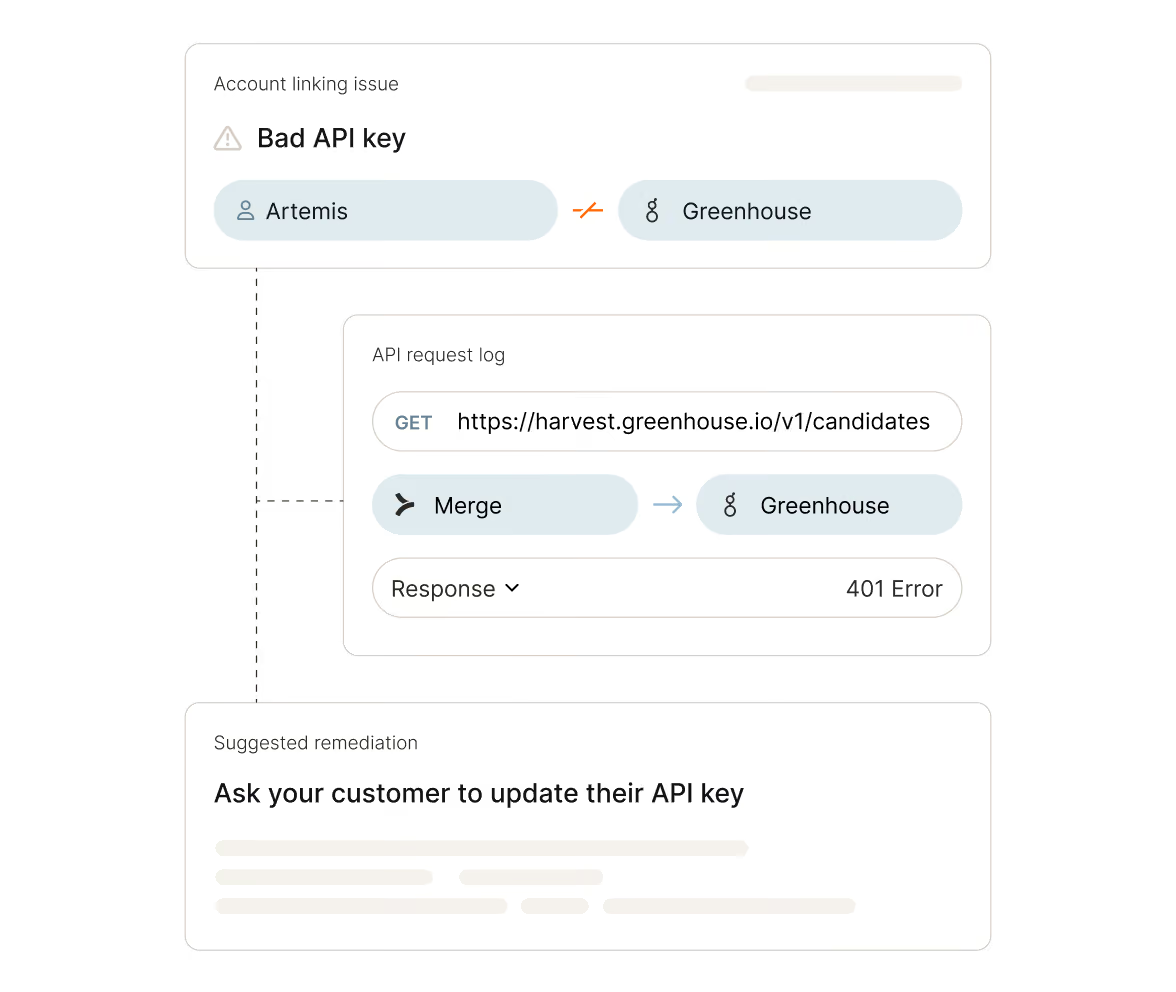
Rely on the best integration observability system
Let our logs, issue detection, and automated alerts save your customer success team time, money, and headaches.
Forget maintenance - let your developers focus on building!
Learn more











Make integrations your competitive advantage
Stay in touch to learn how Merge can unlock hundreds of integrations in days, not years
