

Table of contents
.png)
.png)
How to connect a WHOOP MCP with Claude Code (4 steps)



Jon Gitlin
Developers building personalized training apps, corporate wellness platforms, or AI health agents need WHOOP data, but accessing it means managing OAuth 2.0 authorization flows, handling per-user token refresh, and writing WHOOP-specific API clients before any agent logic can be built.
To help your developers pull recovery, sleep, and workout data from WHOOP within their terminal, we'll show you how to connect it with Merge Agent Handler's WHOOP MCP server.
How it works
Merge Agent Handler connects Claude Code to the WHOOP API through a single CLI setup.
You install the Merge CLI, authenticate once with your Merge Agent Handler account, and register the connection with one command.
Merge manages WHOOP's OAuth credentials and handles token refresh on your behalf, so you never store access tokens locally or write code to handle expiration.
Here's the command that registers the connection:
Related: A guide to integrating a WHOOP MCP with Codex
Prerequisites
Before getting started, you'll need the following:
- A Merge Agent Handler account
- Claude Code installed (run
claude --versionto confirm) - pipx installed (run
pipx --versionto confirm, or install viapip install pipx) - A WHOOP account with API access (register your app at
developer-dashboard.whoop.com)
If you want to connect Merge Agent Handler's WHOOP MCP with internal or customer-facing agentic products, you can follow the steps in our docs.
1. Install the Merge CLI
Run the following to install the Merge CLI: pipx install merge-api

Then verify the installation: merge --version
2. Configure the CLI and log in
Run the interactive setup: merge configure
This prompts you for your Merge API key and links the CLI to your Merge Agent Handler account, setting your default workspace preferences.
Login with merge login. This authenticates your session so the CLI can make authorized requests on your behalf going forward.
3. Add Agent Handler to Claude Code
To add Agent Handler to Claude Code, run:
Or register manually with:
Open Claude Code and run: /mcp
agent-handler should appear under Local MCPs with a connected status.

Related: How to use a WHOOP MCP in Cursor
4. Authenticate WHOOP
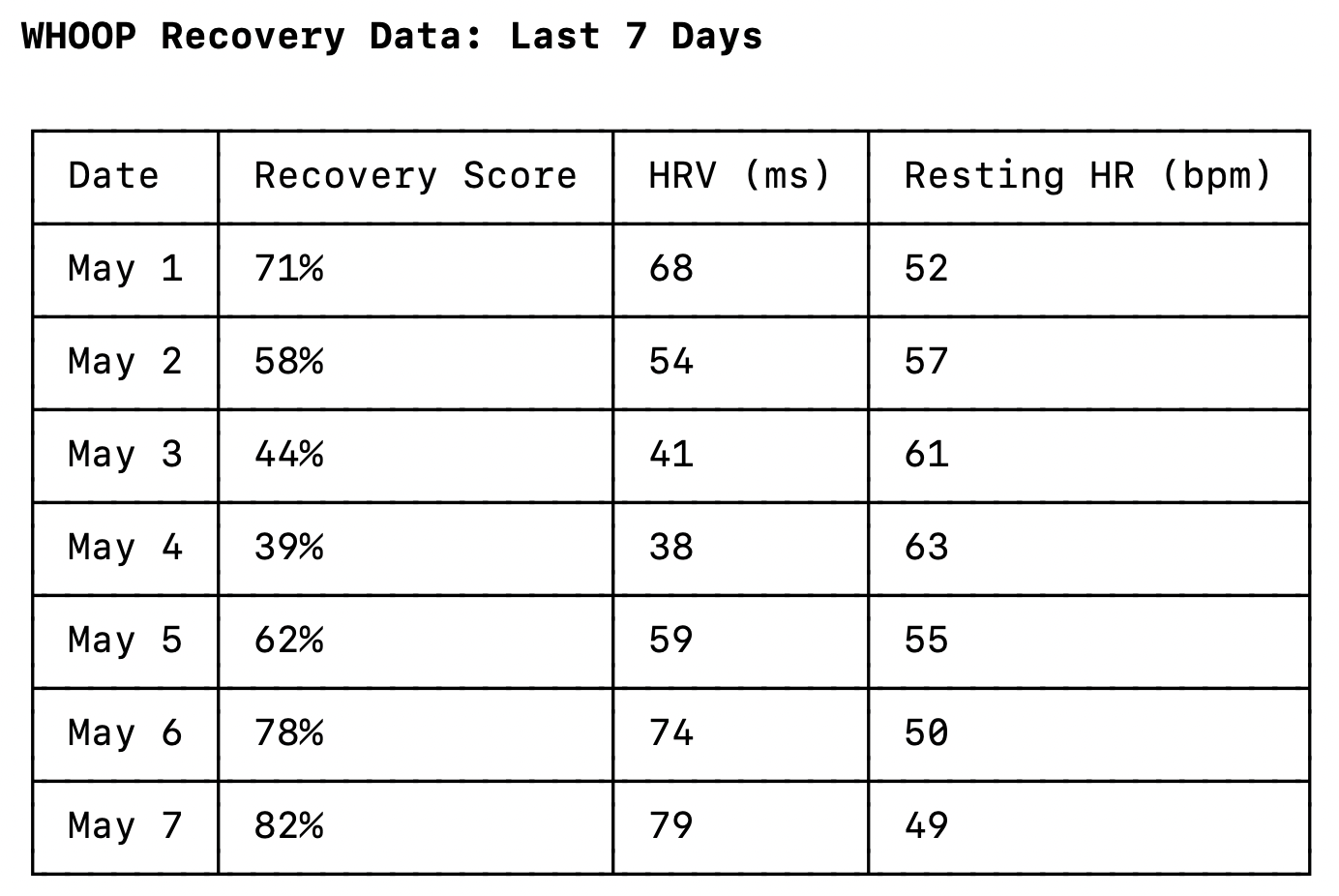
Open a Claude Code session and test it with: "Pull my recovery score, HRV, and resting heart rate from the last 7 days and summarize any trends."
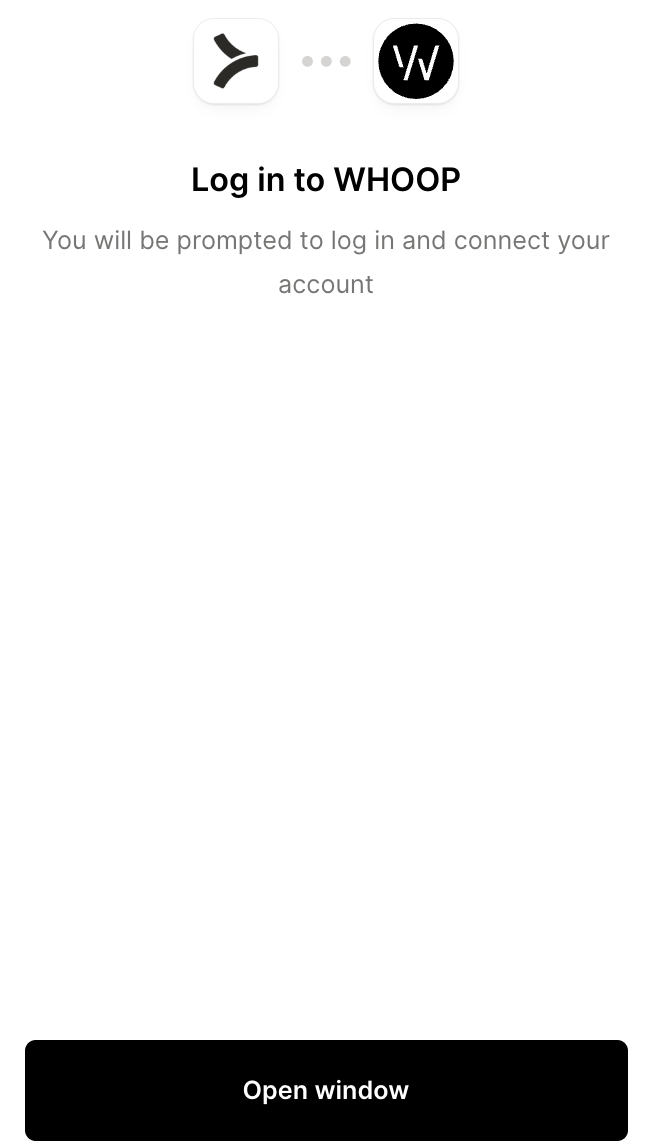
The first time you use a WHOOP tool, a Magic Link will appear to authenticate the connector.
Once authenticated, you should see an output like the following:
{{this-blog-only-cta}}
WHOOP MCP FAQ
In case you have more questions on setting up and using the WHOOP MCP in Claude Code, we've addressed several more commonly-asked questions below.
What can you do once the WHOOP MCP is connected to Claude Code?
With WHOOP connected, Claude Code can:
- Retrieve recovery data: pull daily recovery scores including HRV, resting heart rate, and SpO2 readings, giving agents the physiological context needed to make training or readiness recommendations
- Access sleep breakdowns: fetch sleep sessions with full stage data including time in REM, slow-wave sleep, and light sleep, along with respiratory rate metrics for each session
- Query workout history: retrieve past workouts with strain scores, duration, and heart rate data, enabling agents to track cumulative training load and flag overreach patterns
- Fetch physiological cycles: read daily cycle records that contextualize recovery and strain within WHOOP's full activity model, useful for multi-day trend analysis
- Cross-reference sleep and cycle data: pull sleep records linked to specific cycles to analyze how individual sleep sessions contribute to daily recovery scores
- Get user and body profile: access baseline profile data including height, weight, and max heart rate, which anchors relative metrics like strain calculations to individual physiology
Why use Merge Agent Handler vs. building directly on the WHOOP API?
You can build directly on WHOOP's developer API. The OAuth 2.0 flow is documented at developer.whoop.com, the endpoints cover the same physiological data, and for a single-user prototype the setup is straightforward.
The challenge is scale.
WHOOP's API uses user-level OAuth tokens. Every user in your application needs their own authorization flow, their own token pair, and their own refresh cycle. At a few dozen users, writing the refresh logic and storing tokens securely is manageable. At hundreds, a failed refresh silently breaks data access for that user, and you're tracking a token lifecycle for every active account with no centralized view of which connections are healthy.
A self-hosted MCP server on top of WHOOP's API doesn't solve this.
You still own the OAuth plumbing, and you add the operational responsibility of keeping the MCP server itself running, versioned, and secure. WHOOP doesn't offer an official MCP server, so any alternative is a community implementation with no guaranteed maintenance or enterprise support.
Merge Agent Handler handles the OAuth credential layer for all connected users and manages token refresh automatically.
You can scope exactly which WHOOP tools a given agent can call: an agent built for daily readiness, for example, can invoke list_recoveries and list_sleep_activities, but never reach get_body_measurements unless that tool is explicitly included. Every call is also logged with the timestamp, tool name, and inputs.
Why connect WHOOP to Claude Code?
WHOOP produces a category of data that's otherwise unavailable without a wearable integration: resting heart rate, HRV, sleep stage percentages, daily strain scores, and more. These inputs make personalized health recommendations genuinely personalized rather than generic.
Developers who need this data today either build and maintain their own WHOOP OAuth integration or prompt users to manually enter metrics the device is already tracking automatically. Neither scales.
With the WHOOP MCP connected, Claude Code can query recovery trends, pull sleep breakdowns, and cross-reference workout load without leaving the terminal. This matters most when an agent needs physiological context before taking action, whether that's generating a training plan, surfacing a recovery alert, or building a weekly health summary that reflects real data rather than self-reported estimates.
Jon Gitlin
.png)

.png)

Connect Claude Code to thousands of tools with Merge Agent Handler
Use Merge Agent Handler’s 150+ connectors (including WHOOP) to power reliable, secure, and powerful agents.


But Merge isn’t just a Unified
API product. Merge is an integration platform to also manage customer integrations. gradient text
But Merge isn’t just a Unified
API product. Merge is an integration platform to also manage customer integrations. gradient text
But Merge isn’t just a Unified
API product. Merge is an integration platform to also manage customer integrations. gradient text
But Merge isn’t just a Unified
API product. Merge is an integration platform to also manage customer integrations. gradient text