

Table of contents
.png)
.png)
How to connect a UKG Pro MCP with Claude Code (4 steps)



Jon Gitlin
Developers building HR automations, headcount reporting agents, or internal tooling that pulls people data from UKG Pro face a consistent problem: UKG Pro's API requires OAuth 2.0 with company-specific credentials, and every new workflow that needs a different slice of workforce data means another round of credential management and endpoint wiring.
To help your developers query employee records, pull payroll data, and surface workforce data from the terminal with ease, we'll show you how to connect UKG Pro with Merge Agent Handler's UKG Pro MCP server.
How it works
Merge Agent Handler connects Claude Code to the UKG Pro API through a single CLI setup.
You install the Merge CLI, authenticate once with your Merge Agent Handler account, and register the connection with one command.
Merge manages UKG Pro's OAuth credentials on your behalf, including token refresh and rotation, so you never store company-specific secrets locally or handle expiry yourself.
Here's the command that registers the connection:
Related: A guide to integrating a UKG Pro MCP with Codex
Prerequisites
Before getting started, you'll need the following:
- A Merge Agent Handler account
- Claude Code installed (run
claude --versionto confirm) - pipx installed (run
pipx --versionto confirm, or install viapip install pipx) - A UKG Pro account with API access enabled (requires a UKG Pro service account and API credentials from your UKG administrator)
If you want to connect Merge Agent Handler's UKG Pro MCP with internal or customer-facing agentic products, you can follow the steps in our docs.
1. Install the Merge CLI
Run the following to install the Merge CLI: pipx install merge-api

Verify the installation: merge --version
2. Log in to Merge
Authenticate the CLI with your Merge Agent Handler account: merge login
This links your session to Merge so the CLI can make authorized requests against UKG Pro on your behalf.
3. Add Agent Handler to Claude Code
Register Agent Handler with Claude Code using the Merge CLI:
Or manually:
Open Claude Code and run: /mcp
agent-handler should appear under Local MCPs with a connected status.

Related: How to use a UKG Pro MCP in Cursor
4. Authenticate UKG Pro
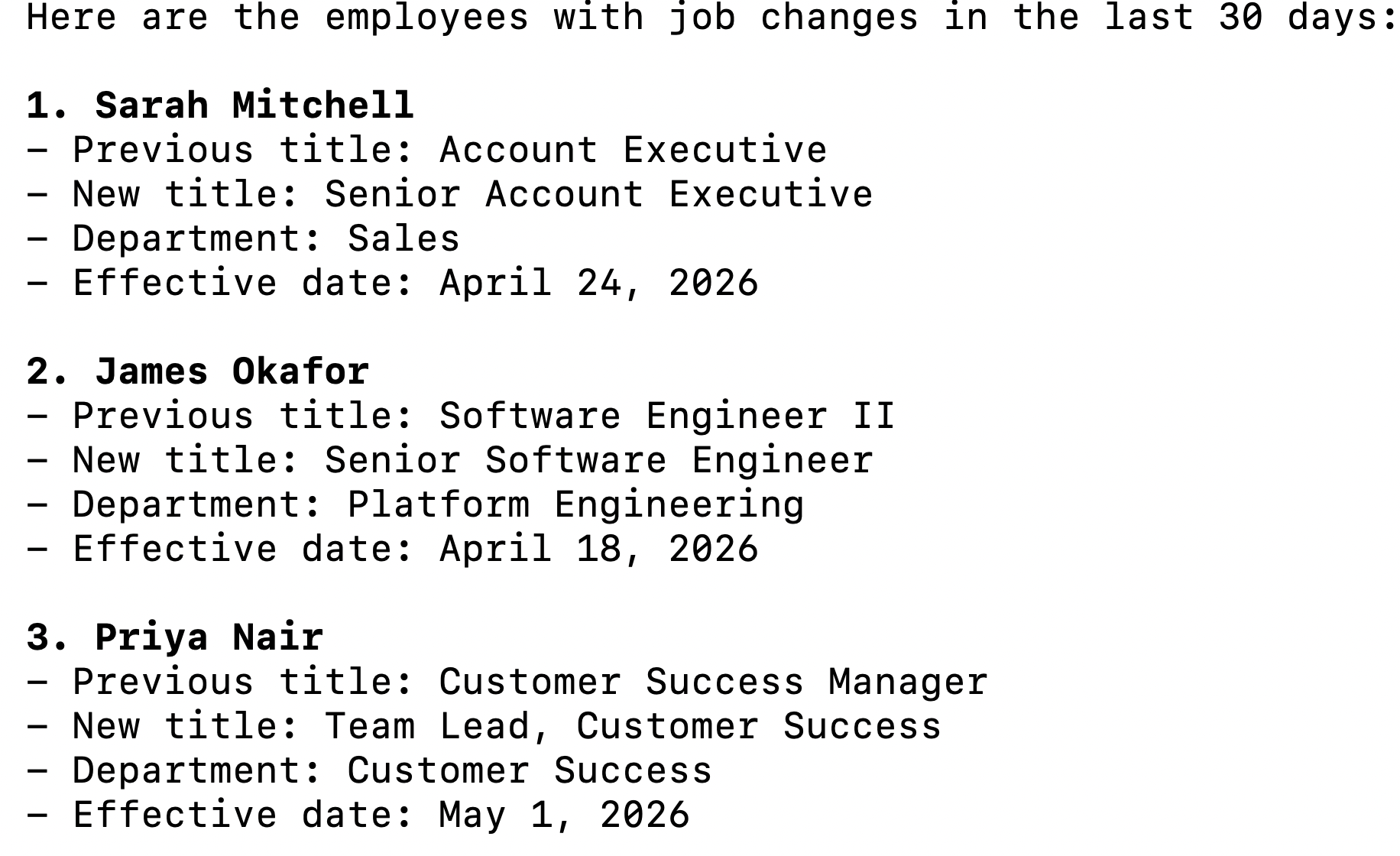
Open a Claude Code session and try: "List all employees who have had a job change in the last 30 days, including their previous title, new title, department, and effective date."
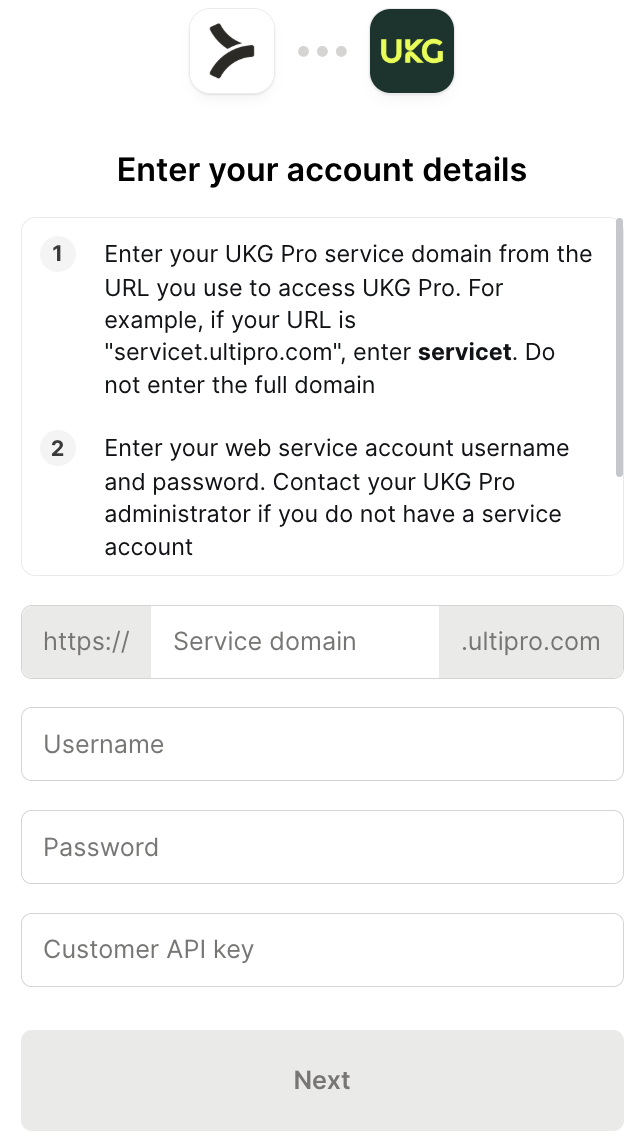
The first time you invoke a UKG Pro tool, a Magic Link will appear to complete connector authentication.
You should then see an output like the following:
{{this-blog-only-cta}}
UKG Pro MCP FAQ
In case you have more questions on setting up and using the UKG Pro MCP in Claude Code, we've addressed several more commonly-asked questions below.
What can you do once the UKG Pro MCP is connected to Claude Code?
With UKG Pro connected, Claude Code can:
- Query employee records: retrieve employee profiles including job title, department, manager, location, pay group, and employment status across the full org or scoped to a specific business unit
- Pull org and job data: retrieve current org structure, reporting relationships, and position data, giving agents the workforce context they need before generating summaries or triggering downstream actions
- Access job history and lifecycle events: read employment history records including transfers, promotions, and compensation changes, with effective dates, for a given employee or across a population
- Retrieve time and attendance data: pull worked hours, scheduled shifts, and absence records for individual employees or teams, useful for agents that need coverage data before making scheduling recommendations
- Surface benefits and enrollment data: query active benefits enrollments and election details by employee, enabling agents that handle open enrollment reminders or benefits audit workflows
- List open positions and requisitions: retrieve active job requisitions and headcount approval records, giving recruiting agents the current hiring pipeline without requiring a manual export
Why use Merge Agent Handler vs. a self-hosted UKG Pro MCP server?
You can build your own MCP server on top of the UKG Pro API. UKG Pro uses OAuth 2.0 with customer-specific credentials, so a self-hosted setup requires storing and refreshing company-level tokens, handling UKG Pro's multi-tenant API model, and writing the MCP tool definitions yourself. For a single-company, single-developer prototype, that's a tractable starting point.
The gaps become visible at scale.
UKG Pro holds some of the most sensitive data in the enterprise: payroll records, compensation history, benefits elections, and performance ratings.
A self-hosted MCP server that gives an agent full read access to UKG Pro has no mechanism for restricting which fields or endpoints a given agent can reach. An agent built for headcount reporting can also read compensation data unless the server is explicitly written to filter it out, and maintaining that filtering logic as UKG Pro's API surface evolves is ongoing engineering work with real compliance risk.
Merge Agent Handler adds a data control layer on top of UKG Pro.
DLP controls let you block or redact specific fields, including salary, SSN fragments, and benefits cost data, before they reach an agent, even when the underlying credentials have broad access.
You can also scope which UKG Pro tools a specific agent can call. A scheduling agent, for instance, can get time and attendance tools but not payroll or compensation tools. And every tool call is logged with the timestamp, tool name, and inputs.
Why connect UKG Pro to Claude Code?
Developers building on top of UKG Pro data currently have to request exports, write scheduled API jobs, or stand up dedicated integrations each time a new workflow needs access to a different part of that data. None of those approaches give an agent live access to the system: they give it a snapshot that goes stale the moment something changes.
With the UKG Pro MCP connected, Claude Code can query live workforce data without leaving the terminal.
This matters for the workflows where timing is everything: flagging employees whose hours look anomalous before payroll closes, generating a headcount snapshot for a reorg that's happening this week, or pulling active job requisitions for a recruiting review that starts in an hour. Developers get direct access to the data UKG Pro holds without rebuilding the same integration for each new use case.
Jon Gitlin
.png)
.png)


Connect Claude Code to thousands of tools with Merge Agent Handler
Use Merge Agent Handler’s 150+ connectors (including UKG Pro) to power reliable, secure, and powerful agents.


But Merge isn’t just a Unified
API product. Merge is an integration platform to also manage customer integrations. gradient text
But Merge isn’t just a Unified
API product. Merge is an integration platform to also manage customer integrations. gradient text
But Merge isn’t just a Unified
API product. Merge is an integration platform to also manage customer integrations. gradient text
But Merge isn’t just a Unified
API product. Merge is an integration platform to also manage customer integrations. gradient text