

Table of contents
Just for you
No items found.
How to access your BambooHR API key



Thomas Pauly
BambooHR, a cloud-based HR software, provides tools and features that help businesses manage their human capital effectively.
While you can benefit from BambooHR’s standalone features and capabilities in a variety of ways, you can get even more value from the software by integrating it with your product or your internal applications.
To do so, you’ll first need to procure your unique API key. We’ll break down the steps for doing exactly that below!
Step 1: Log into BambooHR
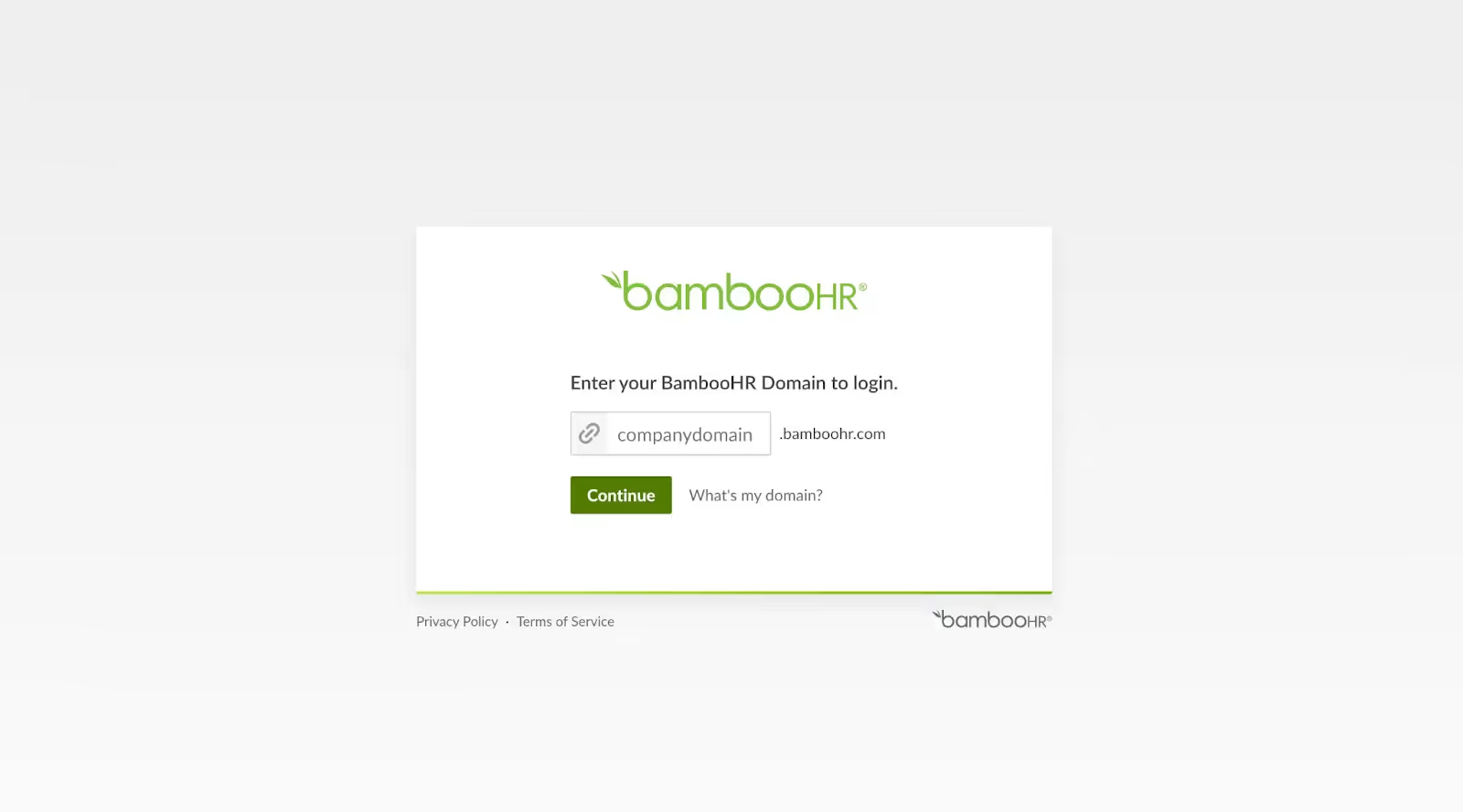
Visit the BambooHR login page, enter your company domain, and click “Continue” to log in.
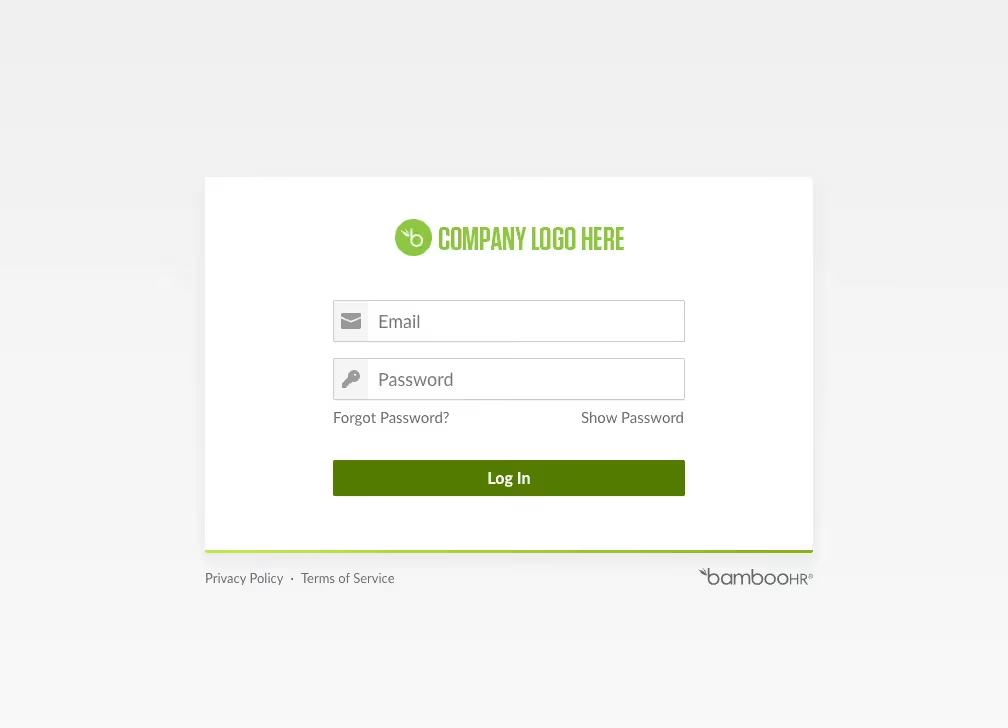
Once you’re logged into your domain, you can then enter your email and password to log in.
Related: How to use a BambooHR MCP in Claude Code
Step 2: Navigate to API keys
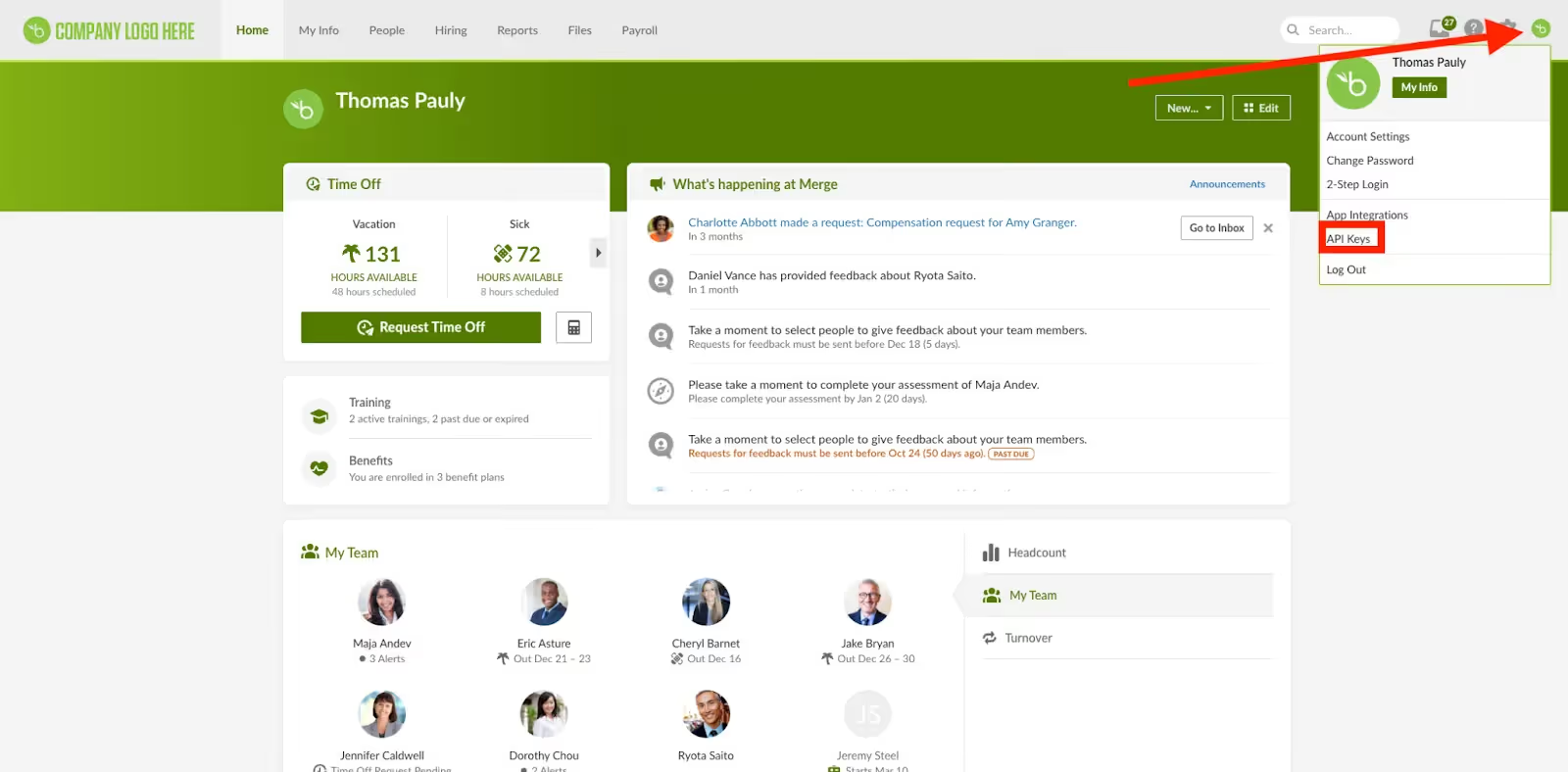
Once logged in, click your name in the upper right-hand corner of any page to get to the user context menu. If you have sufficient permissions, there’ll be an "API Keys" option in that menu, which you can go ahead and click on.
Step 3: Generate an API key
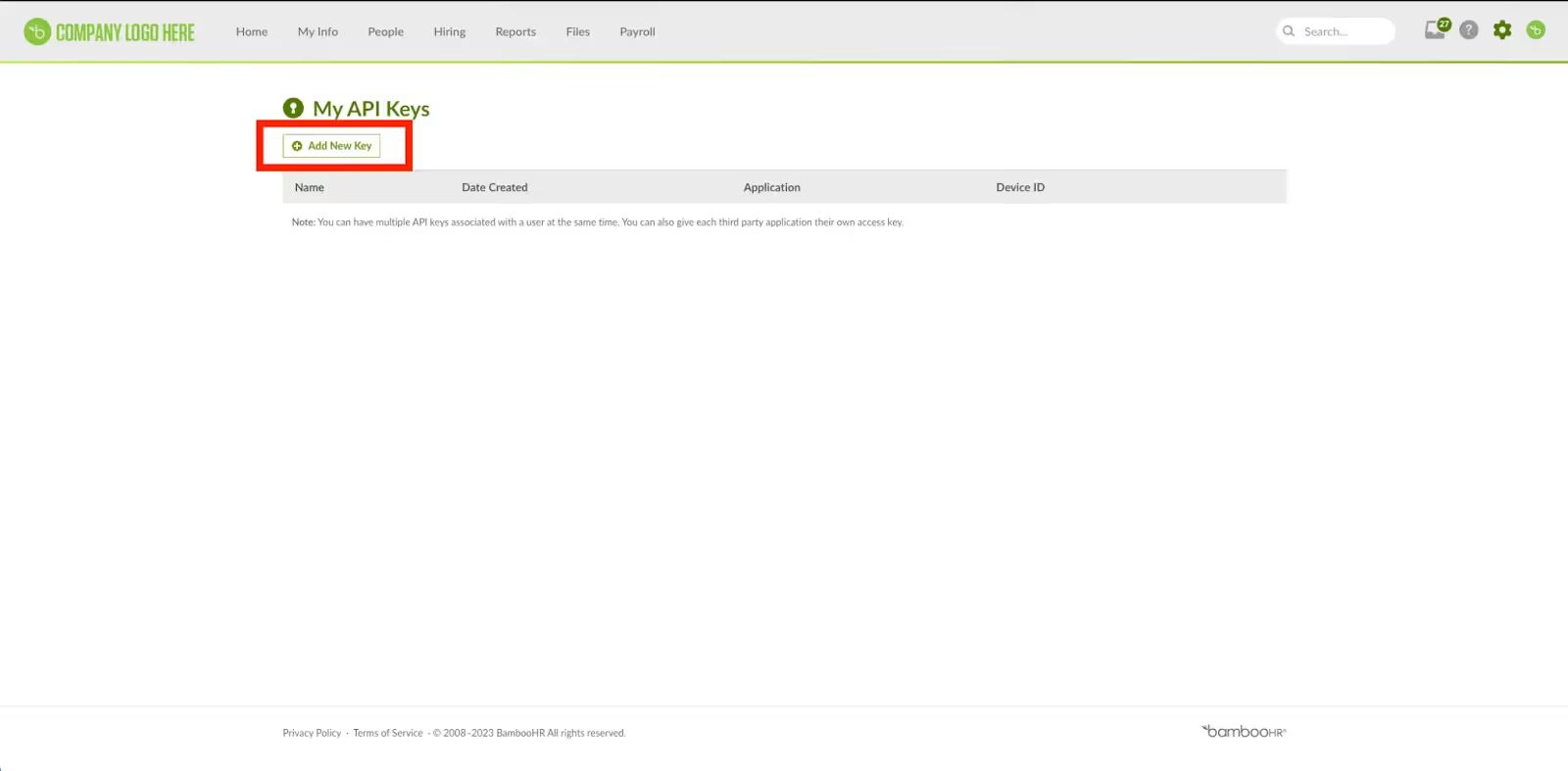
Click “Add New Key” and follow the steps you’re asked to complete.
Step 4: Name your API key
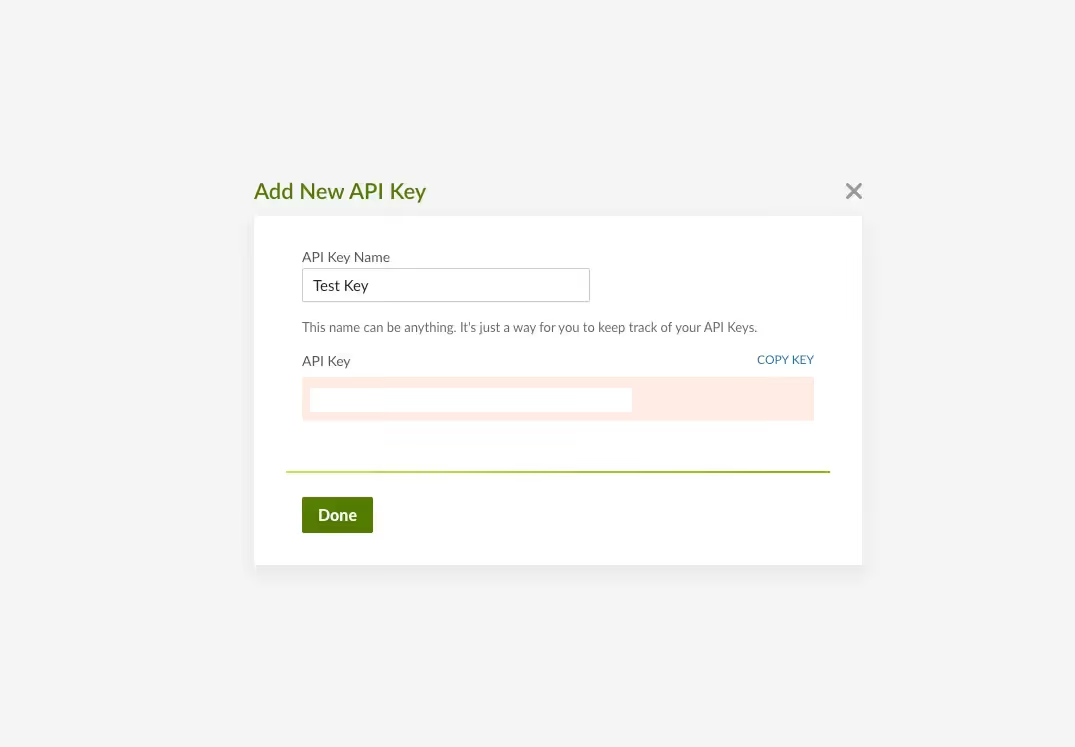
You’ll then be prompted to enter a name for the API key in the API Key Name field. Once you’ve done that, click Generate Key.

You should now see your API key!
Related: The steps for accessing your API key in Quickbooks Online
Other key considerations for building to the BambooHR API
Before integrating with BambooHR’s API, it’s worth considering other items:
Pricing
BambooHR doesn’t have pricing information on their website unless you schedule a time to chat with the team. However, they do have two plans and a free trial.
Essentials
It provides basic but powerful tools for companies that are just starting out their HR journey. It comes with:
- Employee records
- Standard reporting & analytics
- Time-off management
- Mobile app
- Employee self-service
- Email support
Advantage
It offers a complete platform for those ready to experience the business value of a strategic HR function. It comes with:
- Everything in Essentials
- Onboarding
- Offboarding
- Applicant tracking system
- Esignatures
- Employee wellbeing surveys
- Training tracking
- Customizable reports
- Phone & chat support
- Open API
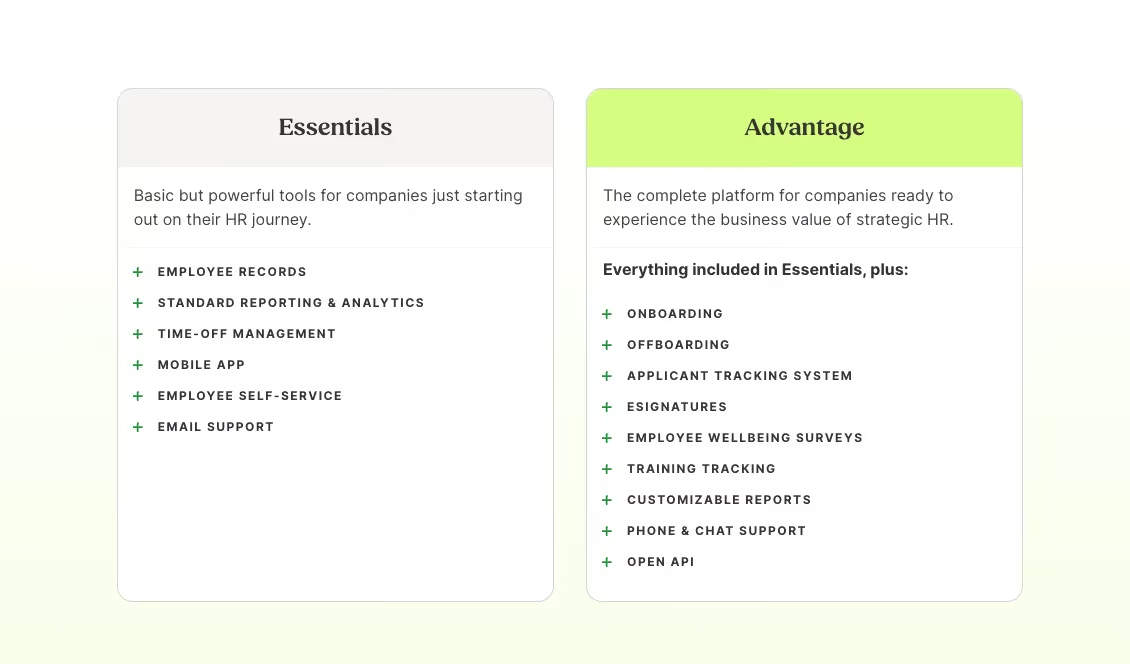
To compare plans and features, visit BambooHR’s pricing page.
Rate Limits
BambooHR does have rate limits, however, they’re not easily found. You can reach out to BambooHR for more information on their API rate limits, or visit their API documentation.
Related: How to stop getting rate limited by APIs
Errors to look out for
Common errors take the form of client error status codes (4xx) and server error status codes (5xx).
Here’s a look at the former:
- 400 Bad Request: The request was invalid or could not be understood by the server. Resubmitting the request will likely result in the same error.
- 401 Unauthorized: Your API key is missing.
- 403 Forbidden: The application is attempting to perform an action it doesn’t have privileges to access.
- 404 Not Found: The resource wasn’t found with the given identifier. Either the URL given isn’t a valid API or the ID of the object specified in the request is invalid.
- 406 Not Acceptable: The request contains references to non-existent fields.
- 409 Conflict: The request attempts to create a duplicate. For employees, duplicate emails aren’t allowed. For lists, duplicate values aren’t allowed.
- 429 Limit Exceeded: The account has reached its employee limit. No additional employees could be added.
And here’s a look at the latter set of error codes:
- 500 Internal Error: The server encountered an error while processing your request and failed.
- 502 Gateway Error: The load balancer or web server had trouble connecting to the BambooHR app.
- 503 Unavailable: This endpoint is currently unavailable. This is often due to rate limiting, and a "Retry-After" header may be available.
To learn more, visit their developer documentation.
Final thoughts
Many of your customers use other HR tools, like HiBob, Workday, and Trinet.
You can offer integrations with any of the other HRIS solutions your clients use by building to Merge’s HR & Payroll Unified API.
To learn more about the API, and Merge’s platform more broadly, you can schedule a demo with one of our integration experts!

Thomas Pauly
.png)
.png)


But Merge isn’t just a Unified
API product. Merge is an integration platform to also manage customer integrations. gradient text
But Merge isn’t just a Unified
API product. Merge is an integration platform to also manage customer integrations. gradient text
But Merge isn’t just a Unified
API product. Merge is an integration platform to also manage customer integrations. gradient text
But Merge isn’t just a Unified
API product. Merge is an integration platform to also manage customer integrations. gradient text