

Table of contents

.avif)
AI-powered issue resolution is now available in Merge Unified

Matt Linehan

Aaron Sun
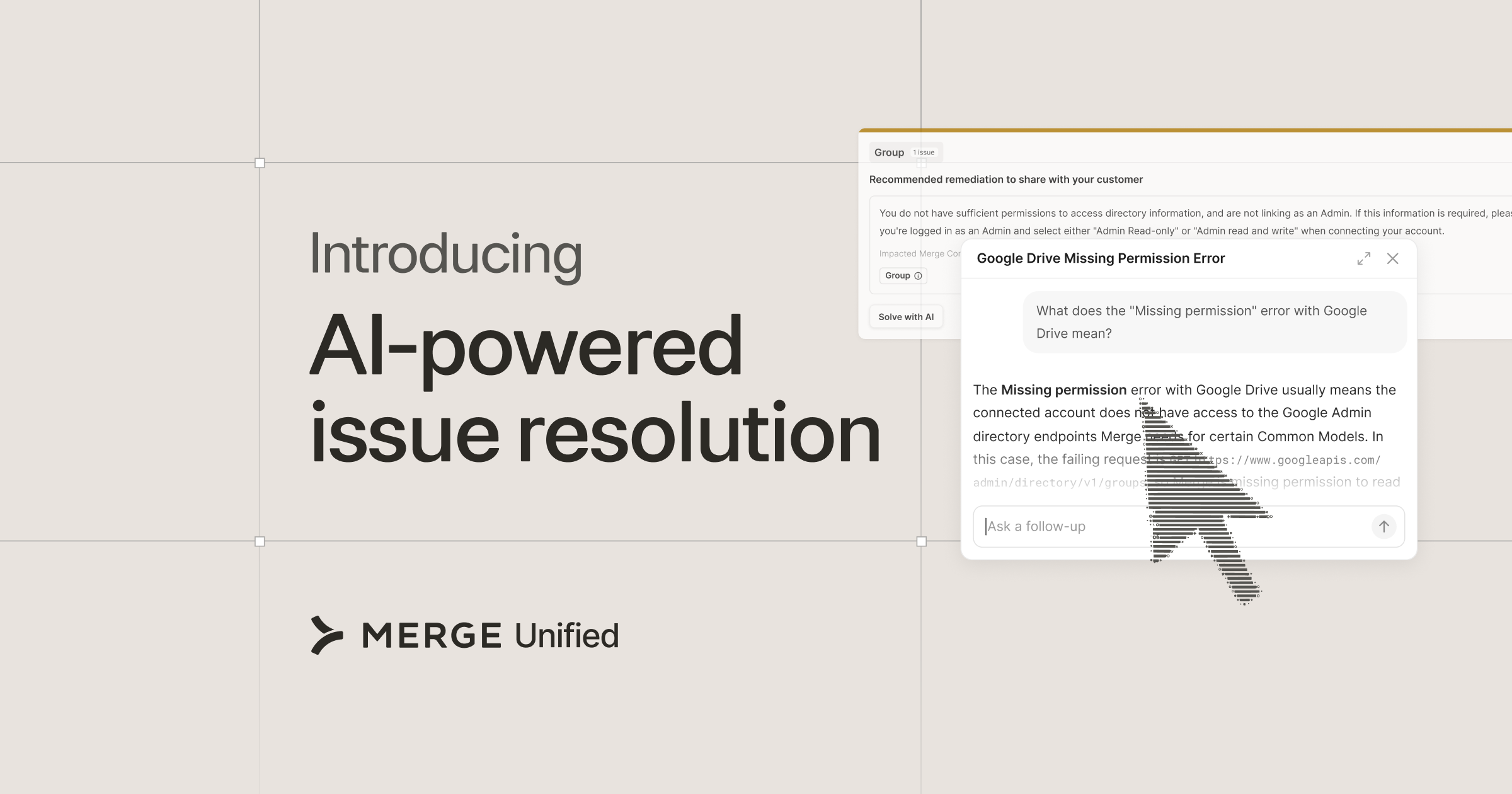
Today we're adding AI-powered issue resolution to Merge Unified. When an issue comes up, you can call up Merge's integrations expertise directly in the dashboard, and get a guided walkthrough of how to fix it.
Building an integration has always required knowing the system on the other end: how SharePoint handles permissions, how NetSuite structures a subsidiary, or which Workday fields a customer's admin actually exposes. They also inevitably run into issues over time as your customers use them. An admin might change a permission, or a token might expire, and then a linked account stops syncing.
Finding the solution often depends on how a specific third-party system works and sits within your customer’s environment. For more complex issues, that can mean an extended back-and-forth between your team, your customer’s admin, and sometimes ours before everything is resolved.
Now, Merge’s integrations expertise is instantly available to you as issues arise, so you can address them immediately with minimal disruption to your users.
How AI-powered issue resolution works
AI-powered issue resolution draws upon Merge’s longtime expertise building and supporting integrations, as well as years of our own help center and docs articles.
Ask for guidance on an issue and Merge explains what's going on, including the details of that integration that a generic error message leaves out.
From there, you have two paths:
- Pass the solution to your customer: If the fix is on their side, like an admin setting or a permission in their instance, you get a clear explanation you can send to your end user.
- Fix it yourself: If the fix is on your side, the AI assistant guides you through the Merge dashboard to fix the issue in real time.
AI-powered issue resolution is available for all integrations, categories, and issue types, provided your organization has opted in to AI features from Merge.
A walkthrough: resolving a missing scope
Here's what AI-powered resolution looks like for a Missing permission issue (e.g. a file storage linked account missing a required scope). The following walkthrough uses Google Drive as an example.
- The issue surfaces: Google Drive stops returning data for one of your linked accounts, and the issue appears in your Merge dashboard with its description.
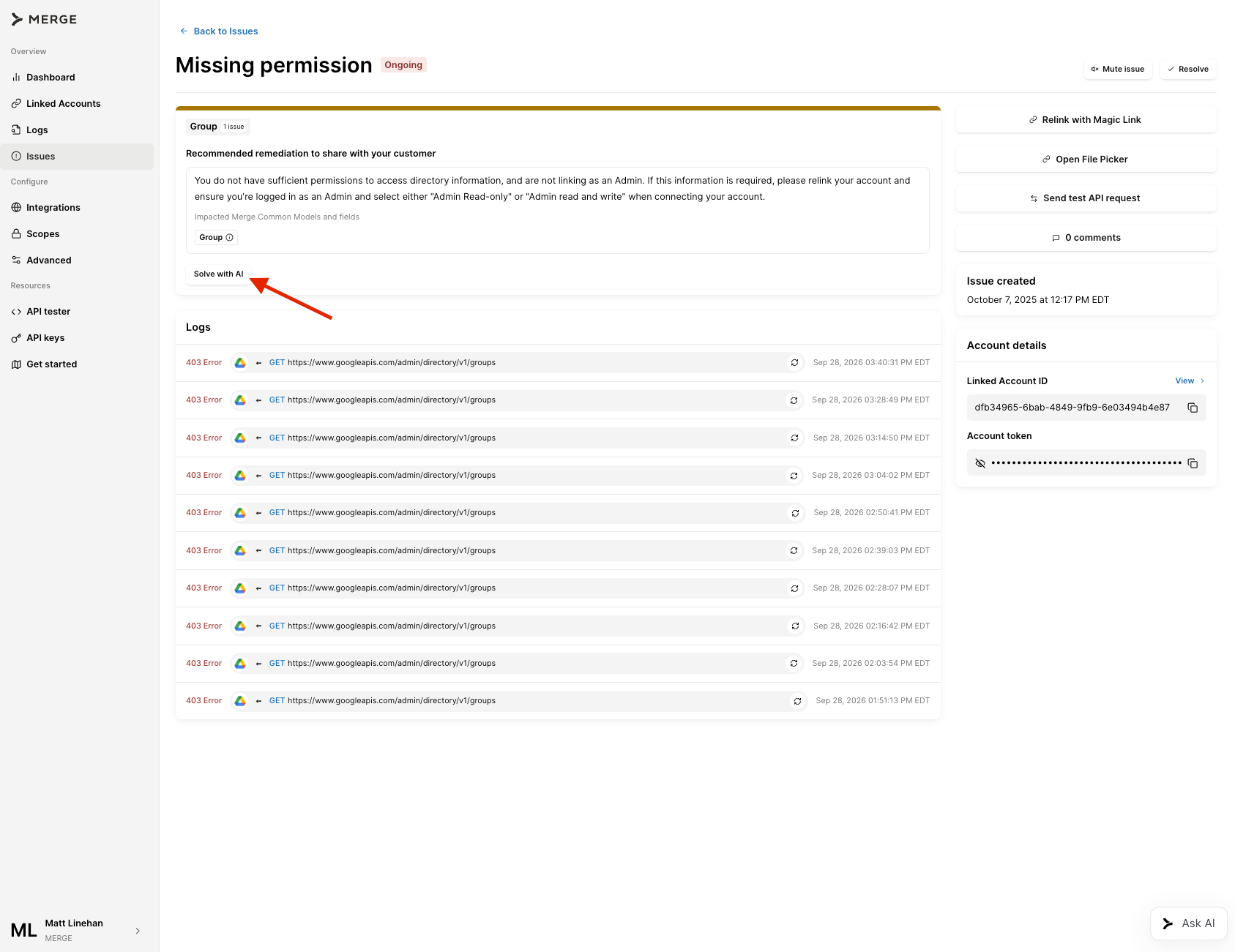
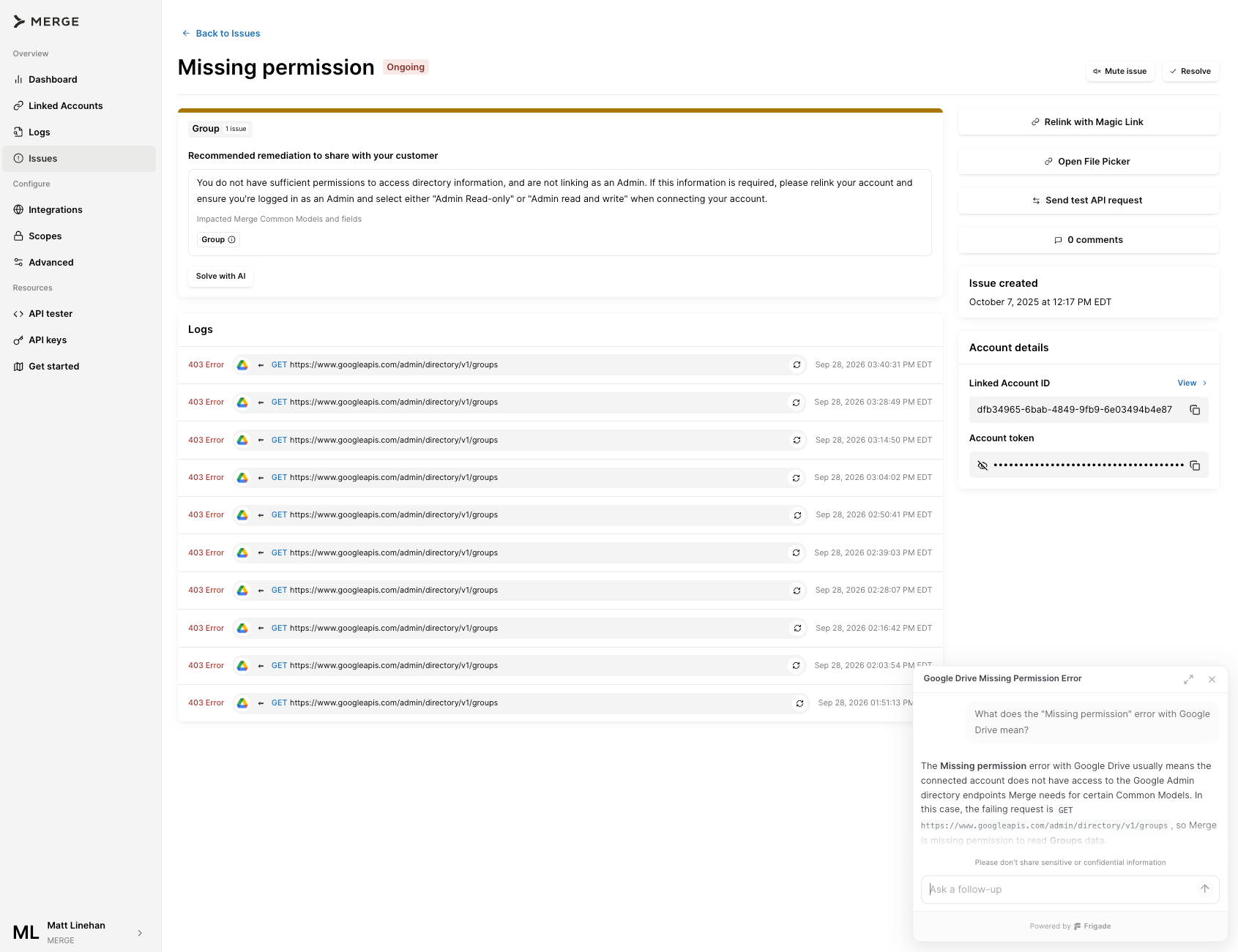
- You ask for guidance: Instead of opening a ticket, you ask Merge to help resolve it. Merge explains why the issue happened on this integration and what needs to change.
- Merge takes you to the fix: This issue can be resolved on your side without involving the end user, so Merge sends you to the Scopes page and points you to File Storage, where the setting lives.
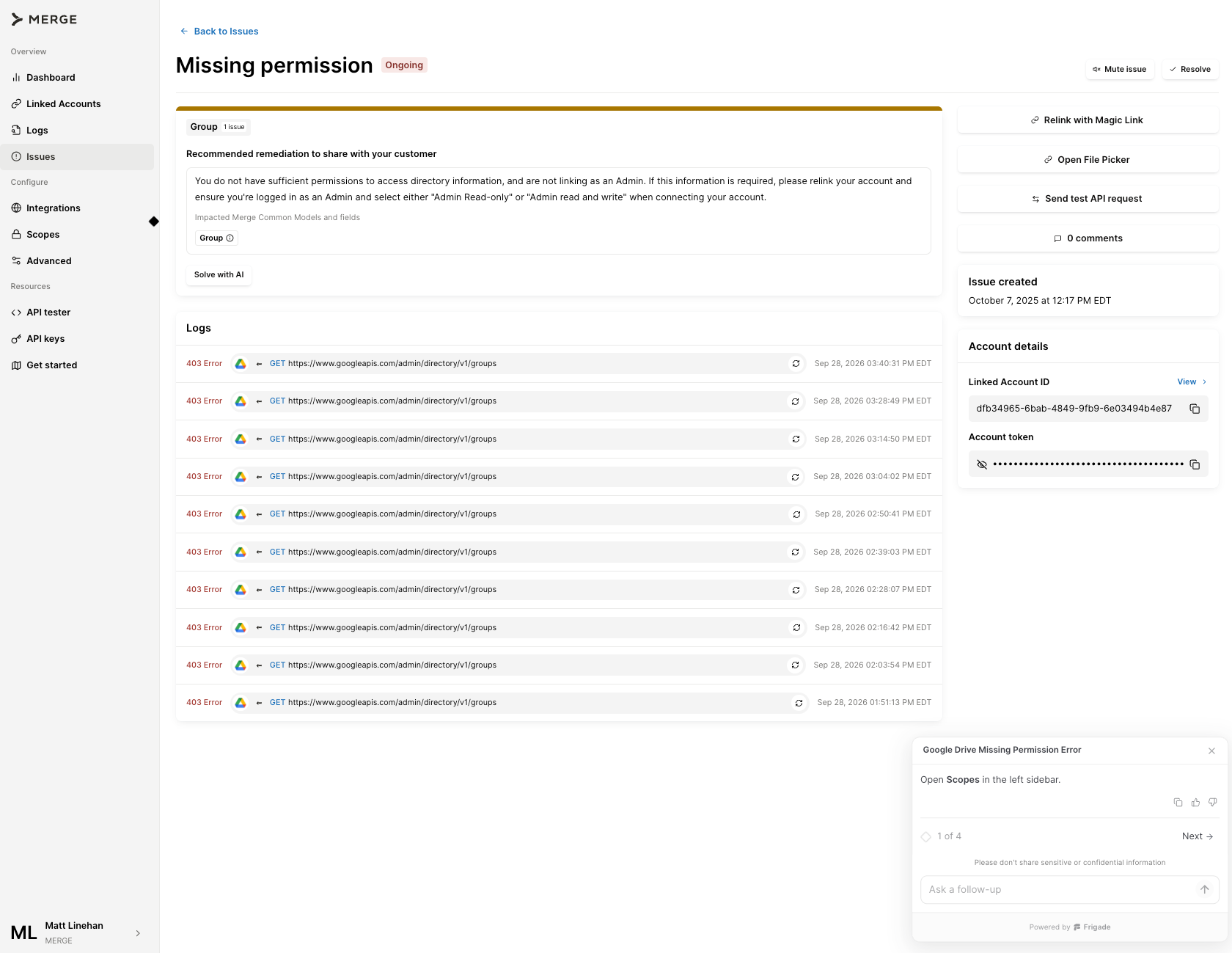
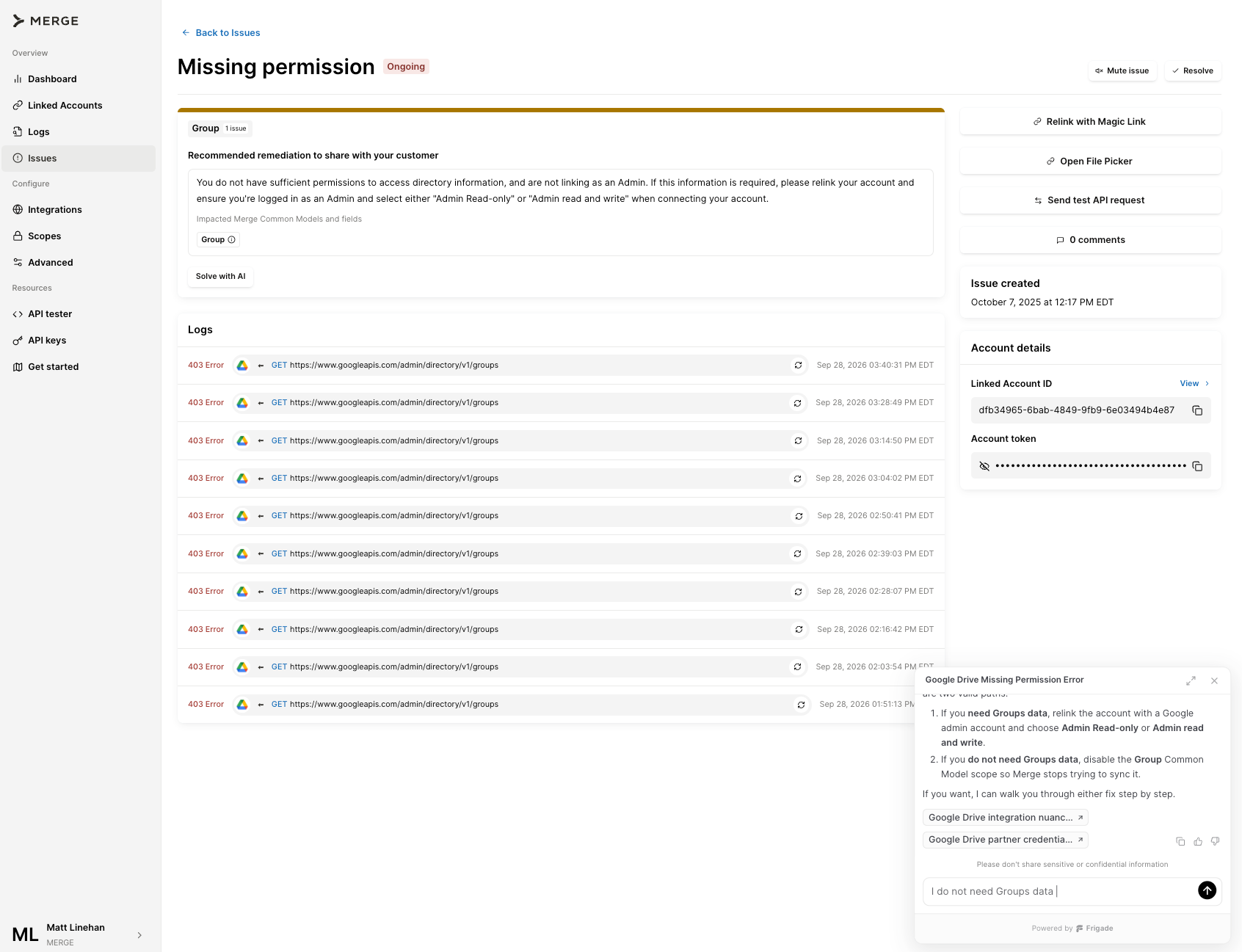
- You make the change: Edit the scope and save, then the linked account can get back to syncing.
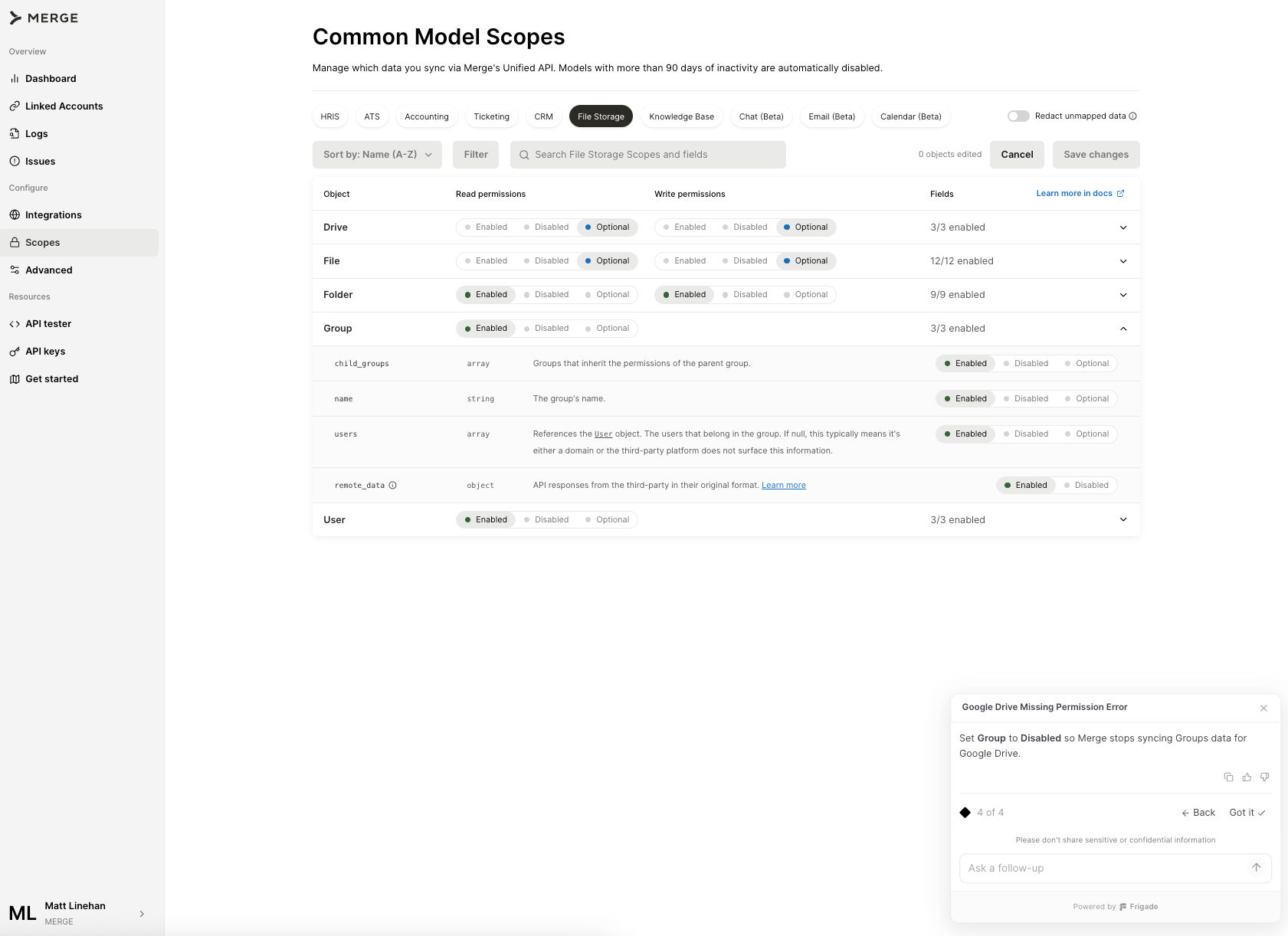
What changes for your team
You don't have to be an expert in every integration
Your team shouldn't need to become Google Drive specialists to fix a Google Drive issue. With AI-powered issue resolution, that expertise stops being a prerequisite and is provided to you by Merge whenever an issue arises.
Linked accounts get back to syncing faster
Issues that used to wait on an investigation and potentially several rounds of email can be resolved in the same session you found them, allowing customers to continue using your product with minimal disruption.
Years of integrations knowledge are available on demand
For years, Merge's docs have complemented vendor documentation with the details that matter when you're integrating with a platform, like which permission settings will break a sync. They also cover fixes that aren't obvious from the error itself, learned from supporting these integrations in production. Merge now brings those relevant pieces of context directly to the issue you’re working on.
Your customers get clear answers
When the fix sits in your customer's instance, you don't have to translate an error message into instructions yourself. You have an explanation ready to send that tells your customer what to change.
Resolve integration issues without the back and forth
Merge has always been the integrations expert behind your product, and now you can immediately put that knowledge to work when issues emerge.
AI-powered issue resolution is live today on all Merge Unified plans. Open any issue in your dashboard to get started, or consult our documentation to learn more.
Matt Linehan
Aaron Sun
.png)
.png)


But Merge isn’t just a Unified
API product. Merge is an integration platform to also manage customer integrations. gradient text
But Merge isn’t just a Unified
API product. Merge is an integration platform to also manage customer integrations. gradient text
But Merge isn’t just a Unified
API product. Merge is an integration platform to also manage customer integrations. gradient text
But Merge isn’t just a Unified
API product. Merge is an integration platform to also manage customer integrations. gradient text