

Table of contents

.jpg)
How to connect Freshdesk MCP to Cursor (4 steps)



Jon Gitlin
You're in Cursor writing the code that talks to Freshdesk, and you keep leaving it to check the API.
What does the custom field actually get called? What shape does a ticket response come back in? What are the valid status values your account uses?
Every one of those answers lives in Freshdesk or its docs, so you tab out to a browser, run a one-off API call, or dig through a portal, then carry the answer back into the editor by hand. That round trip breaks the flow you were in, and the value you copied back is only as accurate as your memory of it.
To help your developers query and validate Freshdesk data without leaving Cursor, we'll show you how to connect Freshdesk with Merge Agent Handler's Freshdesk MCP server.
How it works
Merge Agent Handler connects Cursor to the Freshdesk API through the Merge CLI.
You install the CLI, authenticate once, and run a single setup command from your project root. That command writes a ## Merge CLI section to your project's .cursorrules file, which tells Cursor's agent when to call merge search-tools and merge execute-tool to reach third-party services.
Once connected, Merge handles API key storage and rotation on your behalf, so you never commit a Freshdesk key to your repo or manage rotation across environments yourself.
Related: How to use the Freshdesk MCP in Claude Code
Prerequisites
Before getting started, you'll need the following:
- A Merge Agent Handler account
- Cursor installed
- pipx installed (run
pipx --versionto confirm, or install viapip install pipx) - A Freshdesk account with admin access to authenticate the connector
If you want to connect Merge Agent Handler's Freshdesk MCP with internal or customer-facing agentic products, you can follow the steps in our docs.
1. Install the Merge CLI
Install the CLI with pipx: pipx install merge-api Verify it installed correctly: merge --version
2. Log in to Merge
Authenticate the CLI with your Merge Agent Handler account: merge login
This links the CLI to your Merge account and stores your session credentials locally.
3. Connect the CLI to Cursor
Run the following from the root of the project where you want to use Merge tools:
This writes a ## Merge CLI section to .cursorrules so Cursor knows to use the CLI for third-party services. The command is idempotent, safe to re-run if you need to reset the configuration.
Related: The steps for integrating a Freshdesk MCP with Codex
4. Authenticate Freshdesk
Open a Cursor chat in your project and try: "Pull a recent ticket with custom fields set and show me its exact JSON structure so I can write a type for it."
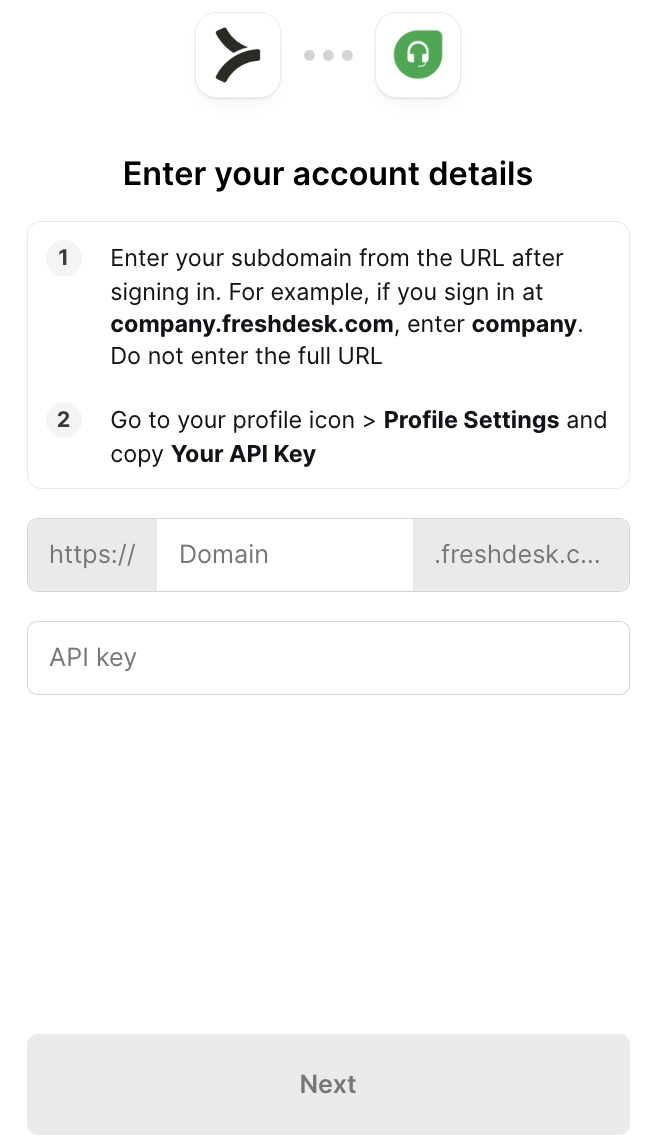
The first time you invoke a Freshdesk tool, a Magic Link will appear to complete connector authentication.
{{this-blog-only-cta}}
Freshdesk MCP FAQ
In case you have more questions on setting up and using the Freshdesk MCP in Cursor, we've addressed several more commonly-asked questions below.
What can you do once the Freshdesk MCP is connected to Cursor?
With Freshdesk connected, Cursor can:
- Inspect a real ticket response before writing a parser: pull an actual ticket payload so you can see the exact JSON shape, nesting, and null behavior before you write the code that deserializes it
- Resolve custom field IDs and names while you type: fetch the custom field definitions on your tickets so you reference the correct API names in code instead of guessing and discovering the mismatch at runtime
- Pull valid status, priority, and source enum values for type definitions: retrieve the real enumeration values your account uses so the types and validators you write match what the API actually returns
- Check pagination behavior against the live API before coding a loop: make a paged request to confirm how
pageandper_pagebehave and where the result set ends, so your fetch loop terminates correctly
- Look up group and agent IDs needed for assignment calls: retrieve the real group and agent identifiers so the assignment or routing call you're writing references values that exist in your instance
Why use Merge Agent Handler vs. a self-hosted Freshdesk MCP server?
You can build a self-hosted Freshdesk MCP server that calls the Freshdesk REST API directly.
For a solo developer wiring up a handful of endpoints, that's manageable: generate an API key, write tool schemas for what you need, and point Cursor at it.
The self-hosted path breaks down once a team shares it.
Freshdesk API keys are per-user and tied to a subdomain, so every developer manages their own key and endpoint config. There's no central place to scope which Freshdesk operations a given agent can perform, no audit trail of what was queried, and no clean revocation when a key rotates or someone leaves.
Merge Agent Handler adds a managed layer: API key storage and rotation handled by Merge, per-user access scoping so each developer authenticates with their own identity, and full audit logging on every tool call.
For a team running Cursor against a live Freshdesk account that holds customer PII, that's a different operational posture than a key sitting in each developer's local config.
Why connect Freshdesk to Cursor?
When you're writing code that integrates with Freshdesk, the hard part isn't the logic, it's getting the details of the API right.
The exact field names, the response shape, the valid enum values, the pagination rules: get any of them wrong and the code compiles but fails against the live API.
Cursor is where you write that integration code, but the answers to those questions live in Freshdesk.
Connecting the two puts the query capability and the reference data in the same session as the code, so you can confirm a field name or inspect a real response without breaking context. The schema you write matches what the API returns, the first time, instead of after a round of runtime errors.
Can I use Merge's Freshdesk MCP with my employees?
Yes, Merge for Workforce is built to help organizations provision, secure, and govern how employees connect AI tools like Cursor to customer support systems like Freshdesk.
Common patterns include:
- Provisioning and access control via SCIM with identity providers like Okta and Microsoft Entra ID, so IT can manage which employees can reach which ticket queues, groups, and Freshdesk data by role or team
- DLP and policy enforcement on tool calls, so admins can stop an employee's AI from pulling tickets outside their assigned scope or block customer PII before it reaches the session
- User-level audit logging so security and IT teams can review which tickets were inspected, which records were retrieved, and which Freshdesk data was accessed, by which employee identity, and when
Put together, employees can use the Freshdesk MCP to inspect real ticket schemas, validate field names, and pull live enum values, and more, while IT keeps centralized control over which queues and data each employee can reach.
Jon Gitlin
.png)
.png)


Connect Cursor to thousands of tools with Merge Agent Handler
Use Merge Agent Handler’s 150+ connectors (including Freshdesk) to power reliable, secure, and powerful agents.


But Merge isn’t just a Unified
API product. Merge is an integration platform to also manage customer integrations. gradient text
But Merge isn’t just a Unified
API product. Merge is an integration platform to also manage customer integrations. gradient text
But Merge isn’t just a Unified
API product. Merge is an integration platform to also manage customer integrations. gradient text
But Merge isn’t just a Unified
API product. Merge is an integration platform to also manage customer integrations. gradient text