


Oracle HCM
Merge lets you securely connect your agents to Oracle HCM and thousands of tools instantly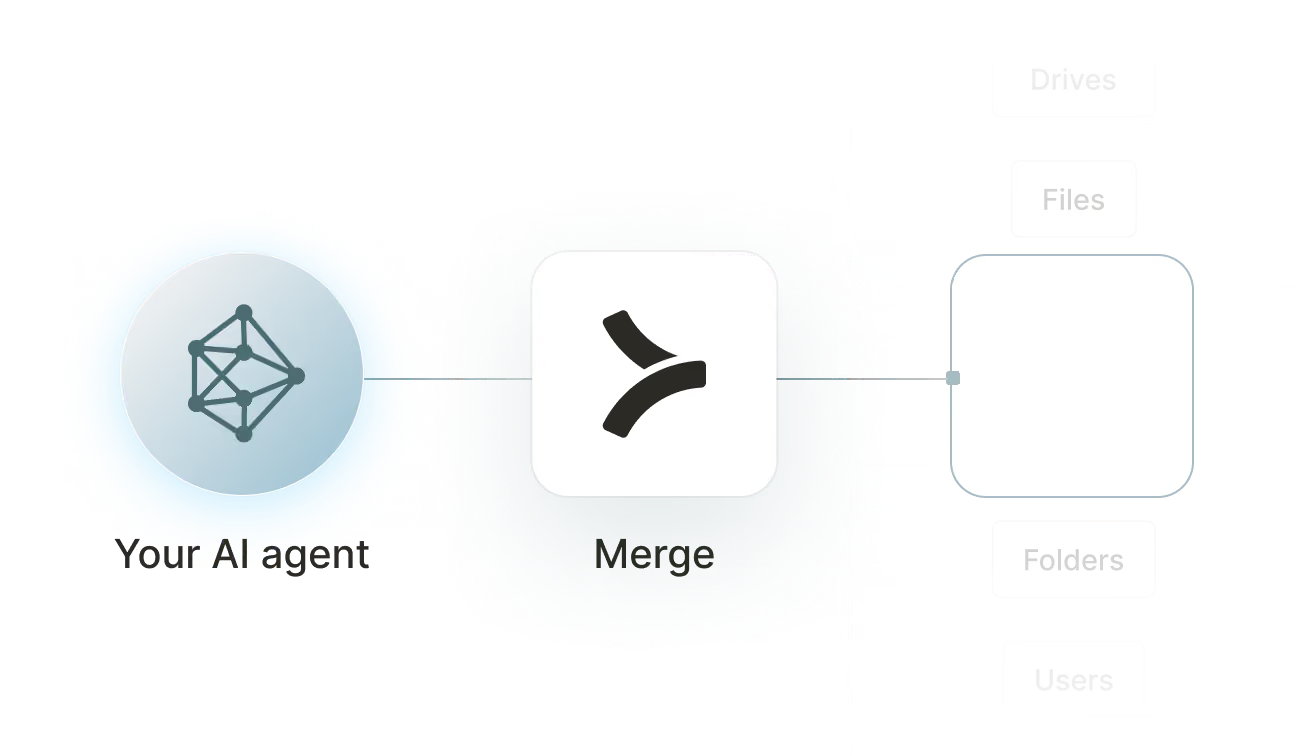
Available tools

How to set upMerge Agent Handler
In an mcp.json file, add the configuration below, and restart Cursor.
Learn more in the official documentation ↗
1{
2  "mcpServers": {
3    "agent-handler": {
4      "url": "https://ah-api-develop.merge.dev/api/v1/tool-packs/{TOOL_PACK_ID}/registered-users/{REGISTERED_USER_ID}/mcp",
5      "headers": {
6        "Authorization": "Bearer yMt*****"
7      }
8    }
9  }
10}
Copy Code
Open your Claude Desktop configuration file and add the server configuration below. You'll also need to restart the application for the changes to take effect.
Make sure Claude is using the Node v20+.
Learn more in the official documentation ↗
1{
2  "mcpServers": {
3    "agent-handler": {
4      "command": "npx",
5      "args": [
6        "-y",
7        "mcp-remote@latest",
8        "https://ah-api-develop.merge.dev/api/v1/tool-packs/{TOOL_PACK_ID}/registered-users/{REGISTERED_USER_ID}/mcp",
9        "--header",
10        "Authorization: Bearer ${AUTH_TOKEN}"
11      ],
12      "env": {
13        "AUTH_TOKEN": "yMt*****"
14      }
15    }
16  }
17}
Copy Code
Open your Windsurf MCP configuration file and add the server configuration below.
Click on the refresh button in the top right of the Manage MCP server page or in the top right of the chat box in the box icon.
Learn more in the official documentation ↗
1{
2    "mcpServers": {
3      "agent-handler": {
4        "command": "npx",
5        "args": [
6          "-y",
7          "mcp-remote@latest",
8          "https://ah-api.merge.dev/api/v1/tool-packs/<tool-pack-id>/registered-users/<registered-user-id>/mcp",
9          "--header",
10          "Authorization: Bearer ${AUTH_TOKEN}"
11        ],
12        "env": {
13          "AUTH_TOKEN": "<ah-production-access-key>"
14        }
15      }
16    }
17  }
Copy Code
In Command Palette (Cmd+Shift+P on macOS, Ctrl+Shift+P on Windows), run "MCP: Open User Configuration".
You can then add the configuration below and press "start" right under servers. Enter the auth token when prompted.
Learn more in the official documentation ↗
1{
2  "inputs": [
3    {
4      "type": "promptString",
5      "id": "agent-handler-auth",
6      "description": "Agent Handler AUTH_TOKEN", // "yMt*****" when prompt
7      "password": true
8    }
9  ],
10  "servers": {
11    "agent-handler": {
12      "type": "stdio",
13      "command": "npx",
14      "args": [
15        "-y",
16        "mcp-remote@latest",
17        "https://ah-api-develop.merge.dev/api/v1/tool-packs/{TOOL_PACK_ID}/registered-users/{REGISTERED_USER_ID}/mcp",
18        "--header",
19        "Authorization: Bearer ${input:agent-handler-auth}"
20      ]
21    }
22  }
23}
Copy Code
FAQ on integrating with Google Drive’s API
Heading

What is an Oracle HCM MCP?
An Oracle HCM MCP is an MCP server that gives your agents access to workforce and HR data inside Oracle HCM Cloud via tools. Your agents can invoke these tools to retrieve and create worker records, manage positions and departments, track absences, and query organizational structures, and more.
Oracle doesn't offer an MCP server purpose built for Oracle HCM, but you can use one from a third-party platform, like Merge Agent Handler.
How can I use the Oracle HCM MCP server?
The use cases naturally depend on the agent you've built, but here are a few common ones:
- New hire provisioning: When a candidate is marked hired in an ATS, an agent creates the corresponding worker record in Oracle HCM, assigns them to the correct department and position, and triggers downstream provisioning workflows automatically
- Absence request handling: An agent receives absence requests submitted through a communication tool like Slack or a ticketing system and creates the corresponding absence records in Oracle HCM without requiring the employee to log into the portal directly
- Headcount reporting: An agent queries Oracle HCM for current worker counts by department, location, or job family on a recurring schedule and generates a headcount summary for HR leadership or finance review
- Org structure sync: When organizational changes are approved in a planning tool, an agent updates position assignments and department hierarchies in Oracle HCM to keep the system of record current with real-world structure
What are popular tools for Oracle HCM's MCP server?
Here are some of the most commonly used tools:
list_workers: retrieves worker records from Oracle HCM filtered by department, location, or employment status. Use this when an agent needs to pull a roster for reporting, syncing, or downstream provisioning workflows
get_worker: fetches the full profile for a specific worker, including personal, assignment, and position data. Call this when an agent needs detailed information about an individual before taking an action in another system
create_worker: creates a new worker record in Oracle HCM with assignment and personal details. Good for agents that automate new hire onboarding by receiving a trigger from an ATS or HRIS and pushing the record into Oracle HCM
update_worker: modifies an existing worker record, such as changing a job title, manager, or location. Useful for agents that process approved change requests from a workflow tool and apply them to the Oracle HCM record automatically
list_positions: returns active positions from Oracle HCM with grade, department, and location data. Helpful when an agent needs to validate a position before assigning a worker or generating an org structure report
list_absences: retrieves absence records for a worker or across a team filtered by type and date range. Call this when an agent needs to check coverage or compile a leave summary before making a scheduling or staffing decision
What makes Merge Agent Handler's Oracle HCM MCP server better than alternative Oracle HCM MCP servers?
There are several reasons to choose Merge Agent Handler's Oracle HCM MCP server over building a custom integration or using an alternative:
- Enterprise-grade security and DLP: Merge Agent Handler includes built-in data loss prevention controls that let you block or redact sensitive fields before they reach an agent. For Oracle HCM, this means you can prevent compensation data, personal identifiers, and employment status details from being exposed even when the agent has broad read access to worker records
- Managed authentication and credentials: Merge stores and refreshes Oracle HCM credentials on your behalf. You never expose raw API keys or OAuth tokens to an agent or manage credential rotation across environments manually
- Real-time observability and audit trail: Every tool call made against Oracle HCM is logged with timestamp, tool name, input parameters, and response metadata. HR and compliance teams can audit exactly what an agent read or modified without instrumenting anything themselves
- Tool Packs and controlled access: Tool Packs let you bundle specific Oracle HCM tools with tools from other connectors into a single MCP endpoint, scoped to a specific use case. An agent built for headcount reporting doesn't need access to worker creation or absence management tools
How can I start using Merge Agent Handler's Oracle HCM MCP server?
You can take the following steps:
1. Create or log into your Merge Agent Handler account and navigate to Tool Packs (collections of connector tools scoped to a specific use case).
2. Create a new Tool Pack, then find and enable the Oracle HCM connector. Choose which tools to include: enable read tools for reporting and syncing use cases, or add write tools if your agent needs to create or update worker records, positions, or absences.
3. Add a Registered User inside the Tool Pack. This is the identity context under which your agent operates. Merge generates a unique MCP URL scoped to this user once it's created.
4. From the Registered User detail page, authenticate Oracle HCM by completing the credential flow. Merge stores and manages the credentials going forward.
5. Copy the MCP URL from the Tool Pack detail page and generate an API key from Settings. You'll need both to connect your agent.
6. Add the MCP server to your agent or IDE using the MCP URL and API key. Your Oracle HCM tools are now accessible through that endpoint.
Can employees use Merge Agent Handler to connect their AI tools to Oracle HCM?
Yes, Agent Handler for Employees lets your employees connect Claude, ChatGPT, Microsoft Copilot, Cursor, and other MCP-compatible AI tools to Oracle HCM without bypassing IT governance.
Instead of setting up direct connections with personal credentials that IT can't monitor or revoke, each employee authenticates through Agent Handler and gets individual credentials tied to their identity.
IT also provisions access by role or group via SCIM. An HR manager, for example, gets Oracle HCM access to manage worker records and org changes, BambooHR to cross-reference HR requests, and Google Sheets to report on headcount and workforce metrics; while a finance analyst gets Oracle HCM access to pull compensation and workforce data, NetSuite to reconcile headcount costs, and Expensify to track employee reimbursements.
Every tool call an employee's AI makes to Oracle HCM is also inspected against your DLP rules and logged to a searchable audit trail, giving security teams full visibility into what data was accessed and by whom.


























Ready to try it out?
Whether you're an engineer experimenting with agents or a product manager looking to add tools, you can get started for free now
