

Table of contents

Guide to HRIS integrations



Jon Gitlin
HR systems, also known as HRIS (Human Resources Information Systems) or HCM (Human Capital Management) systems, are common in every size of business, from just a few employees to hundreds of thousands. Whenever a company hires a person, it needs to onboard them into the organization, provision them with access to software (and possibly hardware), and set them up with payroll—among many other HR functions. Whenever a company separates with a person, it needs to deprovision software and hardware, track benefits, and possibly process severance.
The key to making all of this magic happen involves HR automation and HR integrations. As a key system of record in any company, HR systems are a common integration point for other software and business processes. This guide provides insights into HR systems, how their data and APIs are structured, and common integration use cases. For in depth information on Payroll APIs and integrations, see our Guide to Payroll APIs.
Read on for a guide to HR APIs to learn about:
- HRIS integration overview - What the definition is
- Top HR APIs - Which providers matter most
- Key concepts - How HR systems work
- Data schemas - How various providers organize HR data
- Use cases - Common ways HR data is used in product integrations
- Benefits - Top benefits of HRIS integration
- How to get started - Approaching HR API integrations within your own product
What is an HRIS integration?
It’s the process of scoping, building, and/or maintaining integrations between your HRIS and another application. The integrations can either be customer-facing, meaning that you connect your product to 3rd-party HRIS providers; or they can be for internal use cases, where you connect your HRIS solution with another one of your applications.

{{this-blog-only-cta}}
Top HRIS APIs
HR systems vary widely in their functionality and target markets, making comparison of the biggest HR systems challenging. Functionality differs in that some platforms focus on just HRIS/HCM, while others include some combination of payroll, benefits, PEO (professional employer organization), and recruiting capabilities. In particular, products that focus on payroll and PEO for SMBs (e.g. Trinet, Gusto) have much larger customer counts than enterprise-focused HCMs (e.g. Workday, SAP SuccessFactors).
Now that you have a sense of the boundaries of each domain, let’s dive into which actual HRIS and directory software you’ll want to build integrations with.

Related: A guide to HR integrations
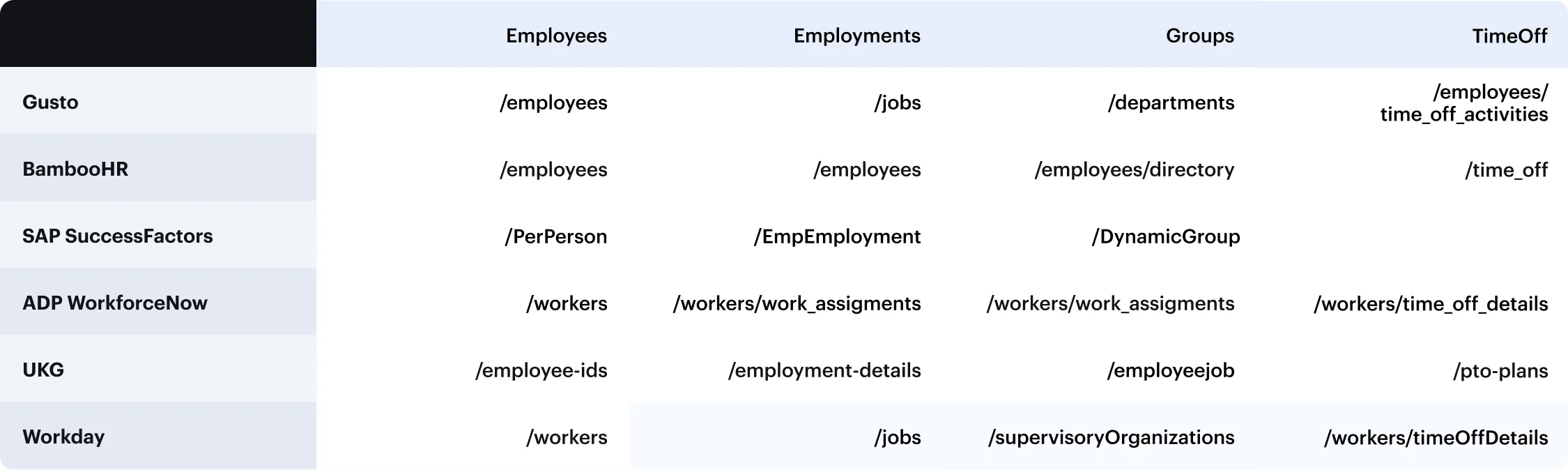
HRIS API key concepts and data schemas
If you're looking to integrate with an HR system, the first record you'll usually want is Employees. Employees typically include all full-time workers, part-time workers, and contractors. Demographic information (birthdates, government IDs), manager, employment status, start date, and termination date are commonly referenced fields on the employee object. Addresses are often stored as an array of ‘Locations’ objects.
Groups represent any subset of employees, such as pay groups, teams, departments, and cost centers. Employees can be in multiple Groups, so you'll want to sort by group type depending on your use cases.
Each employee has one or many Employments that define their current roles and compensation. This includes job title, pay rate and frequency.
Time Off represents all employees' Time Off entries. Time Off Balances represent current balances for an employee's Time Off plan.
Additional payroll-specific information is also available. Check out our Guide to Payroll APIs for more.
Top HRIS API use cases
Hiring new employees
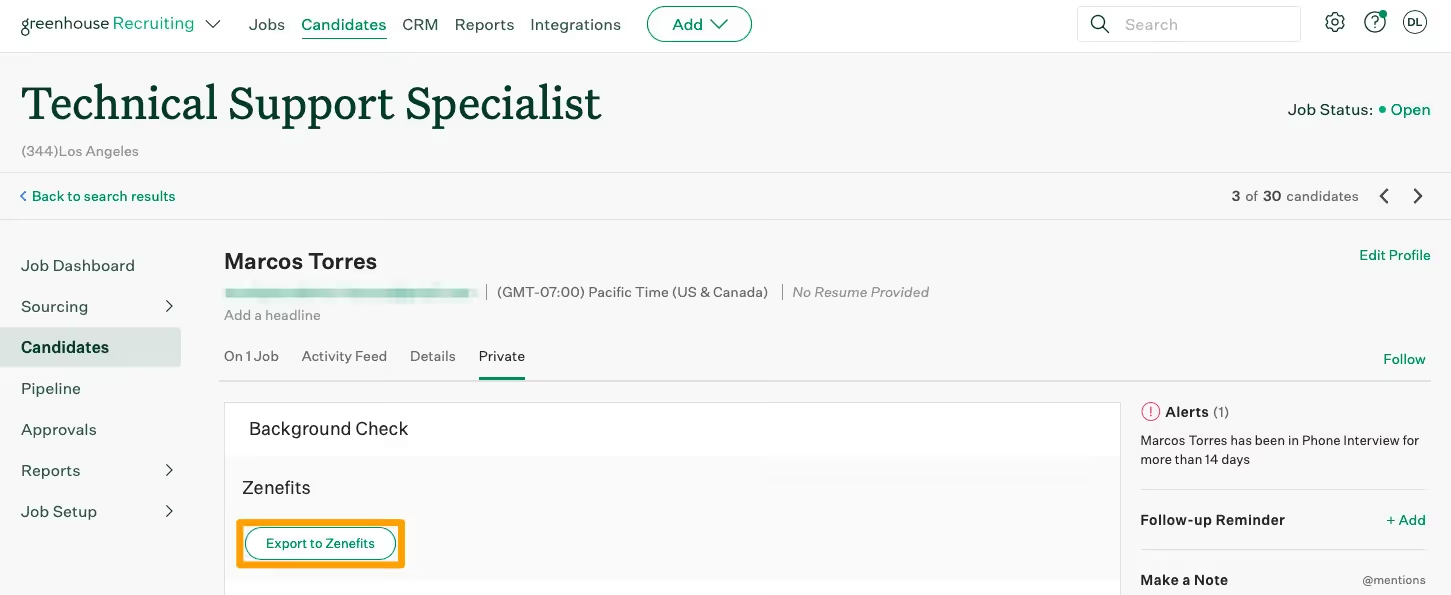
Applicant tracking systems and background check systems are often integrated with HR systems to add new employees upon hiring.
Examples: Checkr, Greenhouse, Lever
Employee onboarding and offboarding
When full-time or part-time users are onboarded to a new company they need to set up payroll, bank account, tax status, and deduction information so that they can get paid. When they are offboarded, most of these services need to be terminated.
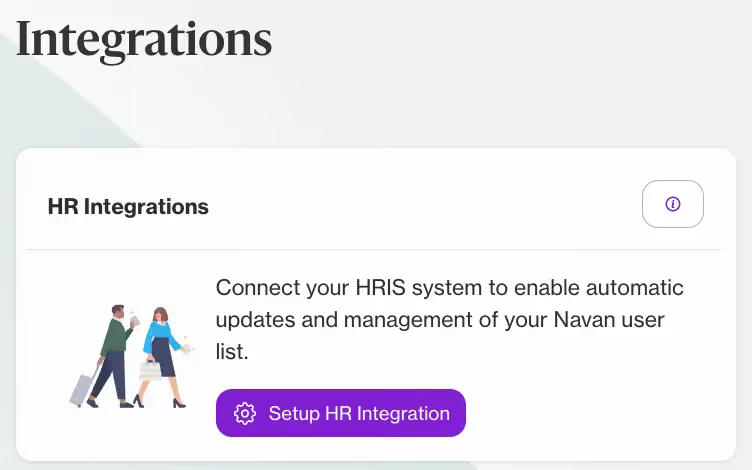
Examples: Deel, Navan, Paylocity, Sapling, Zavvy
User provisioning and deprovisioning
Systems such as identity management, compliance management, rewards and recognition software, travel management, and expense management need to have up-to-date records of employees. Integrations with HR systems make it possible to track which employees are active and should be tracked in these other services.
Examples: Bonusly, Culture Amp, Drata, Expensify, Gifted, Google, Jumpcloud, Kudos, Microsoft, Navan, Okta, Secureframe, Vanta

Related: Everything you need to know about auto-provisioning
Org structures, teams, and managers
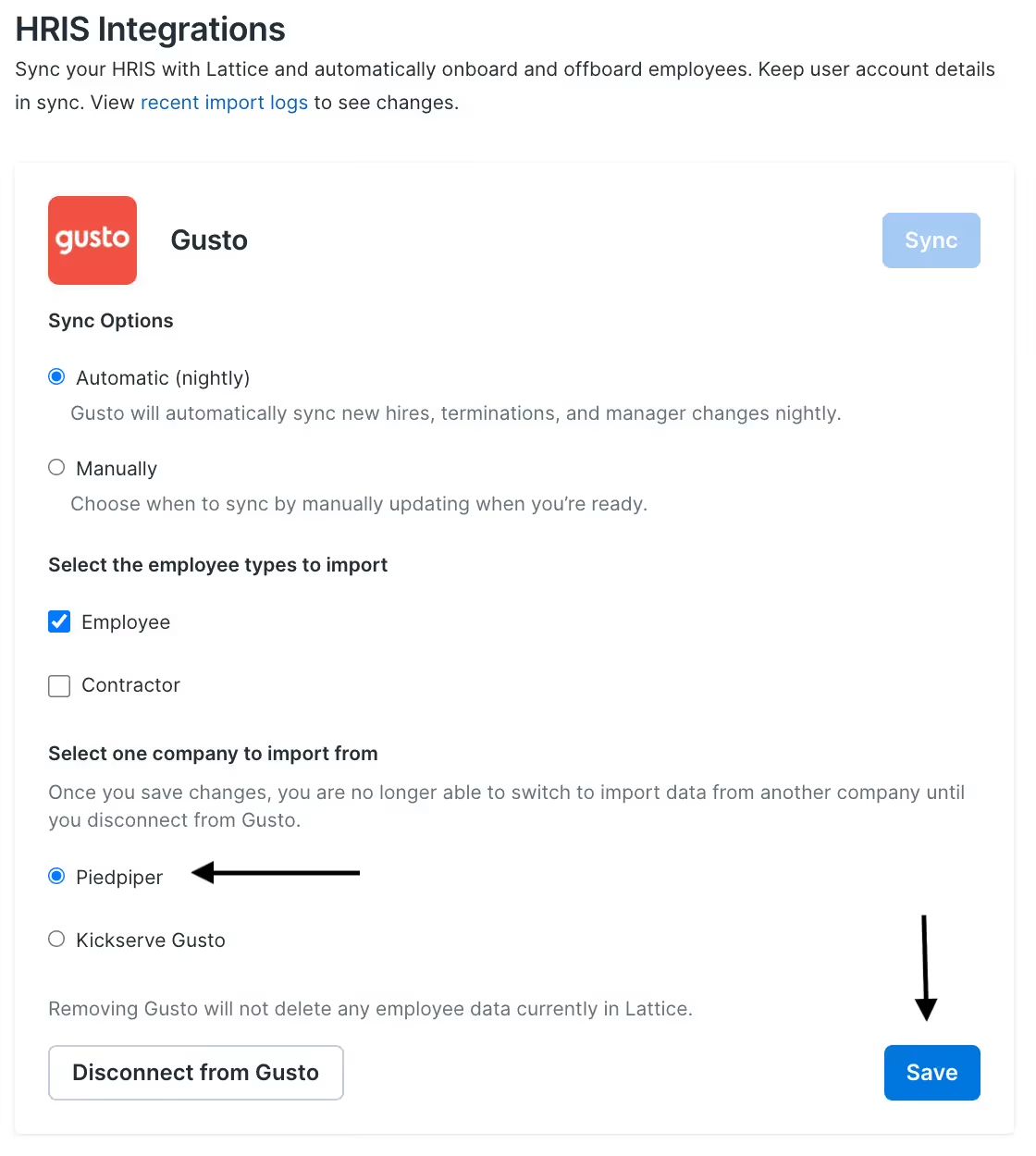
Performance and learning management software integrates with HR systems to keep employee records, org structures, and manager relationship data up to date.
Examples: 15five, Assembly, Lattice, Northpass, Small Improvements, TalentLMS
Staffing, time, and time off management
Time tracking software commonly integrates with HR systems to maintain an updated employee roster and to sync hours worked, shift schedules, and time off information.
Examples: Factorial, Deputy, Homebase, QuickBooks Time, When I Work

Related: Examples of recruiting integrations
HRIS integration benefits
Here are some of the benefits of HRIS integrations:
Prevents human errors
Forcing your employees or clients to copy and paste information to and from an HRIS solution manually can introduce a host of costly errors.
This can be provisioning employees with the wrong level of access to an application, which, in turn, allows them to access data and actions in that app that’s not meant for them; it can be marking an employee as part-time when they’re actually full-time, which prevents them from receiving emails about their benefits, stock options, etc.; or it can be putting the wrong home address for an employee, which can lead to equipment being shipped out to the wrong location and getting lost—and the list goes on.
Since HRIS integration streamlines data entry, your employees or clients don’t have to worry about any of the negative outcomes described above.
Provides a great customer experience
By allowing clients to automatically sync employee data with your product, you can provision new users on time and without any friction; ensure that every user has the correct set of permissions in your product; set off the appropriate workflows for each user; remove users or adjust their access to your product based on the corresponding changes in the client’s HRIS, etc.
All of this translates to happier clients that are more engaged in your product and are more likely to renew and spend more on you.
Delivers an improved employee experience
Enabling employees to avoid copying and pasting data between applications not only prevents them from carrying out tedious, mundane work but also lets them focus on tasks they enjoy and are uniquely positioned to tackle. And by letting employees focus on more interesting, strategic work, they can be happier at your organization—making them more productive.
Offers scalability
From using a unified API, you can simply build to a single API to offer dozens of customer-facing HRIS integrations. This limits the time your developers have to spend on building your integrations and it ensures you’re able to offer all the integrations your clients and prospects need.

In addition, the unified API solution can make the process of managing and performing maintenance on these integrations easy by offering fully-searchable logs and features like automatic issue detection.

Getting started with HRIS APIs
When you're planning out your HR integrations, keep in mind the following considerations:
- API format - Which standards do the underlying APIs support (REST, SOAP, etc.)
- Authentication - Which auth methods each API uses (e.g. OAuth, basic auth, etc.)
- Pagination and rate limits - How large responses are accessed in each API
- Test Accounts - How to access sandboxes for each API
We’ve built Merge to help make integrating with multiple HR providers as easy as possible. Our Unified HR & Payroll API is all REST-based, with one type of authentication, pagination, rate limiting, and automated issue detection to make development simple. Hundreds of companies use Merge to plug into HR APIs, including Ramp and Drata.
Jon Gitlin




Integrate with every HRIS through Merge
Learn how Merge's Unified API lets you integrate your product with dozens of HRIS solutions in a matter of days.


But Merge isn’t just a Unified
API product. Merge is an integration platform to also manage customer integrations. gradient text
But Merge isn’t just a Unified
API product. Merge is an integration platform to also manage customer integrations. gradient text
But Merge isn’t just a Unified
API product. Merge is an integration platform to also manage customer integrations. gradient text
But Merge isn’t just a Unified
API product. Merge is an integration platform to also manage customer integrations. gradient text