


ClayHR
Integrate ClayHR with your product, along with any otherHRIS
ATS
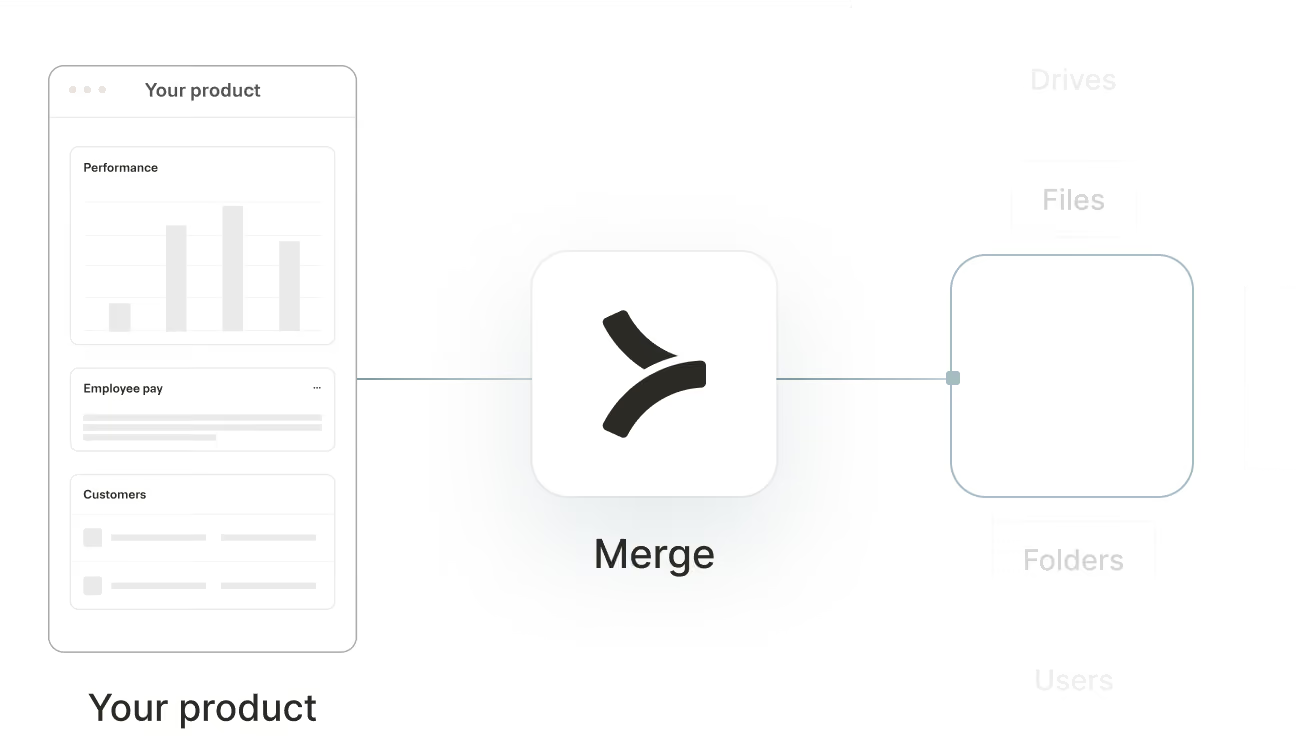

Sync ClayHR data
Employment
The Employment object is used to represent a job position at a company. If an integration supports historical tracking of employments, it will be reflected in the data. If not, a new Employment object will be created whenever there is a change in job title or pay. The effective_date field should be used to order Employment objects, with the most recent date corresponding to the latest employment record for an employee.
Seamless account linking
Integration authentication that feels like magic
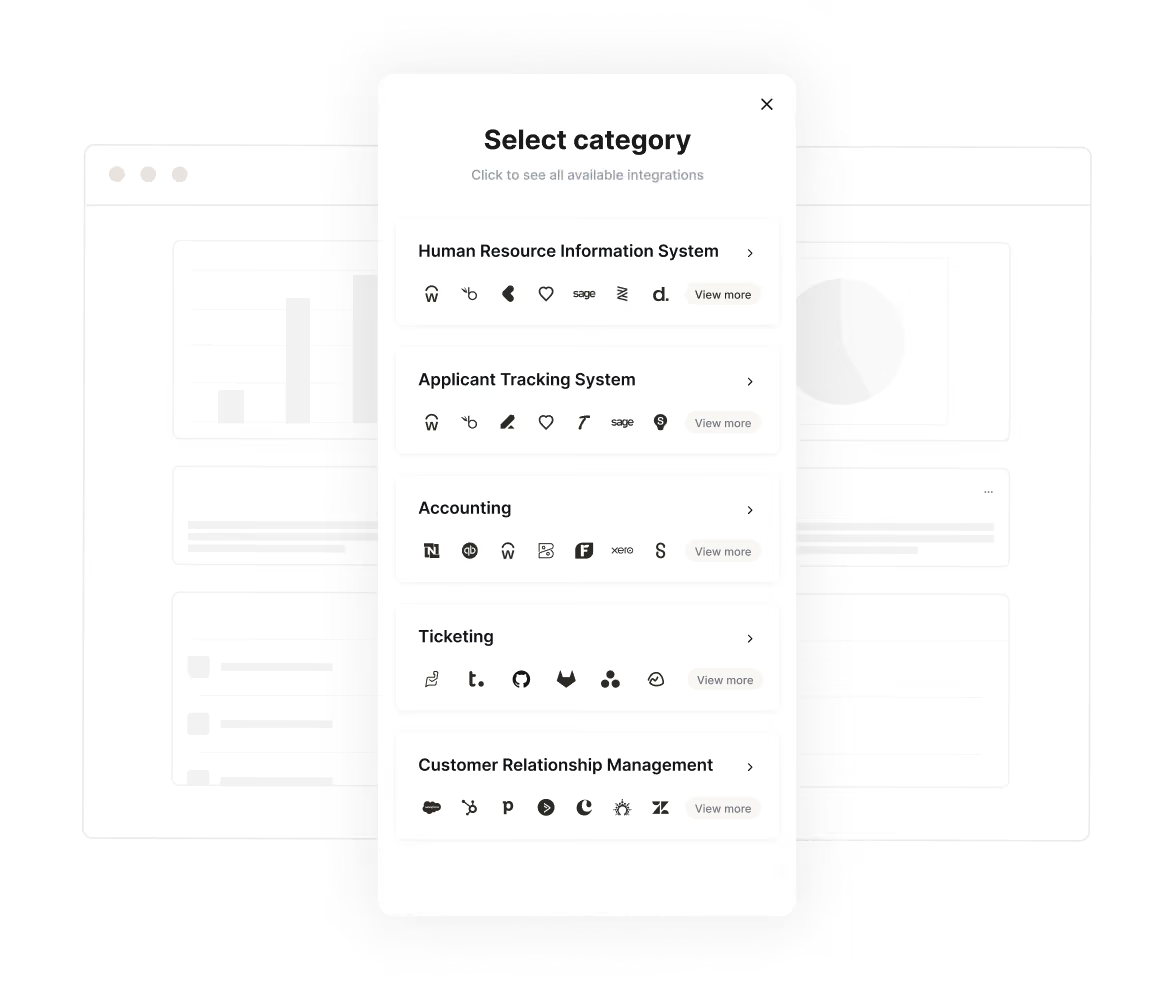
Merge seamlessly manages authentication and authorization on behalf of your customers. Offer account linking and permission controls to your users with Link for a customizable frontend or with Magic Link for URL-based authorization
View Docs
APIs made simple
The toolkit for all your integration needs
We make integrations painless with accessible API design, dead-simple SDKs, and beautiful documentation that we agonize over.
View Docs
Get Employee Data



1from merge import Merge
2
3client = Merge(
4    account_token="YOUR_ACCOUNT_TOKEN",
5    api_key="YOUR_API_KEY",
6)
7client.hris.employees.list()
import { MergeClient, Merge } from '@mergeapi/merge-node-client';
const merge = new MergeClient({
apiKey: 'YOUR_API_KEY',
accountToken: 'YOUR_ACCOUNT_TOKEN',
});
employee = await merge.hris.employees.list()
ApiClient.instance.authentications.tokenAuth = {
  type: 'bearer',
  accessToken: 'API_KEY',
};
new EmployeesApi().employeesList('ACCOUNT_TOKEN', {}, (data) => {
  console.log(data);
});
import (
"context"
"fmt"
merge "github.com/fern-api/merge-go"
mergeclient "github.com/fern-api/merge-go/client"
"github.com/fern-api/merge-go/hris"
)
client := mergeclient.NewClient(
mergeclient.ClientWithAuthApiKey("<YOUR_API_KEY>"),1ApiClient client = Configuration.getDefaultApiClient();
2client.setBasePath('https://api.merge.dev/api/ats/v1');
3ApiKeyAuth tokenAuth = client.getAuthentication('tokenAuth');
4tokenAuth.setApiKey('API_KEY');
5CandidatesApi apiInstance = new CandidatesApi(client);
6apiInstance.candidatesList('ACCOUNT_TOKEN');import com.merge.api.MergeApiClient;
import com.merge.api.resources.hris.employees.requests.EmployeesRetrieveRequest;
import com.merge.api.resources.hris.types.Employee;
MergeApiClient mergeClient = MergeApiClient.builder()
.accountToken("ACCOUNT_TOKEN")
.apiKey("API_KEY")
.build();
Employee employee = mergeClient.hris().employees().list(
EmployeesRetrieveRequest.builder()
.includeRemoteData(true)> {
"id": "0958cbc6-6040-430a-848e-aafacbadf4ae","remote_id": "19202938","employee_number": "2","company": "8d9fd929-436c-4fd4-a48b-0c61f68d6178","first_name": "Dirna","last_name": "Emanuel","display_full_name": "Dirna Emanuel",
"username": "dirnaemanuel",
"groups": [
Meta endpoint
Programmatically access required schemas
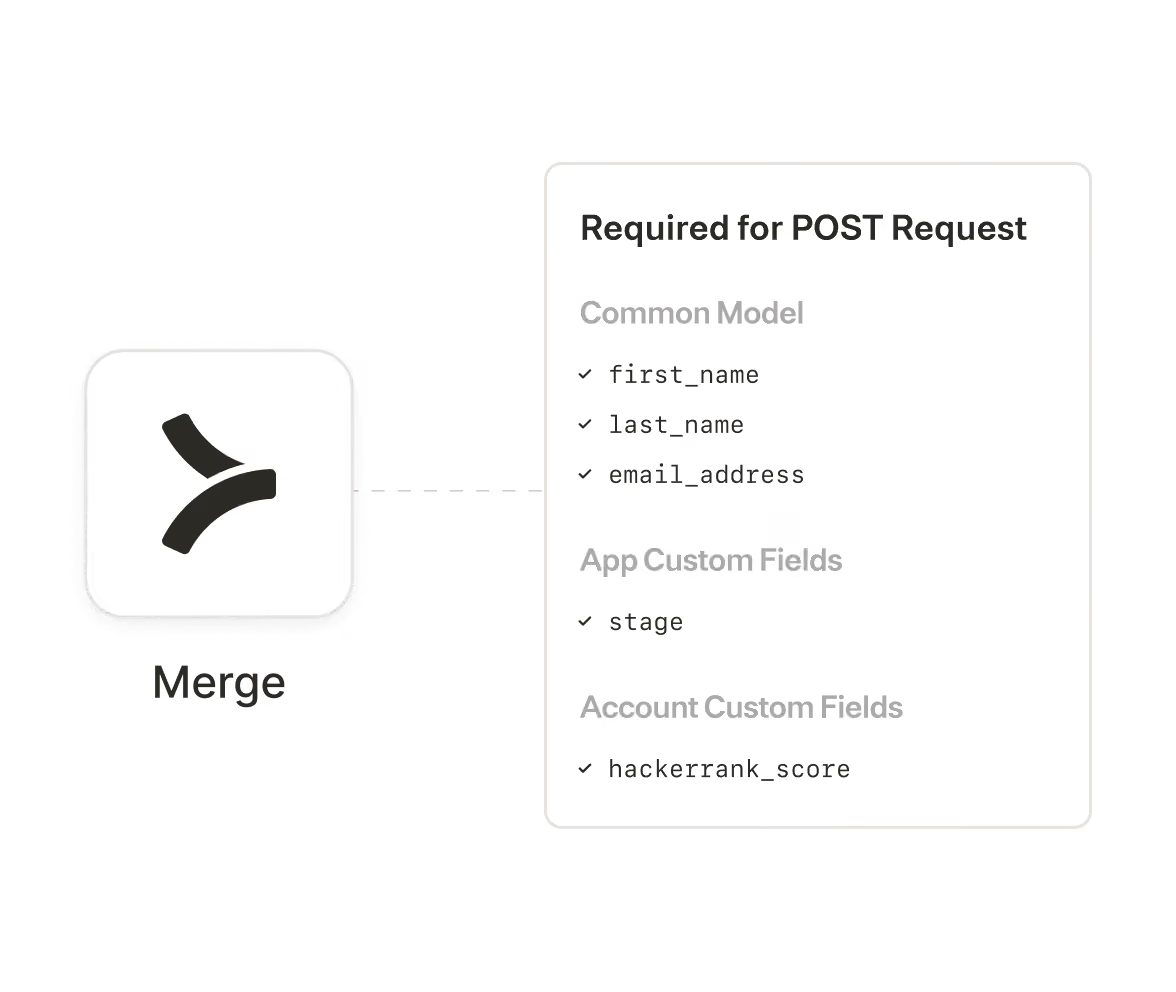
Third-party providers require specific (and often different) fields to write data to their APIs, making your code a mess.
Dynamically fetch required data schemas from Merge’s /meta endpoint to make POST or PATCH requests that just work.
View Docs
Beyond building
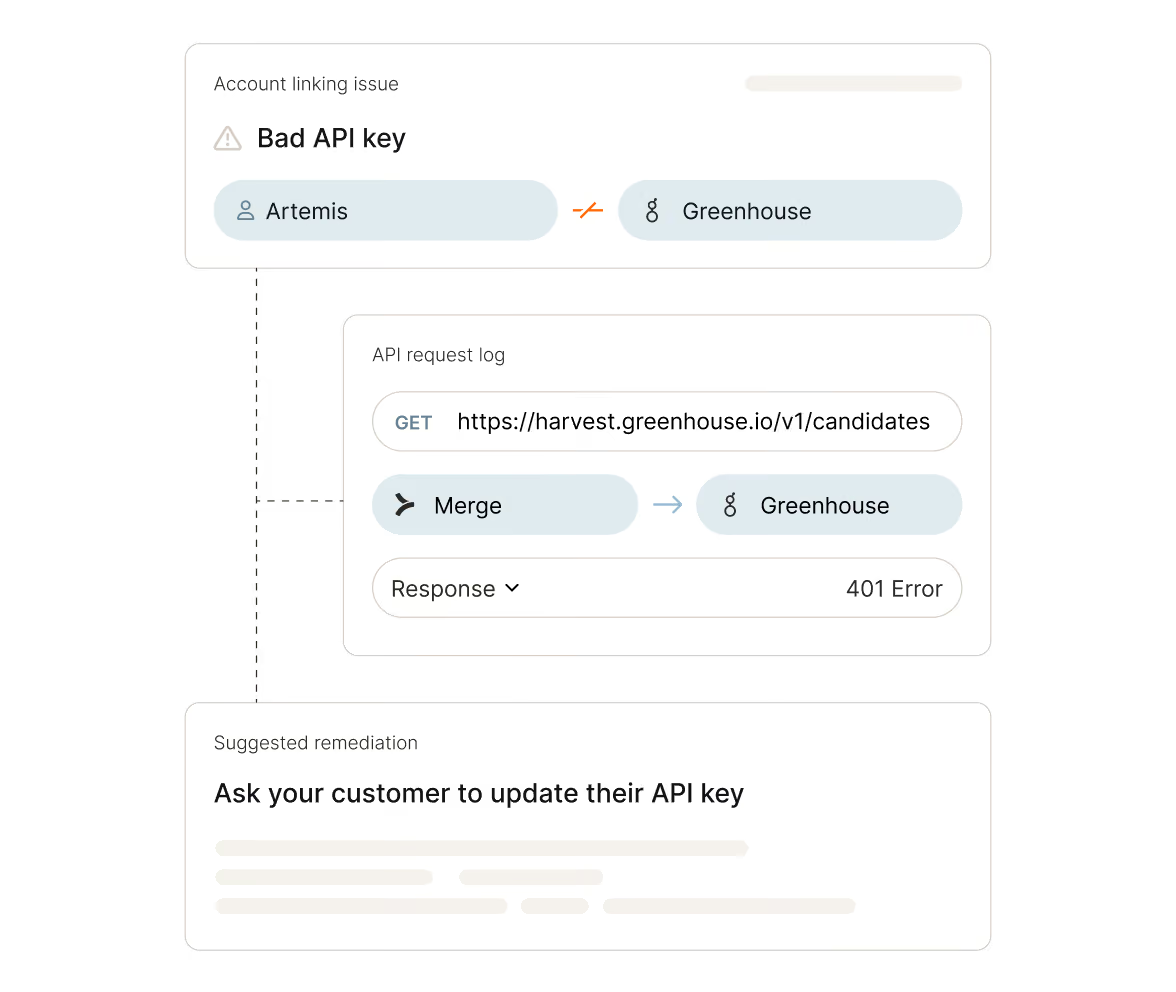
Rely on the best integration observability system
Let our logs, issue detection, and automated alerts save your customer success team time, money, and headaches.
Forget maintenance - let your developers focus on building!
Learn more









Make integrations your competitive advantage
Stay in touch to learn how Merge can unlock hundreds of integrations in days, not years
